What is vendor management software in JAI CRM?
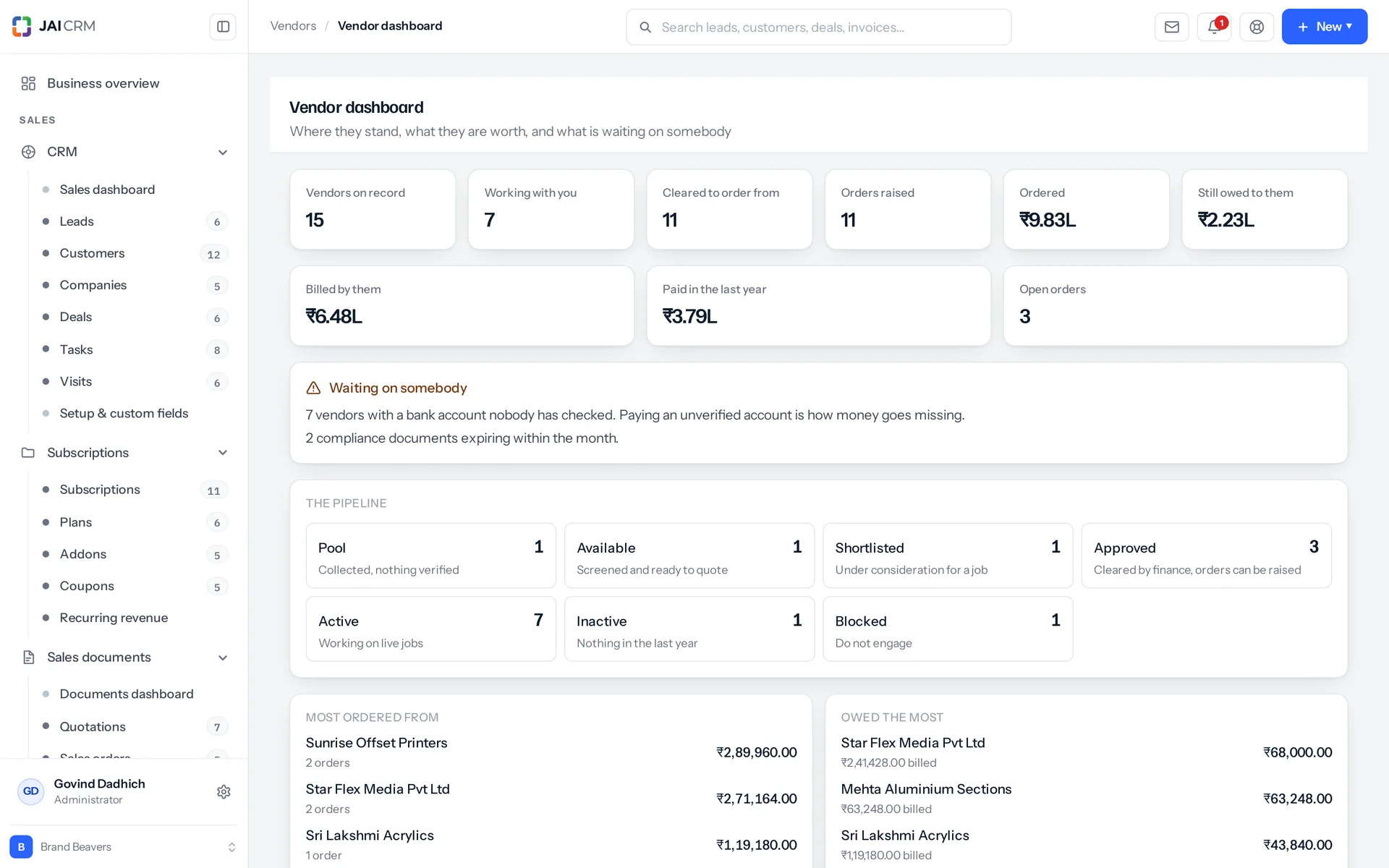
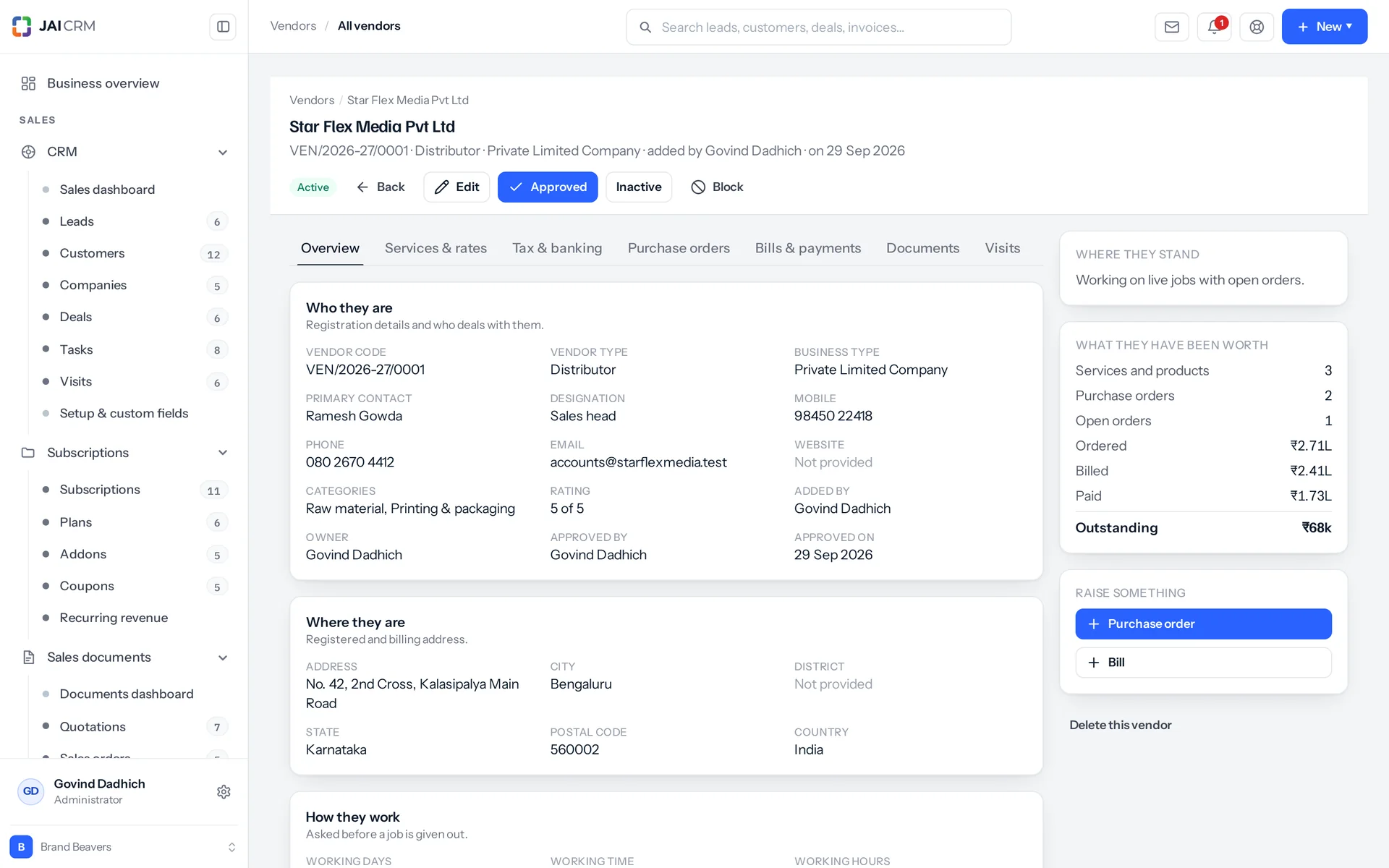
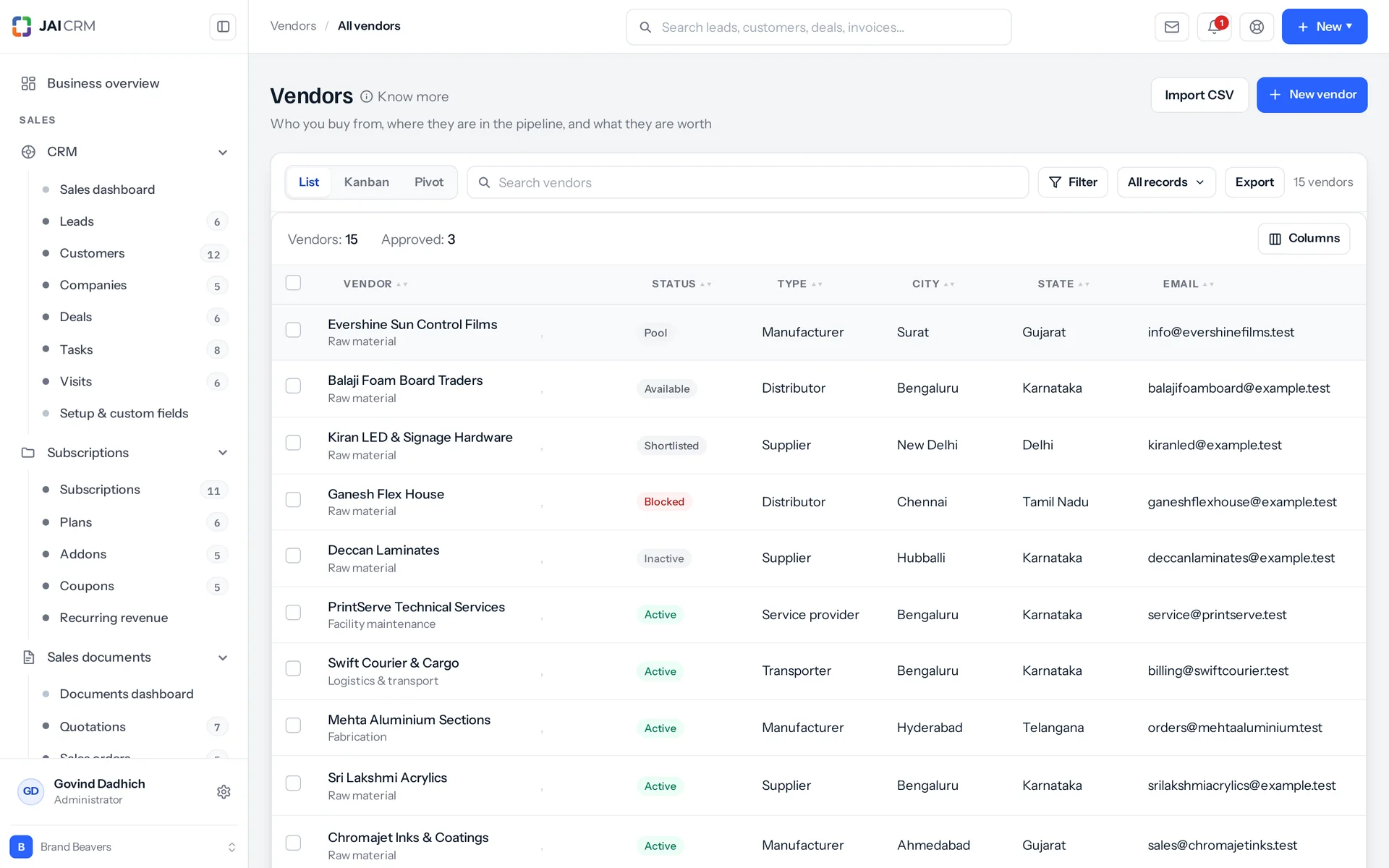
It is the Vendors module, where you keep every supplier in one place. Each vendor moves through seven stages: prospective, available, shortlisted, approved, active, inactive and blocked. Approval needs a PAN and a bank account, plus a GSTIN if they are GST-registered. A vendor who is not approved, or is blocked, cannot get a purchase order, bill, debit note or payment. It also holds rate cards, TDS settings and compliance papers with expiry dates.
Who uses the Vendors module in JAI CRM?
Buyers, finance, owners and whoever chases supplier paperwork. Buyers pick rates from the vendor's own rate card on a purchase order. Finance approves vendors and sets their TDS. The owner gets one dashboard for the supplier side. Vendors can log in to a portal to see their own orders, bills and statement. It suits manufacturing, fabrication, construction and interiors, trading, textiles, printing and packaging, pharma, food and FMCG, logistics, agencies and retail.
Can my vendors log in and see their own orders?
Yes. You create the login in Settings against that vendor, and the vendor record carries the portal flag and portal role that go with it. Once signed in, they see their own purchase orders and bills. They also see a running statement of what was billed against what was paid, with anything written off shown as its own credit line, and a message thread they can reply to. They see no list of anybody else and no internal menus. Files are attached from your side of the thread. Their reply is text.
What happens when I block a vendor in JAI CRM?
From that moment, four things are refused: a new purchase order, bill or debit note; a payment; adding them to a project; and a purchase order raised from a sales order. Each refusal names the vendor and repeats the reason recorded when you blocked them. The purchase document and payment refusals also say where to undo it. Everything already raised stays, and the history is untouched. Blocking stops new work; it does not rewrite old work. If purchase orders are still open, you are told how many, and that you must close or cancel them to stop further supply. They are not cancelled for you.
Can I approve a vendor who has no GSTIN?
Yes, if they are not GST-registered. A vendor whose GST treatment is unregistered, composition, overseas or SEZ is not asked for a GSTIN they do not have. Approval still needs a PAN and a bank account in every case, so payments and TDS can be filed correctly. If something is missing, the refusal names exactly which of the three it is, instead of just saying the record is incomplete.
Do vendors become inactive automatically if we stop using them?
Only if you set a number of days, anywhere from 0 to 1095. If it is zero or not set, nothing is touched at all. Moving vendors by hand is a fair choice, and the system will not guess a number for you. When it is set, approved or active vendors with no order, bill or payment since the cutoff move to inactive overnight. The history records the date of their last activity. Newly approved vendors are safe, because last activity falls back to the approval date.
Will copying a vendor's rate card into inventory create duplicate items?
No. Each service is matched to your existing items by name, ignoring capital letters. A matched item is filled only where it is blank (purchase rate, HSN or SAC, GST rate and preferred vendor), and nothing already there is overwritten. A new item is created only where nothing matched. You are told how many were created and how many matched. Running it a second time reports that every service already had a matching item and nothing was duplicated. A vendor with an empty rate card is refused, instead of quietly doing nothing.
Can I stop a buyer from seeing every vendor?
Yes. The check runs on every single vendor lookup, not only on the list. Our code records the bug that taught us this: fifteen lookups once went straight to the vendor's id, so a buyer limited to their own vendors could open, edit, approve, block or delete anybody's. Now a vendor you may not read comes back as "not found" rather than "forbidden", because "forbidden" would confirm the vendor exists. A change you may not make says so plainly (shared with you to read, not to change), because you are already looking at the record. Contacts are reached through their vendor, not by their own id, so the same check applies to them.
Can I delete a vendor?
Only when nothing depends on them. If payments to them are on record, the delete is refused and the message names the alternative: "This vendor cannot be deleted. 3 payments made to them are on record. Delete those payments first, or block the vendor instead." You can ask for the full list of blockers before anyone tries, so the confirmation box shows what stands in the way instead of the delete simply failing. Deleting a vendor, a contact or a compliance document each needs a second, explicit confirmation.
How is TDS deducted for a vendor with no PAN?
At the higher no-PAN rate. It is applied automatically when the bill is entered, and the TDS entry says why: "Deducted at the higher rate because no PAN is on file for this vendor." TDS sections are rows you set up, each with a rate and a separate rate for when there is no PAN. Each bill books its own TDS on its taxable value, and paying the bill settles it. The entry is stamped with the financial year and quarter, based on the financial year start your business is set to. That is April unless you changed it.
Can I change the dropdown options on the vendor form?
Yes, twelve of them, in Settings. They are a fixed set, and an unknown list is refused by name. You save the whole list at once, so reordering, renaming and adding are all the same kind of save. A value already used on a vendor is switched off rather than deleted, so no record loses the label it was saved with. Reading the lists needs permission to see a vendor. Editing them needs the custom-field permission, so the people who use the form are not the people who can quietly rewrite it.
How much does vendor management in JAI CRM cost, and do I need the whole suite?
No, you do not need the whole suite. Vendors costs ₹149 per user per month on its own. The full suite of seventeen modules is ₹499 per user per month. Buying Vendors alone makes sense if your accounts live elsewhere and you mainly want the seven stages, the rate cards and the compliance dates. Be aware that most of the checks described here are enforced on purchase documents, so most people end up with Vendors and Procurement together.