What is the Procurement module in JAI CRM?
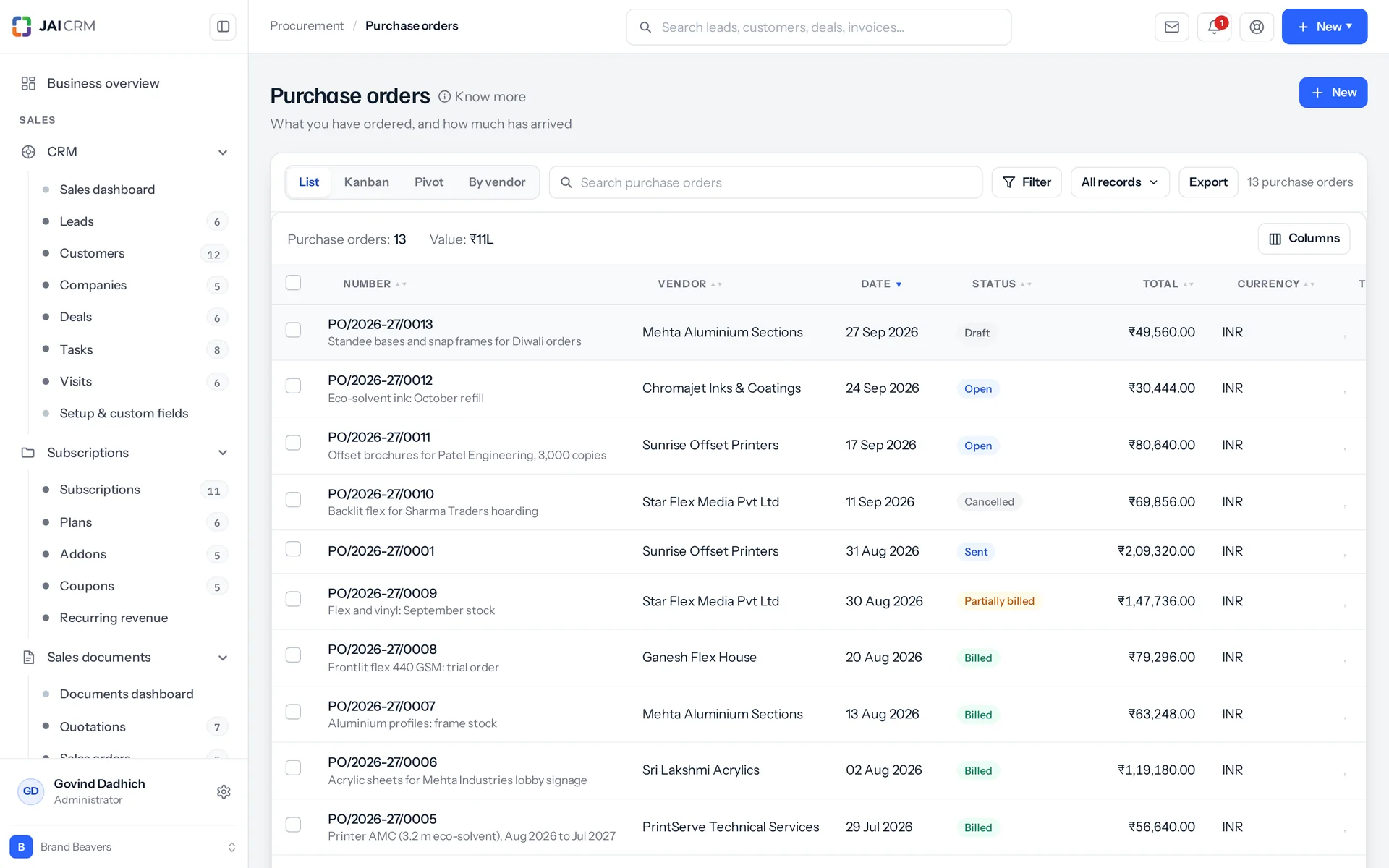
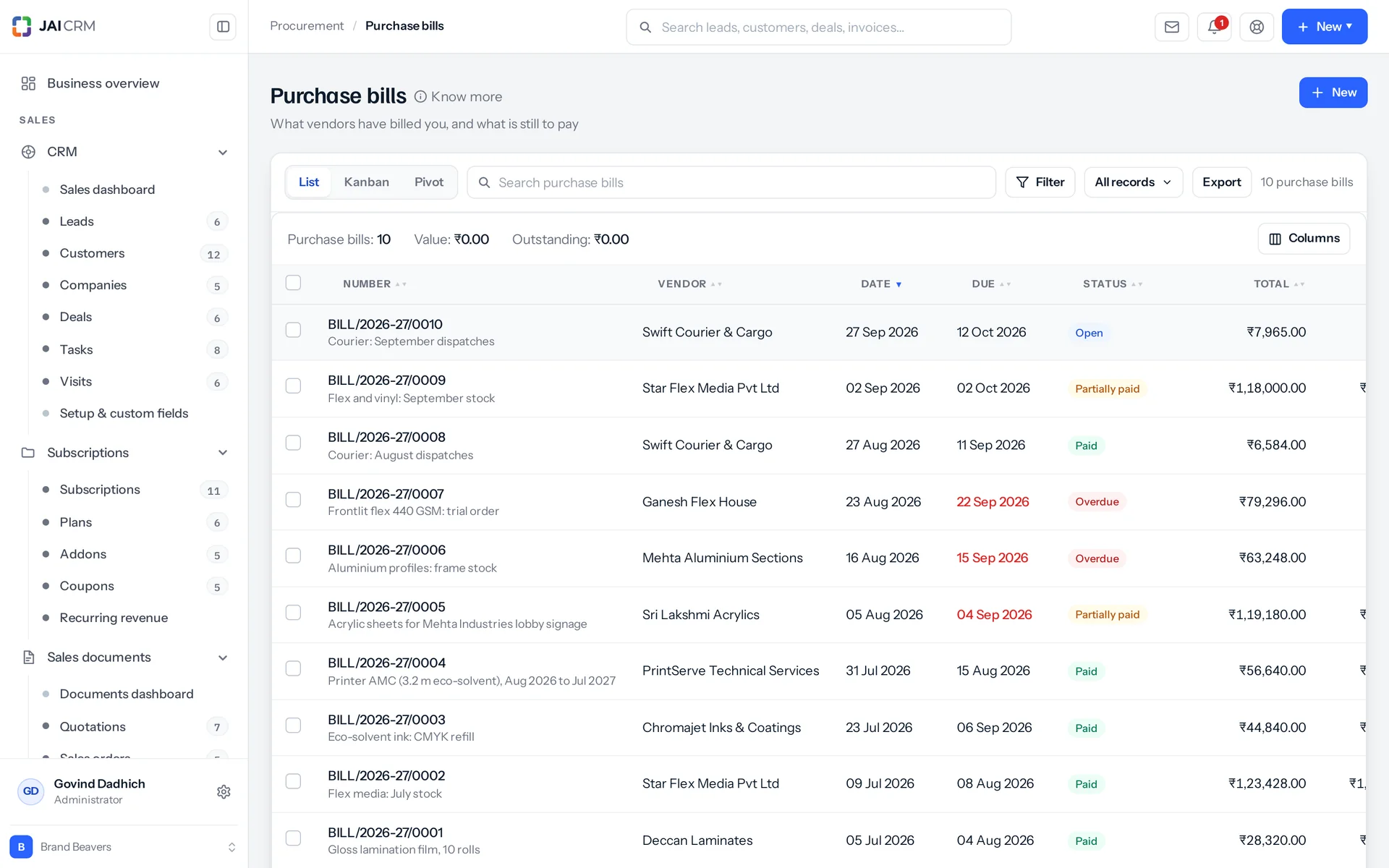
It is the buying side of JAI CRM. You raise purchase orders, record purchase bills and debit notes, receive goods and pay vendors. Each order line keeps what you ordered, received, billed and called off as separate numbers. You can bill half an order today and the rest next month. TDS is booked on each bill and settled as you pay, and reverse charge GST is set from the vendor's registration. You can only buy from vendors someone has approved.
Who is this purchase order software for?
It is for Indian businesses of five to two hundred people that buy from suppliers. It fits manufacturing, engineering and fabrication, trading and distribution, construction and interiors, pharmaceuticals, textiles and apparel, printing and packaging, and food and FMCG. Inside the business, it serves the buyer, the storekeeper at the gate, whoever pays vendors, the owner, the person bringing on new suppliers, and the salesperson who needs goods bought.
How much does JAI CRM procurement software cost?
It starts from ₹149 per user per month. The price is per user, so you pay for each person on your team who uses JAI CRM, each month.
Who can commit company money to a supplier?
Two separate people, by design. Raising a purchase order or a bill needs create or edit rights on that document type. Clearing the supplier is a different permission, on the vendor. The approve action asks for a PAN and a bank account first, plus a GSTIN if the vendor is registered. You cannot order, bill or pay a vendor still at collected or shortlisted, or anyone blocked. One honest limit: there is no sign-off based on order value today. No rule says orders over ₹1,00,000 wait for a second signature. What controls spending is who may raise the document and who the vendor is.
Does receiving the goods close a purchase order?
No, and that is on purpose. The received quantity is recorded on the line. But the order's status answers the billing question: open, partly billed, billed or closed. An order can arrive in full and have none of it billed, and one word cannot honestly say both. The status used to change to “received” when the boxes arrived. That hid orders that had arrived and never been paid for, and left no word at all for an order that was half billed. Whether everything has arrived is worked out from the quantities, and the system tells you when it has.
Can I cancel a purchase order that is already partly billed?
Not the whole order. Cancelling it would leave that bill pointing at something that never happened, so the option is not offered at all. Instead, cancel the items that are still unbilled. That closes the order, and you can record a reason against each line as you go. If you delete the bill later, its quantities go back to the order line by line. The order's status is worked out again, so it can be billed again instead of staying short for ever. A cancelled order cannot be reopened. It keeps its number, and you raise a new one.
What happens if a vendor sends 6 items against an order for 10?
The missing four are recorded against the line as called off, with a reason if you give one. The line is not edited down. The order said ten and someone agreed to ten, so that quantity stays and what was dropped is recorded beside it. The six can still be billed, and the order closes when nothing is left outstanding. Called-off quantity is taken out of the count, so an order for ten with four called off and six billed is finished, not sixty per cent done. Restore the four later, and an order that closed only because everything was called off opens again.
Does JAI CRM deduct TDS on vendor payments?
Yes, when the bill is entered, not at quarter end and not only when you pay: the law asks for TDS at credit or payment, whichever comes first, and entering the bill is the credit. It is worked out on the bill's taxable value, at the vendor's own rate if they have one, otherwise the TDS section's. Paying the bill settles that TDS in proportion, and the last payment settles the rest. Money paid ahead on an order has its TDS deducted at the payment instead. Each bill writes one TDS entry with the section, financial year and quarter, based on your own financial year start month, not the calendar.
What TDS rate applies if a vendor has not given their PAN?
The higher no-PAN rate is applied automatically when the bill is entered, and the TDS entry says why: “Deducted at the higher rate because no PAN is on file for this vendor.” So whoever prepares the return later can see why that row differs from the others. Also, a PAN is one of the papers the approve action asks for before a vendor can be cleared. So a missing PAN should be the exception, not the routine.
Does JAI CRM handle reverse charge GST on purchases from unregistered suppliers?
Yes, and it works it out instead of asking you. The vendor's GST treatment decides it: registered, unregistered, composition, overseas or SEZ. So a new document starts with the flag already right, and you only change it when one purchase is different. The reverse charge total is saved on the document. The printed page shows a “Tax payable by us under reverse charge” line with the amount. Reverse charge is also one of six tax treatments you can set per line and per charge, for when only part of a document is affected.
What happens to a debit note on a bill I have already paid?
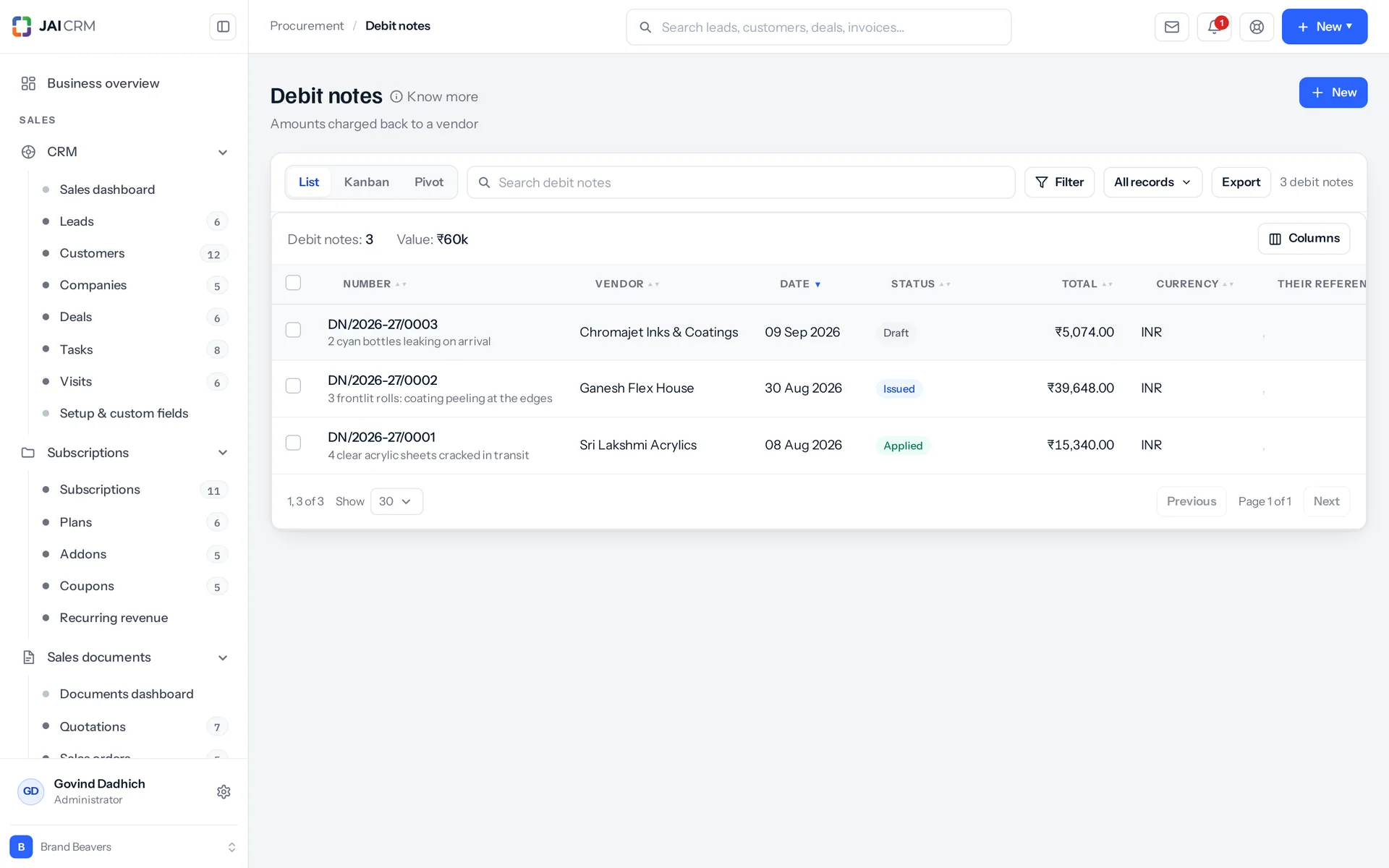
It becomes vendor credit: money the vendor owes you back. A debit note is spent on its bill only as far as the bill still owes, and the rest stays on the note. Apply it to another of that vendor's bills, or record the refund when they pay it back, into a bank account, where it shows on the statement. On a bill that carried TDS, the TDS the note gives back is set off first, so the vendor is asked for the right amount.
Can one vendor payment cover several bills?
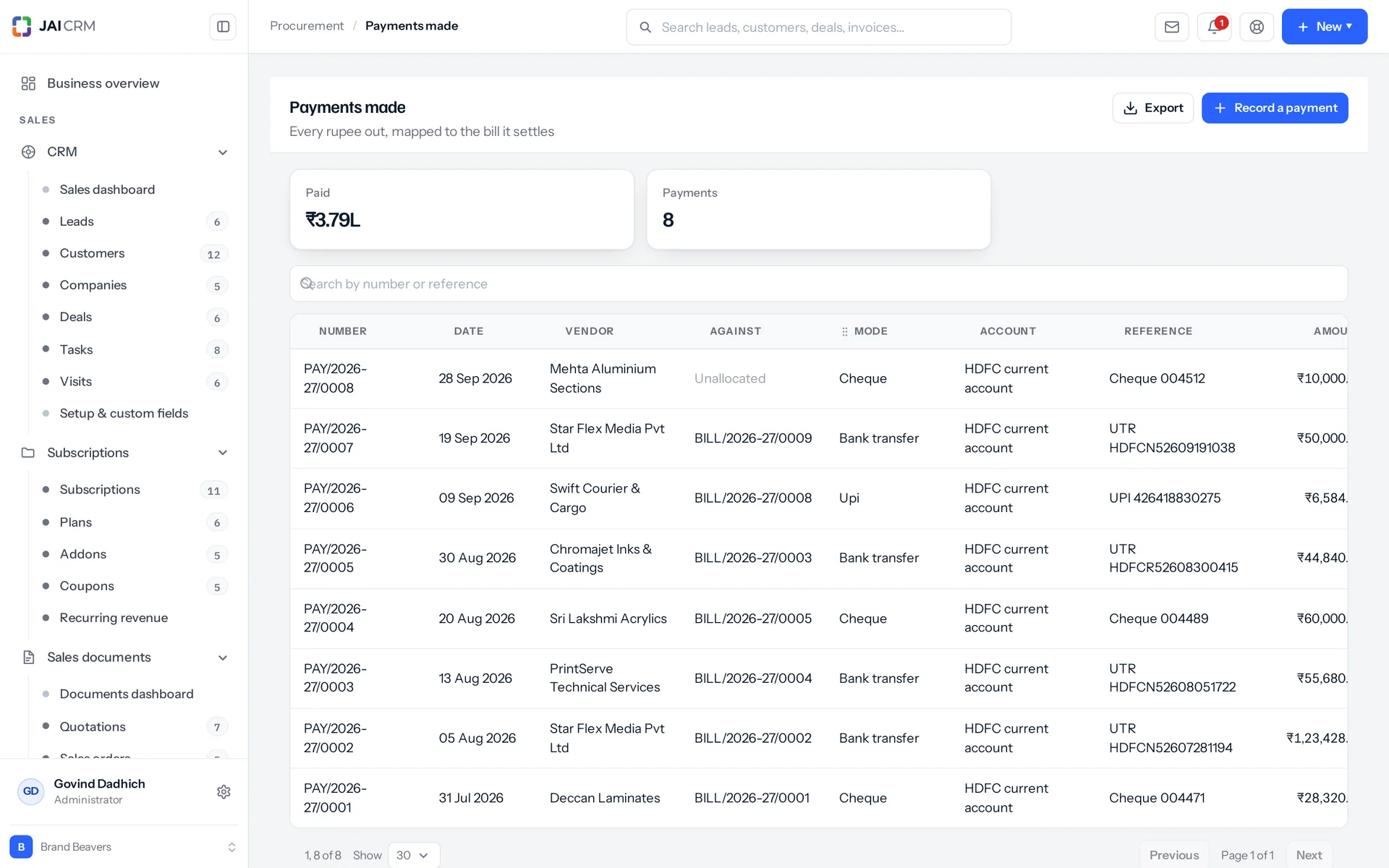
Yes. One payment can cover several bills, and orders too as an advance, in one record. Each allocation carries its own share of the TDS. The same document cannot appear twice on one payment. A bill from another vendor is refused by name. Applying more than you are paying is refused, with both numbers shown. Anything left over is recorded on the payment as unallocated, and shown on the list and in the export. The check adds the payment and the bill's TDS together against its balance, because together they settle it. ₹1,08,000 paid on a ₹1,18,000 bill whose TDS is ₹10,000 clears it.
Can vendors log in and upload their own bills?
Yes, if you want that. You can give a vendor a portal login. It is controlled by a role, not a list of separate switches, because what a vendor may see is a decision you make once for all of them. Four extra permissions sit on top, per vendor: see the orders raised against them, upload their bills, see whether they have been paid, and write to whoever manages the account. The built-in vendor role can view, print and approve purchase orders, and view, create and print purchase bills. It only sees that vendor's own records and nothing else.
Can I import purchase bills from a spreadsheet?
No, and that is a choice, not a gap. CSV import is switched off for purchase orders, purchase bills and debit notes. A document is a header plus its lines, its numbering and its totals, and a flat row of columns cannot hold that. Export is different. Every purchase list has a CSV export. The payments export has fourteen columns, including the GSTIN, the TDS and its section, the unallocated balance and the documents the payment was applied to. The computed value columns on a vendor row are exported as well as shown.