

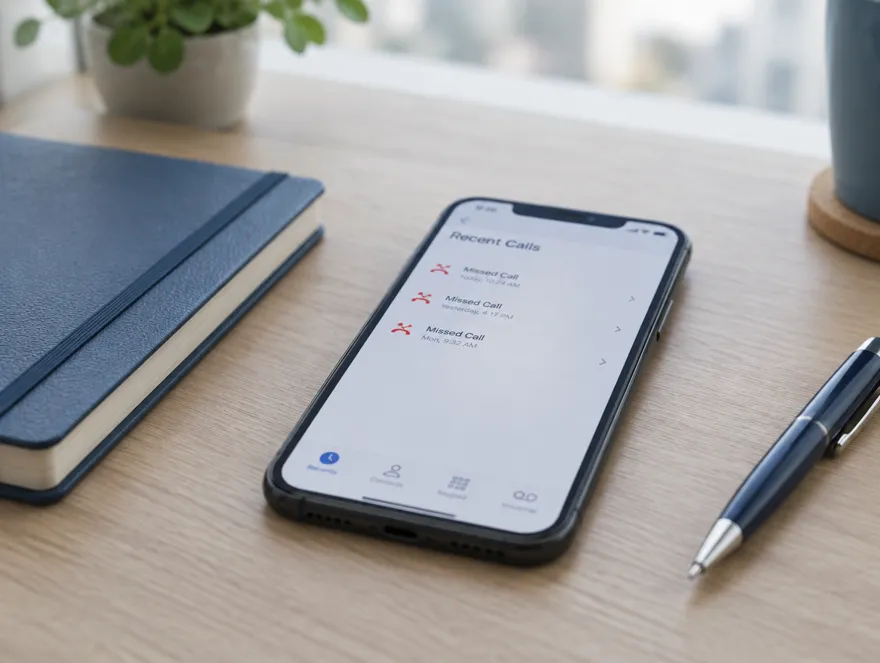
 3 missed callsSharma Traders, since Tuesday
One missed callback
Somebody meant to ring back on Tuesday. It is Friday. The enquiry has gone quiet and nobody knows it was ever warm.

JAI means victory
No business loses money loudly. It goes
one missed callback at a time. one lead at a time, still sitting in WhatsApp. one reminder at a time, that nobody set. one customer at a time, still waiting on a price. one invoice at a time, that nobody chased.JAI CRM is where that stops. Your leads, quotations, GST invoices, stock and accounts, in one app your whole team works in.
No card. Import your customers from a spreadsheet and raise a real GST invoice in ten minutes.
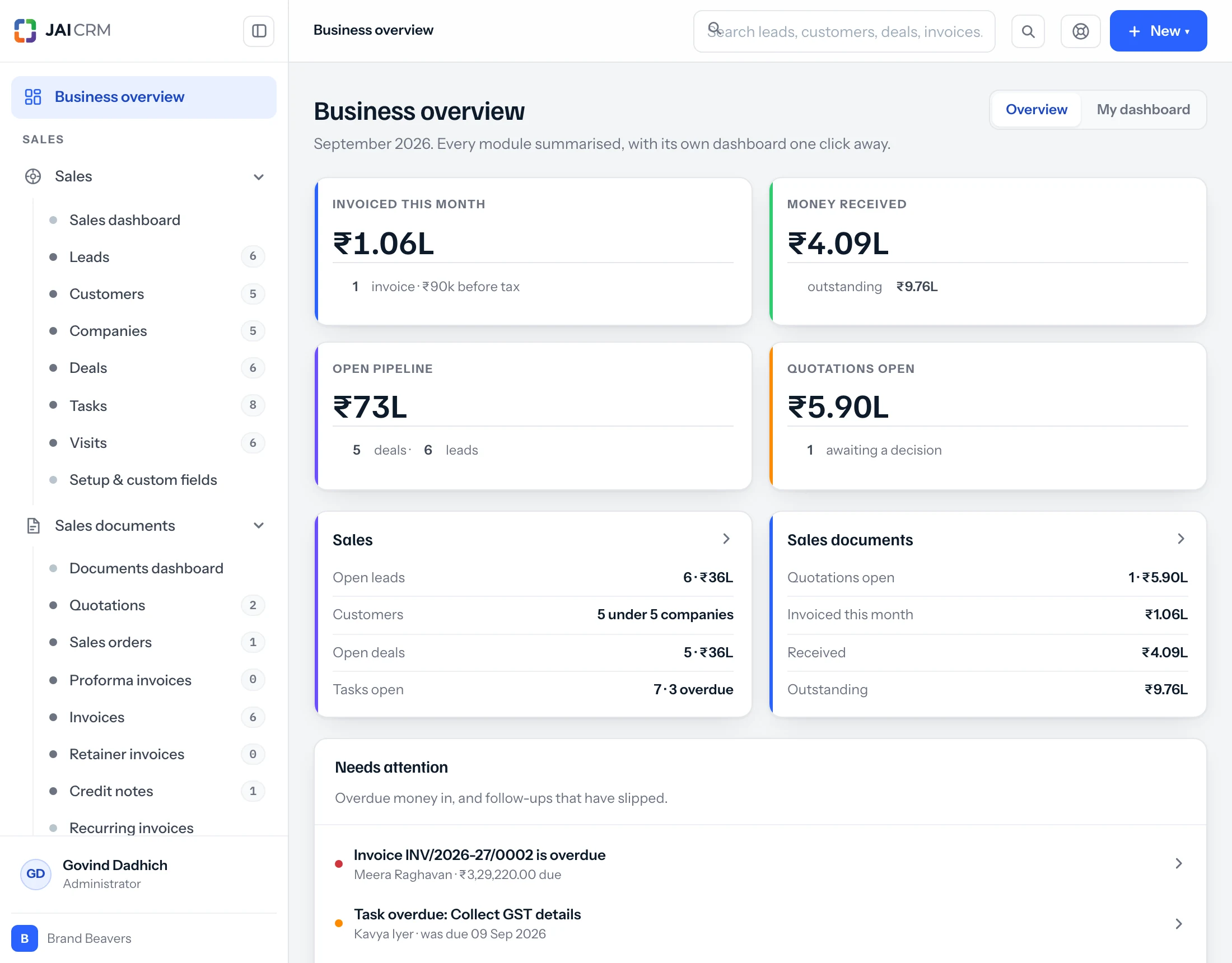
Everything a growing business runs on
Instead of a WhatsApp group, three spreadsheets,
a separate billing program and one person who remembers everything,
one app your whole team works in.
Good product. Good team. Good intentions. And still the same pattern, in business after business, because none of this goes wrong loudly enough to get fixed.
3 missed callsSharma Traders, since Tuesday
Somebody meant to ring back on Tuesday. It is Friday. The enquiry has gone quiet and nobody knows it was ever warm.
 Last reply 9 days agoRate asked for 200 pcs SS pipe
It arrived on a personal number, was answered once, and now lives in a chat nobody else can see.
 Follow-up: no owner, no dateThe note is on a laptop. Its owner is on leave.
The follow-up was in somebody’s head. The head went on leave.
 Revised quote asked 6 days agoStill half done, on Amit’s laptop
They asked for a revised quotation. It is on a laptop, half done, behind three other things.
 The books say 40The shelf says 26
Stock says forty. The shelf says twenty-six. So everybody checks the shelf, every time.
 “What happened to that enquiry?”Monday meeting, 10:05
Somebody asks it in the Monday meeting, and the room goes quiet.
And slowly, chaos starts looking normal.
Nothing here will sell for you. What it will do is make sure every enquiry is written down, given to somebody, followed up when it was promised, and measured afterwards. Every time, whoever is on leave.
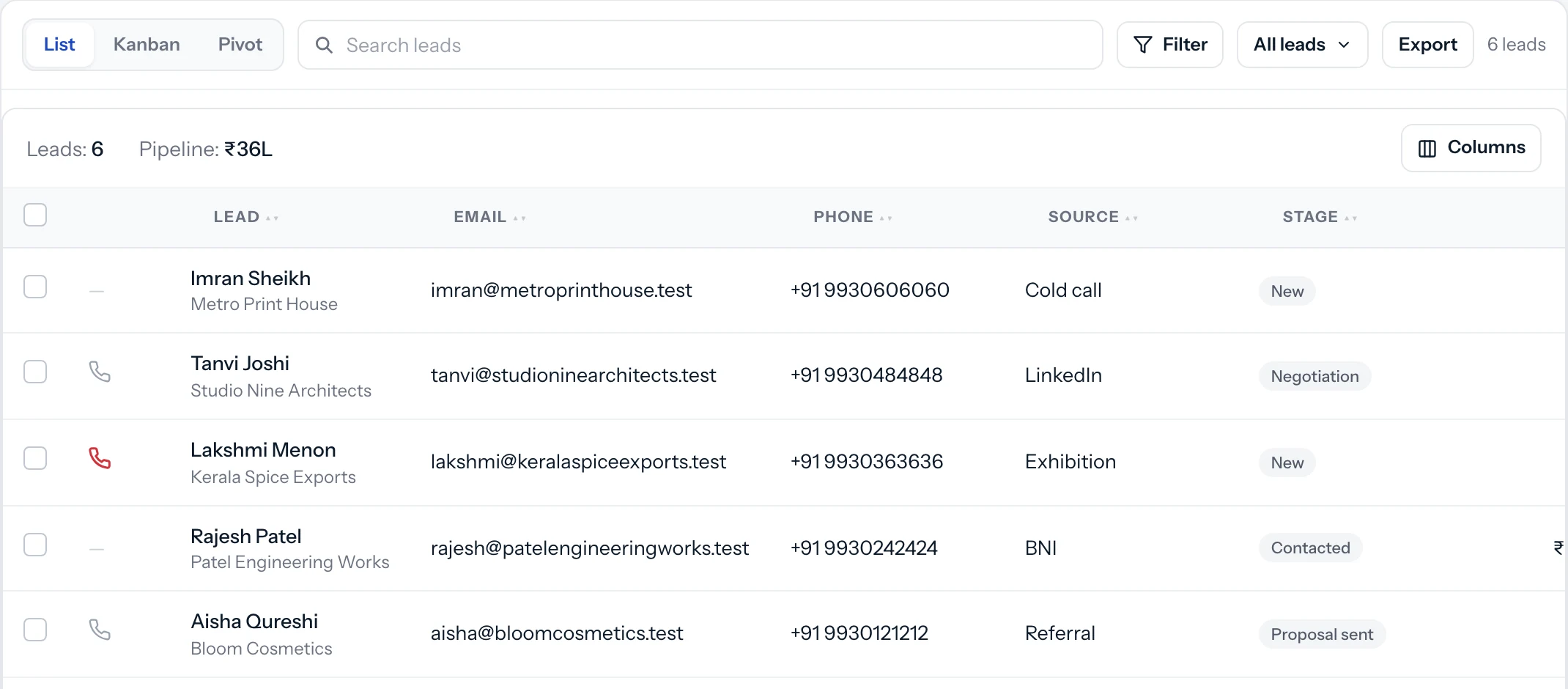
Every enquiry lands in one place with where it came from, who owns it and what happens next.
One customer record. Not one in the CRM, one in Tally, one in a spreadsheet and one in somebody’s phone.
What is due today is a list, not a memory. Overdue work is visible to more than the person who forgot it.
The business stops running through you. Anyone can open a record and see the whole story.
Numbering, approvals, tax and who can see what are rules the software keeps, not habits people have to remember.
GST returns are a view of the invoices you already raised. Nothing is rebuilt in the first ten days of the month, and the due dates stop being a scramble.
VICTORY over business chaos
Each step is made from the one before it, so nothing is typed twice and the books are written as it happens. Four colours in the logo, four parts of the day.
1 of 4, Enquiry
Every enquiry, from WhatsApp, IndiaMART, JustDial, your website or a visiting card, lands in one list with a name against it and a date to call back.
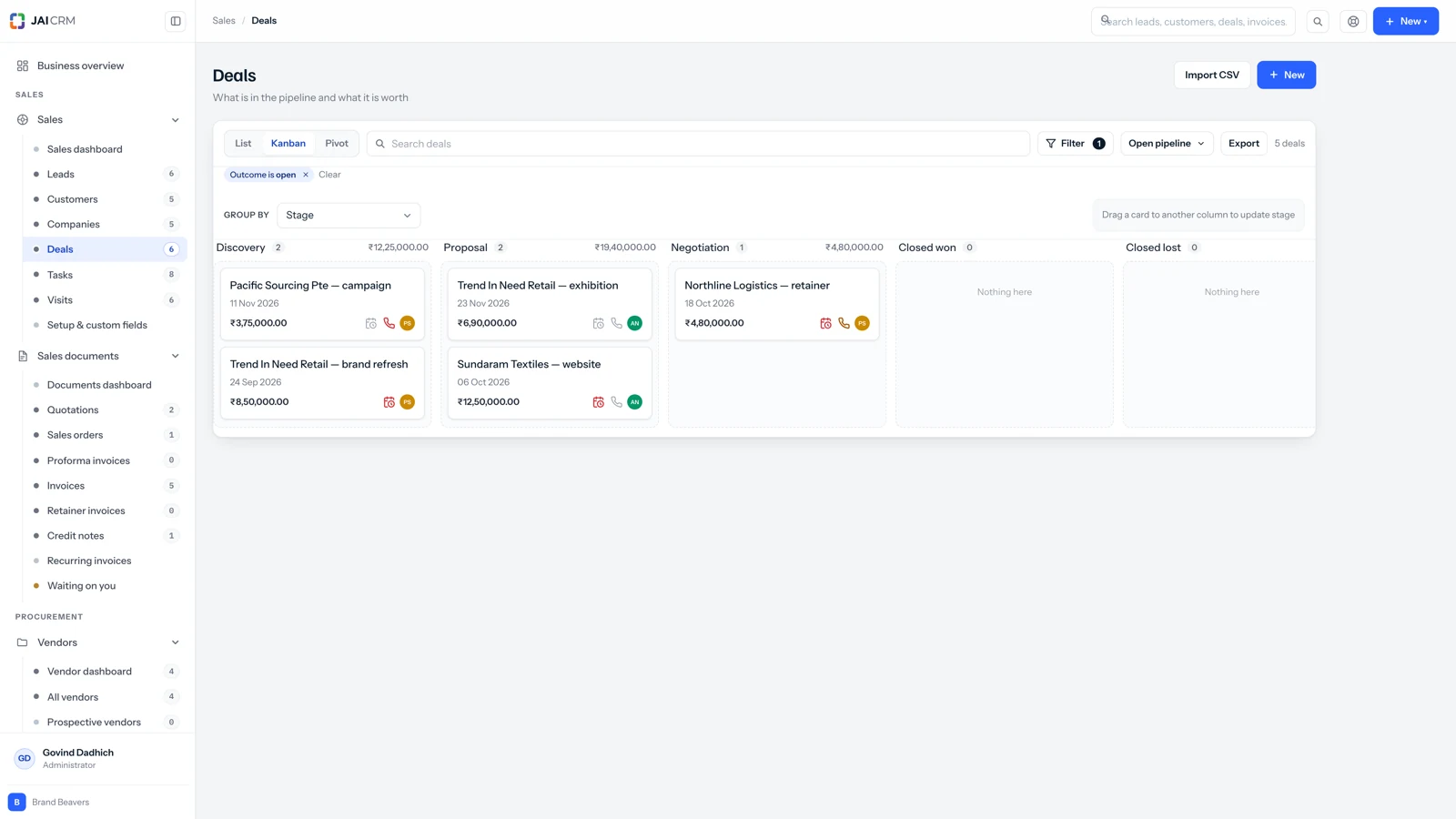
2 of 4, Invoice
A quotation becomes an order, the order becomes a GST invoice, and the invoice is closed by the payment. Each step carries the details of the one before it.
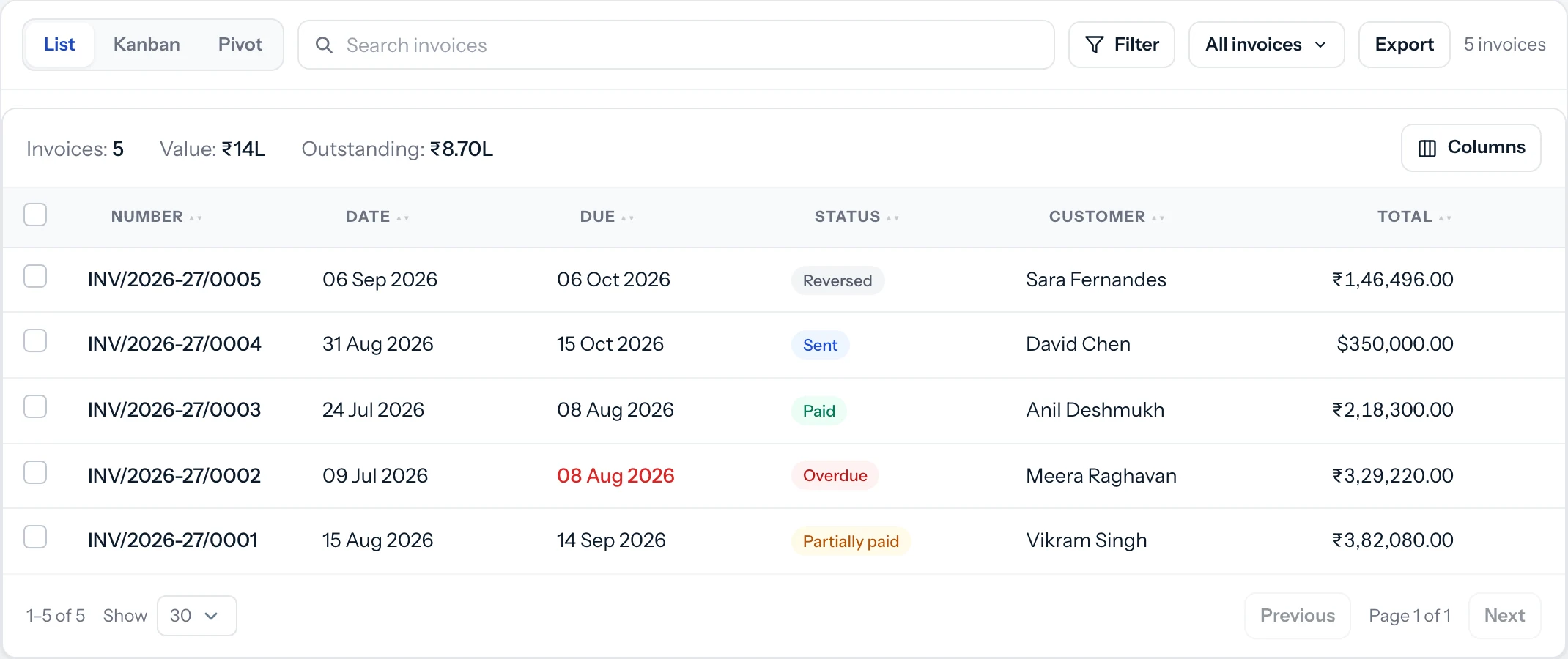
3 of 4, Field
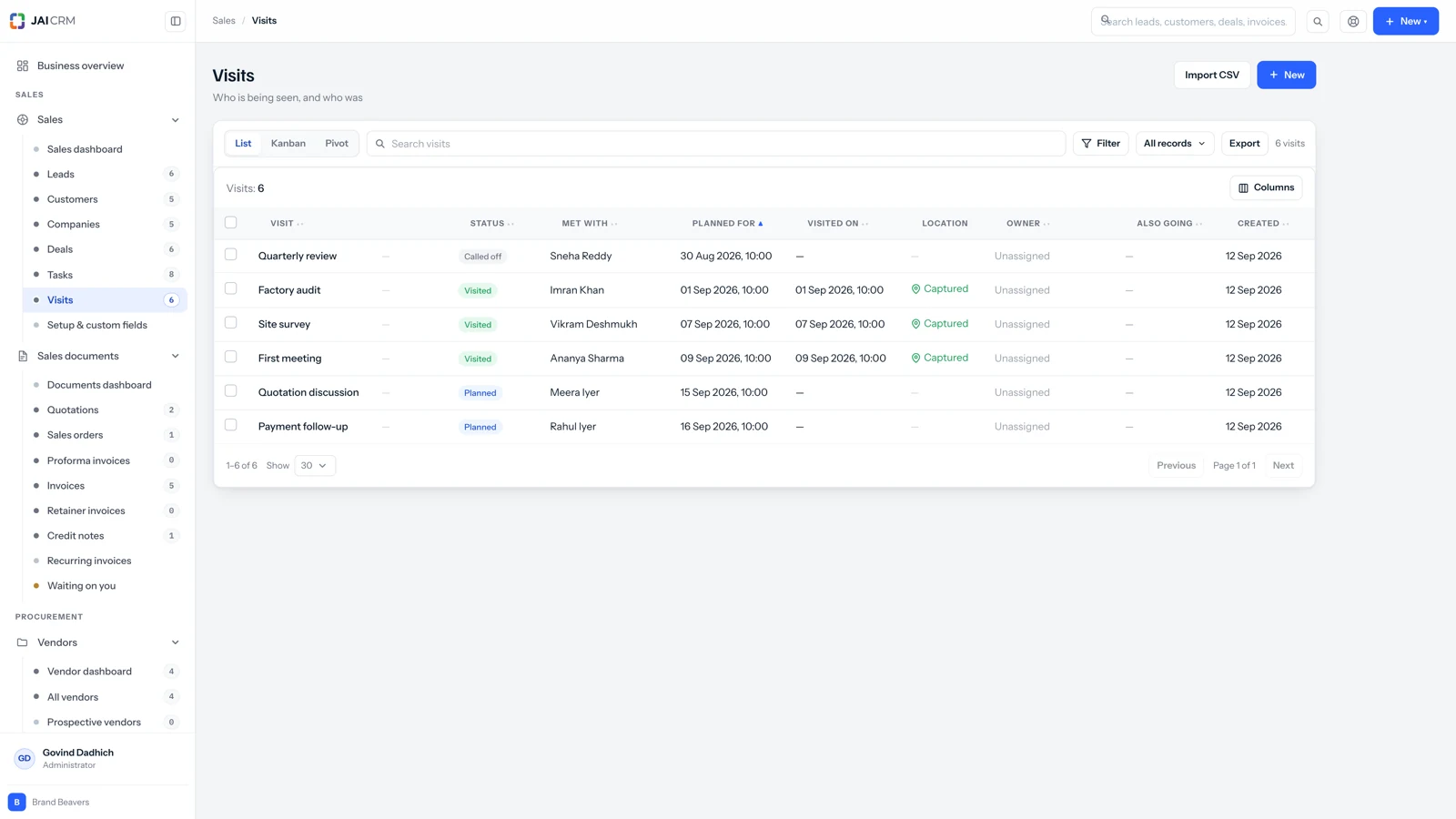
Salespeople log visits and calls from the Android app, wherever they are. You see who met whom today without ringing anybody to ask.
4 of 4, Numbers
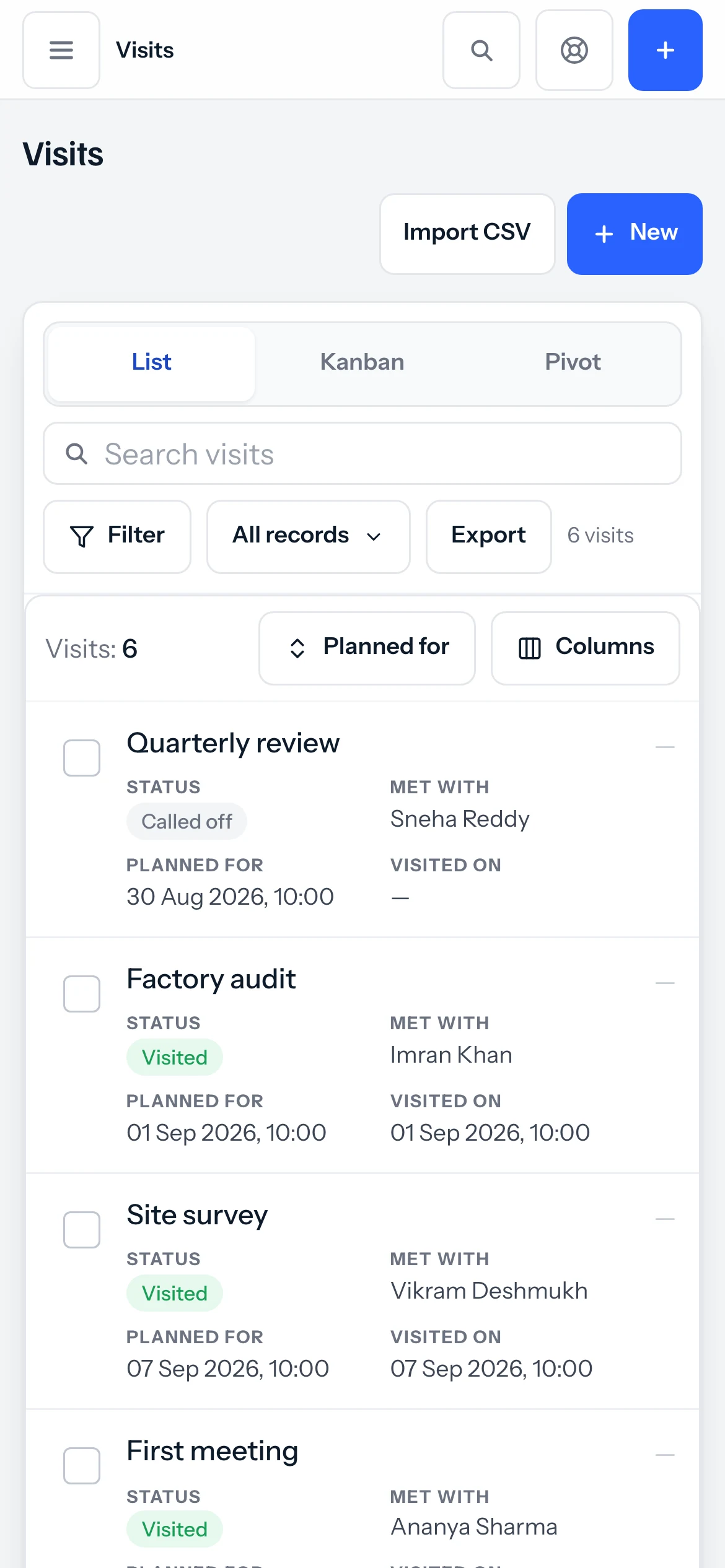
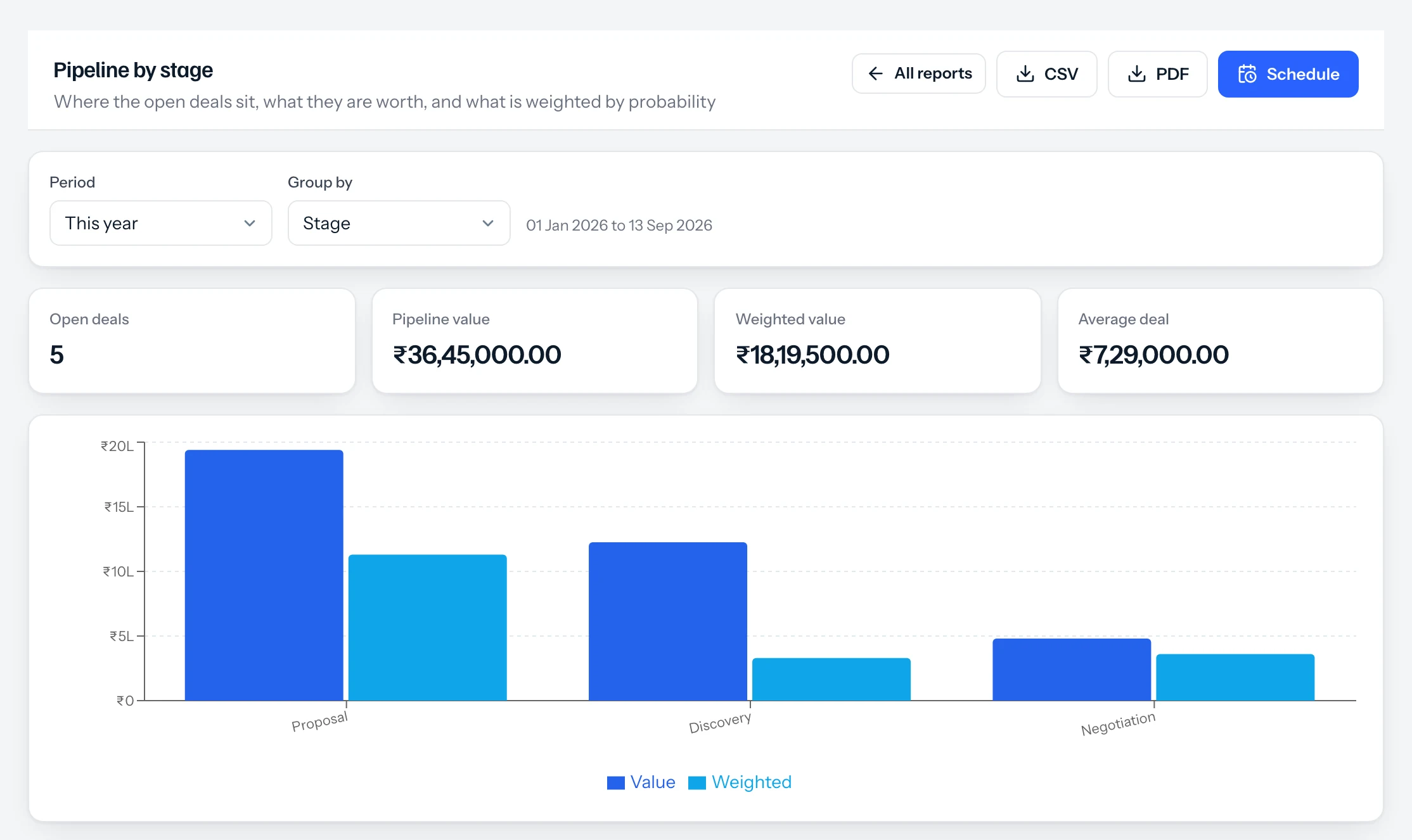
Which source converts, who is carrying the pipeline, what is owed and how old it is. Emailed to you on a schedule, and to your accountant, who does not even need a login.
Nobody starts with nothing. The spreadsheet, the group, the diary and the accountant are a system, and they work right up until the week somebody is on leave.
None of this is a criticism of the spreadsheet. It is a description of what the spreadsheet costs once there are more of you.
Same state, and it is CGST and SGST at half each. Another state, and it is IGST at the whole rate. The app reads it from the state code, so nobody has to remember the rule. Try it.
The same rule the app applies on a real invoice. Exports, SEZ supplies and reverse charge follow their own rules. They are not on this page, but they are in the software.
A consultancy runs sales, projects and accounts and never sees a warehouse. A distributor runs purchase and stock and never sees a timesheet. What you switch off is gone from the menu, not greyed out behind an upgrade banner. Try it: pick the shape of your business, or tick them yourself, and watch the menu change.
Every one of these is a switch in Settings, not a move to new software. Switch one on in March and the March data is where it should be.
Counted, not claimed. The parts are the ones in the builder above, the reports are the ones in the app, and the trial asks for an email and nothing else.
The same suite, set up the way your trade works: the fields, the documents and the tax that go with it, instead of a blank CRM you have to bend into shape.
Each with its own page on the tax there, the currency it bills in, and the trades that place actually runs.
WhatsApp, IndiaMART, JustDial, Meta and Google ads, your WordPress site or a custom one. The enquiry becomes a lead with its source attached, which is the only way to know which spend is working. Payments, Tally and the government portals are wired in on the other side. IndiaMART, JustDial, Shopify, Tally, Google Drive and Dropbox are free on every plan.
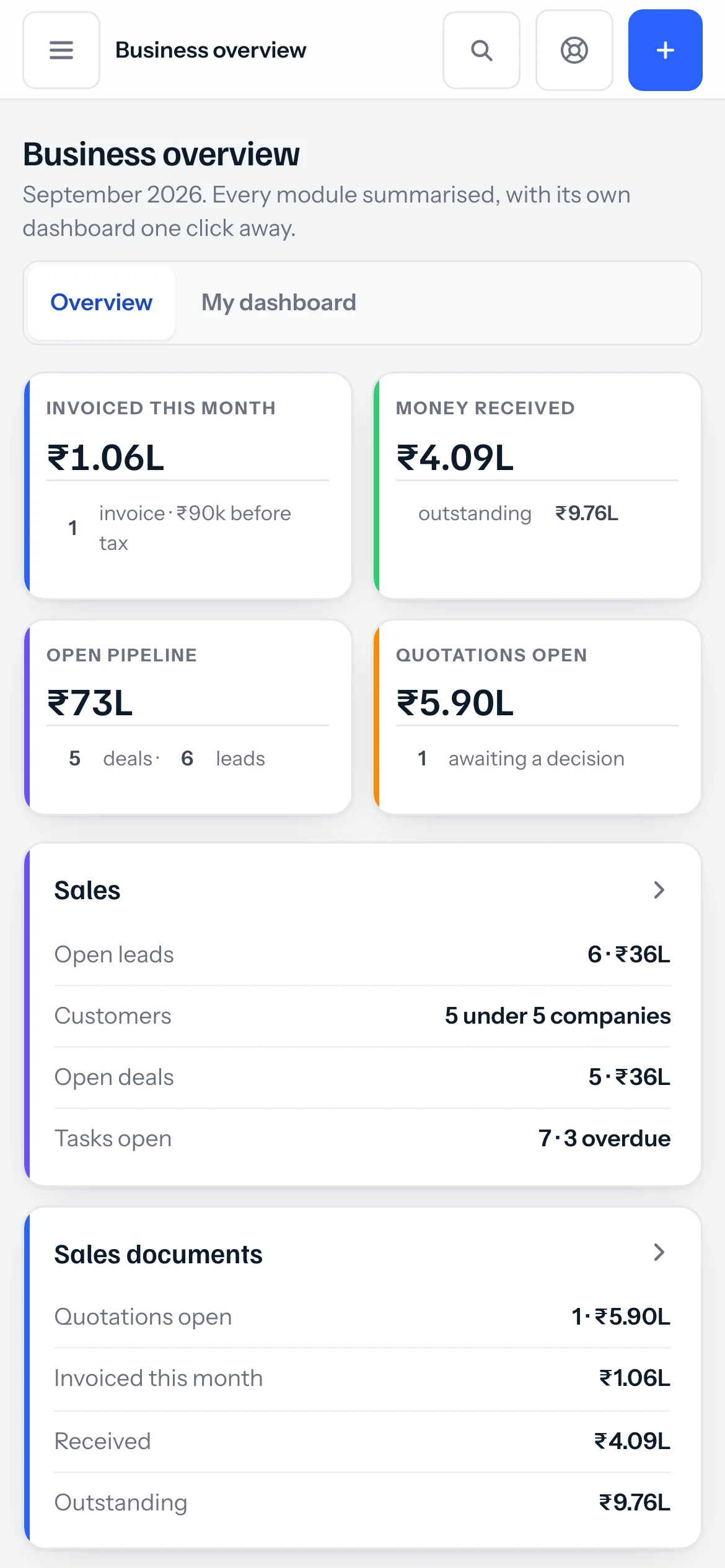
See all integrationsNot a cut-down app with three screens. The whole thing, and everything the desk can do. Pick a moment to see it on the phone.
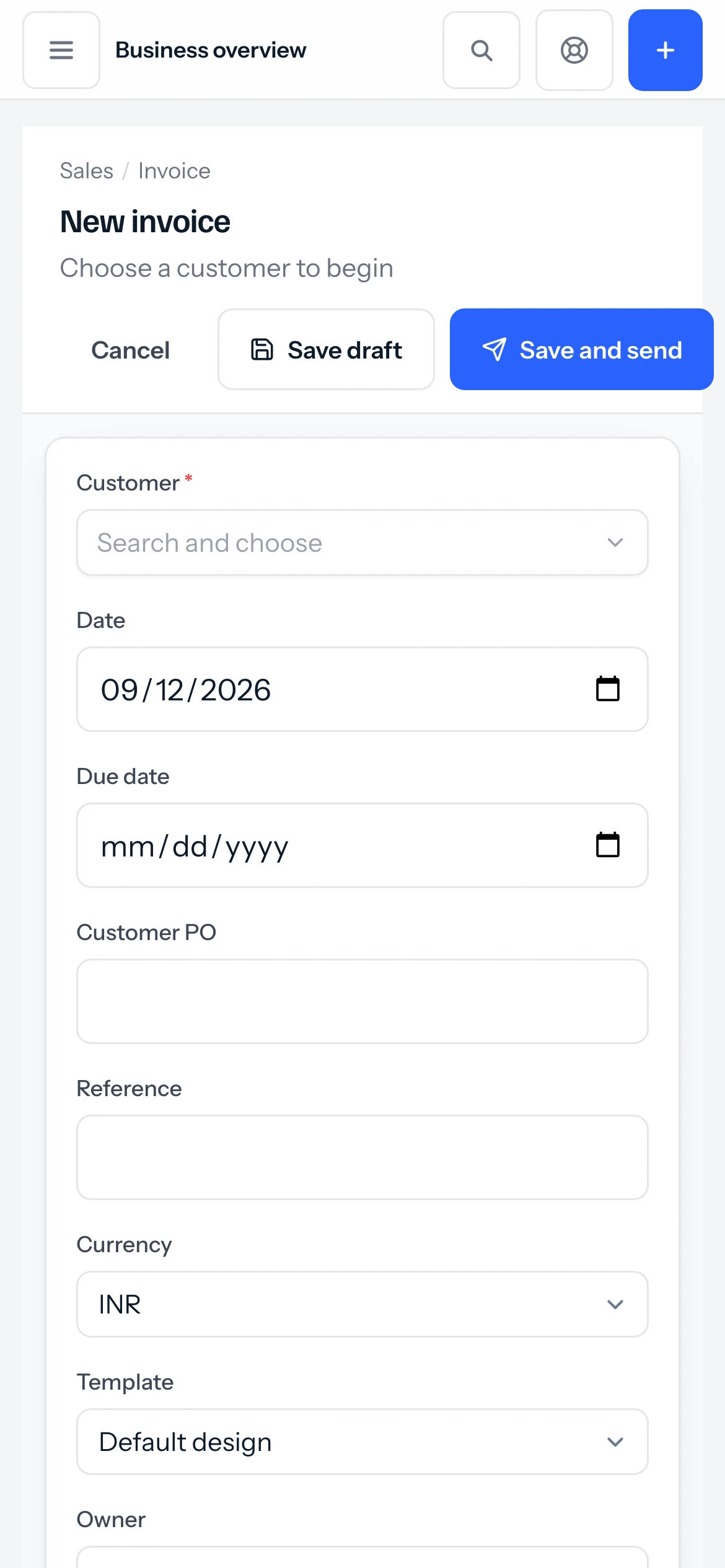
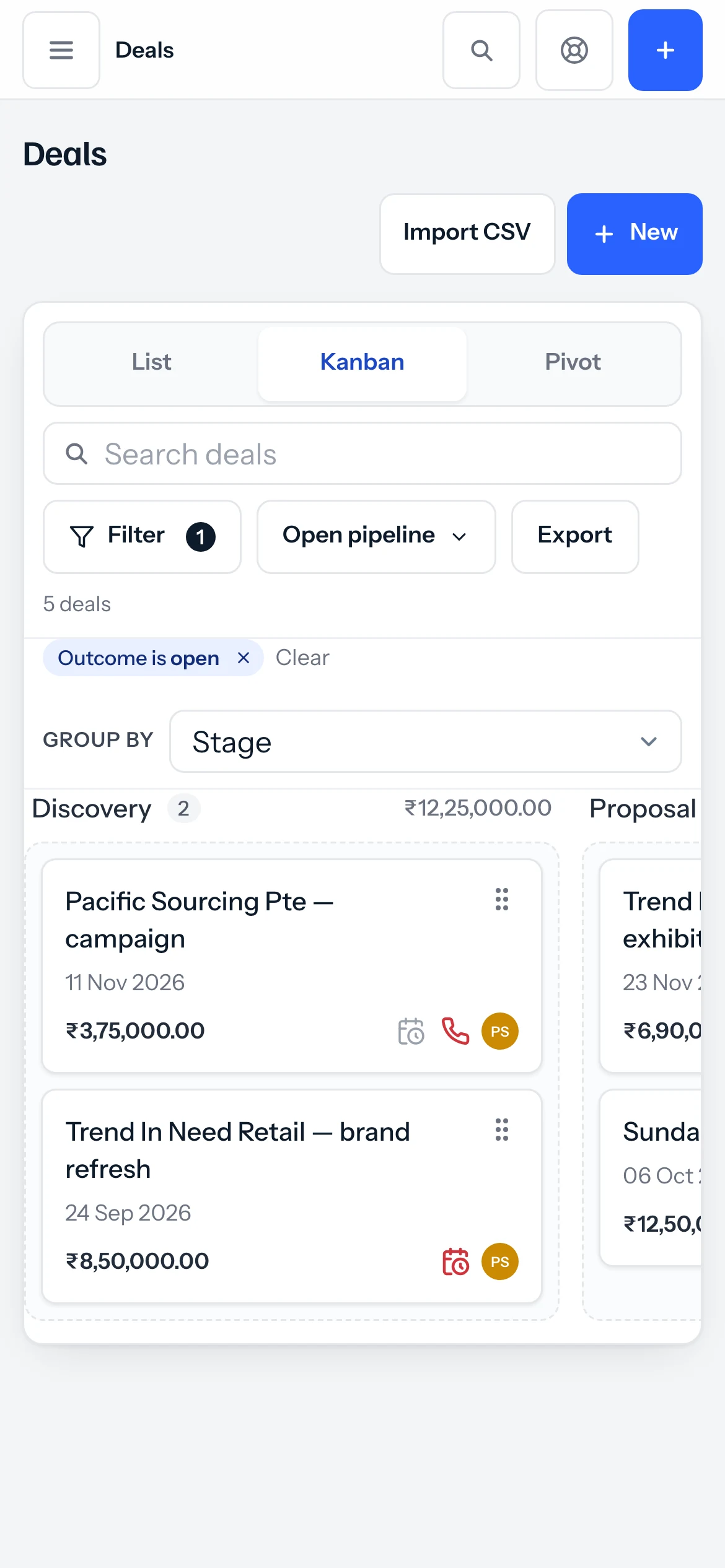
GSTIN, state and financial year. That is the setup, and the tax follows from it.
Upload the spreadsheet you already have. Match the columns, decide what happens to duplicates, import.
A quotation or an invoice, with your numbering and your letterhead, sent from inside the app.
Purchase, stock, projects, payroll. Each is a switch in Settings, not a move to new software.
There is no customer logo wall on this page. We are not going to borrow somebody’s name to make a point.
What we can show you is the work. Every change we ship is written up in plain English: what was wrong before it, and whether it affects anything you already have.
Shipped lately
Start free for fourteen days without a card. After that you pay for the people using it and the parts you switched on, and nothing you did not.
Leads, customers and deals, with quotations and GST invoices
For 5 people: ₹745 a month, billed as ₹8,940 a year. ₹10,549.20 with 18% GST.
For a business that bills on a cycle and stands behind what it sells
For 5 people: ₹1,495 a month, billed as ₹17,940 a year. ₹21,169.20 with 18% GST.
Every module, switched on
For 5 people: ₹2,495 a month, billed as ₹29,940 a year. ₹35,329.20 with 18% GST.
Every plan, and what is in each Prices in rupees, per person, per month. Parts can also be bought on their own.
JAI CRM is a business app for Indian small and medium businesses. It keeps your leads, quotations, GST invoices, stock, accounts and team in one place, on the web and on an Android phone.
No. Every part is a switch in Settings. Turn on only what you use, and the rest disappears from your menu. It is not hidden behind an upgrade banner, it is simply not there.
Yes. The app reads the state codes and puts CGST and SGST on a same-state invoice and IGST on an inter-state one. HSN and SAC codes sit on each line, and GSTR-1 and 3B are built from the invoices you already raised.
Yes. Import customers, leads, items, vendors, employees, projects and documents from a spreadsheet. You match your columns to ours, choose what happens when a record already exists, and see exactly which rows need fixing before anything is saved.
It is yours. Every list exports to Excel-ready CSV and every report to CSV or PDF, any time, without asking anyone.
Yes, for Android. It is the full app, not a cut-down version, and it keeps working on a weak connection because the app itself is on the phone.
You can use it free for 14 days without a card. After that you pay per person, and only for the parts you switch on.
They are the ones that look after every lead properly. Start free, bring in your customers, and raise a real invoice this afternoon.