What is the Notifications module in JAI CRM?
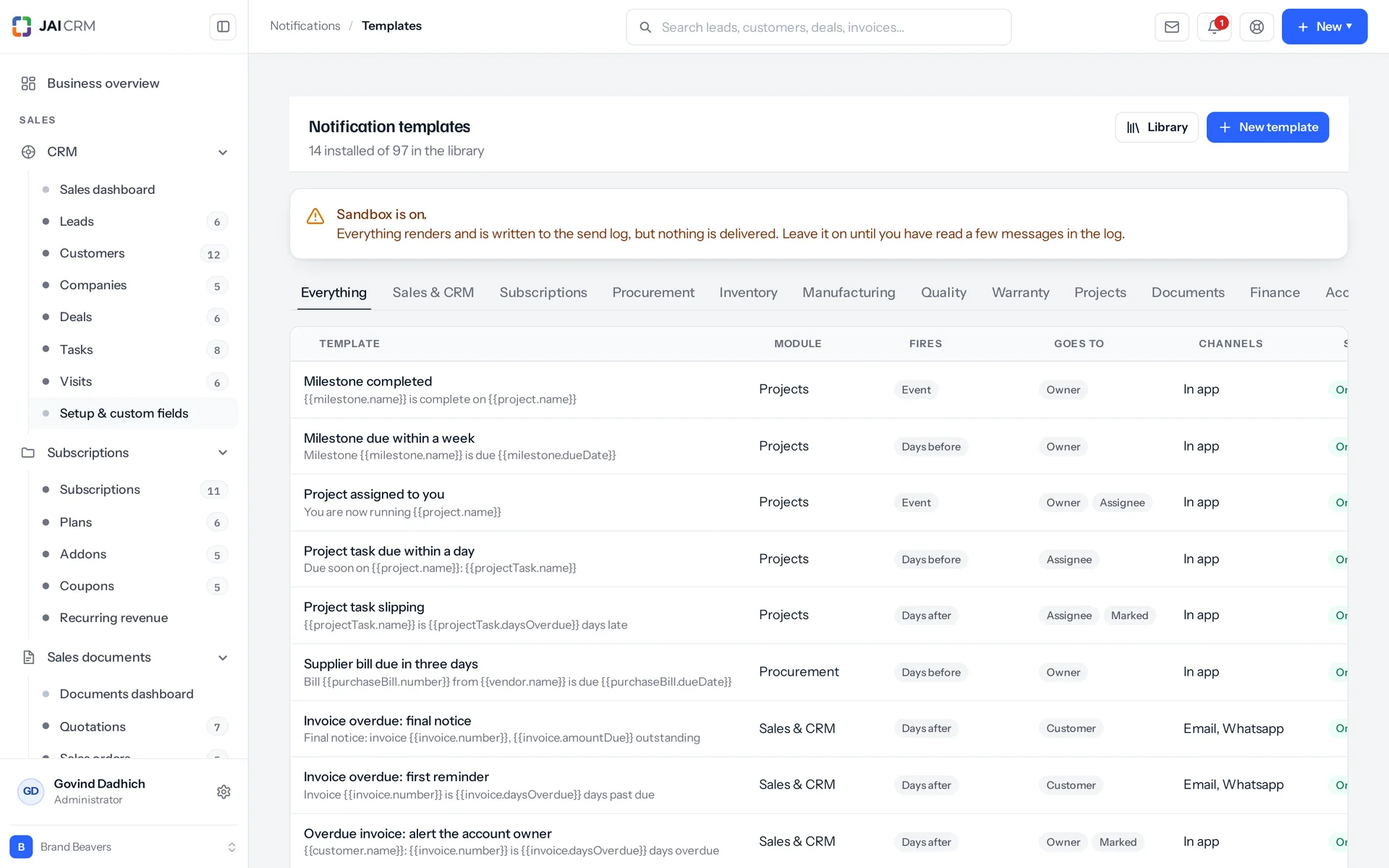
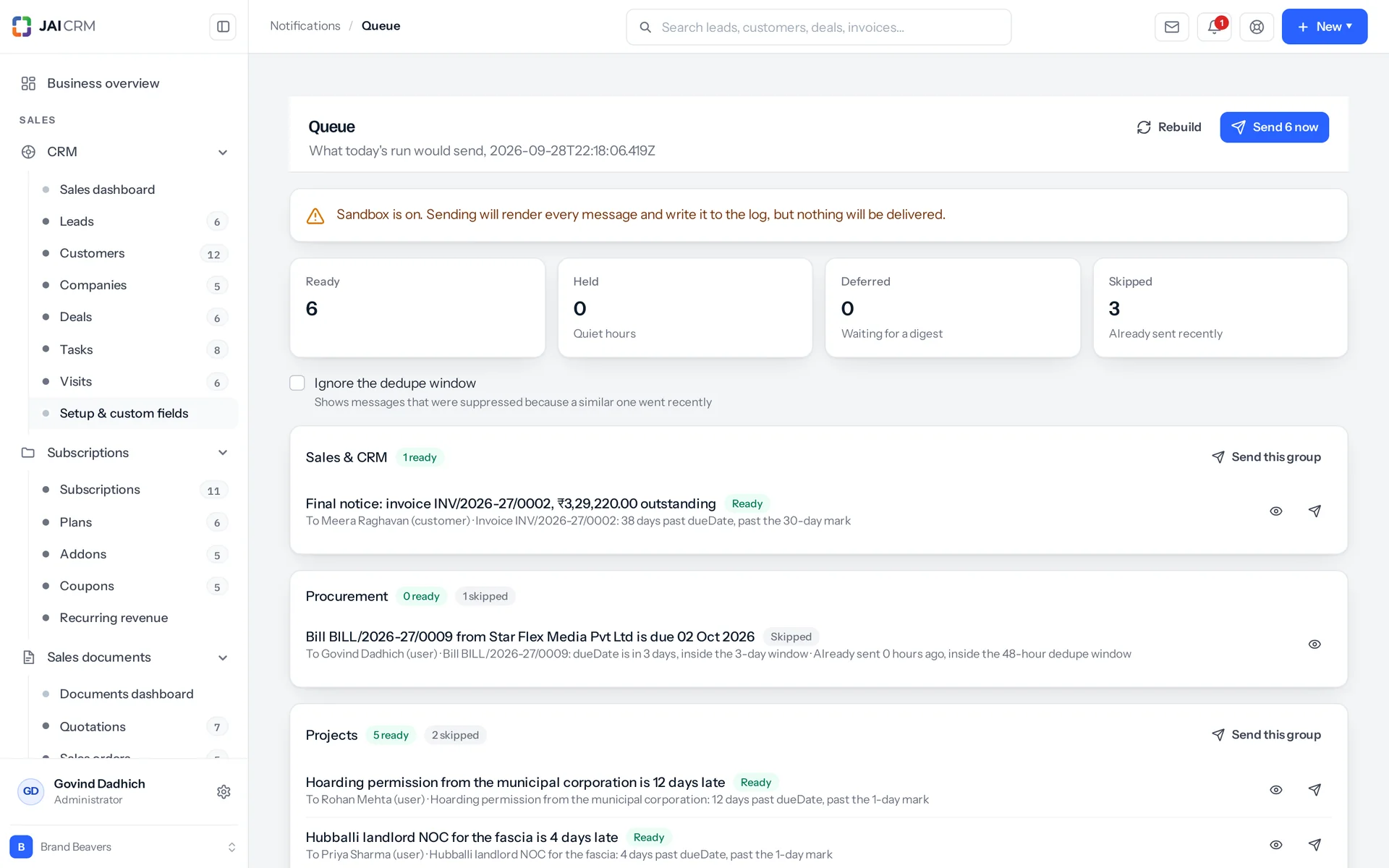
It is the automated reminders and alerts system inside JAI CRM. It watches your own invoices, bills, tasks and stock, and sends messages by email and in the app. It comes with 97 ready-written templates across ten modules. A queue shows you the exact message before it sends. It is not marketing automation: every message comes from a record already in your own suite.
How much do automated reminders in JAI CRM cost?
Notifications is included in every JAI CRM plan, from ₹149 per user per month, paid annually. The 97 ready-written templates, the queue and the send log all come with your plan.
Who uses automated reminders in JAI CRM?
Anyone who chases money, pays bills, watches stock or runs projects. The person chasing payments uses the 3, 7, 15 and 30-day overdue ladder. The person paying bills gets fifteen procurement templates. The stores person gets reorder alerts. Owners can take daily or weekly digests. Messages can also go to your customers and vendors, not just your staff.
What happens if we have not set up an email server yet?
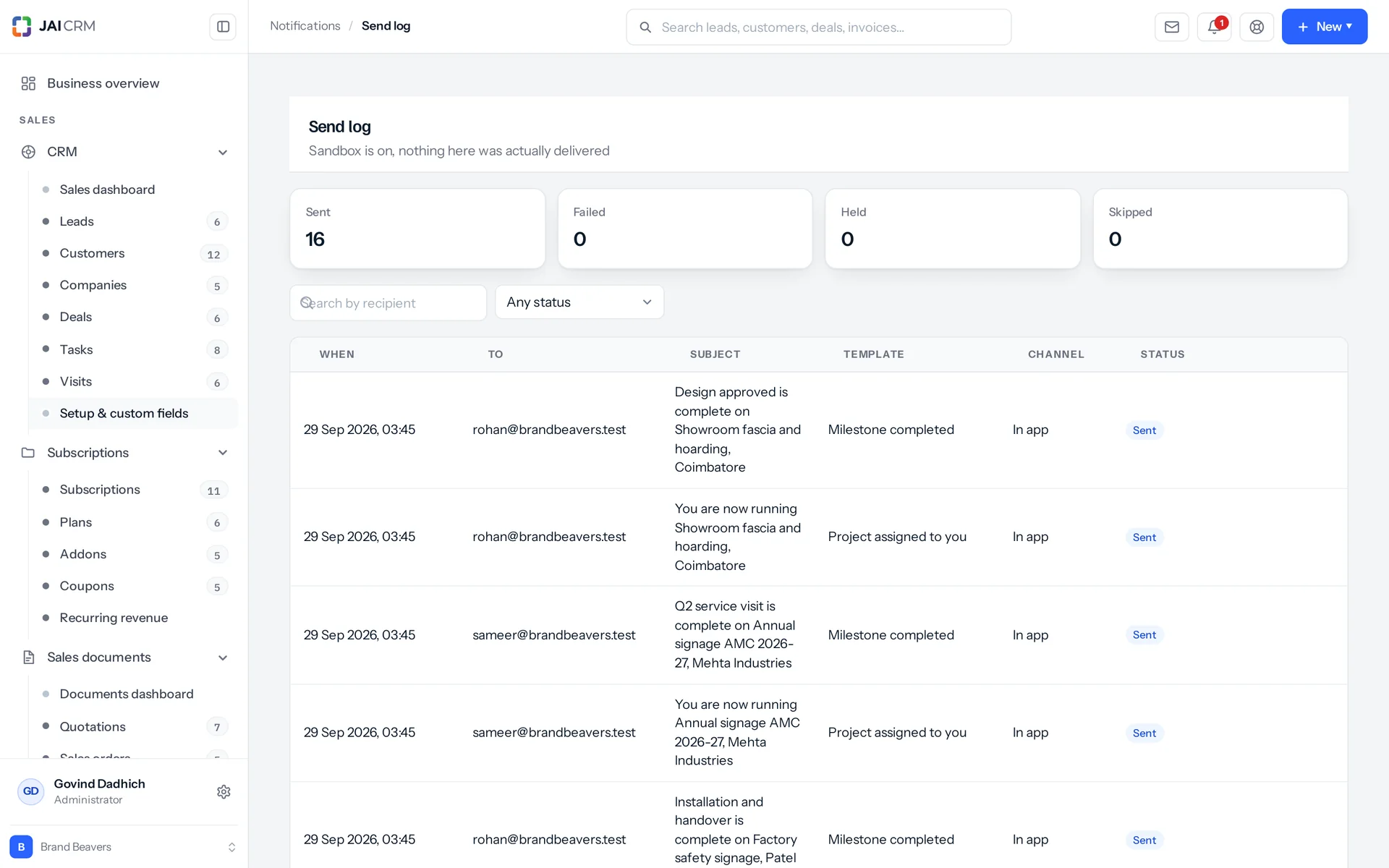
Every message is still built, filled in for each recipient and written to the send log. Each row is marked failed, with the reason: no mail server is set. In-app cards are not affected and still arrive. A recipient with no email address on file is logged as skipped, with that reason, so the gap shows up instead of vanishing. This is a useful way to run for a week. You can read exactly what would have gone to which customer, and fix the wording first.
Will a very late customer get four payment reminders at once?
No. Templates that watch the same record, the same date field and the same direction count as one ladder. Only the highest step the record has reached is sent. A client 41 days past the due date gets the final notice, not the 3, 7, 15 and 30-day notices together. The due-soon ladder and the overdue ladder on the same invoice escalate separately. So a warning before the due date does not block the chase after it.
If a customer owes on four invoices, do they get four emails?
Yes, one per invoice, and that is on purpose. The ladder runs per record, and the no-repeat (dedupe) window is tied to the template, the address and that invoice. Each message names its own invoice number and amount, which is what the customer needs to pay one of them. Inside your team it rolls up: the weekly receivables digest gives the account manager all four as one list.
Can reminders go to customers and vendors, or only to my team?
Both. Customer and vendor are recipient roles, alongside owner, assignee and marked (watchers). The message is filled in once per recipient, so the customer's copy and the account manager's copy come from one template and cannot drift apart. In-app cards are for staff only. A customer or vendor on the in-app channel is refused, instead of creating a card nobody can open.
Do I have to write all the reminder templates myself?
No. Ninety-seven templates come ready, across ten modules: sales and CRM 36, procurement 15, projects 11, finance 10, system 9, documents 5, manufacturing 3, quality 3, inventory 3 and warranty 2. Install all of them, one module's set, or a few you choose. Installing again never overwrites a template someone has edited, unless you clearly ask it to. It reports what it created, what it refreshed and what it left alone.
How do you stop a reminder going out with a blank name or amount?
A token the record cannot fill is never sent. It is removed from the text and the gap is tidied: double spaces joined, a space before a comma taken out, three blank lines cut to two. The token's name goes into a missing list. The template editor shows it, the queue shows it against the item, and the preview marks the message as not deliverable. A field that exists but is empty counts as a deliberate blank and leaves nothing behind. That is how the sentence tokens work. So fill in your phone number and GSTIN before the templates start offering them.
Will reminders go out at two in the morning?
Scheduled ones, no. The daily run happens at one fixed hour set on the server, then tops up every hour after that, so scheduled chases land in working hours for an Indian business. Event messages go the moment the thing happens, which is whenever one of your own people does it. What you cannot do today is set your own quiet window for your workspace. If that matters to you, ask before you buy, not after.
Can each person turn off the alerts they do not care about?
Yes, and without asking anyone. For each module, each person picks instant, a daily digest, a weekly digest, or nothing at all. They also pick in the app, by email, or neither. All twelve modules are on that grid. Reading and changing your own choices needs no permission, because it is only you saying how you want to be told. Changing someone else's does need permission. If a person's choices have nothing in common with a template, the item is marked skipped with the reason shown, so it is visible, not silent.
Does JAI CRM send reminders on WhatsApp or SMS?
Not today. Five channels are built in: email, in-app, SMS, WhatsApp and webhook. Two of them, email and in-app, actually send. SMS, WhatsApp and webhook messages are still built and written to the log as held, with the reason: no provider connected for this channel. That is on purpose. On the day a provider is connected, you can already see how many messages will flow, instead of finding out later that nothing ever went.
Can I stop someone from sending chases to customers?
Yes. Setting up templates, sending the queue and reading the log are three separate permissions. Sending is an approve right, not an edit right, because writing a chase and actually chasing a customer are two different jobs. Installing the templates, editing a template and sending the queue each write an audit row (a history record) naming who did it and what it covered.