What is the Accountant module in JAI CRM?
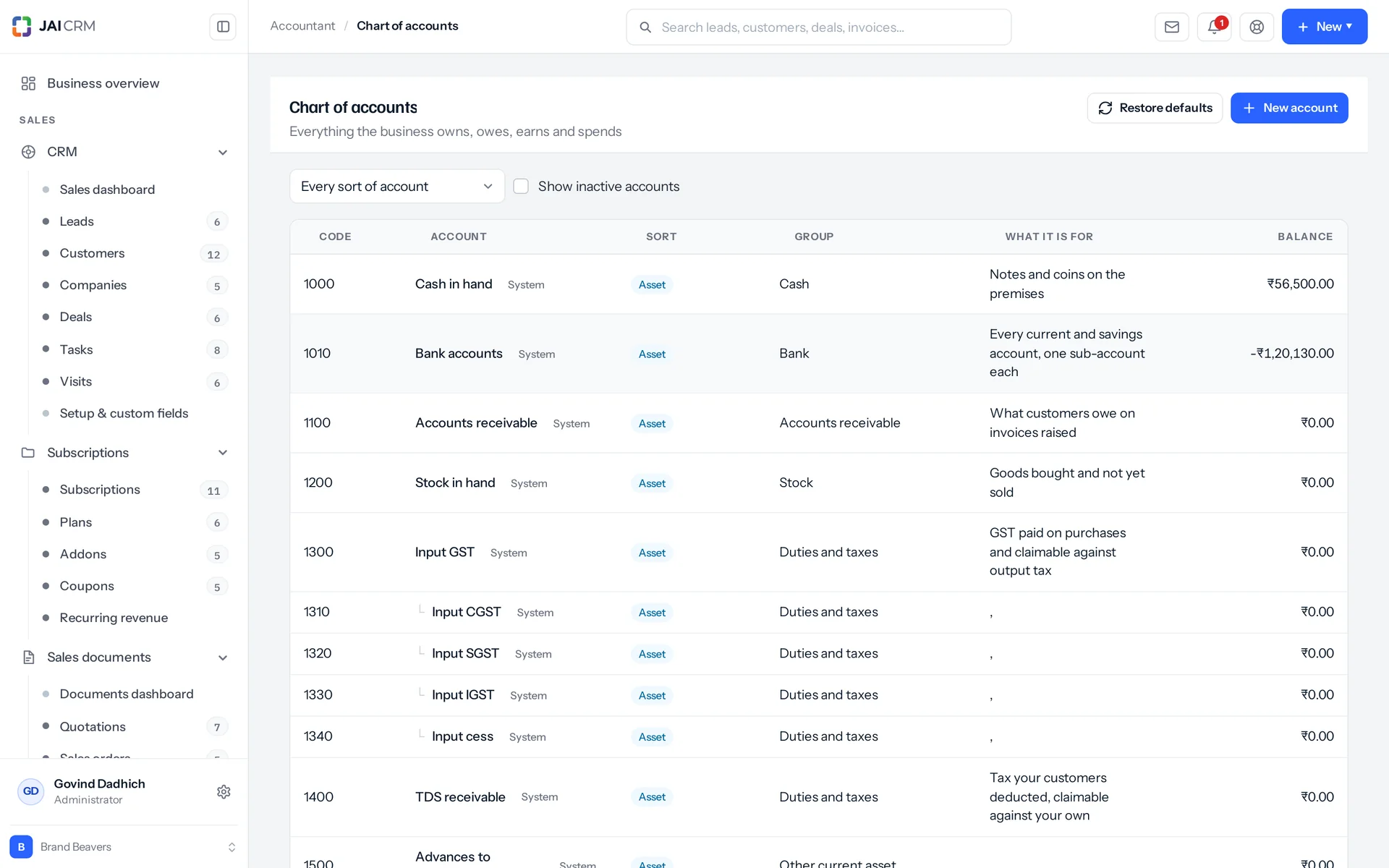
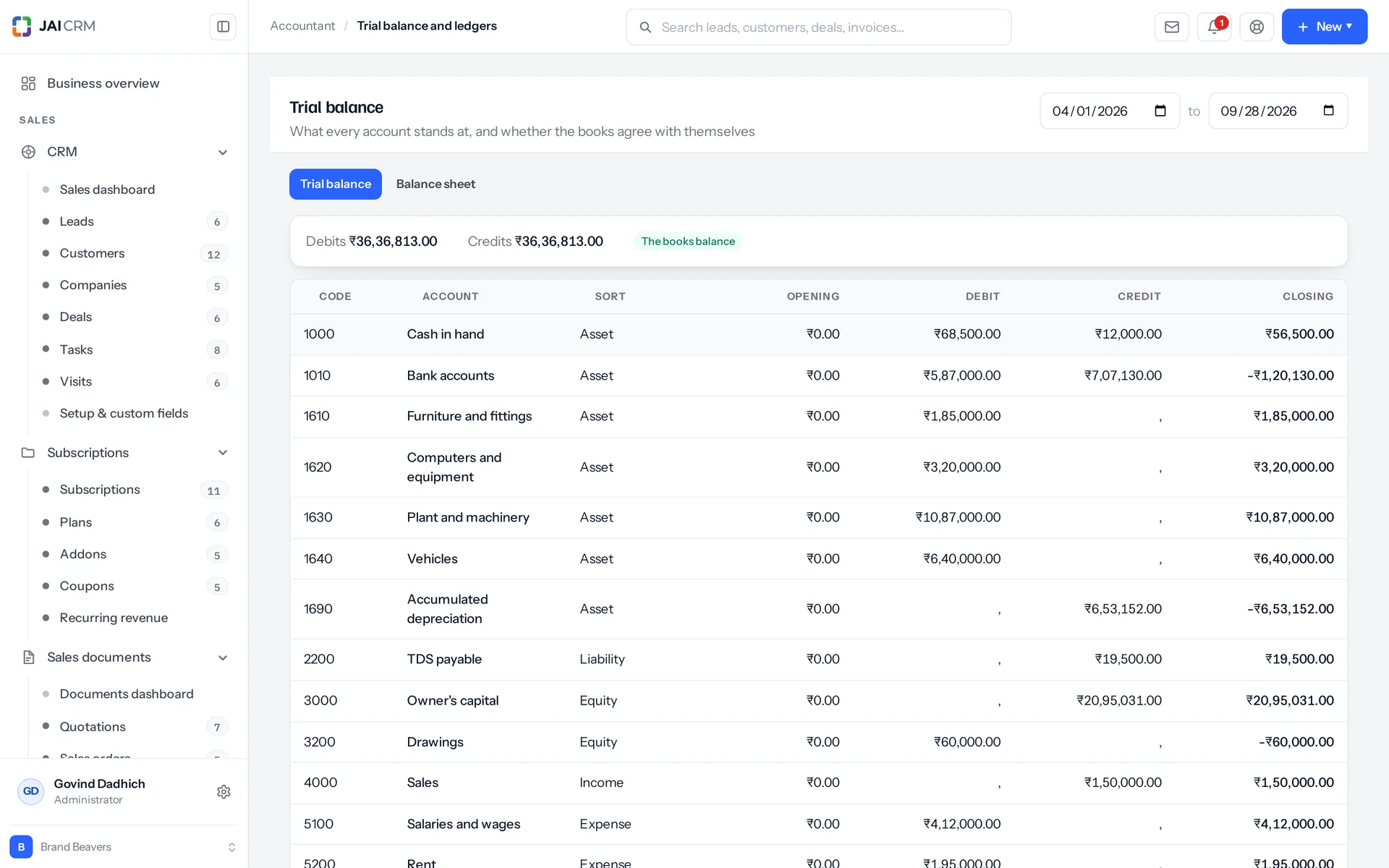
It is double-entry accounting software for one company. You get 56 ready accounts for an Indian business, journals that post only when debits equal credits, and reversals instead of edits. It also has period locks, recurring journals, budgets and a fixed-asset register. The trial balance, ledger and balance sheet are read live from your posted journals, so they cannot drift from your books.
Who is double-entry accounting in JAI CRM for?
It is for the people who keep or check the books of one company. The accountant uses it to close each month. A bookkeeper can see the chart and the journal list without being able to post. The owner uses budgets to compare plans with actuals. Your CA gets a trial balance, ledgers, an asset register and an audit trail at year end. It does not combine two businesses into group accounts.
Do I need Accounting & finance too, and how much does Accountant cost?
Yes. Accountant lists Accounting & finance as a required module and will not run without it. Accounting & finance holds the half that comes with documents: GST returns, TDS, banking, expenses and payroll. Accountant holds the chart of accounts, the journals, and the trial balance, ledger and balance sheet read from them. Each module is ₹149 per user per month, billed annually. All 20 together are ₹499 per user per month billed annually, or ₹599 billed monthly. If you are likely to want both, the full suite is the cheaper way to buy them.
Do invoices and bills post to the ledger automatically?
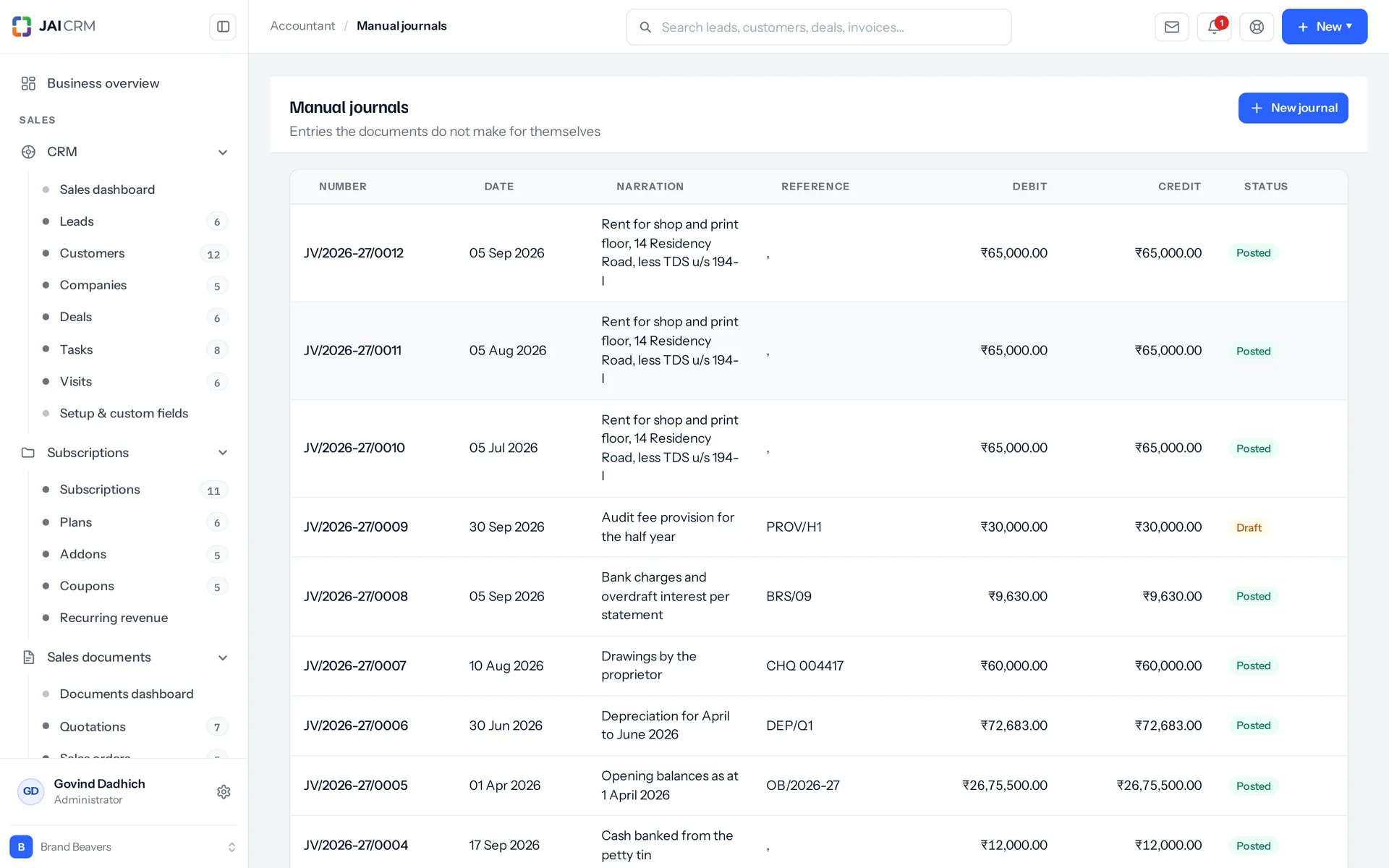
Yes. Since 12 Oct 2026 every invoice, credit note, write-off, purchase bill, debit note, payment, expense, salary and TDS challan posts an entry of its own, worked out from the record and kept in step with it: edit, cancel or delete the record and its entry follows. These entries are not in Manual journals and cannot be changed by hand; they show in the ledgers and the trial balance, and each line opens the record it came from. Journals you write yourself are for what never had a document: accruals, depreciation, corrections and opening balances.
We have never kept a chart of accounts. Where do we start?
You do not have to start. The first time anyone opens the accounts list, writes a journal, or asks for a trial balance or balance sheet, 56 accounts are installed: 18 asset, 13 liability, 4 equity, 5 income and 16 expense. GST is split both ways, TDS covers both sides, advances go in both directions, and there is a bad-debts account, because writing off an invoice has to land somewhere. There is no wizard and no import step. If you later trim the chart and regret it, "Restore defaults" puts back only what is missing and leaves everything else alone.
Can I rename accounts to match what we call them?
Yes. 39 of the 56 accounts are marked as the system's own, and you can still rename them freely. A business calls its sales account whatever it likes. What you cannot change on those is the kind of account, and you cannot delete them. Making one inactive keeps what was already posted to it and stops anything new arriving. Accounts you add yourself are fully yours, with two rules: each code must be unique across the business, and a sub-account is added as the same kind as its parent.
Can anyone edit or delete a posted journal entry?
No. Editing a posted journal is refused by name, and so is deleting one. Deleting a posted entry would take money out of the books with nothing to show for it. To correct it, you reverse it: a second entry, dated when you choose, with every line on the other side, linked to the original both ways, and posted. A journal that was already reversed refuses a second attempt. A draft can be deleted after an explicit confirmation, and that deletion goes on the audit trail too.
How do I stop back-dated entries changing a month I already closed?
Lock the period. A transaction lock has a date, a reason and an area: Sales, Purchases, Banking, Accountant or Everything. Anything in that area dated on or before the date is refused: invoices, credit notes, bills, debit notes, expenses, payments, payroll runs, TDS entries and journals, whether created, edited, cancelled, deleted, imported or raised by a job. The message names the date and quotes the reason typed by whoever closed the period. A payment dated after the lock can still settle an older invoice. If the period really must reopen, someone with the right to do it moves the date, and that goes on the trail too.
Who can see and do what in the Accountant module?
Eight areas have separate permissions: accounts, journals, templates, schedules, budgets, fixed assets, the ledger and the locks. Each is set by action and by whose records a person may see. The built-in Bookkeeper role can see the chart and the journal list but cannot write a journal, post one or close a period. The built-in Accountant role gets the chart, journals, templates, schedules, budgets and the asset register. It deliberately does not get payroll or employee records, because an accountant who files GST has no business reading everybody's CTC (salary package). The trial balance, the ledgers and the period lock are separate rights again. The Administrator role holds them, and you grant them to whoever closes your books.
What happens if my trial balance does not balance?
It tells you, and it tells you by how much. Debits and credits are compared within nine thousandths of a rupee. The result carries a balanced flag either way, and the screen shows the difference and says something was posted one-sided. Click a row to open that account's ledger, with every posted line and a running balance. That is where you find the one-sided entry. Drafts never appear in the trial balance, so an unposted journal is never the cause. One thing this check will not catch: it compares debit and credit movement inside the date range. So a one-sided opening balance typed onto an account has to be looked for in the opening column instead.
How does depreciation work in JAI CRM?
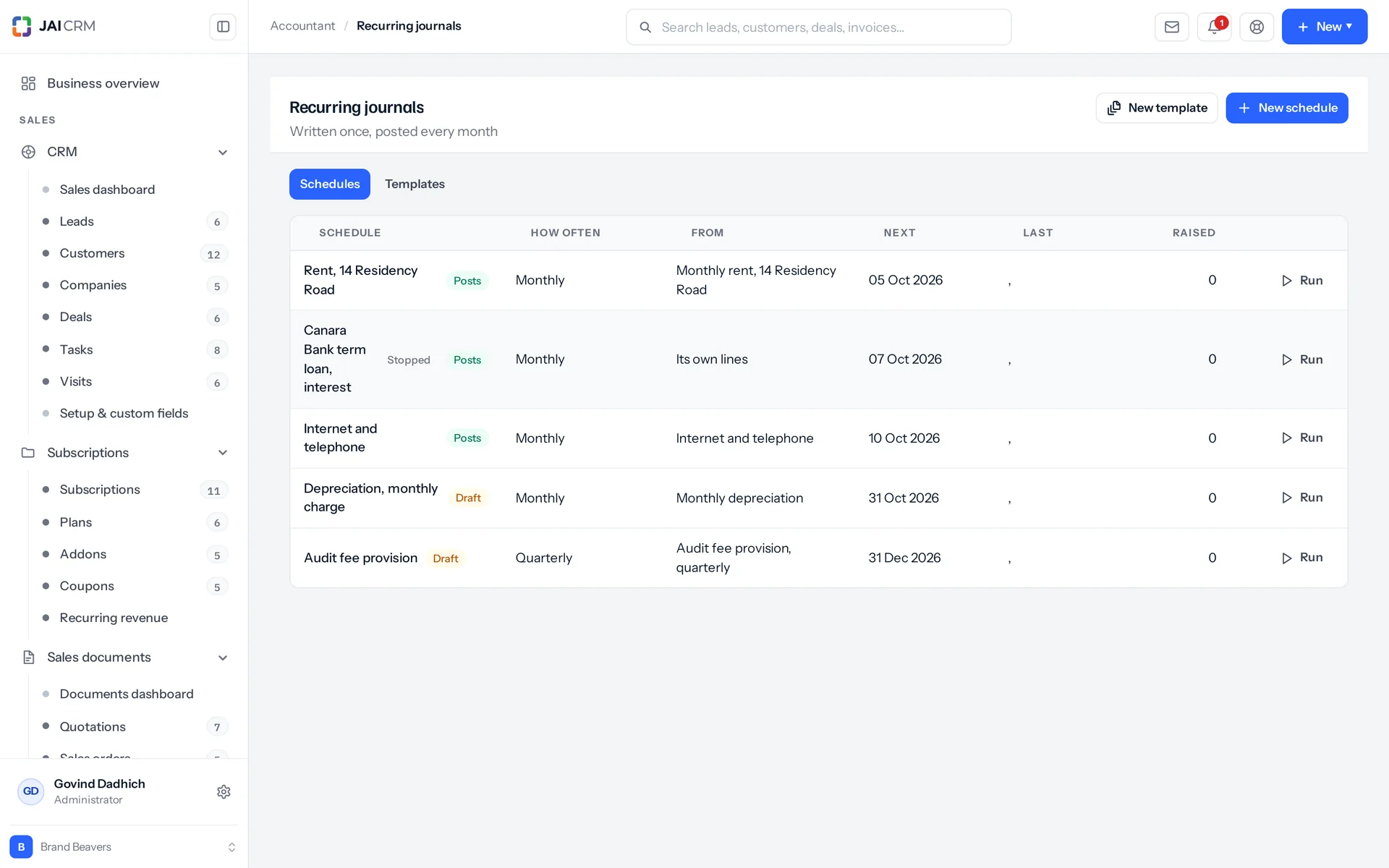
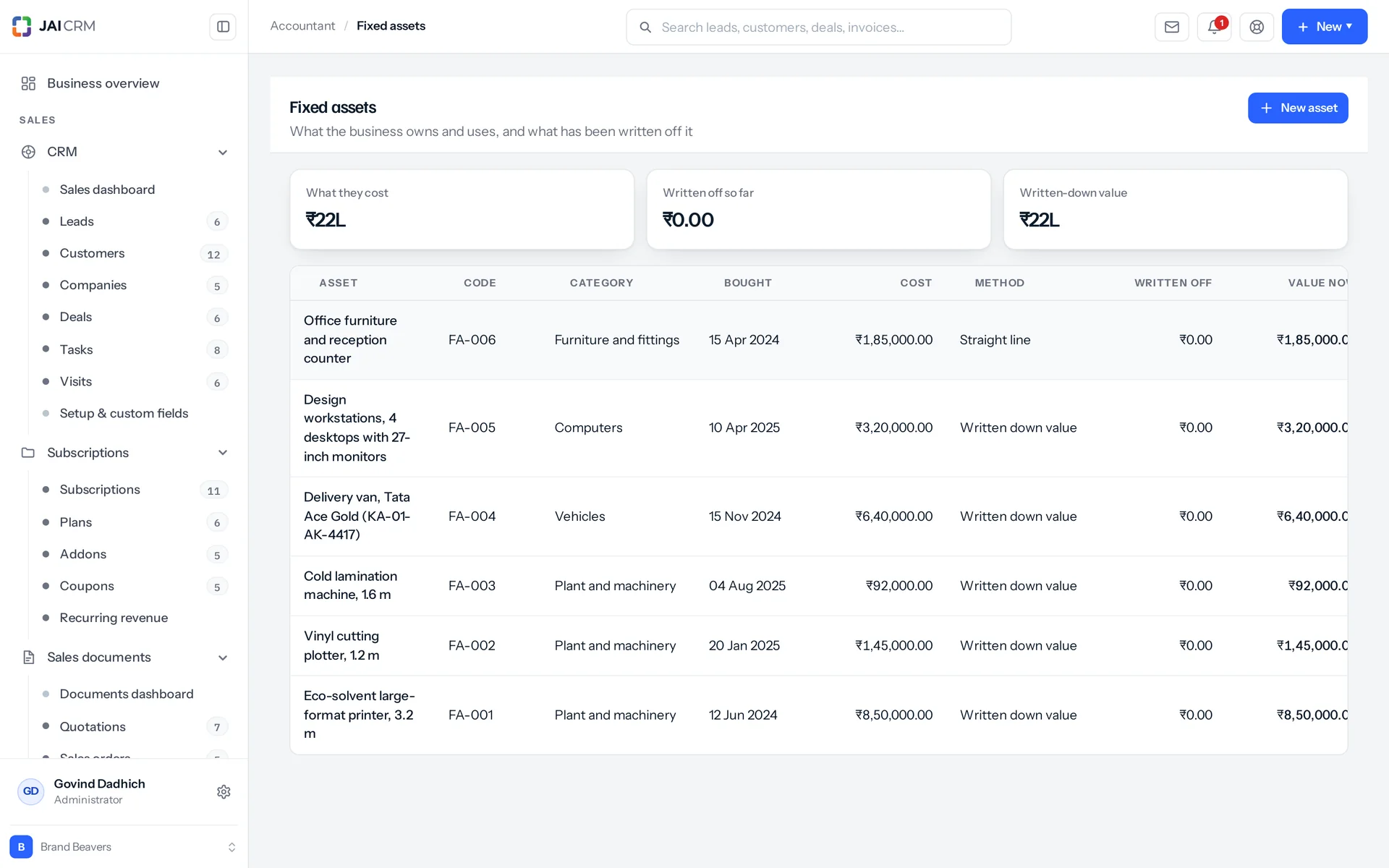
The register records the basis, and you post the charge. Choose straight line, written-down value, or none for things you do not depreciate. Set a yearly rate held to three decimal places (the Companies Act and the Income Tax Act each set one, and they differ), or a useful life in months. An asset without one is refused unless its method is none. The register keeps cost, salvage value, purchase date, the date depreciation starts from, location and serial number. It does not work out the charge and post it for you. The depreciation entry is a journal, written once as a template and put on a schedule. Mark it with the depreciation kind so every one of them is a filter away later. That is a real limit, and it is the one thing on this page a spreadsheet still does better.
Do budgets compare against the actual books?
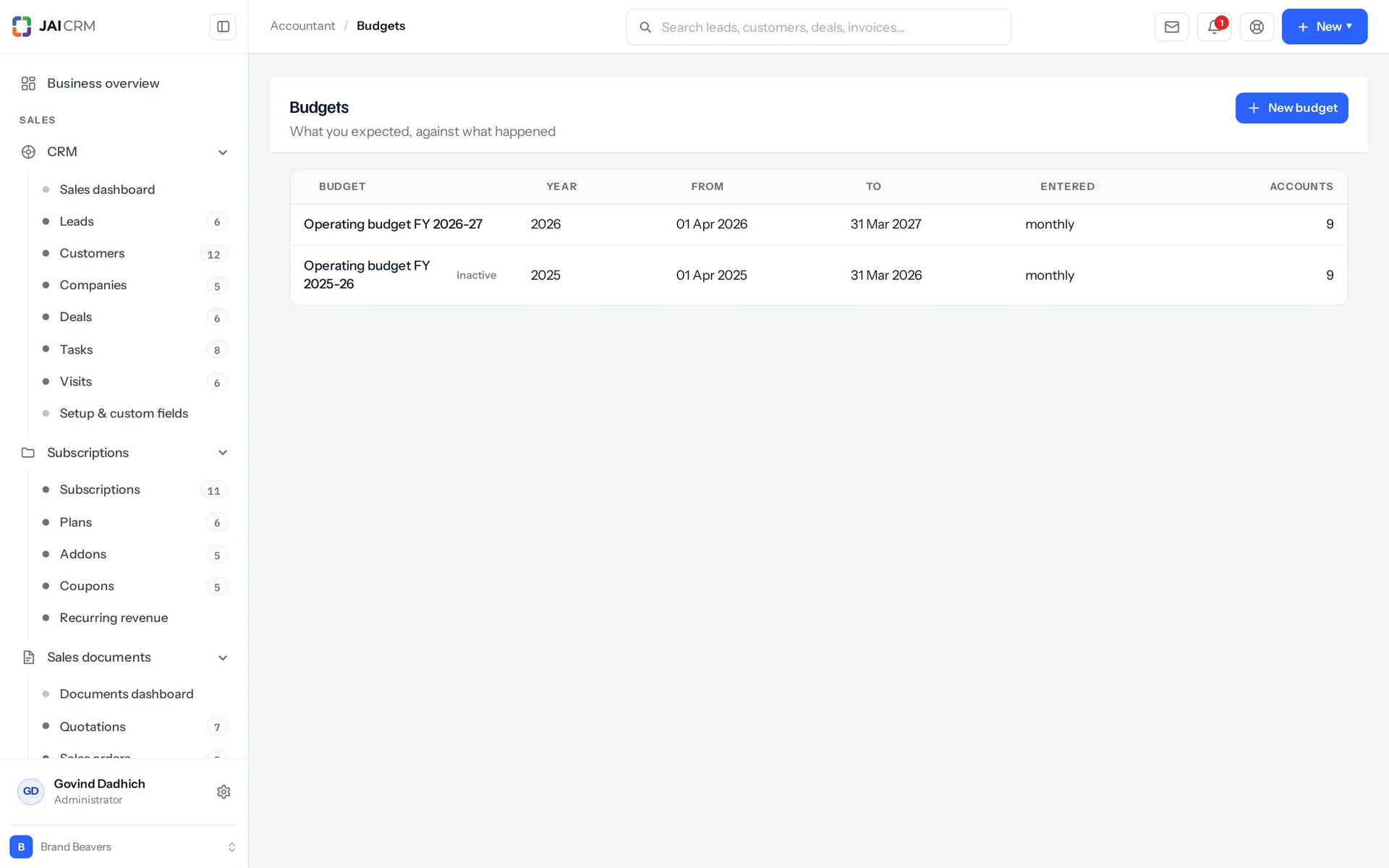
Yes, and that is the only reason to keep a budget here instead of in a spreadsheet. A budget has a date range, a period (monthly, quarterly or yearly) and one line per account. The actual side is read from posted journals on those same accounts over that same range every time you open the budget. So planned, actual, variance and percentage used cannot drift apart from the books. Give a line its period figures and the total is their sum, not a number typed beside them. A total that disagrees with its months is always discovered in the meeting.
How do I bring in opening balances from my old books?
There are two ways, and they work together. Every ledger account holds an opening balance and the date it applies from: the figure the account started with, before anything in this system. The trial balance adds it into the opening and closing columns of every account. You can also mark a journal as an opening-balance entry instead of an ordinary one. That way the entries that carried your balances in stay easy to spot a year later. After that, both are ordinary records.