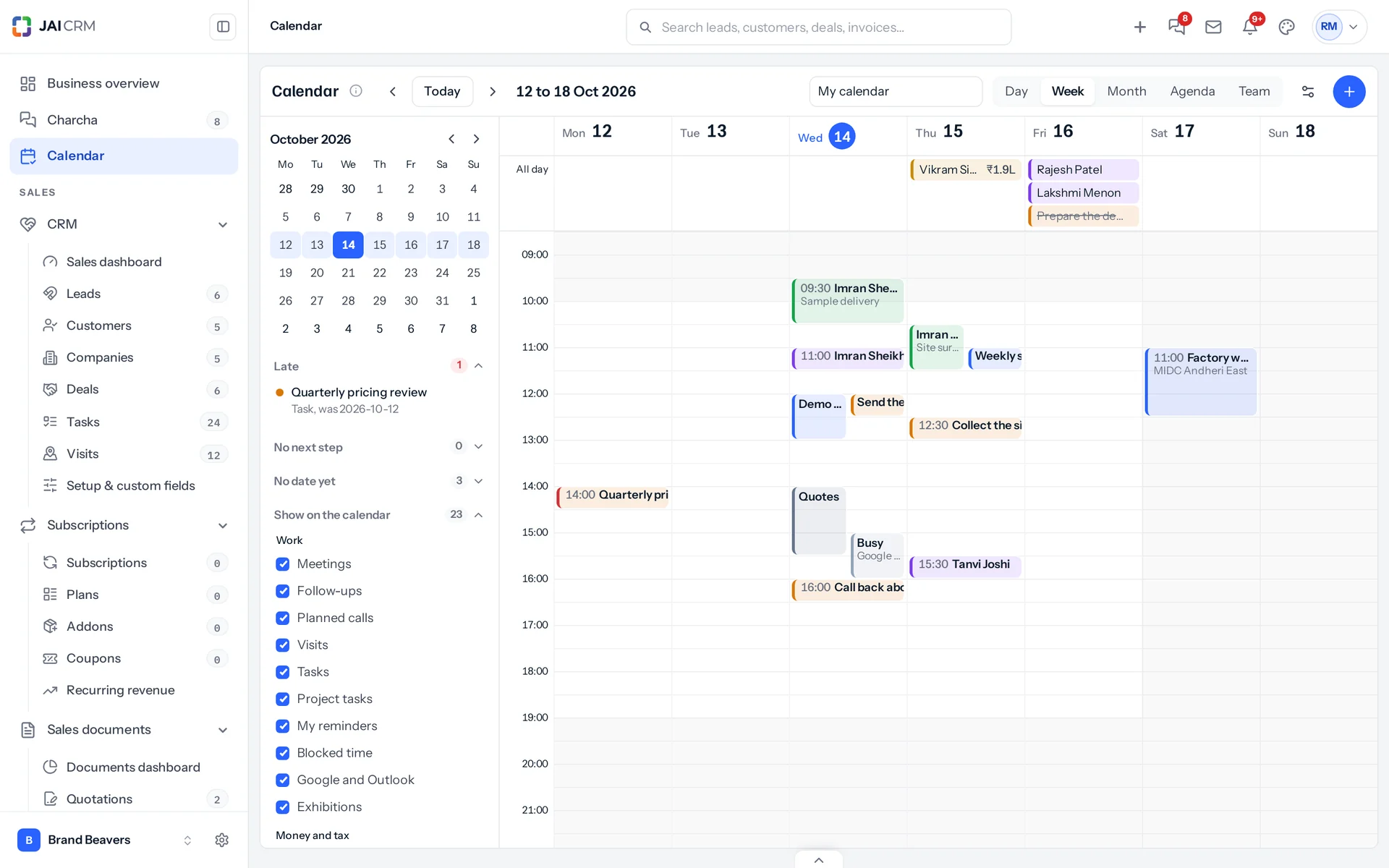
What does the JAI CRM calendar show?
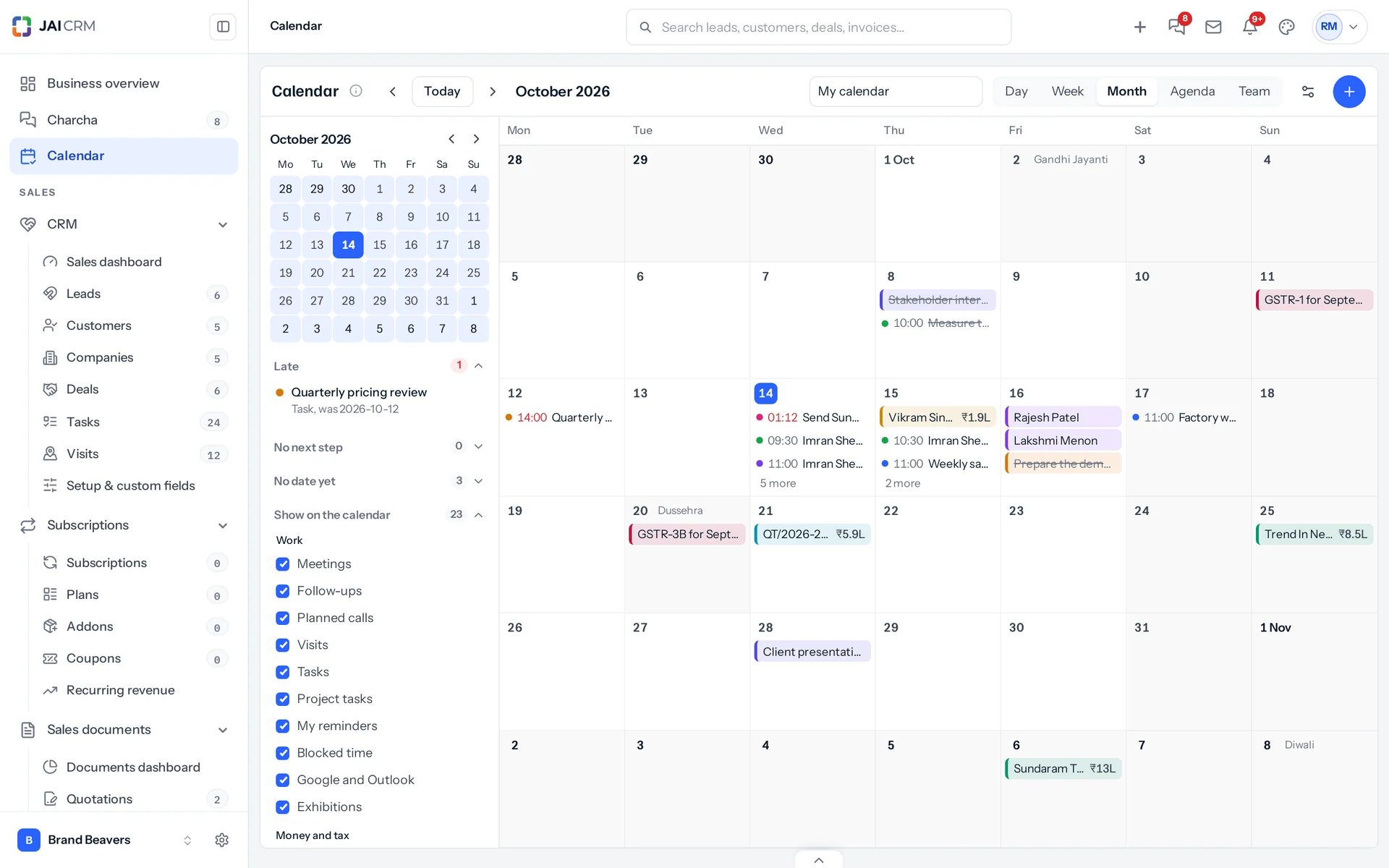
Follow-ups, planned calls, visits, meetings, tasks, project tasks and your own Charcha reminders, with exhibitions, deals expected to close, quotations expiring, invoices and bills falling due, cheques to deposit, promised payments, renewals, warranties ending, salaries, birthdays, holidays and the GST, TDS, PF and ESI dates. Only what your business has switched on, and only what you can already open.
Can I move things by dragging?
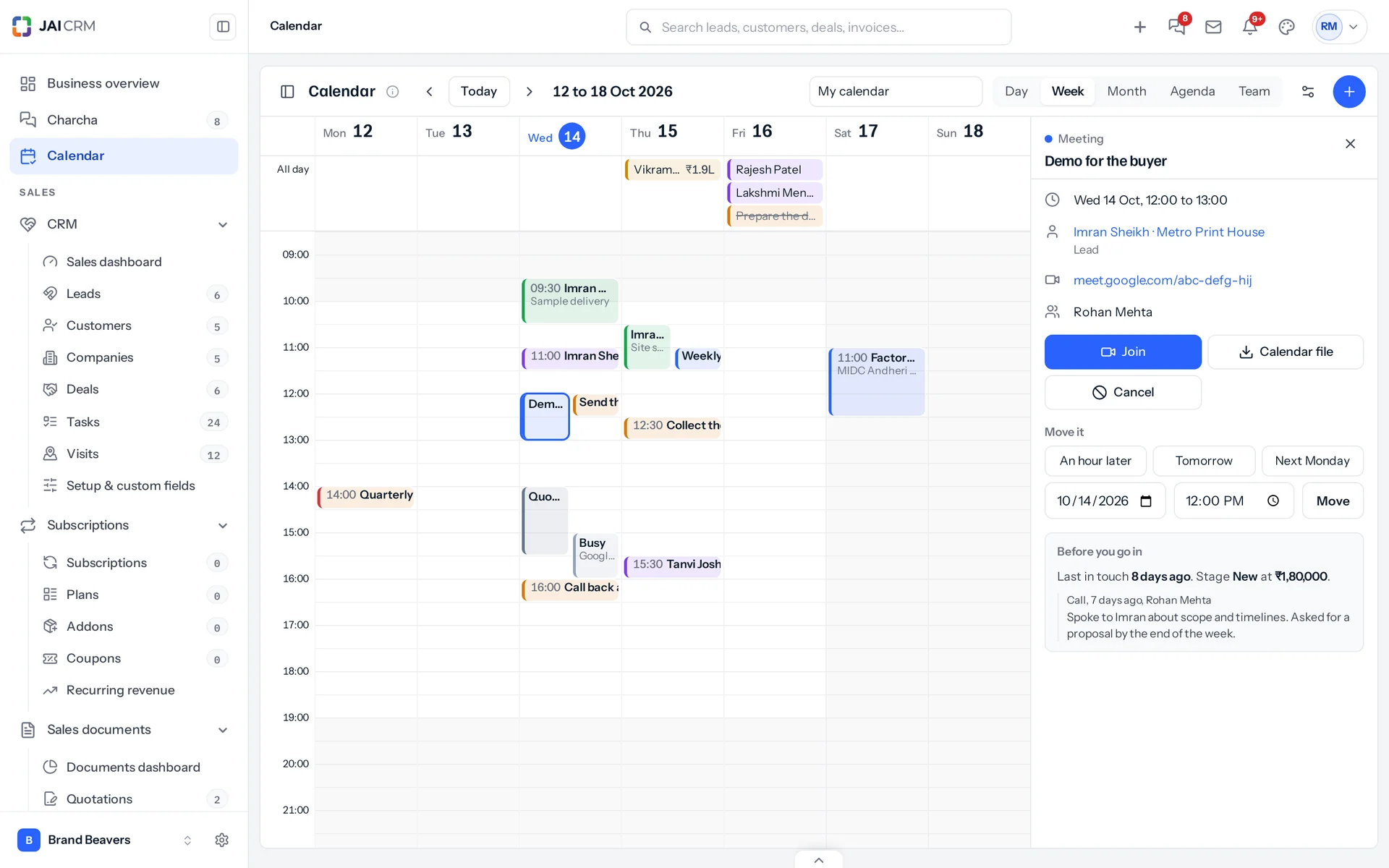
Yes, on a computer: drag an item to a new time or day, or drag its bottom edge to change its length. On a phone, tap it and choose An hour later, Tomorrow, Next Monday or a time. Each move goes through the record's own rules.
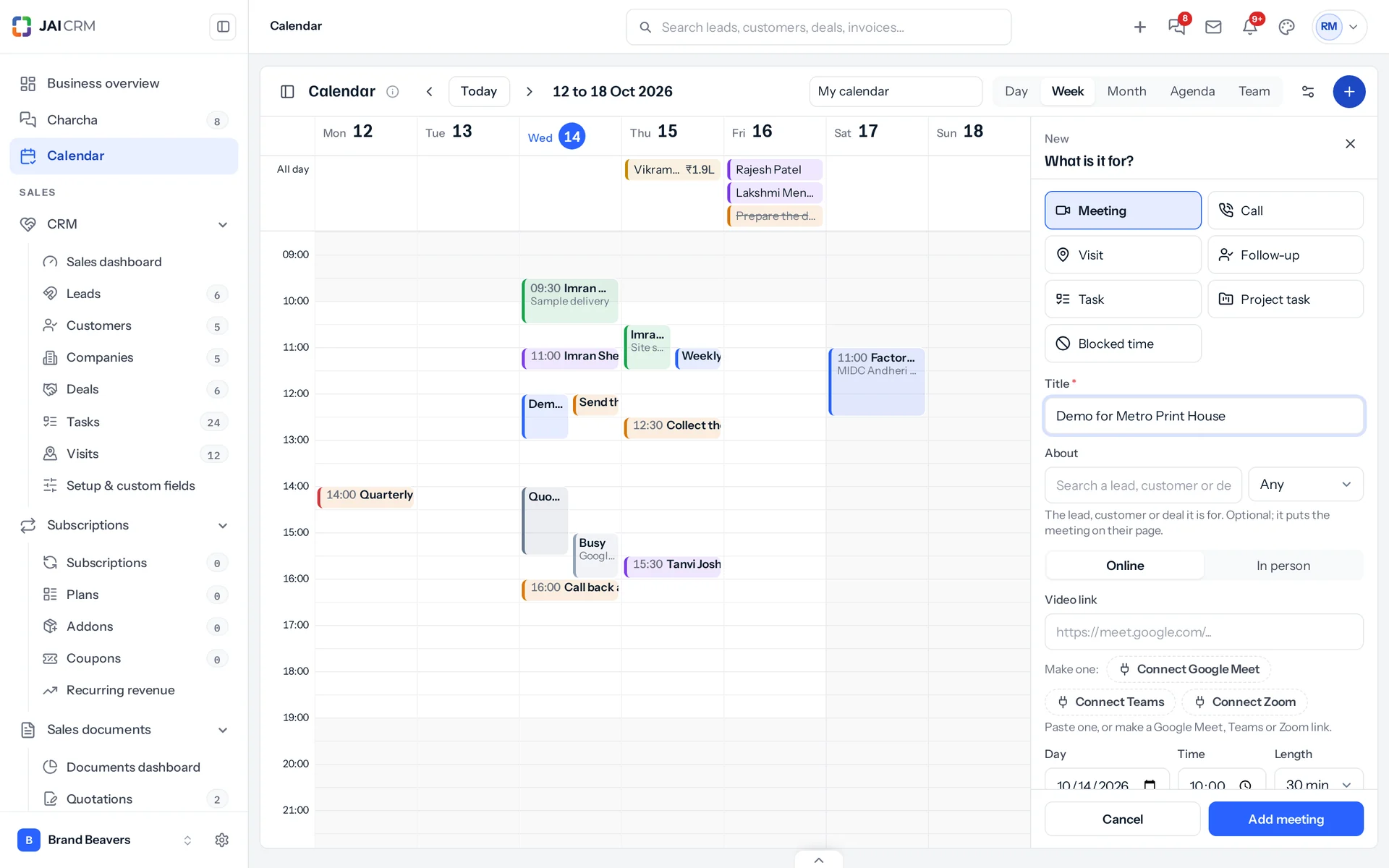
Can I create a follow-up, visit or meeting from the calendar?
Yes. Click or drag across an empty slot, or press New, and choose what it is for: a meeting, a call, a visit, a follow-up, a task, a project task or blocked time.
What happens before and after a meeting?
Fifteen minutes before a meeting about a lead, customer or deal, everybody going gets a briefing: when you last spoke, what is unpaid and which quotations are open. When it ends, the person who set it is asked how it went and can book the next step at once.
Does it work with Google Calendar and Outlook?
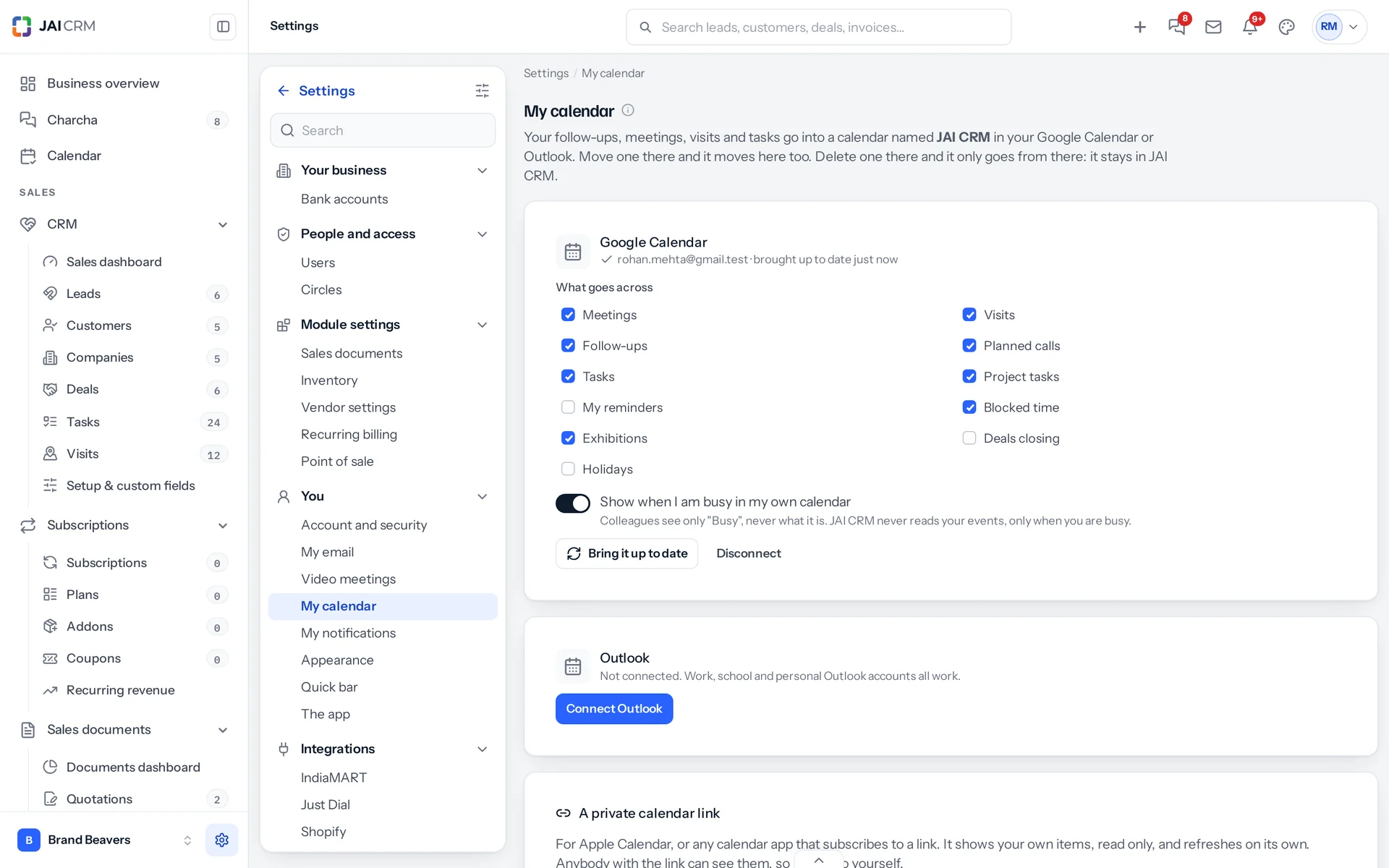
Yes, both ways, once Google and Microsoft approve the JAI CRM app. Each person connects their own account by signing in on Google's or Microsoft's page. Their JAI CRM items go into a calendar named JAI CRM; a move made there comes back to JAI CRM, and a delete there only removes it there.
Can JAI CRM read my personal calendar events?
For Google, no: it asks only when you are busy, never what the event is. For Outlook it reads your own calendar so you see your own event names on your JAI CRM calendar. Colleagues only ever see Busy.
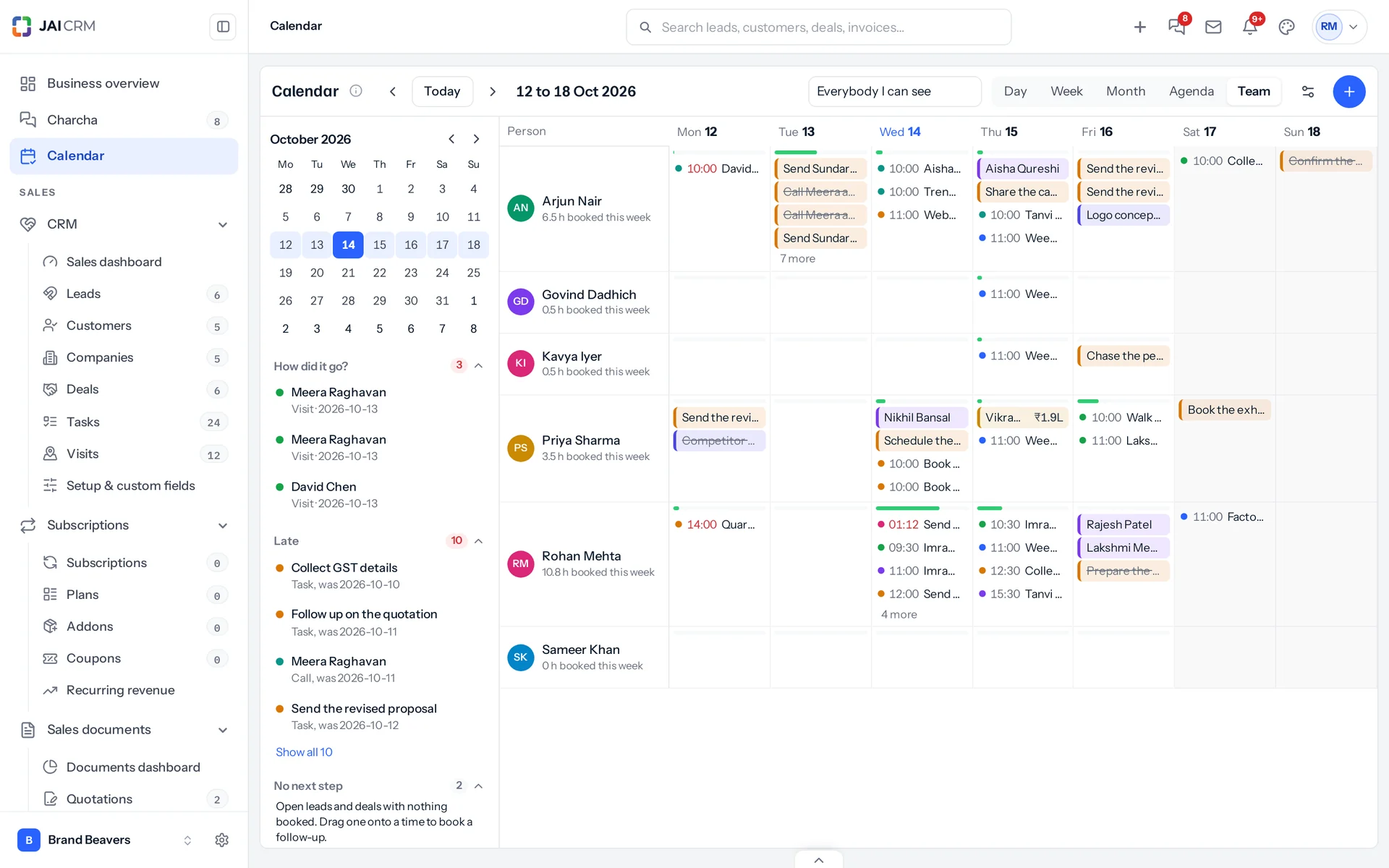
Can a manager see the team's calendars?
Yes, roles that already see a team's leads or tasks get the Team view: everybody side by side, how full each day is, and work handed from one person to another by dragging it onto their row.
Does it show GST and TDS due dates?
Yes. GSTR-1 and GSTR-3B monthly, or quarterly under QRMP with the GSTR-3B on the 22nd or 24th by state, CMP-08 for composition businesses, TDS deposits on the 7th (30 April for March), and PF and ESI on the 15th, each with a filed mark. Only to the people who look after them.
Can I add our holidays?
Yes. Add India's national holidays for the year in one press, then your own and each branch's.
Does it work on a phone?
Yes, in the browser and the Android app. The phone opens on the agenda; a day shows the week above it and swipes to the next day; the month shows a dot for each thing.
Can I use it with Apple Calendar?
Yes. Make your private calendar link in Settings, My calendar, and add it to Apple Calendar or any calendar app that subscribes to a link. It shows your own items, read only.
Is it included in my plan?
The calendar is in early access and switched on for a business on request. Ask us to switch it on for yours.