
The calendar shows everything a person has to do, from every module your business uses: follow-ups on leads, planned calls, visits, meetings, tasks, project tasks and your own Charcha reminders. Beside them sit exhibitions, deals expected to close, quotations expiring, invoices and bills falling due, cheques to deposit, promised payments, subscription renewals, warranties ending, salaries, birthdays, holidays and the GST, TDS, PF and ESI dates.
The calendar is in early access. It is switched on for a business by the JAI CRM team; ask us and we will switch it on for yours.
Where to find it
Calendar sits in the sidebar just under Charcha. On a phone, open the sidebar from the menu at the top left.
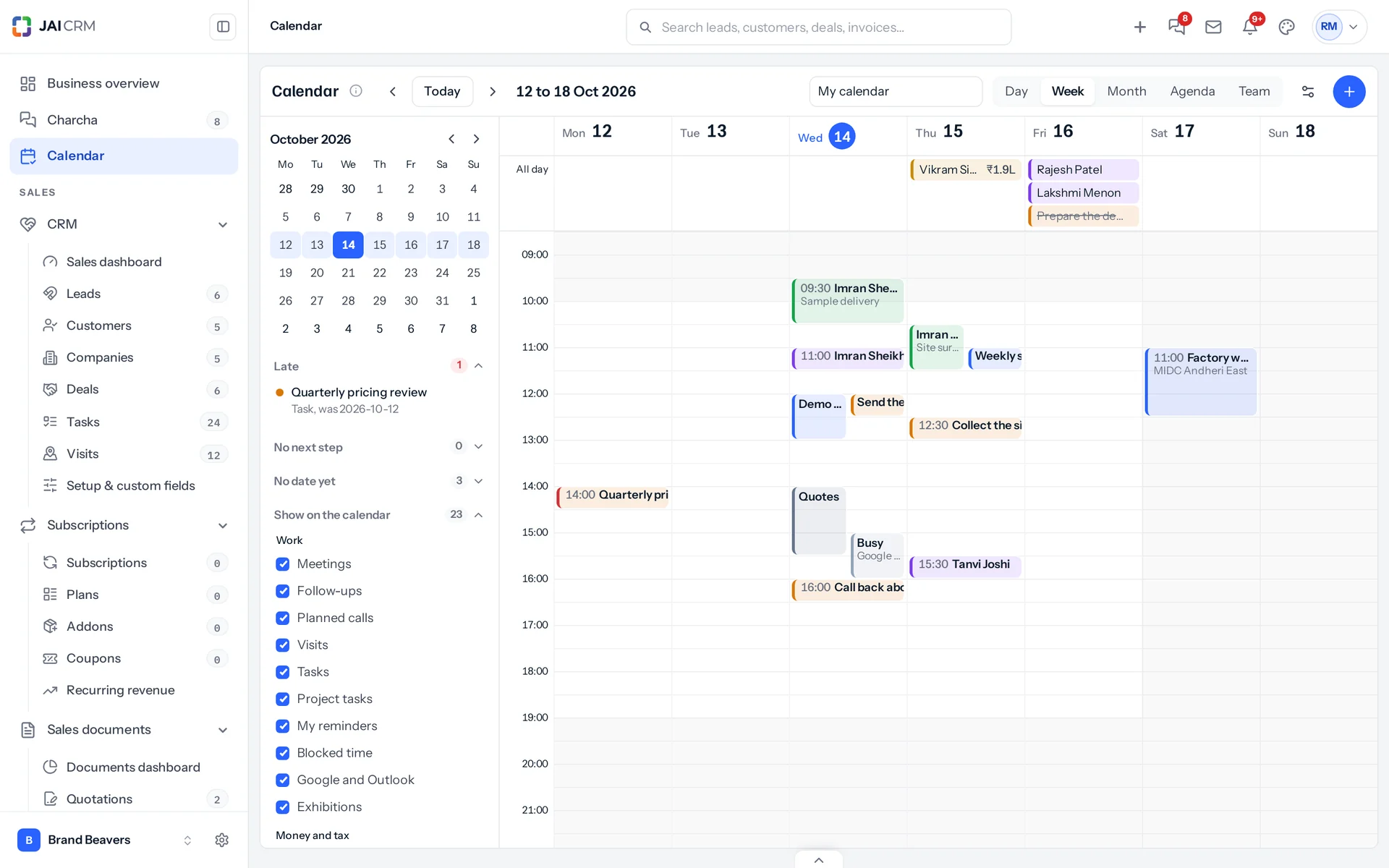
The views
| View | What it is for |
|---|---|
| Day | One day hour by hour. On a phone, the week sits above it and a swipe moves to the next day. |
| Week | Seven days of hours, for planning the week. Not on a phone. |
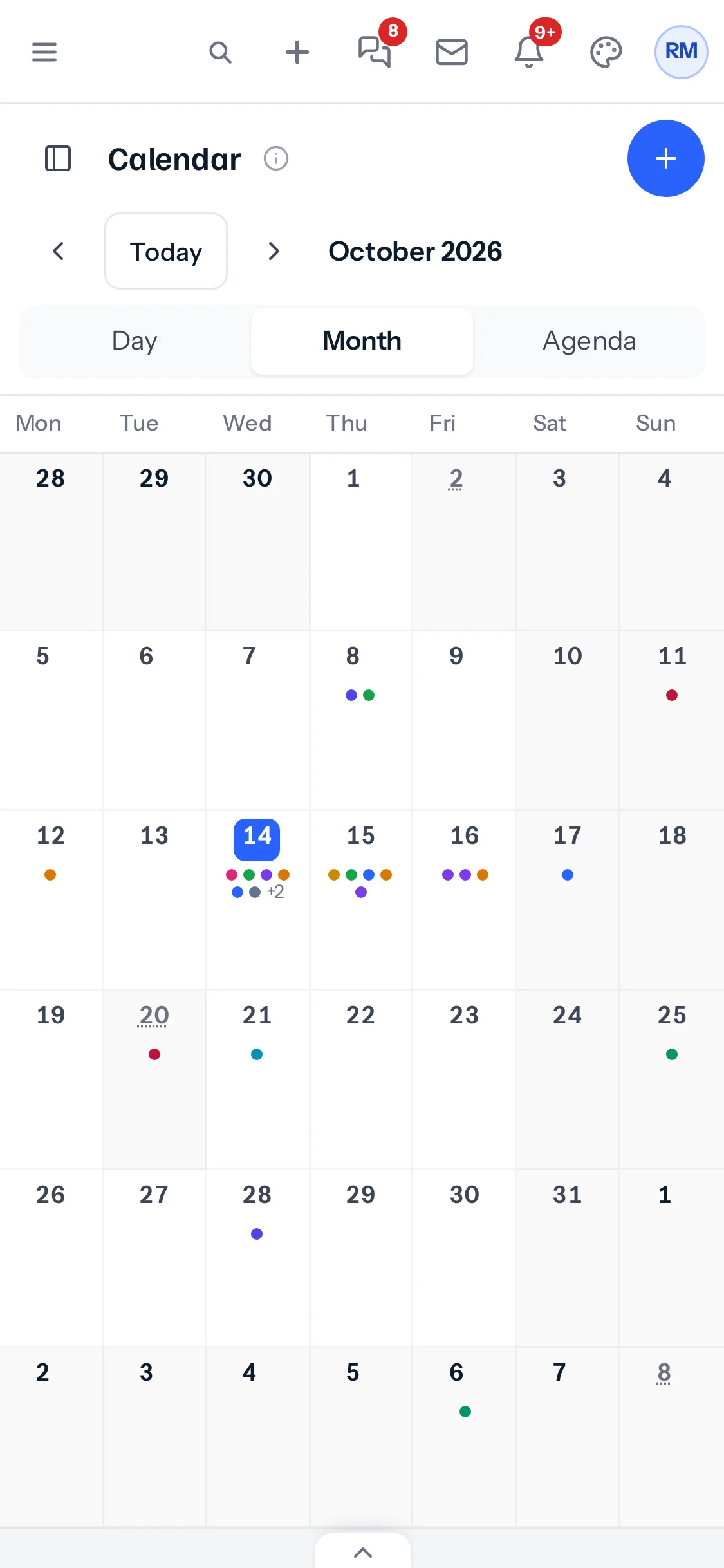
| Month | Six weeks at a glance, up to three things a day and how many more. On a phone, a dot for each thing; tap a day to open it. |
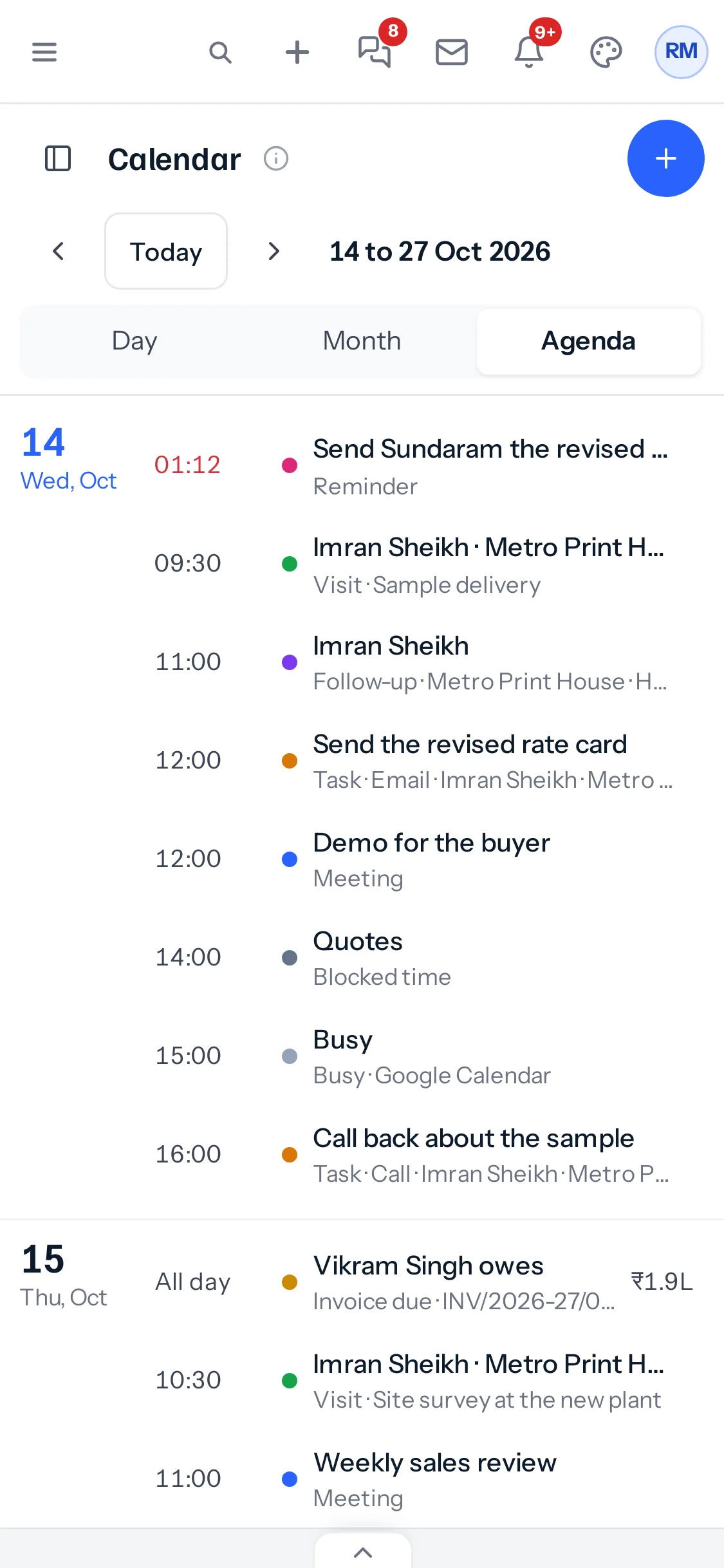
| Agenda | The next two weeks as a list. The phone opens on it. |
| Team | Everybody you can see, side by side, with how full each day is. For managers; see The team view. |
Keys on a computer: t today, n new, d w m a for the views, and the arrow keys to step back and forward.
Show or hide each kind
Under Show on the calendar on the left, each kind has its colour and a tick. Untick what you do not want to see; the calendar remembers it for you. A kind whose module your business has not switched on is listed greyed, with the module it needs.
Who sees what
- Each item follows its own module’s rules: you see a lead’s follow-up only if you could open the lead, an invoice only if you could see the invoice. The calendar gives nobody anything new.
- Your Charcha reminders and your blocked time are yours. Colleagues see blocked time only as Busy, and never see your reminders.
- Tax dates show only to the people who look after GST, TDS or payroll.
- Customer and supplier logins never see the calendar.
On a phone
Something missing or wrong here? Tell us. A question that needed asking usually means a page that needed writing.