
Roles that already see a team’s leads or tasks get the Team view and the list at the top for choosing whose calendar to show: My calendar, everybody you can see, or one person.
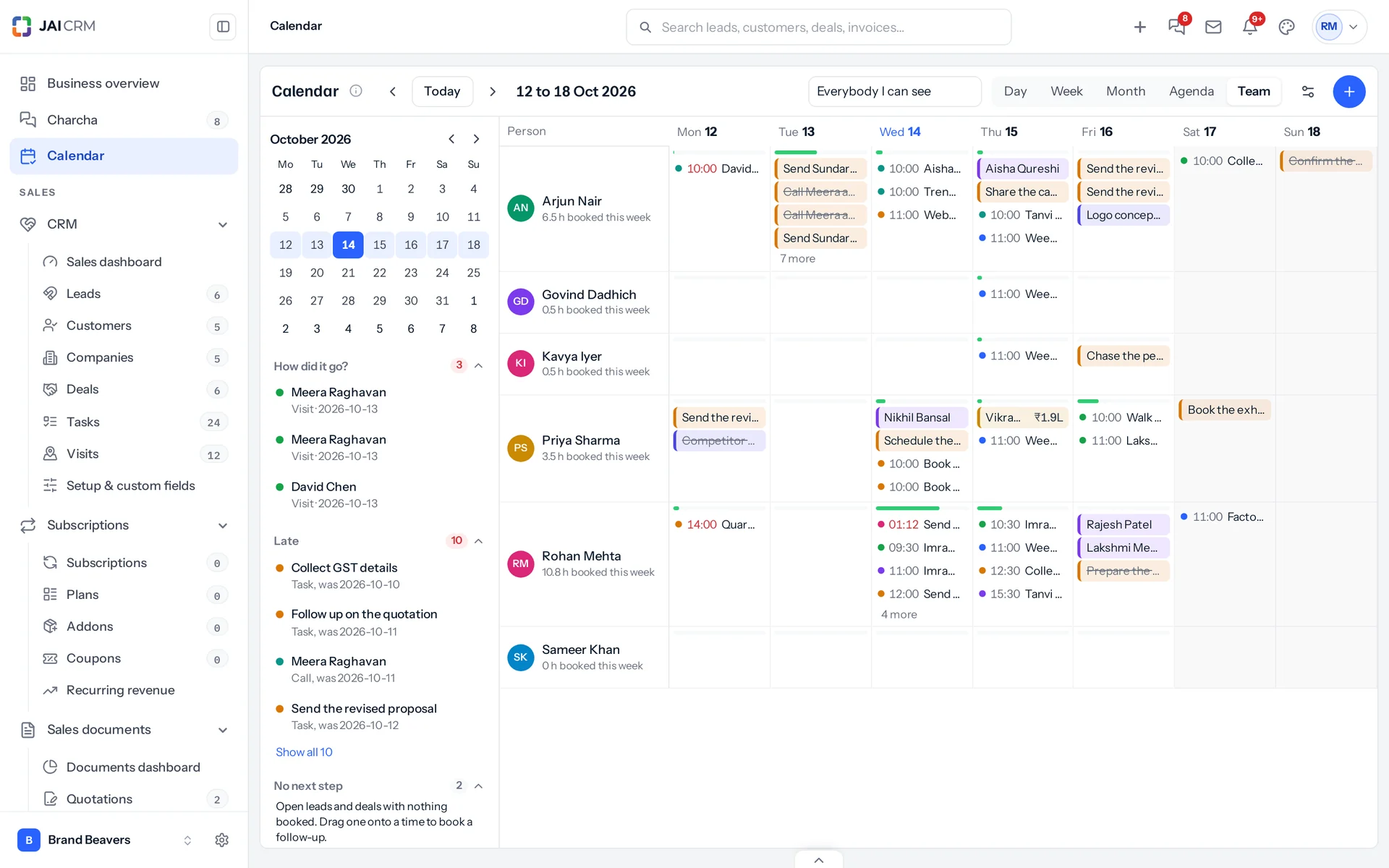
- The bar at the top of each square is how much of the working day is booked: green, amber when it is nearly full, red when it is over.
- A colleague’s blocked time, their own Google or Outlook time, and meetings you are not in show only as Busy.
- Drag a task, visit, project task or follow-up onto another person’s row to hand it to them. The calendar asks first; a follow-up hands over the whole lead.
Google Calendar, Outlook and other calendar apps →
Meetings, the briefing before and How did it go? after →
Something missing or wrong here? Tell us. A question that needed asking usually means a page that needed writing.