
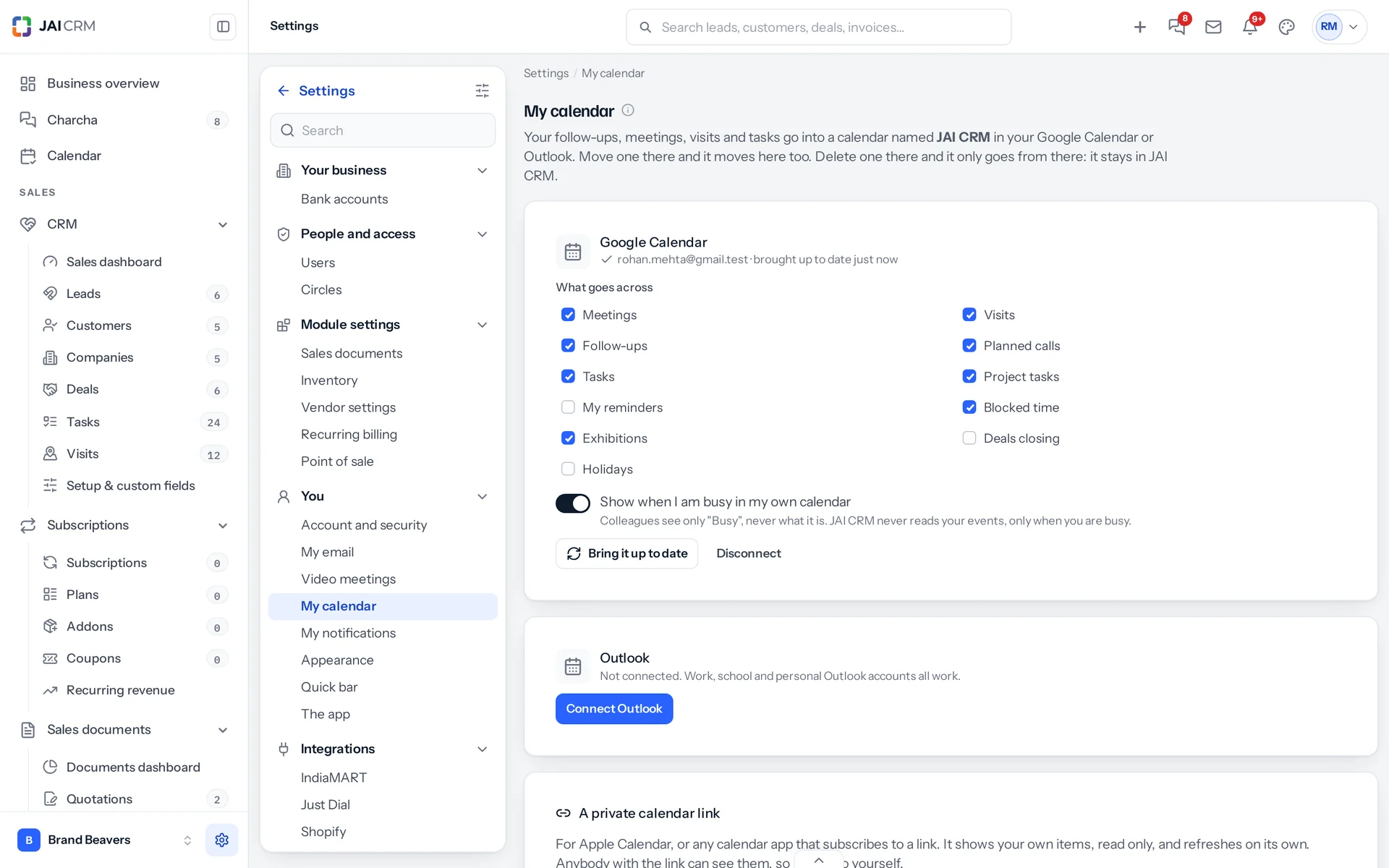
Each person connects their own Google Calendar or Outlook in Settings, My calendar, by signing in on Google’s or Microsoft’s own page. Nothing is typed into JAI CRM.
What happens
- Your items go into a calendar of its own named JAI CRM in your account. Choose which kinds go across; meetings, visits, follow-ups, calls, tasks, project tasks, blocked time and exhibitions go unless you untick them.
- Move one there and it moves in JAI CRM too, under the same rules as moving it here. A move JAI CRM would refuse, such as a meeting somebody else organised, goes back to its time.
- Delete one there and it only leaves that calendar. Nothing changes in JAI CRM, it is not sent back, and the item says You removed this from your Google Calendar with Put it back.
- Change, finish or cancel something in JAI CRM and your calendar follows within a few minutes, usually within a minute.
- Remove the whole JAI CRM calendar there and nothing more is sent; Make it again in My calendar starts it afresh.
- Disconnect takes the JAI CRM calendar out of your account. Nothing changes in JAI CRM.
Your busy time
With Show when I am busy in my own calendar on, the times you are busy show on your JAI CRM calendar, and to colleagues as Busy. From Google, JAI CRM asks only when you are busy, never what the event is. From Outlook you see your own event names; colleagues still see only Busy.
Apple Calendar and other apps
In My calendar, press Make my link and add the link to Apple Calendar or any app that subscribes to a calendar link. It carries your own items, read only, and refreshes on its own. Anybody with the link can see them, so keep it to yourself; Make a new link stops the old one, and Turn it off stops it altogether.
One item can also be downloaded as a calendar file from its panel.
Outlook works with work, school and personal Microsoft accounts. Google Calendar and Outlook appear once they are switched on for JAI CRM; until then, the private link works with any calendar app.
Something missing or wrong here? Tell us. A question that needed asking usually means a page that needed writing.