
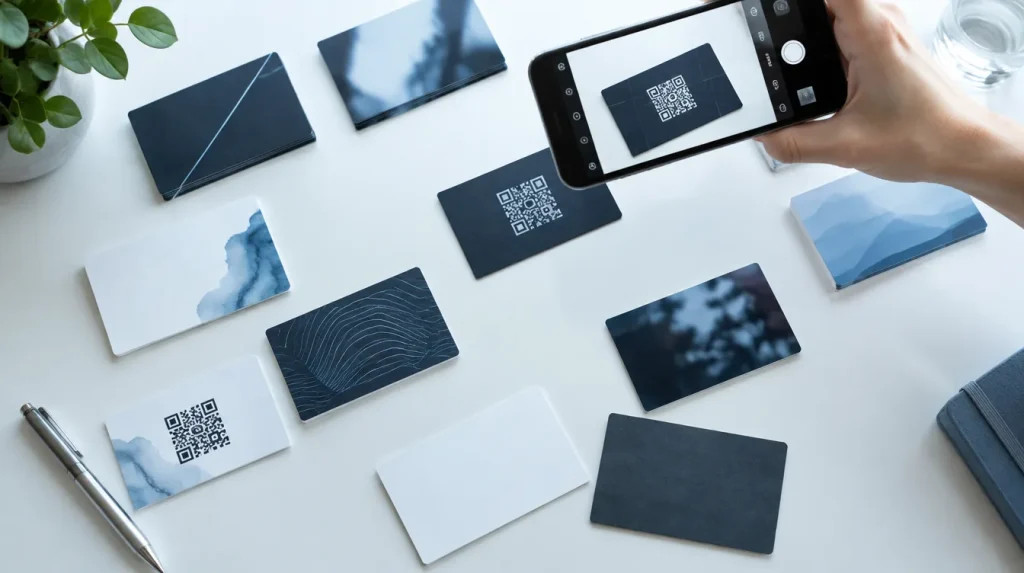
Scanners misread Indian visiting cards for reasons you can predict: a phone photo stored sideways, a dark or textured card, a landline that looks like a mobile, a GSTIN split over two lines, an address with no state. Each has a fix. Here is what goes wrong, what fixes it, and how to test any scanner yourself.
In short
- Photo problems
- Rotation, background texture and dark cards
- Photo fixes
- Straighten, crop to the card, read in colour, grey and negative
- Numbers
- A mobile is ten digits starting 6 to 9; a leading 0 means a landline
- GSTIN and state
- Keep only an exact GSTIN; leave a doubtful state blank
- Best extra sources
- The back of the card, and any QR code on it
- Before you choose
- Test any scanner on 10 of your own cards and count the wrong fields
Why do scanners get Indian visiting cards wrong?
A scanner copes well with a simple business card: one name, one company, one phone, one email. An Indian visiting card often carries two mobiles, an office landline with its STD code, a GSTIN, a factory address on the back and a QR code for UPI payments. It may be printed white on black, then photographed on a tablecloth.
There are two ways to read a card. Optical character recognition (OCR) turns the picture into lines of text, then rules decide which line is which. An AI model reads the whole picture, the way a person does.
JAI CRM, which is our product, uses both. It reads any QR code first. Where the workspace uses AI, a model reads the card; otherwise JAI CRM’s own reader does it on its own server, with the open-source Tesseract engine. A person checks every card before it is filed. The fixes below are described as that code does them today.
Why does a sharp photograph come back as nonsense?
Usually because the phone stored it sideways. A phone saves the pixels as its sensor is mounted, plus a tag (the EXIF orientation) saying which way up they belong. Photo viewers obey the tag, so the picture looks right to you.
Tesseract ignores the orientation tag and reads the stored pixels. In JAI CRM’s own testing, the clearest photograph of one card came back as upside-down gibberish, with the phone number backwards.
The fix: apply the tag before anything reads the picture. JAI CRM’s own camera takes its pictures the right way up, and the server applies the tag again before any reader sees a photograph.
A card lying sideways on the table is a second problem: the tag records how the phone was held, not how the card lay. So JAI CRM reads a small copy at all four turns and keeps the turn with the most words it was confident of. Count confident words, not all words: the card upside down produced more junk “words” than the right way up.
Why does the tablecloth end up in the contact’s name?
A card often fills only a third of a phone photograph. OCR finds letters in the granite or printed cloth around it. In one real case, cloth pattern read as lines of text pushed the card’s last line into the person’s name.
- Keep only the card. JAI CRM’s camera draws a card-shaped frame and finds the card by its four long straight edges, which print and cloth do not have. Only the card is kept. The edges may widen the crop but never narrow it, so a two-coloured card is not cut in half.
- Drop unsure words, except useful shapes. Words the reader is not fairly sure of are treated as noise. Anything shaped like a phone number, an email or a web address is kept at a much lower bar, because cloth does not produce an @ sign or seven digits in a row.
- Make the picture smaller. A twelve-megapixel photograph took longer than the time allowed, and the card came back empty. At about 2,000 pixels on its long side, it read in seconds.
The camera also fires by itself once the card holds still, so fewer photographs are blurred.
Why do dark, glossy or reversed cards read as gibberish?
OCR engines are built for dark print on light paper. White text on black, gold foil on maroon, or a light logo on a coloured band gives them little to work with.
JAI CRM’s reader reads every card three times: as photographed, in grey, and as a negative. The negative turns white-on-black into black-on-white. The grey copy helps where colour confuses the engine: one clean photograph read as a single word in colour and gave every line in grey.
The readings are merged one part of the card at a time, each part from the reading clearly surest of it. So a card with a dark top half and a light bottom half gets each half from the reading that saw it best.
Why is a landline saved as a mobile?
Because the digits look the same. TRAI’s recommendations on revising the National Numbering Plan (6 February 2025) note that a landline’s SDCA code, the STD code to most people, and its subscriber number together make ten digits.
A Bengaluru landline printed with 080 is plainly a landline. Printed as +91 80 and eight digits, it has exactly the shape of a mobile.
JAI CRM’s own reader calls a number a mobile only when it is ten digits starting 6, 7, 8 or 9, alone or after +91, and never with a leading 0. So the +91 80 style lands under Mobile. The AI reader is asked for each number’s kind as labelled on the card, mobile, landline or fax, and its answer is kept.
Either way, the fix is one tap. Next to every number on the card screen is a two-way arrow, labelled It is a landline: move to phones or It is a mobile: move to mobiles.
What happens to the third and fourth number?
Many scanners keep one phone and drop the rest. JAI CRM’s own reader picks up to seven numbers off a card, and a lead, customer or supplier holds four mobiles and three landlines. Three slips are handled:
- Numbers on consecutive lines once ran together and were both lost. A line break now ends a number.
- One number printed twice, with and without +91, is kept once: numbers are compared on their last ten digits.
- Runs of more than 13 digits are ignored. They are usually part of a GSTIN or a PIN code.
Two habits are not handled yet. A second mobile written as a slash and its last few digits is not expanded; add it with Add a mobile. A landline printed without its STD code is too short to keep; add it with Add a phone, code in front.
Why is the GSTIN missing or wrong?
A GSTIN is 15 characters. The GST registration guide from CBIC (checked 10 October 2026) sets out the parts: two digits of state code, the business’s ten-character PAN, two characters of entity code, and a final check sum character.
The fixed shape helps a reader, but a GSTIN breaks easily: split over two lines on a narrow card, printed with spaces, or with the letter O read for a zero.
JAI CRM’s own reader looks for the exact shape on one line, in capitals so a lowercase misreading still matches. A GSTIN that is split, spaced, or has a letter where a digit belongs is not found, and the field stays blank. A blank GST number gets noticed; a wrong one gets filed. The AI reader returns the GSTIN with spaces removed, and keeps it only if it is two digits followed by thirteen letters or digits.
One gap remains: a digit misread as another digit keeps the right shape, and neither reader tests the check character yet. Compare the GSTIN with the photograph before filing. To confirm a registration on the GST portal, see checking suppliers met at a fair.
The GSTIN also helps JAI CRM recognise someone you already have. On a customer or supplier whose address names no state, its first two digits supply the GST state code.
How does a PIN code turn into a state?
JAI CRM keeps the whole address as printed, then splits it for the record:
- PIN code: the last six-digit run, whether printed together or as three and three.
- City: the word or two before the PIN code, or a known city named anywhere.
- State: as printed; otherwise from a known city; otherwise from the PIN code’s first digits.
- Country: India, only when a PIN code or an Indian state says so.
The PIN step is cautious, because PIN codes were designed for sorting post, not naming states. India Post publishes its PIN code lists by postal circle (checked 10 October 2026): 23 circles, one of them North East, covering several states. Near some borders two states or territories share the same first digits, Chandigarh and Punjab for example. Where JAI CRM’s table cannot settle one state, it leaves the state blank.
A blank state beats a wrong one. On a customer, the state sets the GST state code, which decides whether an invoice charges CGST and SGST or IGST.
To find the address at all, the reader takes the block of lines around a PIN code or a street word such as road, marg, nagar, chowk or MIDC. A list of branch cities is not an address.
Which line is the person, and which is the company?
No pattern settles a name, so JAI CRM’s reader decides in a fixed order:
- Job title first. Titles have a known vocabulary: proprietor, partner, director, chartered accountant, plant manager. One misread letter in a longer one-word title is corrected, so FOUNODER becomes FOUNDER.
- Then the company. A line that spells the domain of the card’s email or website is the firm, however small; a Gmail or Rediffmail address proves nothing. Failing that, a suffix such as Pvt Ltd or LLP is near proof, and a trade word such as Traders is weaker.
- Then the person: the line that looks most like a name, not merely the largest. Two to four words, letters only, consistent capitals, with extra weight for the line just above the job title.
Indian names get one allowance: a single initial between two words, as in Anil K Mehta, counts as part of a name. A name with two initials, or an initial at the end, is still read, with a warning mark for you to check.
When the reader can only guess, it marks the guess low. A low guess is never written into a field. It waits in the tray headed Lines read off the card, where you tap a line, then the field it belongs in.
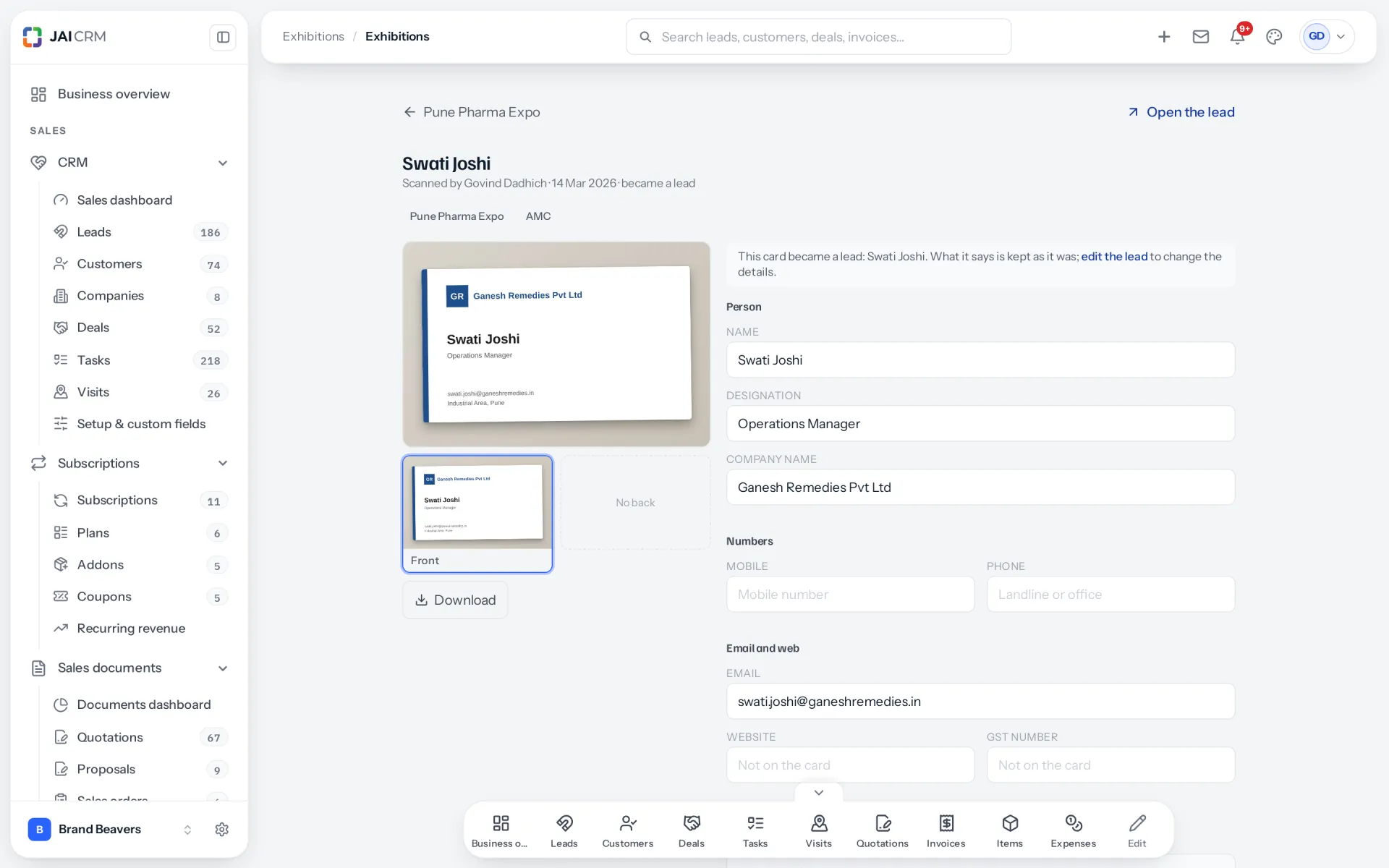
What does the back of the card add?
Many Indian cards print the factory address, the GSTIN or more numbers on the back.
In JAI CRM you photograph the front at the stall. Later, before filing the card, you open it and press Add the back. Both sides are read again together. The back fills only empty fields and adds new numbers and emails; anything you corrected is saved first and never written over. An AI model gets both sides in one request, front first. See Scan a card, check it, and where each field goes.
Should a scanner read the QR code on the card?
Yes, before anything else. A QR code is the card’s own data, typed by its owner, so nothing is misread. JAI CRM looks for QR codes on both sides of every card.
| What the code holds | What JAI CRM does with it |
|---|---|
| A vCard, the standard contact format (RFC 6350), or the shorter MeCard | Name, title, company, emails, website, address, and numbers sorted into mobiles and landlines, all taken as sure |
| A link to a .vcf contact file | Fetched and read as a vCard |
| A link to a web page | Kept as the website; phone and email links on the page are collected |
| A wa.me WhatsApp link | The number is kept as a mobile |
| A UPI payment code | Ignored: it pays someone, it does not describe them |
Links are fetched only from public internet addresses, for a few seconds at most. A QR code overrides what the built-in reader made of the printed text, and fills whatever an AI model left empty.
Is AI reading better than OCR for Indian cards?
We are not publishing accuracy figures. Our only measurement so far is a development set of twenty cards, too small to give a number worth quoting. Here is how the two readers differ.
| AI model | JAI CRM’s own reader (OCR) | |
|---|---|---|
| How it reads | The whole card as a picture, both sides in one request | Lines of text, then rules for each field |
| Mobile or landline | Asked for each number’s kind, as labelled | Decided by the digits and a leading 0 |
| Two scripts | Told to return the English where a name is printed in English and an Indian script | English only: asking for Hindi too made it see Devanagari in cloth texture |
| Where the photograph goes | To an AI provider | Nowhere: it is read on JAI CRM’s server |
The model is told to copy exactly what is printed and never to guess, complete or correct a value. If it fails or times out, the built-in reader takes over. A business can turn AI card reading off in Settings, under AI writing; then no card photograph leaves JAI CRM’s server. Our post on the DPDP Act covers the personal data side.
How do I test a scanner on 10 of my own cards?
A vendor’s accuracy claim was measured on the vendor’s cards, not yours. Ten of your own cards, checked by hand, tell you more in half an hour.
- Pick ten cards from the table below.
- Write down the truth first: every field exactly as printed, to the character.
- Photograph each card once, on the surface and in the light you will really have. Use the same photographs in every app that accepts them. No retakes.
- Mark every field right, wrong, blank, or not on the card, and time the corrections.
| Card to include | What it tests |
|---|---|
| White or gold print on a dark card | Reversed print |
| A glossy or foil card | Glare |
| A landline printed +91 80 style | Landline versus mobile |
| Three or more numbers | Whether extra numbers survive |
| A printed GSTIN | All 15 characters, in one field |
| A full address with PIN code | City, state and PIN in their own fields |
| A two-sided card | Adding the back later |
| A card with a QR code | Whether the code’s data is used |
| English and Hindi on one card | Mixed scripts |
| A Gmail address and a trading name | Person versus company |
Then count:
- Wrong fields. The count that matters most. A wrong mobile gets rung for weeks; a blank one gets noticed.
- Blank fields that were printed on the card.
- Numbers in the wrong box: a landline under mobile, or the reverse.
- Flags: how many of the wrong fields the app marked as unsure.
- Minutes to fix all ten cards.
A score sheet to copy, one row per field: Card number | Field | As printed | As read | Right, wrong, blank or wrong box | Marked unsure?
Example row: Card 3 | Phone 1 | +91 80 and eight digits, labelled Tel | Same digits, under Mobile | Wrong box | No
Judge on wrong fields first, then minutes to fix. A scanner that leaves blanks and flags doubts costs less than one making confident mistakes. To compare apps sold in India, see visiting card scanner apps in India.
Common questions
Why does my scanner read landlines as mobile numbers?
An STD code and a landline number together make ten digits, the same length as a mobile. Printed as +91 80 and eight digits, a Bengaluru landline has the exact shape of a mobile. A leading 0, or a label such as Tel, tells them apart.
Why does a scanner miss the GSTIN on a visiting card?
Usually the GSTIN is split over two lines, spaced out, or has one character misread, such as the letter O for a zero. A careful reader leaves the field blank rather than guess. Type it from the photograph and check all 15 characters.
Is AI better than OCR for reading visiting cards?
An AI model reads the card as a picture, the way a person does, so it can use the layout and labels such as Tel or Fax, which fixed rules miss. The trade-off is that the photograph goes to an AI provider. Test both on your own cards.
Does scanning the back of a visiting card help?
Often. Indian cards commonly put the factory address, the GSTIN or more numbers on the back. Add the back after the front, and check that it fills the gaps without undoing your corrections.
Correct as of October 2026. Card formats are described, not copied: no real card, phone number or GSTIN appears here. Anil K Mehta is an example name, and the card pictured is demo data. The TRAI, CBIC, India Post and RFC sources were checked on 10 October 2026.
Next
See it with your own data
Start free, import a spreadsheet of your customers, and raise a real GST invoice in the first ten minutes. No card, no sales call.