
Most point-of-sale products are a separate business. They keep their own list of products, their own customers and their own takings, and at the end of the month somebody exports a spreadsheet and types it into the accounts. That gap is where a shop’s numbers go wrong — not dramatically, but a little every day.
This one has no gap. A sale rung up at a till writes a real invoice, moves real stock off a real warehouse, and posts a real payment against it. The same invoice a back-office user would have raised by hand, with the same number series, the same GST and the same place in your books.
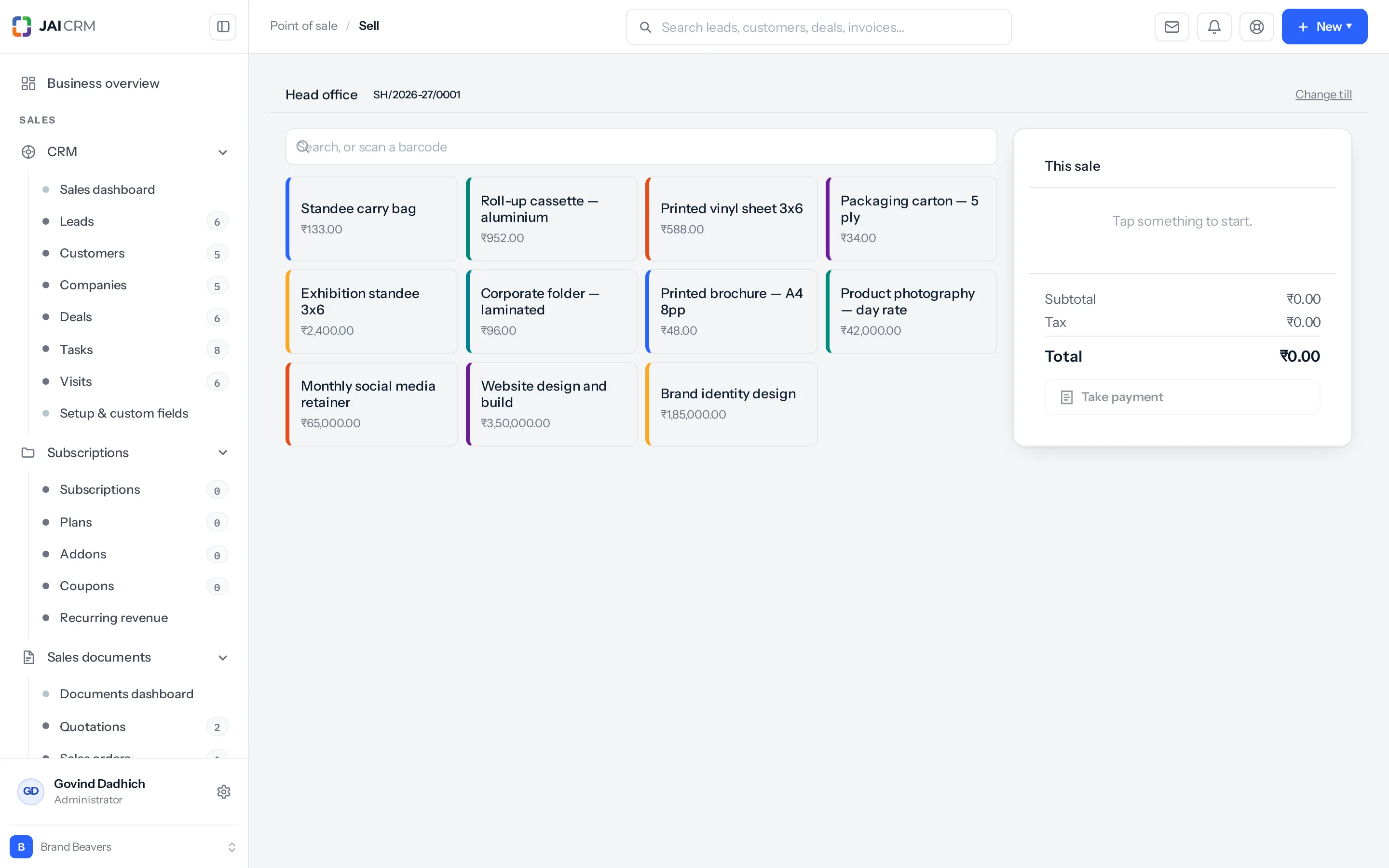
What one sale actually does
Pressing Take payment is one action to the person at the counter and six to the product. They happen together or not at all — there is no state where the stock has moved and the invoice has not.
- Re-prices the basket from the catalogue. Never from a figure the device sent. A till is a machine on a shop floor, and a machine that reports its own total is a machine that can be told to report a smaller one.
- Checks the money adds up against what is owed.
- Works out what leaves the shelf — expanding anything sold as a recipe into the things it is actually made of.
- Writes the invoice, taking the next number from your own series.
- Moves the stock, after the document, so a failure to price never moves goods.
- Records how it was paid and posts the payment against the invoice.
Pressing it twice is safe. A till that lost its answer on a bad connection asks again, and the second ask is handed the first one’s result rather than making a second sale. This is worth knowing because it is the single commonest way a counter creates a duplicate invoice, and here it does not.
Where the sale ends up
| What the counter does | Where it lands | Who sees it |
|---|---|---|
| Rings up and settles a sale | An invoice in Sales documents, numbered from your series | Anyone with invoice access, immediately |
| Sells something stock-tracked | A stock movement off the shop’s warehouse | Inventory, and the item’s stock figure |
| Takes cash, card or UPI | A payment allocated to that invoice | Accounting, and the customer’s statement |
| Sells on credit | An invoice with nothing paid against it | Receivables, ageing like any other |
| Refunds something | A credit note, and the goods back on the shelf | Sales documents and Inventory |
There is nothing to reconcile at the end of the day because nothing was ever in two places.
A business on the composition scheme
A business registered under the composition scheme cannot charge GST and must issue a bill of supply rather than a tax invoice. The counter reads which you are from your own tax settings and issues the right document without being told, on every sale.
This is worth saying plainly because the alternative is finding out later. A counter that assumes an ordinary taxpayer is a counter that issues a thousand wrong receipts before anybody notices, and those cannot be reissued after the fact.
What it is not
- Not a second catalogue. The things a till can sell are the items you already have, with a switch on each saying whether it reaches the counter.
- Not a second customer list. A sale can be anonymous, or it can name a customer you already have.
- Not a second set of takings. A day’s cash is a day’s cash, in the same books.
- Not on every plan. Point of sale is part of Full Suite. On any other plan it is bought as an add-on, and a business that has not bought it has no Point of sale entry in the sidebar and nothing about it running quietly.
The six screens
| Screen | What it is for | Who is normally in it |
|---|---|---|
| Sell | Ringing up and taking the money. | Whoever is at the counter. |
| Sales | Everything rung up, newest first — reprints and refunds. | The cashier for their own, a supervisor for the floor. |
| Shifts | Opening a drawer, and counting it at the end. | Whoever opened it; a manager to close somebody else’s. |
| Terminals | Registering a device that is allowed to take money. | Head office, not the shop. |
| Menu | Which items reach a counter screen, and what is off today. | A store manager. |
| The kiosk | A full-screen ordering machine for customers. | Nobody — it stands in the lobby. |
The kiosk is deliberately not under Point of sale in the sidebar. It is a route of its own, because a screen standing unattended in a lobby must not be one mis-tap away from the back office.
Something missing or wrong here? Tell us. A question that needed asking usually means a page that needed writing.