
A till is a device that is allowed to take money. Because that is what it is, every one of them is registered, named, tied to a shop, and can be cut off on its own without disturbing the others.
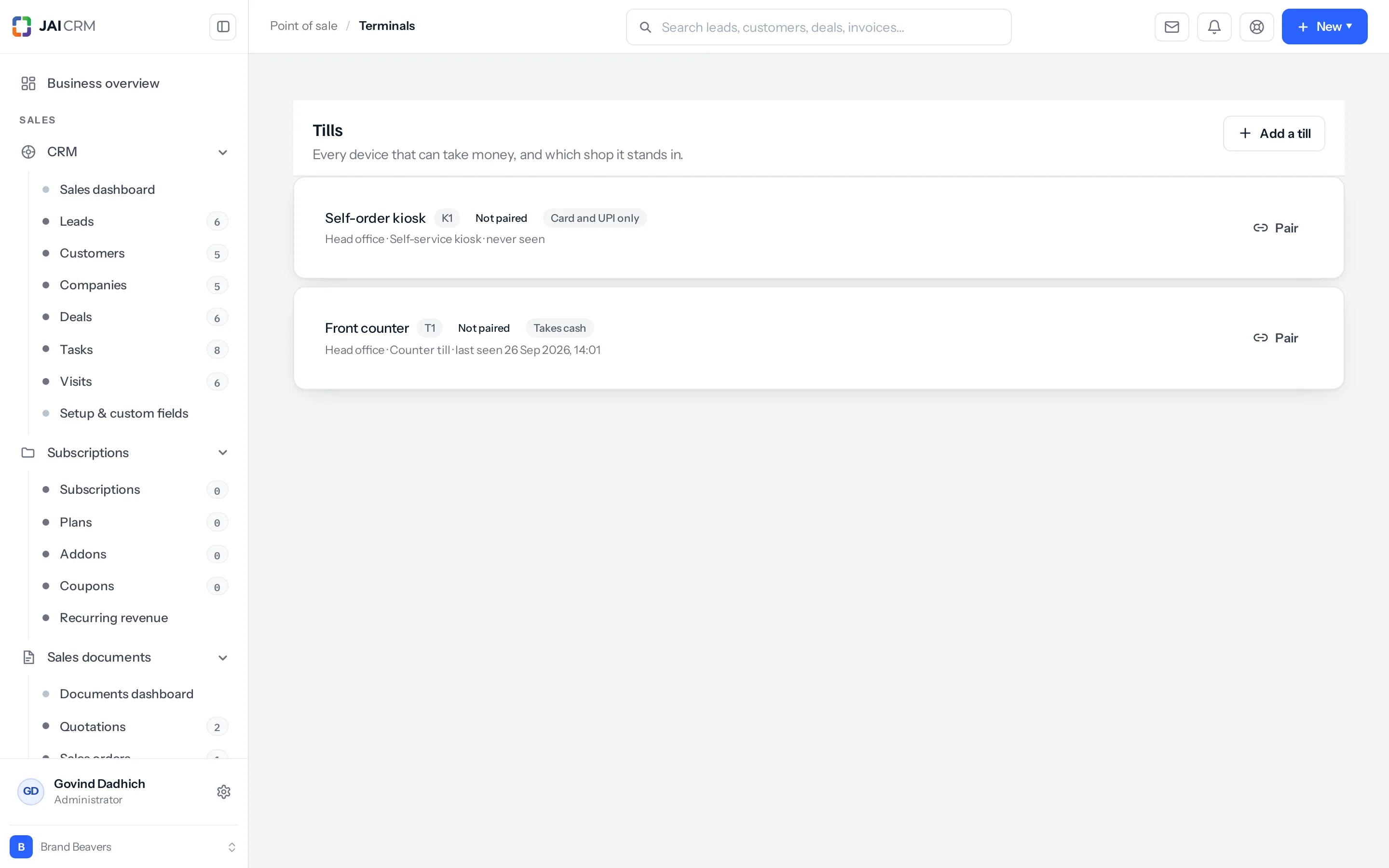
What a till carries
| Field | What it is for |
|---|---|
| Name | What a person calls it. “Front counter”, “Upstairs”, “Kiosk by the door”. |
| Code | A short tag — T1, K1. It is what appears in small spaces and in a list of twenty. |
| Shop | Which branch it stands in. This is the one that has consequences: it decides whose stock moves and who is allowed to stand at it. |
| Mode | Attended, Kiosk or Customer phone. See below. |
| Takes cash | Whether this particular machine has a drawer. A kiosk in a lobby normally does not. |
| Last seen | When it last did anything. A till that has gone quiet since Tuesday is worth a phone call. |
The three modes
| Mode | Who touches it | Typically |
|---|---|---|
| Attended | A member of staff. | The counter. Opens a drawer, takes cash, gives change. |
| Kiosk | The customer, unattended. | A screen in the lobby. Card and UPI only. |
| Customer phone | The customer, on their own handset. | A QR code on a table. |
Cash is what separates them. A machine nobody is standing at should not have a cash drawer, because there is nobody to be answerable for what is in it. Turning Takes cash off on a kiosk is not a restriction, it is the point — and it is why a kiosk never asks anybody to count a drawer.
Registering one is head office’s job
A store manager can do almost everything at their own shop — the menu, the prices on a branch list, the discount ceiling, refunds. They cannot register a new till.
That is deliberate, and it is the one permission deliberately held back from the person running the shop. A device that can take money is a device that can take money somewhere else too, and the decision to create one belongs above the shop floor.
Pairing
A till that a member of staff signs into needs no pairing — they sign in, they pick the till, they sell. Pairing is for the other kind: a machine that nobody signs into, like a kiosk in a lobby or a tablet bolted to a counter.
- Press Pair on the till. A short code appears, good for a few minutes.
- On the device, open the kiosk and enter the code.
- The device is handed a key of its own and never asks again.
The key it gets is worth understanding, because it is the whole of the security model here. It can sell, and it can do nothing else. It cannot read your customer list, cannot see yesterday’s takings, cannot change a price and cannot reach any other part of the product. A tablet stolen off a counter is a tablet that can ring up a sale at that one shop, which is all it could do while it was screwed down.
Unpair a device and its key stops working immediately. Nothing it already sold is affected — those are invoices, and they happened. Pair a replacement and carry on.
A cashier can only stand at their own shop
Somebody who works at the Residency Road shop cannot open a sale on the Indiranagar till, even knowing its address. The check is about the place, not the permission: it asks which shops this person works at, and refuses a till at a shop they do not.
It is worth saying which way round that is, because the obvious alternative is worse. Checking a permission would mean a cashier needed the right to manage terminals in order to use one — and giving every cashier that right to make the counter work is how a control quietly stops being a control.
Something missing or wrong here? Tell us. A question that needed asking usually means a page that needed writing.