
A catalogue of nine hundred items is not a counter screen. Somebody standing at a till with a customer waiting needs the forty things people actually buy, laid out so they can be hit without reading.
So nothing is on the counter until it is put there. One switch per item, and the item itself is untouched — same price, same tax rate, same stock, same everything as it is anywhere else in the product.
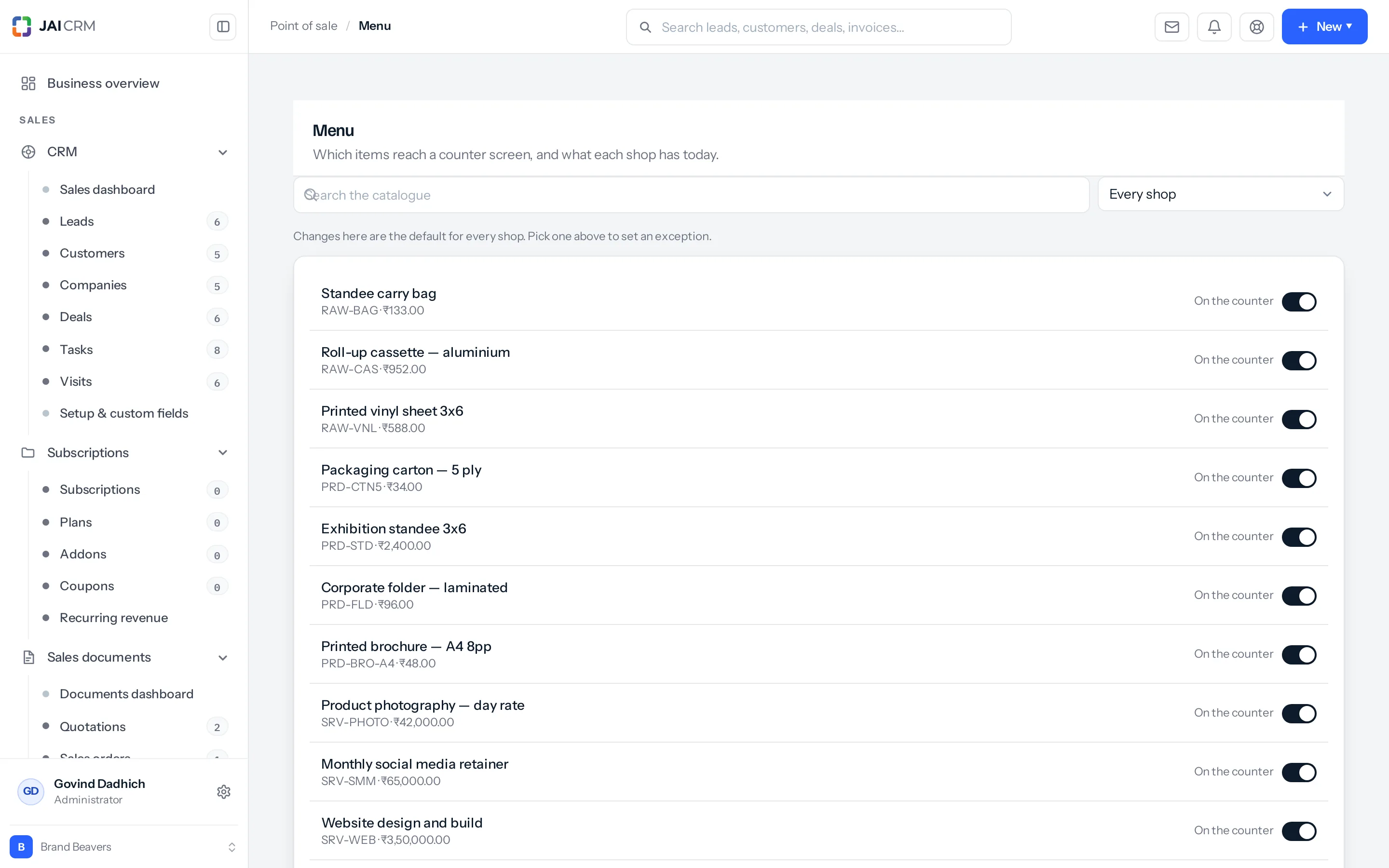
Two levels, and which one wins
The dropdown at the top is not a filter. It changes what your next click means.
| With this chosen | A change you make | Reaches |
|---|---|---|
| Every shop | The brand-wide default | Every counter that has no exception of its own |
| One shop | An exception for that shop | That shop only, and it beats the default |
A shop’s own row always wins over the brand-wide one, and the brand-wide one wins over nothing at all. That is the whole rule, and it is resolved once on the way to the till rather than in five different screens.
Turning something off for one shop does not remove it from the others, and turning it off everywhere does not delete it. It stops reaching a counter. The item carries on being an item, orderable, sellable from a quotation, countable in stock.
What a shop can change about an item
| What it is for | |
|---|---|
| On the counter | Whether it reaches a till at all. |
| Available | Whether it can be sold right now. Off, it is shown greyed rather than hidden. |
| Back at | A time for it to come back on its own, so nobody has to remember at four o’clock. |
| Counter name | A shorter name for a small tile. “Printed brochure — A4 8pp” can read “A4 brochure” on the till. |
| Colour | The stripe down the tile. Colour is how a hand finds a tile without the eye reading it. |
| Order | Where it sits. The six things people buy most belong at the top left. |
Sold out is not out of stock
These are different and the product keeps them apart, because a kitchen runs out of things nobody counted.
| What it means | What the counter does | |
|---|---|---|
| Out of stock | The count says zero. | Still sells, if the shop allows negative stock. A count nobody has corrected should not stop a queue. |
| Not available | Somebody said so, today. | Shown greyed and cannot be rung up. |
Greyed rather than hidden is deliberate. A customer asking for the thing that is not on the screen gets “sorry, we are out of those today” instead of a cashier hunting for something that looks deleted.
Back at is the setting worth using. Marking something unavailable until five o’clock means it returns by itself, and nobody has to remember. Marked unavailable with no time, it stays off until a person turns it back on.
Things made of other things
An item sold as a recipe — a kit — can go on the counter like anything else. The customer buys one thing; the shelf loses the several things it is made of. That is covered in kits at the counter.
Something missing or wrong here? Tell us. A question that needed asking usually means a page that needed writing.