
Everything on this page happens on one screen, and the screen is deliberately dull: a search box, a grid of tiles, and a running total that never moves from the right-hand side.
Which till is this?
The first time a device opens the Sell screen it asks which till it is, and then never asks again.
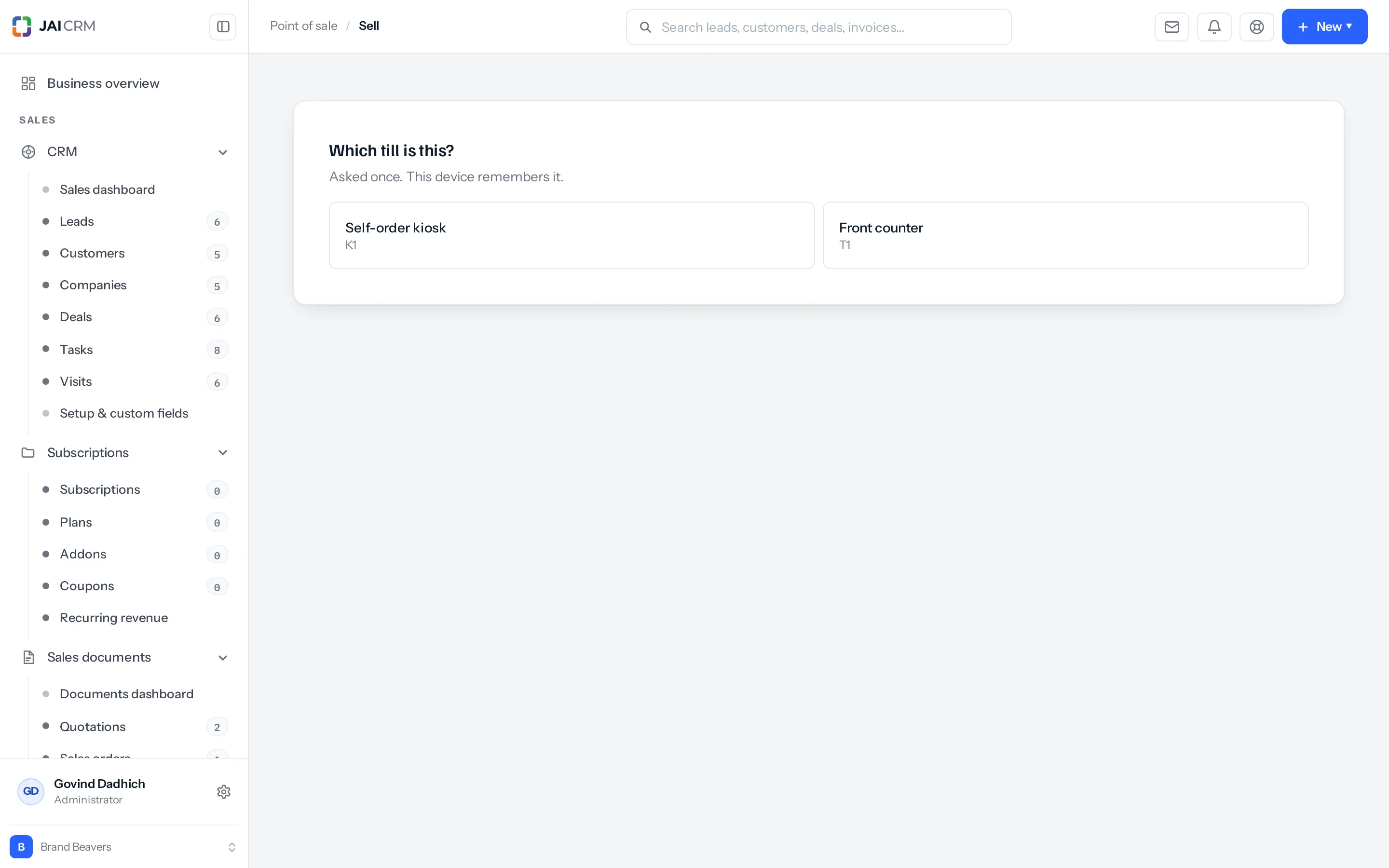
It is remembered on the machine, not on the person. That is the right way round for a shop: the tablet by the door is the tablet by the door no matter who picks it up, and a cashier moving between two counters does not carry the wrong till with them.
Only tills at shops you work at are offered. A list with nothing in it means either no till has been registered for your shop yet, or you are not attached to the shop whose tills you expected — see who can do what.
Three ways in
| When | How | |
|---|---|---|
| Tap a tile | A short menu people know by sight. | One tap adds one. Tap again for a second. |
| Scan | Anything with a barcode. | The search box is always focused. Scan and it goes straight in. |
| Search | Nine hundred items and no barcode. | Type a name or a code. Matching is on name, SKU and barcode. |
The search box does not need to be clicked into before a scan. That sounds small and is not: a cashier whose scanner does nothing because focus has drifted is a cashier who stops trusting the scanner.
The basket is real before any money is
What is on the right is not a list the browser is holding. It is an order on the server, created the moment the first thing went in, with a number of its own.
- A browser that crashes loses nothing. Come back and the basket is where it was.
- The total is worked out by the product, not by the screen — so what the customer is asked for is always what the catalogue and the tax rules say.
- It survives being left. A customer who goes to fetch their card has not lost their basket.
Tapping is not one request per tap. Taps are collected and sent together a moment after the last one. A cashier hammering a tile eleven times makes one save, not eleven — which is the difference between a till that keeps up and one that starts refusing.
Changing what is in it
| To | Do |
|---|---|
| Add another of something | Tap its tile again, or change the quantity on the line. |
| Take a line off | Set its quantity to zero, or remove it. |
| Discount one line | Set a discount on that line — percentage or rupees. |
| Discount the whole sale | Use the sale discount. See discounts. |
| Put a note on a line | “No onions”, “gift wrap”. It travels to the kitchen and onto the receipt. |
| Start again | Clear. The basket is abandoned properly rather than left half-finished. |
Clear is worth using rather than walking away. An abandoned basket is closed off; a basket simply left behind sits there open, and turns up later in the Sales list looking like an unfinished sale somebody needs to chase.
Naming a customer
Most counter sales are anonymous and should stay that way — nobody wants to be asked for a phone number for a ₹40 brochure.
A sale can carry a customer when it is worth it: a name and phone typed in, or a customer you already have. Two cases make it worth it, and one requires it.
- They want a GST invoice in their business’s name. The invoice needs the party on it.
- You want the sale on their history. A regular’s sales showing up against them is how the counter feeds the CRM.
- It is going on credit. Required — you cannot chase a debt owed by a phone number.
Something missing or wrong here? Tell us. A question that needed asking usually means a page that needed writing.