
Every business keeps the same pile of files: the GST registration, the rate card, the client contracts, the logo in four formats, the policy nobody has read. They usually live on somebody’s laptop, in a WhatsApp thread, and in a shared drive that three people can find.
This is where they go instead.
The one idea worth understanding
Sharing is inherited. A rule on a folder covers everything beneath it — every file, every sub-folder, however deep — until a child carries a rule of its own.
So you share Finance with the accounts group once, and every invoice anybody drops into it for the next three years is already shared correctly. Nobody has to remember.
And the consequence of it
Everything you can see is something somebody shared with you. There is no browsing around to find out what exists.
Every read, every write and every listing goes through the same one resolver. That matters more than it sounds: it means a folder you have no access to cannot appear in a search result, in a count, in a recent list or in a related tab. There is no second code path that forgot to check.
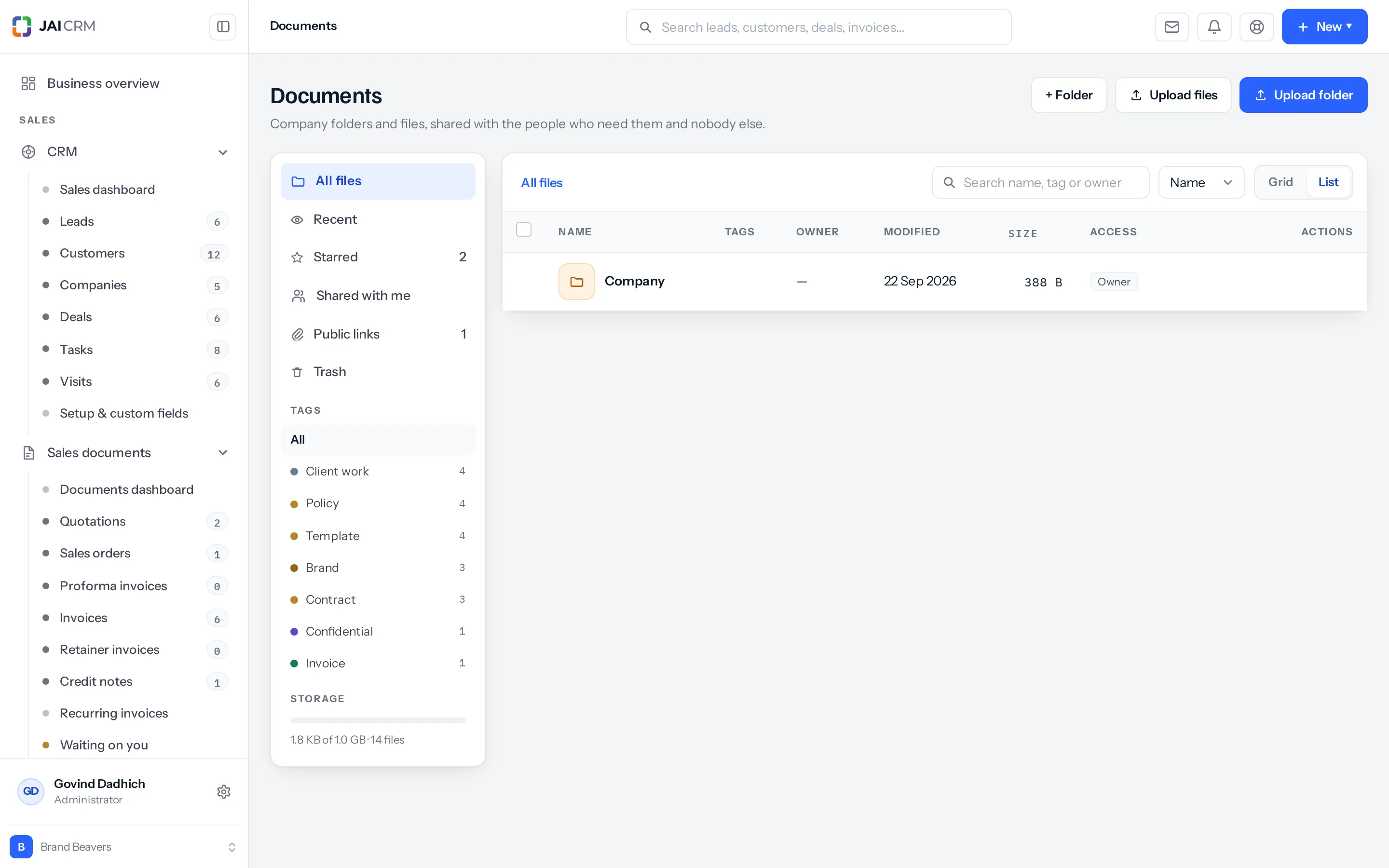
What is on the screen
| Where | What it holds |
|---|---|
| All files | Everything you can see, as folders and files. |
| Recent | What you have touched lately. |
| Starred | The ones you marked. Yours alone. |
| Shared with me | Things somebody else shared, rather than your own. |
| Public links | Files you have put on a link for somebody outside. |
| Trash | Deleted, recoverable. |
| Tags | Your own labels, each with a count. |
| Storage | How much of your plan you have used. |
On a phone or a tablet the same places sit behind one picker at the top, which reads All files until you change it, with the storage line beside it and the tags as chips beneath. A file’s actions are behind its ⋯: Details, Download, Share, Tags, Rename, Star, Select and Move to trash. Choose Select to tick several files and tag or trash them together.
Why not just use Google Drive
You can — and you can link it so its files appear here. But two things only work when the file lives beside the record:
- A file can be attached to a record — this customer, this invoice, this project — so it is found by somebody who opened the record, not by somebody who remembered the folder.
- Sharing follows your roles and groups. A new person in the accounts group can see the accounts folder on their first morning, without anybody administering a drive.
Where to go next
Something missing or wrong here? Tell us. A question that needed asking usually means a page that needed writing.