
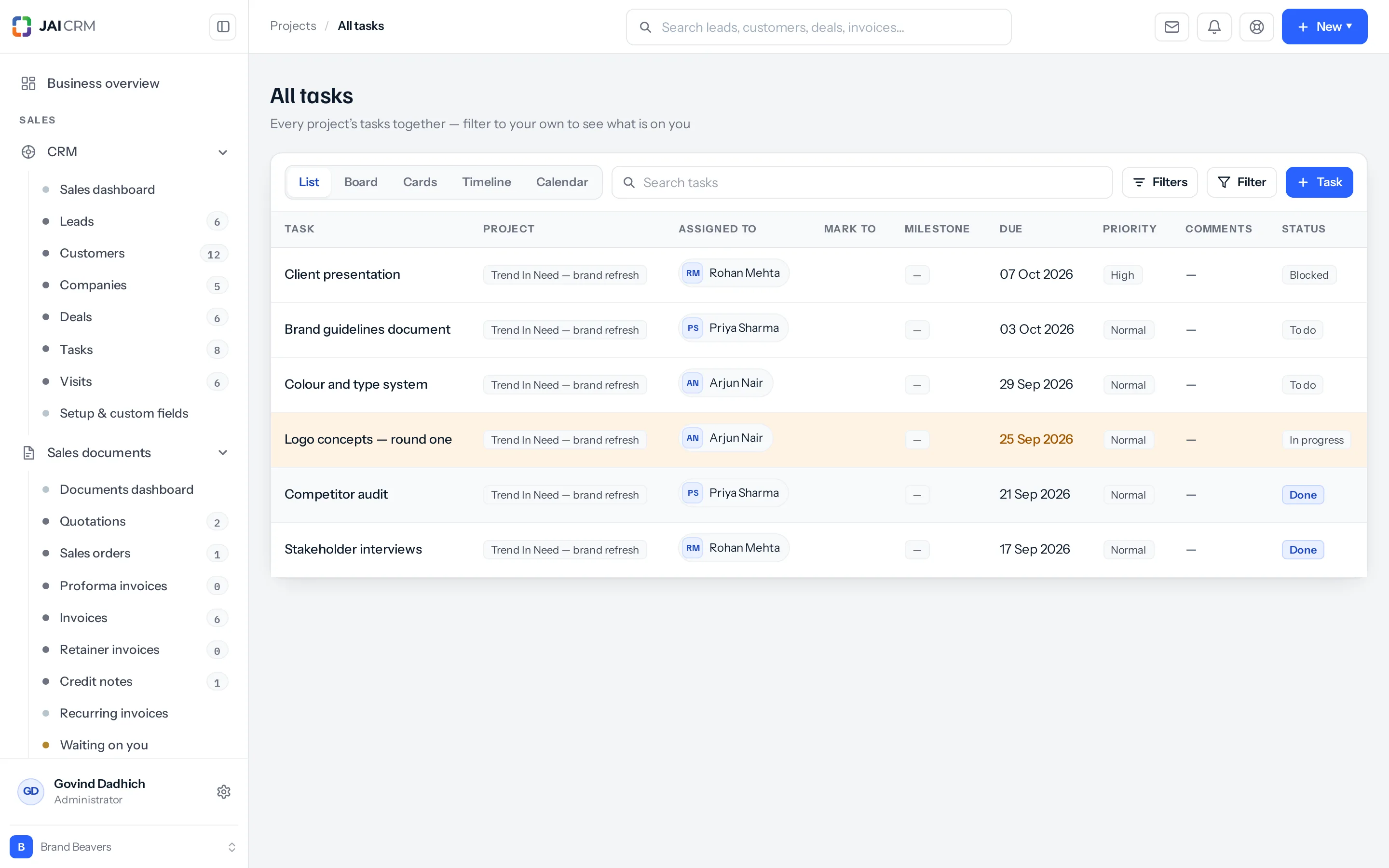
A project record answers “how is this job going”. It cannot answer “what am I supposed to be doing today”, because your work is spread across five of them.
What it is for
- Yours. Filter to your own name and you have your day.
- Somebody else’s. Filter to one person before asking them to take on more.
- Everything overdue, across every job at once.
- Everything blocked — the most useful five minutes in a week.
The same five views
List, Board, Cards, Timeline and Calendar, exactly as on a project. The calendar across all projects is the one people keep — it is the only place that shows your week as it actually is rather than one job at a time.
Reading it as a manager
- Filter to blocked. Anything there is costing time right now.
- Filter to overdue. Then ask whether the date was wrong or the work is late — they need different responses.
- Filter to one person before giving them anything else.
- Look at in review. Work finished and waiting on somebody is the cheapest thing to unblock.
The commonest cause of a late project is not slow work. It is a task that was blocked for nine days and nobody looked at this screen.
Filters worth saving
| Filter | Answers | How often |
|---|---|---|
| Assigned to me, not done | What am I doing today? | Daily. |
| Status is blocked | What is costing us time right now? | Daily, if you manage anybody. |
| Overdue, any project | What has actually slipped? | Weekly. |
| Status is in review | What is waiting on somebody to look? | Weekly. |
| Assigned to one person | Can they take anything else on? | Before assigning work. |
The five-minute stand-up
Open All tasks on the board, filtered to the team. The columns are the conversation:
- Blocked — deal with these first, they are the only ones costing time today.
- In review — who is looking, and when?
- In progress — anything here more than a few days is really blocked.
- To do — is the next thing clear for everybody?
You do not need a separate stand-up tool. A board filtered to your team, read left to right, is the whole meeting — and it stays true afterwards, which a whiteboard does not.
Where to go next
Something missing or wrong here? Tell us. A question that needed asking usually means a page that needed writing.