
Most systems give a vendor a tick box: approved, or not. That is not how buying actually works. Somebody collects a name at an exhibition, somebody else rings them, a third person asks them to quote, and only much later does anybody check their bank account.
So a vendor here has a stage, not a flag. Seven of them.
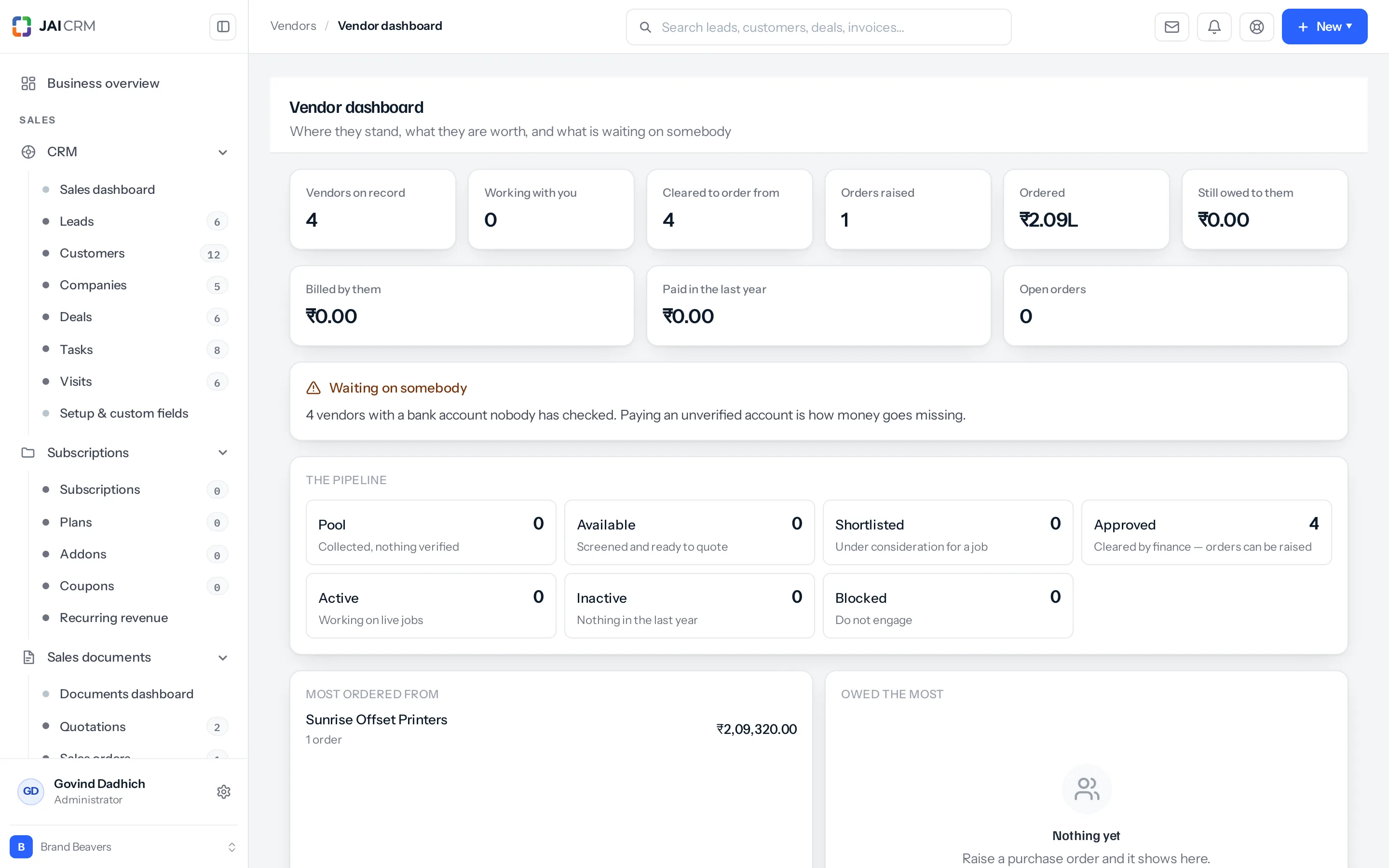
The seven stages
| Stage | Means | Can you raise an order? |
|---|---|---|
| Pool | Collected. Nothing verified. A name and a number. | No |
| Available | Screened, and ready to quote. | No |
| Shortlisted | Under consideration for a particular job. | No |
| Approved | Cleared by finance. This is the gate. | Yes |
| Active | Working on live jobs. | Yes |
| Inactive | Nothing in the last year. Kept for reference. | Yes |
| Blocked | Do not engage, with the reason on the record. | No |
Approved is the line that matters. Everything before it is research; everything from it onwards is a vendor you may commit money to. The three stages that allow an order are approved, active and inactive — and inactive is on that list deliberately, because a supplier you have not used for a year is still somebody you cleared.
Two stages move without anybody touching them
This is the part worth understanding, because it is what keeps the list honest.
| Move | What triggers it |
|---|---|
| → Active | Work happened. An order was raised, a bill arrived, or a payment went out. |
| → Inactive | None of those, for however many days you set. |
Nobody is asked to keep that up by hand, because nobody would. An approved list maintained by hand ends up meaning everybody we have ever cleared rather than the ones we actually work with — and those are very different lists when you are trying to find out who you depend on.
The waking-up only applies to a vendor who is approved or inactive. A blocked vendor is not woken by activity, and neither is one still being screened.
What counts as work
The date a vendor was last worth something is the latest of:
- a purchase order raised against them, ignoring drafts and cancelled ones,
- a bill received from them,
- a payment that went out to them.
A vendor with none of those has never been worked with, so the day they were approved stands in instead. Without that, everybody approved and not yet used would go quiet on the very first sweep — which is the opposite of useful.
Moving one yourself
The buttons are on the vendor record: Active, Inactive and Block. Approving is its own action, because it is the one somebody should have to mean.
Where to go next
- Approving one, and why it is a gate
- The sweep that moves them to inactive
- Blocking, and what it actually stops
Something missing or wrong here? Tell us. A question that needed asking usually means a page that needed writing.