
A purchase order is you committing to buy. It is the first document in the vendor chain and the one everything else hangs off.
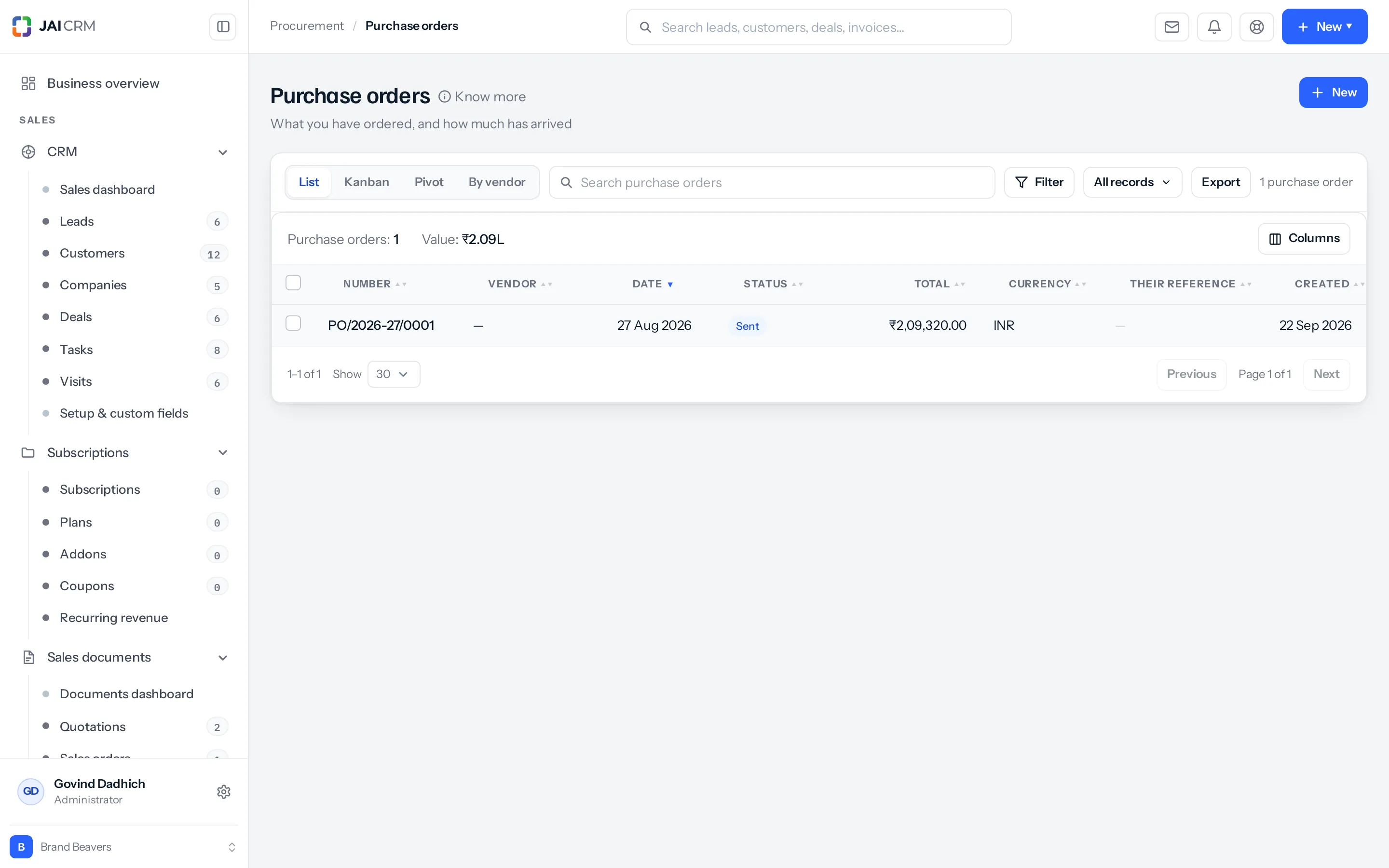
Raising one
- From the vendor record, press Purchase order under “Raise something”. The vendor is already filled in.
- Add the lines — what you are buying, how many, at what rate.
- Check the rate. If the vendor has a price list attached, it is already there.
- Add the delivery date you actually need.
- Save, then send it.
Raising it from the vendor record rather than from the orders list is worth the habit. A vendor picked from a dropdown is a vendor somebody can pick wrongly, and a purchase order against the wrong supplier is found out at the bill stage, which is weeks later.
The six statuses
| Status | Means |
|---|---|
| Draft | Being written. Not committed to anything. |
| Open | It has gone out. This is a live commitment. |
| Partially billed | Some of it has been billed. |
| Billed | All of it has. |
| Closed | Nothing left to do. |
| Cancelled | The vendor turned it down, or you withdrew it. |
Read that list again and notice what it is measured by. A purchase order’s life is told by what has been billed against it, not by what has arrived.
Why billed and not delivered
Goods turning up is recorded on the lines and on the goods receipt — that is a stock question. Whether you owe money is a different question with a different answer, and the order tracks that one.
It matters because the two genuinely diverge. A part-delivered order that has been fully invoiced is a dispute. An order fully delivered and never invoiced is a liability nobody has recorded. If the status tracked delivery you would see neither.
The vendor is checked first
Before an order is created, the vendor is checked. Blocked, and you are refused with the reason. Not yet approved, and you are told which stage they are actually in. Neither check can be skipped by raising the order from somewhere else.
Four ways to look at them
| View | Answers |
|---|---|
| List | Everything, sortable and filterable. |
| Kanban | What is stuck at which stage. |
| Pivot | Totals cut by whatever you choose. |
| By vendor | What each supplier is sitting on. |
A worked order
You need 5,000 brochures from Sunrise Offset Printers for a client launch on 12 October.
- Open the vendor record and press Purchase order. Sunrise is already on it.
- Add the line: Printed brochure — A4 8pp, 5,000 Nos. The rate comes from their price list at ₹48.
- Set the delivery date to 5 October, not the 12th — leave yourself a week.
- Save. The order is a draft, committing to nothing.
- Send it. It moves to open, and Sunrise moves to active on its own.
Total ₹2,40,000 plus GST. The order now sits as an open commitment against them, visible on their record and on the dashboard, until a bill is raised against it.
Step three is the habit worth forming. Purchase orders are raised against the date you need the goods, and the date you need them is never the date the client needs them.
Where to go next
Something missing or wrong here? Tell us. A question that needed asking usually means a page that needed writing.