
IndiaMART, Just Dial, Shopify, Tally, Google Drive, Dropbox and video meetings are integrations. They are free on every plan: there is nothing to buy, and nothing to add to a plan. Each one is there for your business wherever the module it works with is on, and all seven are listed in one place, Settings → Integrations. Video meetings need no module, and each person connects their own in Settings › Video meetings.
How to reach any of them
- Open Settings from the cog at the foot of the sidebar, or from your picture at the top right.
- Choose Integrations.
- Find the card for the service. It says what the integration does, and whether your business has it.
- Press Set up on the card (it reads Open once the integration is connected). That opens the integration’s own screen, which is where it is connected and configured.
No Integrations entry in Settings means your role does not let you set up any of them. Each integration has its own set-up permission on a role, such as IndiaMART setup or Tally set-up, and the entry appears for anybody who holds at least one of them. Ask whoever looks after Settings → Roles & permissions.
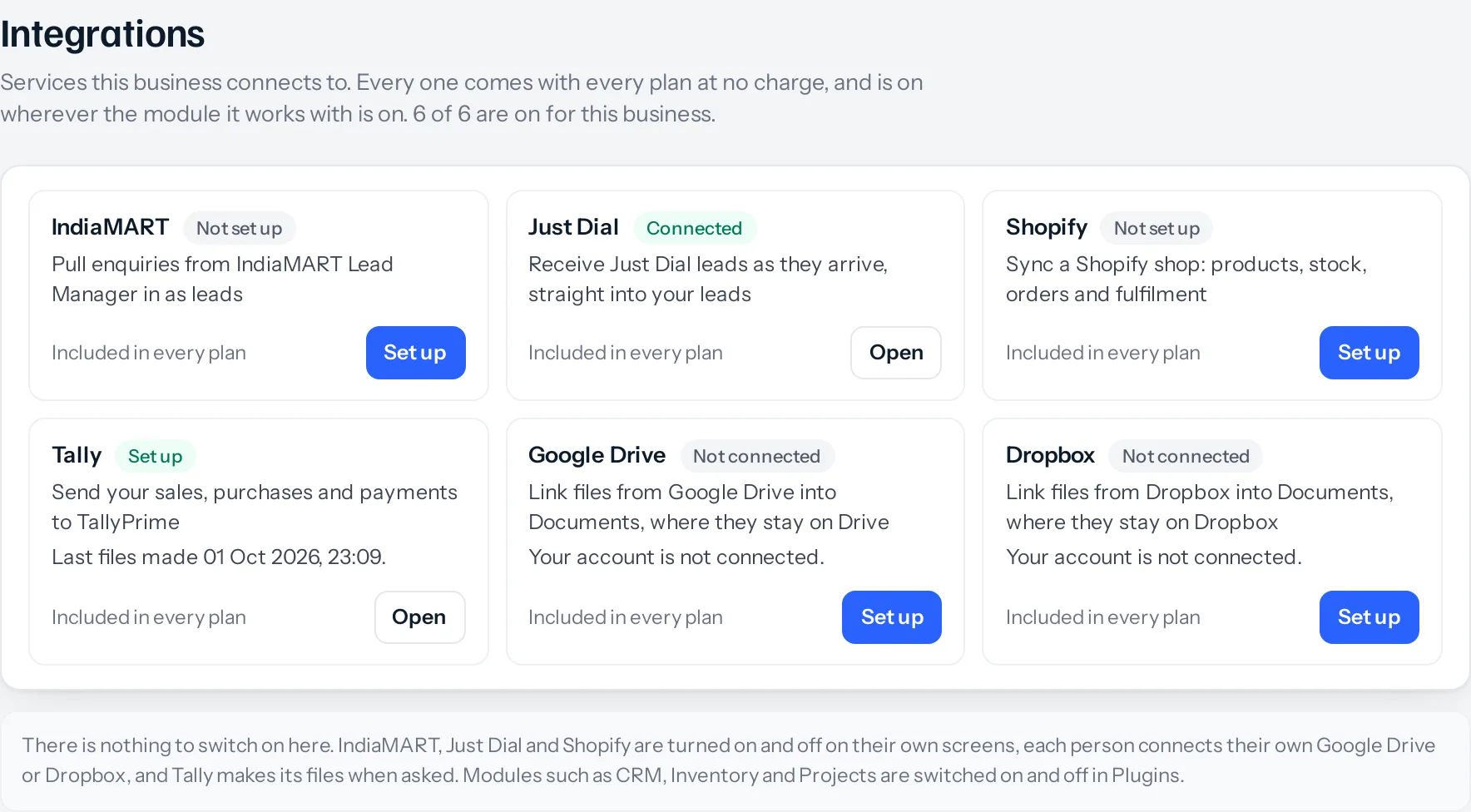
What each card tells you
| On the card | What it means |
|---|---|
| What it does | One line on what the integration brings in or sends out |
| Whether you have it | Every business has each integration whose module is on. Where that module is off, the card names it instead, for example Needs Inventory |
| How far it is set up | Shown to anybody allowed to set it up: Connected, Needs attention, Switched off or Not set up, with when it last checked and how many leads have arrived. Tally reads Set up once its settings are saved, with when files were last made. Google Drive and Dropbox read Connected or Not connected for you |
| Beta | The integration is marked Beta. Tally keeps the label at least until it has been proven against a real TallyPrime import |
| Set up | Opens the integration’s own screen, the same screen it has always had |
Google Drive and Dropbox are connected person by person rather than once for the business, so their cards say whether you are connected, and how many people are.
The six, and the module each one needs
| Integration | What it does | On for every business with | What it needs from you |
|---|---|---|---|
| IndiaMART | Pulls buyer enquiries in as leads | CRM | A key from your IndiaMART Lead Manager |
| Just Dial | Receives leads from your listing as leads, the moment they are made | CRM | Your Just Dial relationship manager to set up the link |
| Shopify | Keeps products, stock, orders, customers and fulfilment in step | Inventory | A custom app in your Shopify admin |
| Tally | Makes two files TallyPrime imports, holding your sales, purchases and payments with their GST | Sales documents | Your Tally company name and ledger names, in its Set-up tab |
| Google Drive | Links Drive files into Documents without copying them | Documents | Each person signs in to their own Google account |
| Dropbox | Links Dropbox files into Documents without copying them | Documents | Each person signs in to their own Dropbox account |
An integration is only offered where its module is on, because there would be nowhere for what it brings in to go: enquiries with no leads to become, products with no items, a drive with nowhere to put a file. So on a plan without Inventory, such as CRM + Sales Documents, the Shopify card says Needs Inventory. CRM + Sales Documents + Subscriptions + Warranty and Full Suite have all six, and a Projects or Vendors plan on its own has Google Drive and Dropbox.
What they cost
Nothing. Integrations are not sold, priced or added to a plan: every plan has them, and none of them changes what you pay. They are not on the Plugins screen either. That screen is for switching the suite’s own modules on and off, such as CRM, Inventory or Projects, and switching one of those on brings its integrations with it.
Something missing or wrong here? Tell us. A question that needed asking usually means a page that needed writing.