
This links files from Google Drive into Documents. They are not copied: the file stays on Drive, goes on being edited there, and what anybody opens here is always the current version.
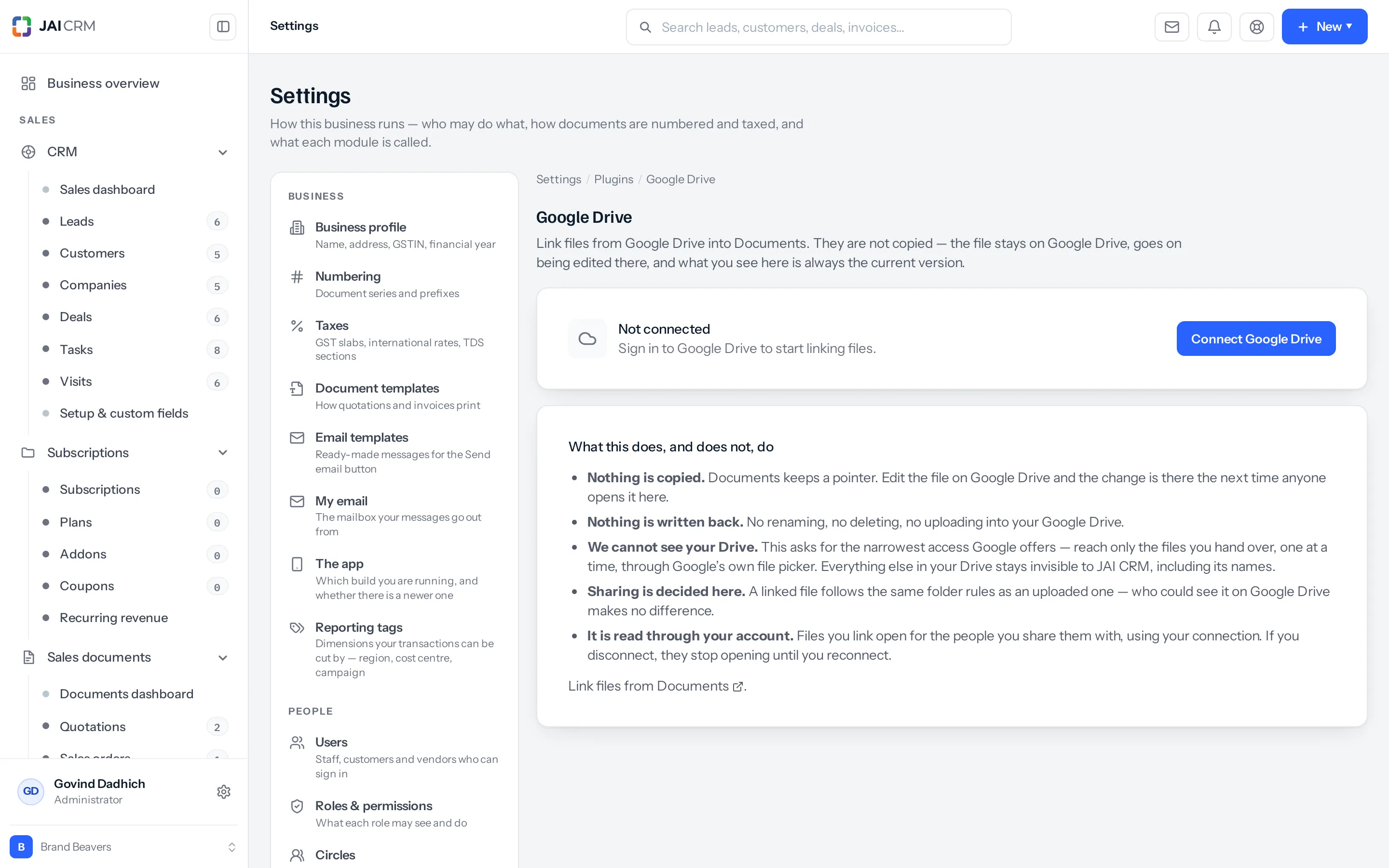
Connecting it
- Reach the screen from Settings → Integrations: press Set up on the Google Drive card.
- Press Connect Google Drive.
- Sign in to Google and agree to what it asks for.
- You are returned here, and the card names the account that is connected.
- Link files from Documents, which then offers Google Drive as a place to pick them from.
Google Drive is free on every plan that has Documents. Each person connects their own account, so the Google Drive card in Settings → Integrations says whether you are connected, and how many people are.
If the screen says Not available on this installation, no Google application has been configured for this deployment. That is set up once by whoever runs the server, and nothing you do on this screen will change it.
What this does, and does not, do
| What actually happens | |
|---|---|
| Nothing is copied | Documents keeps a pointer. Edit the file on Drive and the change is there the next time anybody opens it here |
| Nothing is written back | No renaming, no deleting, no uploading into your Drive. The connection reads |
| We cannot see your Drive | This asks for the narrowest access Google offers — reach only the files you hand over, one at a time, through Google’s own file picker. Everything else in your Drive stays invisible, including its names |
| Sharing is decided here | A linked file follows the same folder rules as an uploaded one. Who could see it on Drive makes no difference either way |
| It is read through your account | Files you link open for the people you share them with, using your connection |
The one that surprises people
That last row is the one worth reading twice. A linked file is read through the account that linked it. If you disconnect — or leave the business, and somebody tidies up — every file you linked stops opening for everybody it was shared with, until it is connected again.
Nothing is deleted, here or on Drive. But a colleague opening a linked quotation the morning after you disconnected gets an error rather than a document, and there is nothing in their screen to explain why. Where a file matters to more than one person and must keep opening, upload it rather than link it.
When to link and when to upload
| Link it | Upload it |
|---|---|
| A working document still being edited on Drive | A signed contract that must never change |
| Something large you would rather not store twice | Anything that has to open for years, whoever is still here |
| A file that already lives on Drive and always will | Anything you would be uncomfortable losing if one person disconnected |
Disconnecting
Confirmed rather than instant, because of the effect above. Files you linked stay in Documents and stop opening until the account is connected again. Nothing is deleted on either side.
If you never connect it
Documents holds uploaded files and works exactly as it does now. What you do without is the one-place-for-everything: the proposal on Drive is on Drive, and somebody pastes a link into a note where nobody looks for it.
A worked example
Priya connects her Drive and links the working artwork for a customer’s catalogue into that customer’s folder. Her colleague opens it from the customer record and sees the current version, including the change Priya made an hour ago — no copy, no re-upload, no “which one is the latest”. When the artwork is signed off, she downloads the final PDF and uploads that one, because it has to keep opening long after this month.
Something missing or wrong here? Tell us. A question that needed asking usually means a page that needed writing.