
Every record in JAI CRM has one owner. Beyond that, people get attached to it for two different reasons: because they are doing some of the work, or because they need to watch it. Those are not the same thing and the product does not treat them as the same thing. Mixing them up is how a colleague who was copied in for information ends up deleting a lead.
There are three attachments, and this page is about the difference between them.
The three, side by side
| Owner | Assignee | Marked to | |
|---|---|---|---|
| How many | One | Any number | Any number |
| Set in | The Owner field on the record | A project’s People tab, or a project task’s Assigned to — a CRM record has no control for it | The Mark to field |
| May open the record | Yes | Yes | Yes |
| May change it | Yes | Yes | No |
| May delete it | Yes | Yes | No |
| Decides whose record it is for data scope | Yes | No | No |
| Decides who reaches it down the org tree | Yes | No | No |
| Notification audience it answers to | Owner | Assignee | Marked |
Two gates decide every action, and both have to open. The first is the role: does this person hold Edit on Leads at all. The second is the record: what does this particular lead give them. The table above is the second gate only. Somebody whose role has no Delete on leads cannot delete a lead they own, because the first gate is checked before the second.
The owner
One person, and the anchor for every decision about who else sees the record. When you create anything the owner is you, unless you name somebody else on the form.
Creating a lead, a CRM task or a project with an owner sends that module’s assigned notice, and so does handing one over afterwards. Save a record whose owner has not changed and no assigned notice goes out — though a stage or status move on the same save still raises its own, which is how a deal set to Won sends Deal won without the owner moving. No other module has an assigned notice to send: deals, companies, visits, vendors, documents, subscriptions and expenses have no assigned template at all, so changing the owner there sends nothing either way.
The owner is what a narrowed data scope reads. A role set to Their own records or Their team’s records under Settings → Roles & permissions matches on the owner column. Where a record has no Owner field at all — an expense, a warranty, a quality inspection — whoever created it stands in as the owner for this purpose.
A record with no Owner field can never be handed to anybody. The creator column is what the scope engine reads on a warranty, a quality inspection and an expense, and nothing in the product writes that column after the record is made. Those records stay in the creator’s manager’s reach for as long as they exist, whoever ends up doing the work. Where that is wrong, a sharing rule is the only way to move them.
The owner is also what the organisation tree reads. Somebody above the owner in Settings → Roles & permissions → Organisation tree reaches the record because of who owns it. Hand a lead to somebody on another desk and it moves into that desk’s manager’s reach — but not out of everybody else’s. Whoever raised it keeps it, and it still lists for their own manager, who is then refused when they try to open it. Assigning somebody, or marking them, moves nothing.
Whoever created the record keeps it, whatever happens to the Owner field afterwards. Reassigning a lead to a colleague does not hide it from the person who raised it — they still open, change and delete it as before.
The assignee
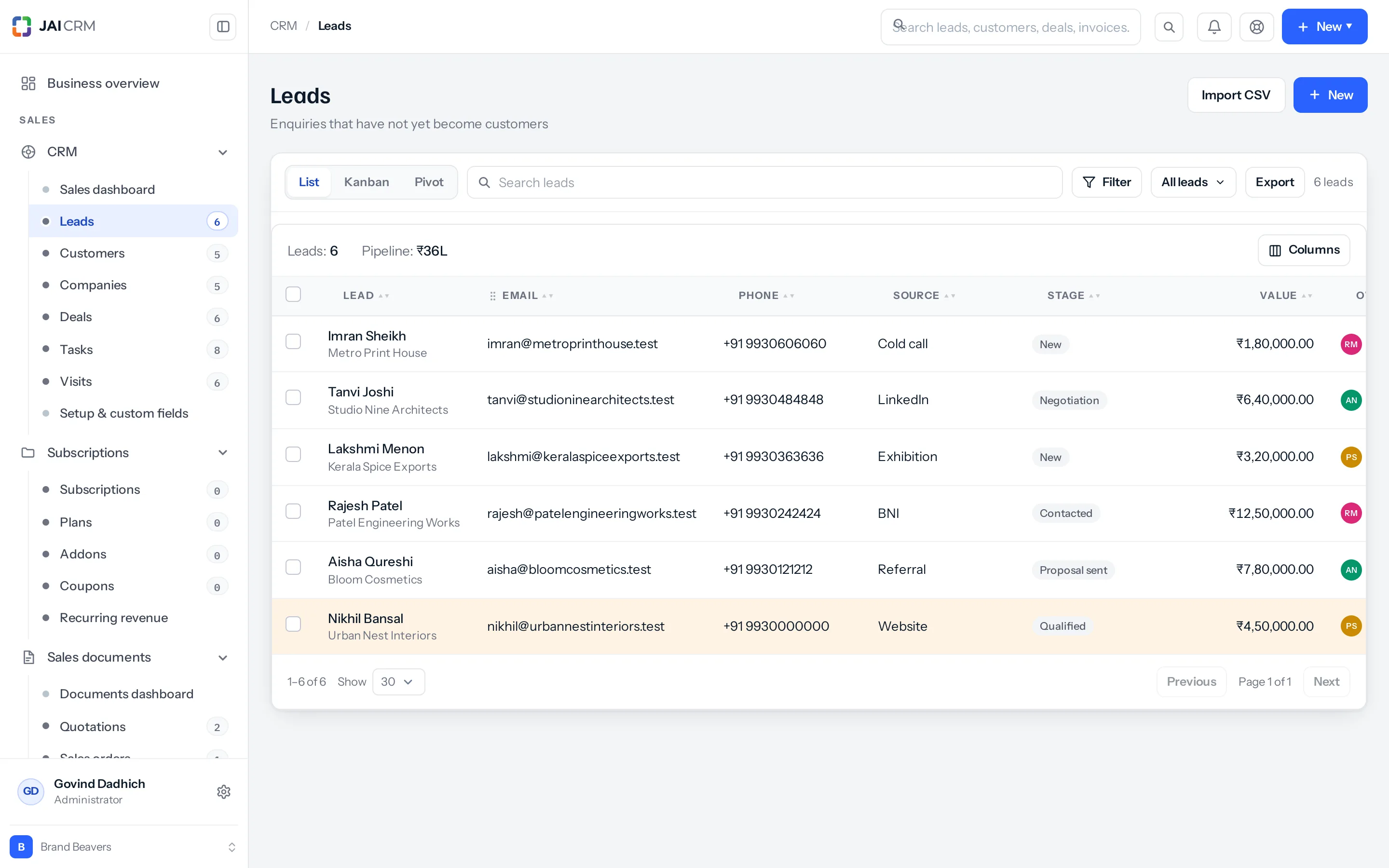
The extra people named on a record because they are doing some of the work. A record can carry any number. On the CRM lists they show in the Marked to column beside the owner — called Also going on visits, and not on the companies list at all. On a project’s People tab they are listed as Assigned, and that tab is where you add one. On a project task, Assigned to is a single field and is the person the task sits with. A CRM record has no assignee box on its form, so on a lead or a deal an extra assignee can only be set over the API.
An assignee is read as somebody working on the record, so on that record they get the same reach the owner has: open it, change it, delete it. Their role still caps what that means — an assignee whose role holds only View and Edit on Deals can open and edit the deal and cannot delete it.
Assigning does not change ownership. A lead owned by Priya and assigned to Anjali is still Priya’s lead for every scope question, and still sits under Priya’s manager on the tree, not Anjali’s.
Mark to
Mark to is the field for everybody else: the people who need to see the record and follow what happens to it, and who are not doing the work. It takes as many names as you like. The field’s own help text on the form says what it means — kept in the loop, they can see it, they do not own it.
What being marked grants is reading. Not editing. Not deleting. Not approving, converting or exporting. Reading is the whole of it, and that is deliberate: being copied in on a lead should not hand somebody the right to erase it.
Project tasks are the one exception. The task routes ask what you may do to the task’s parent project, not to the task. Being marked on a project answers that question with reading, and reading is all those routes ask for — so somebody marked on a project can change and delete every task in it, if their role holds Edit or Delete on project tasks. Adding a new task is the only thing they cannot do, because that asks for edit on the project itself. Mark somebody on a project only when you are content for them to work its task list.
Marking somebody
- Open the record — a lead, a deal, a customer, a task, a vendor, a project, a quotation.
- Find Mark to on the form. It is a box that takes several people.
- Add the names and save. Each one is now a watcher row on the record; on a project’s People tab they are listed as Watching.
- To take somebody off, remove their name from the box and save again.
- On a project task the field sits in the task panel instead, where it only adds — there is no control for taking a name off again — and the task views carry a Marked to me tick box that filters to it.
A project task you are marked on lists under Marked to me and then opens only if you can already see its project. Where you cannot, the answer is “Project not found” and the task stays shut. Mark somebody on the project as well as the task, or the tick box shows them a row they cannot read.
To change the Mark to on a record that already exists you must be able to change the record: it asks for the module’s Edit permission and write access to that record, so you cannot mark a record that is only shared with you for reading. There are two gaps in that. On creation the box is saved with nothing but the module’s Create permission — no Edit, and no record-level check. And on a project task, the check is against the parent project and asks only whether you may read it, so somebody who may only read a project — including somebody who is themselves only marked on it — can put names into the Mark to of any task in it.
A floor, never a ceiling
Being marked can only add reading to somebody who had nothing. It never subtracts from somebody who already had more. A manager marked on a subordinate’s lead keeps everything the organisation tree already gave them, because marking your manager should not quietly demote them on that one record.
This is the part that causes the arguments. The mark is not a permission level you are setting on a person. It is a minimum. Whatever else reaches that person — their role’s data scope, their place on the tree, a sharing rule, the organisation’s default for the module — is weighed afterwards, and the widest of all of it wins.
The worked example
Priya Nair, a sales executive in Coimbatore, is working a lead: Sundaram Textiles, 250 uniform sets at ₹1,920 each, expected value ₹4,80,000, and a quotation raised at ₹4,80,000 plus 12% GST of ₹57,600 — ₹5,37,600 in all. She owns the lead. Her role is set to Their own records on Leads, with View, Create, Edit, Import and Convert, and no Delete or Export.
She marks it to three people: Rakesh Menon, her manager; Anjali Deshpande, who runs the Chennai desk on a copy of the Manager role that Priya’s role does not report to; and Suresh Iyer, the accountant.
| Person | Where they stand | What they can do with the lead |
|---|---|---|
| Priya Nair | Owns it | View, edit and export it. She cannot delete it — her role holds no Delete on leads, and owning a record does not add back an action the role withheld. |
| Rakesh Menon | Above Priya on the organisation tree | Opens it, edits it, deletes it — and could do all three before she marked him. The mark added nothing to his rights. It put him on the Marked notification audience, and that is all it did. |
| Anjali Deshpande | Beside Rakesh on the tree, not above Priya | Opens it. Cannot change it, cannot delete it. Saving is refused: “You can see this lead but not change it — it is shared with you for reading.” Her role holds Delete on leads. The record does not give it to her. |
| Suresh Iyer | Accountant — no Leads permission at all | Nothing. The module permission is checked before the record is, so the lead never appears in his list and the link refuses to open. |
Anjali is the case worth reading twice. She is senior, she has run a desk for years, and her role holds Delete on leads. The mark still gives her reading only, because seniority is not something the product reads. The organisation tree is. Rakesh can act on the lead not because he is the manager but because Priya’s role sits under his on the chart.
If Anjali genuinely needs to act on it
- Assign her, rather than marking her — an assignee gets edit and delete on that record. On a project you add one from the People tab, and on a project task you set Assigned to. A CRM record has no assignee box on its form, so on a lead this can only be done over the API, and the sharing rule below is the practical answer.
- Write a sharing rule under Settings → Roles & permissions → Data sharing settings: shared from Sales executive, shared with her role, permission Read/Write. This covers every lead that role owns, not one.
- Move the roles on the tree, if Priya’s desk really does report to Anjali. This is the heaviest change and reaches every module at once.
What a superior may do, and where that is set
Everybody above the owner on the organisation tree reads their records either way. What else they may do is one setting, at the top of Settings → Roles & permissions → Organisation tree, called “What a superior may do to a subordinate’s records”.
| Setting | What a superior gets on a subordinate's record |
|---|---|
| Edit and delete them | Open, change and delete. This is the default and what the product has always done. |
| Edit them, but not delete | Open and change. The setting narrows what the tree confers and nothing else, so it is not a list of everybody who can still delete: the owner, the creator, an assignee, an administrator, anybody whose role is set to Everything in the business on that module, and anybody reached by a Read/Write/Delete sharing rule or a module left on Public (Read/Write/Delete) all still can. |
It is one answer for the whole business, across every module. It does not touch assignees, who get the full right either way, and it does not touch marked people, who get reading either way. The exception worth knowing is the widest data scope: a role set to Everything in the business on a module is answered before the setting is read at all, so those people keep delete on every record they can reach even where the business has chosen “Edit them, but not delete”.
Which modules carry Mark to
Mark to is offered on the record types somebody would reasonably want to follow:
- CRM — leads, companies, customers, deals, tasks and visits
- Vendors — the vendor record
- Projects — projects and project tasks
- Sales and purchase documents — one field set covers quotations, sales orders, proformas, invoices, bills of supply, retainer invoices, credit notes, delivery challans, purchase orders, purchase bills and debit notes
- Subscriptions — the customer’s subscription
- Warranty — the warranty register
- Manufacturing — a manufacturing order can be marked over the API, but its screens are hand-built and draw no Mark to box, so there is nothing to fill in
- Quality — the same for an inspection: the API saves a mark, and the inspections list and the inspection record have no box on them
- Finance — an expense draws a Mark to box and the expense routes never read it. The names are dropped on save, the toast says Saved and nobody is marked. Use a sharing rule there until it is wired up.
It is deliberately absent from the records nobody watches: items, price lists, bills of materials, packages, assemblies, subscription products, plans, addons and coupons, quality templates and rules, and employees. A coupon has no story to follow.
Apart from project tasks, the mark is not a column on the record — it is a row in one shared table of people-on-records, the same table that holds the assignees. That is why the same person can be an assignee on one record and marked on another, and why removing a module’s Mark to box would not lose what is already stored.
How each one appears in a notification
A notification template says who it goes to rather than naming people, so it survives somebody leaving. Under Notifications → Templates, the “Goes to” box offers five tick boxes, and three of them are the three attachments on this page.
| Audience | Who it reaches |
|---|---|
| Owner | The record’s owner. Where no owner is set, whoever created it. |
| Assignee | Everybody named on the record who is not merely marked. |
| Marked | Everybody the record is marked to, and nobody else. |
| Customer | The customer’s own email address on the record, when there is one. |
| Vendor | The vendor’s own email address on the record, when there is one. |
Two modules read “Owner” as the person the work is waiting on rather than a field called Owner. On a quality inspection it means the inspector named on it, falling back to whoever raised it. On a project task it means the person it is assigned to, falling back to the project’s owner.
Marked is already ticked on 43 of the 97 shipped templates. Some are escalations — Lead going cold at 21 days of silence, Task overdue — escalation at a week, Deal won, Deal lost and Quotation accepted. Many are routine notices: Goods received, Project completed, Transfer arrived, Run finished, A colleague has joined and the weekly digests all carry it. The escalations are the shape worth copying on a template of your own: the owner hears about it early and on their own, and the people watching are brought in when it stops going to plan.
Everyone can still turn a module’s messages off, or down to a digest, under Settings → My notifications. Being marked does not override somebody’s own preference.
What marking will not do
- It does not change who owns the record. The record does turn up in the marked person’s own lists — that is what makes a mark useful to somebody on Their own records — but it is not theirs: the Owner column names somebody else, and a report that counts records by owner counts it against them, not against the person watching.
- It does not widen their role. A module their role cannot open stays shut, and nothing on the record says why — the module permission is checked first, so a marked lead simply is not there.
- It does not narrow anybody. Marking a manager who already had edit and delete leaves them with edit and delete.
- It does not add an action to their role. It gives reading — not approving, converting, printing or exporting. Where their role already holds Export on that module, the marked record will be in the file, because it is in the list.
- It is not retrospective for the messages that already went out. An event notice that fired before somebody was marked is not re-sent to them; a date-based chase will reach them on the next sweep while the condition still holds.
- Taking somebody off Mark to does not unsend anything, and the form leaves no trail either: a save that changes only the marks records that the record was updated, and names nobody. The record’s own assignee endpoints do write named history, but no screen in the app calls them — so keep your own note if you will need one.
The ones that catch people out
A notification does not check permission. Marked is resolved from who is on the record, not from who may open it. Mark the accountant on a lead he has no Leads permission for and he still gets the email, the in-app item and a link — and the link refuses to open. Mark people who can actually see the module.
Warehouses and branches bite first. Where a role is set to restrict a module to the person’s own warehouses, that narrowing is applied before anything about owners or marks. Somebody held to the Coimbatore branch who is marked on an invoice filed against Chennai gets nothing at all — not a refusal, the record is simply not found. Check Segmented access on their role and the places on their user record before assuming the mark failed.
A public module weakens the mark. If Settings → Roles & permissions → Data sharing settings has that module set to anything but Private, everybody already reads every record in it, so marking somebody adds nothing. The organisation tree and the sharing rules are still weighed on top, and either can still raise somebody to edit or delete — unless the module is on Public (Read/Write/Delete), where everybody has everything already and nothing further is consulted.
So does a wide data scope. Somebody whose role is set to Everything in the business on that module already holds the full right on every record their warehouses and branches let them reach. Marking them is decoration. The mark earns its keep on roles set to their own records or their team’s.
The Marked to column is everybody but the owner. On the leads, deals, customers and tasks lists (called Also going on visits, and absent from companies) it shows the people chosen in the record’s Mark to field, and also anybody added as an extra assignee over the API. It was called Also assigned until 3 October 2026, which did not match the Mark to field on the form. The record itself is where the difference is visible; the column is not.
An @ mention does not mark anybody. The project task comment route will add the people named in a mentions list to that task’s Mark to, but nothing in the app sends one — the comment box posts the text alone, and there is no @ picker. On a task, marking is only ever done through the Mark to field itself.
Deleting a record takes everybody off it. A delete removes every owner, assignee and watcher row for that record outright, while the record itself is only soft-deleted. A lead, customer, deal or task can be restored from Settings › Recycle bin for 60 days, but it comes back with only its owner on it: no assignees, no marks, and nothing anywhere to say who had been. Write the names down first if you will need them. (Records removed together in a bulk delete from a CRM list are the exception: they keep theirs.)
Something missing or wrong here? Tell us. A question that needed asking usually means a page that needed writing.