
Until a mailbox is connected, nothing can be sent as you. This is deliberate: a message going out under the wrong name is worse than one that did not go, because nobody finds out about the first.
Sending and receiving are two different servers, and they are set up separately. Sending is required before you can email anybody. Receiving is optional: leave it empty and you can still send; replies simply stay in your own mail client rather than appearing here.
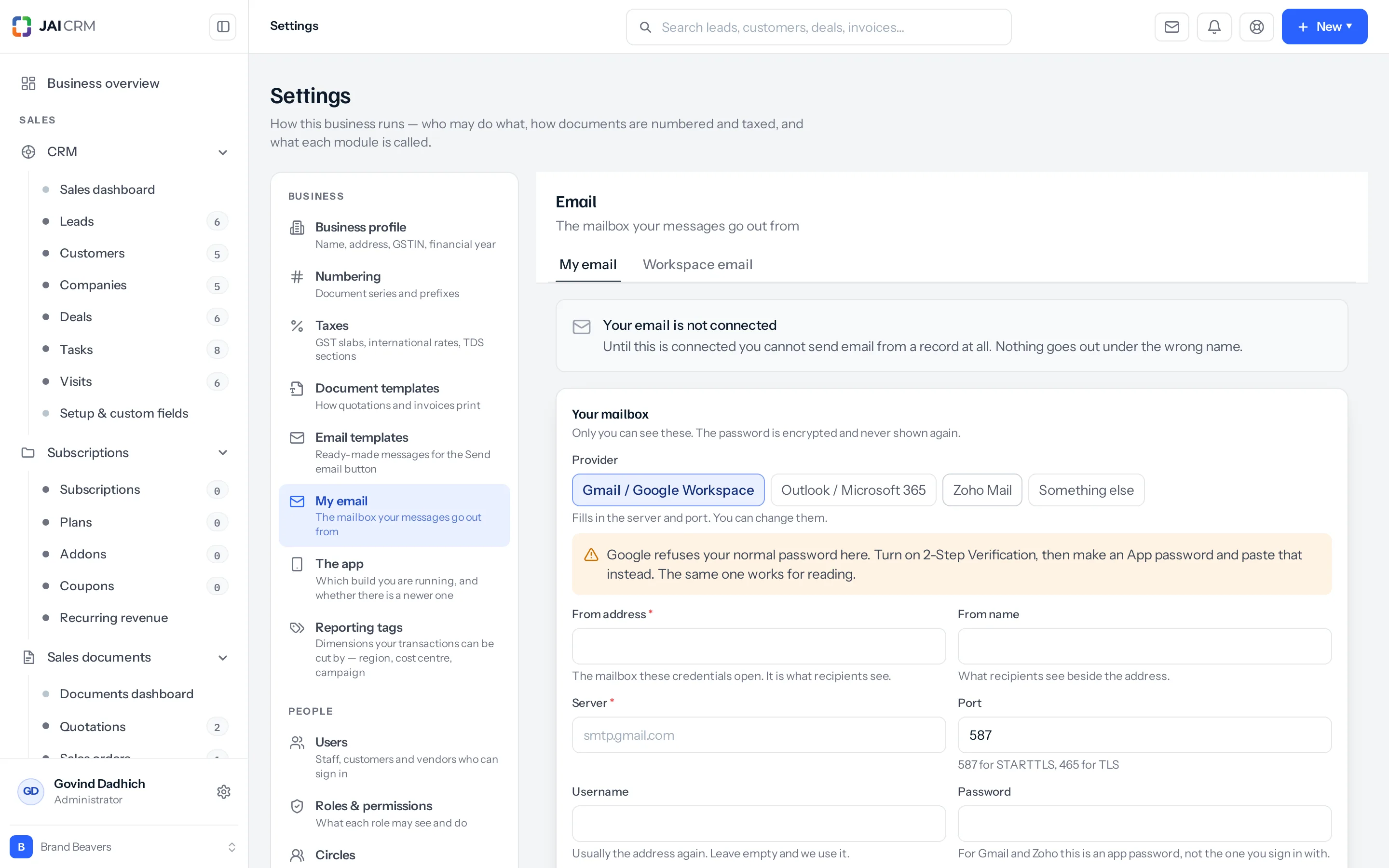
Set up sending
- Go to Settings → My email.
- Pick your provider: Gmail, Outlook, Zoho or Something else. The server and port fill themselves in.
- Enter the address messages go out from. This is the mailbox your credentials open, and it is what recipients see.
- Enter a from name if you want one beside the address. Left empty, each message shows the name of whoever wrote it.
- Enter the password. For Gmail and Zoho this is an app password, not the one you sign in with; see below.
- Press Send a test before you save anything else. It opens a real connection and tells you what came back, in words.
Gmail, Outlook and Zoho all refuse an ordinary password from another program. Turn on two-step verification in that account, create an app password, and paste that instead. The same app password also opens the mailbox for reading.
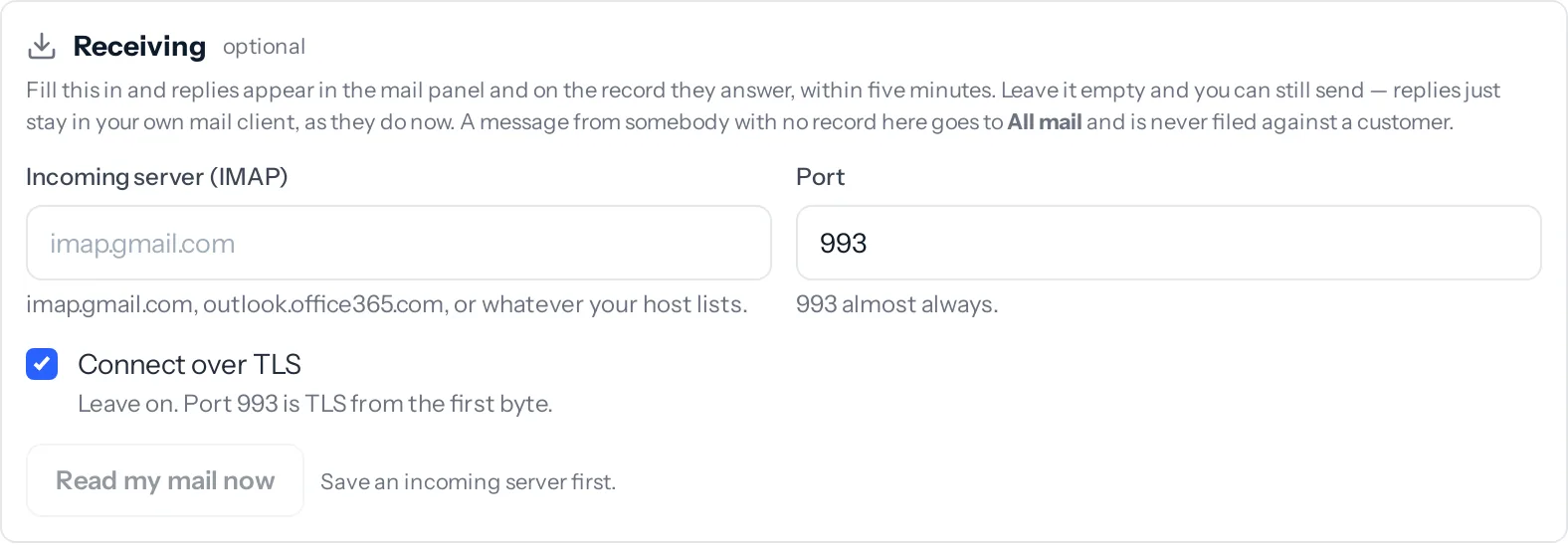
Set up receiving
Fill this in and replies appear in the mail panel and on the record they answer, within five minutes. Leave it empty and nothing breaks: you simply keep reading replies where you read them today.
- In the same screen, find Receiving.
- Enter the incoming server,
imap.gmail.com,outlook.office365.com, or whatever your host lists. Picking a provider above fills it in for you. - Leave the port at 993 and Connect over TLS on. That is right for almost every provider.
- Save, then press Read my mail now. It reports what it found within seconds rather than leaving you to wait five minutes wondering whether the host was right.
What happens to a message that arrives
| Who it came from | Where it goes | Why |
|---|---|---|
| Somebody with a lead, customer, vendor, contact, company or employee record | Inbox, and onto that record beside the calls and notes | It is correspondence with somebody the business knows |
| A reply to something you sent, from a different address | Inbox, and onto the same record | The conversation is better evidence than the address: people answer from their phone, or a colleague’s account |
| Anybody else | All email, and no record at all | The From line is chosen by whoever sent the message. Filing by address alone would let a stranger write on a customer’s history by typing their address into it |
The first time it reads your mailbox
It takes the last twenty messages, not the whole mailbox. Somebody connecting an address they have had for nine years does not want nine years of it appearing in the CRM, and certainly not filed against their customers. After that it only fetches what is new.
The workspace mailbox, and who may set it
Beside My email is a second tab, Workspace email. That is one shared address the whole business can send through, useful where people do not each have a mailbox of their own, or where you would rather quotations went out from sales@ than from six different addresses.
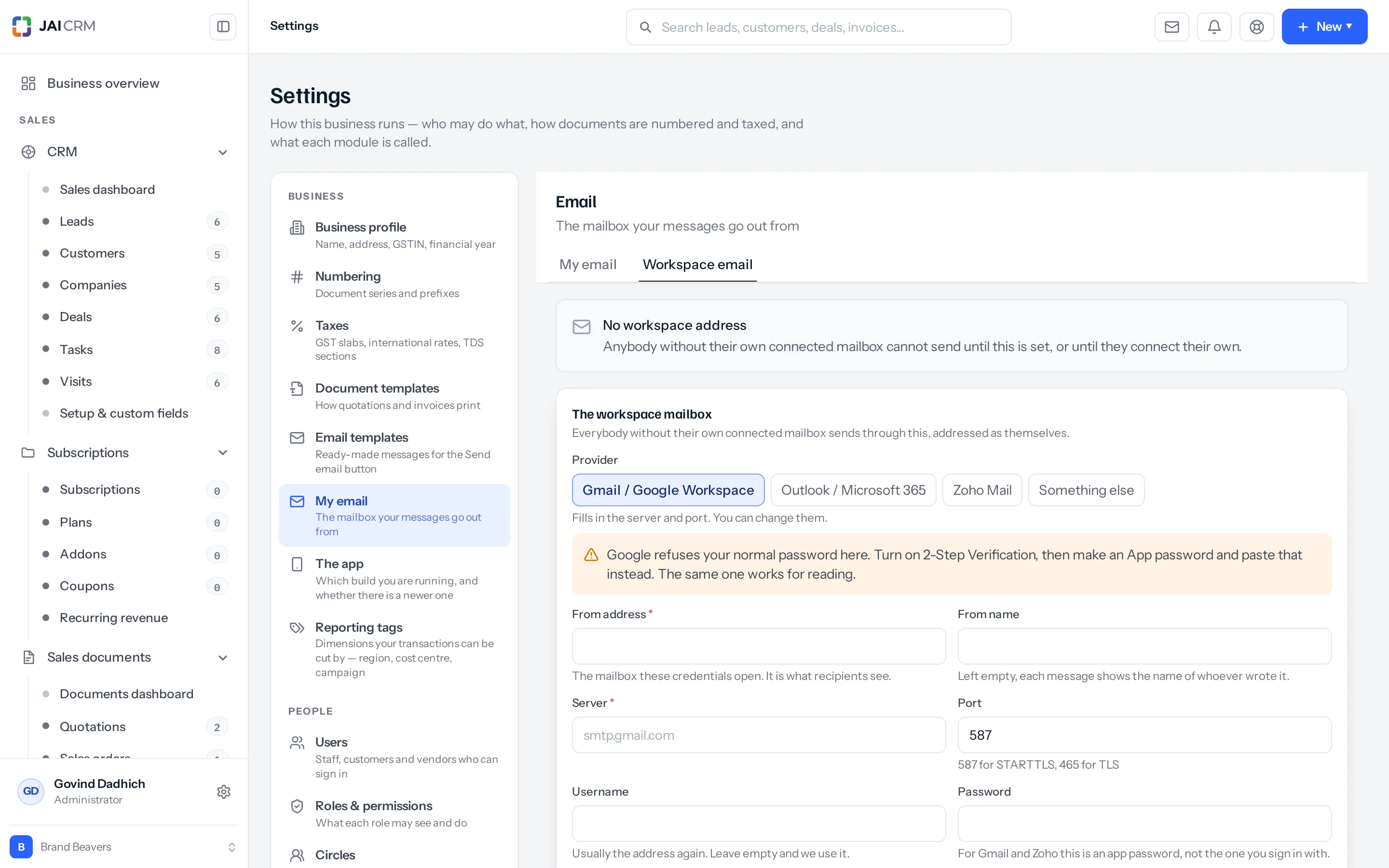
- Your own mailbox comes first. Where somebody has connected one, their messages go out through theirs unless they choose otherwise. When both exist, From on every email offers my mailbox or organisation mailbox.
- It sends only. Receiving exists on My email and nowhere else, so a shared address cannot pull a whole company’s mail into the CRM and file it against customers.
- Not everybody may set it. It needs edit on Business profile, the same permission that decides who reads whose mail. Anybody else sees the tab and what is on it but cannot change it, and the server refuses the change as well as the screen, so it is a rule rather than a greyed button.
Your signature
The Signature box on the same tab starts every new email, reply and forward you write in JAI CRM, under the space to write, where you can still change or remove it before sending. The workspace mailbox has a signature of its own, used when somebody sends from it.
The Workspace email tab also holds Deleting email, the switch that decides whether people can delete email at all. See Delete, Trash and the recycle bin.
What will catch you out
- An app password is not your login password. The commonest cause of “535 Authentication failed”.
- Outlook accounts on a corporate tenant may have basic authentication switched off entirely, in which case no password will work and your administrator has to allow it.
- Zoho outside India uses
smtp.zoho.comandimap.zoho.comrather than the.inaddresses. - A mailbox that stops being read says so, on the tab and in settings, with what the mail server actually said. An expired password otherwise looks exactly like a quiet week.
- Nothing is sent from a shared address under your name unless an administrator has set a workspace mailbox up. Where neither exists, sending is refused with a reason rather than going out from us.
A worked example
Priya at Kamal Traders connects priya@kamaltraders.in through Gmail with an app password, and adds imap.gmail.com for receiving. She emails a quotation to a lead. The customer replies two days later. Within five minutes that reply is in her Inbox and on the lead’s Emails tab, so her colleague covering her leave can see the question and answer it, from his own address, under his own name.
Something missing or wrong here? Tell us. A question that needed asking usually means a page that needed writing.