
Deleting an email is two steps, so nothing important disappears by one wrong press.
- Delete moves it into your own Trash. Only you see your Trash, and nobody else’s mail changes.
- Deleting it again from Trash sends it to the organisation’s recycle bin. It leaves everybody’s mail, and an administrator can restore it for 60 days.
Deleting
- Tick one or more emails in a folder and press Delete.
- Or open a conversation and press the bin at the top: the whole conversation goes to your Trash.
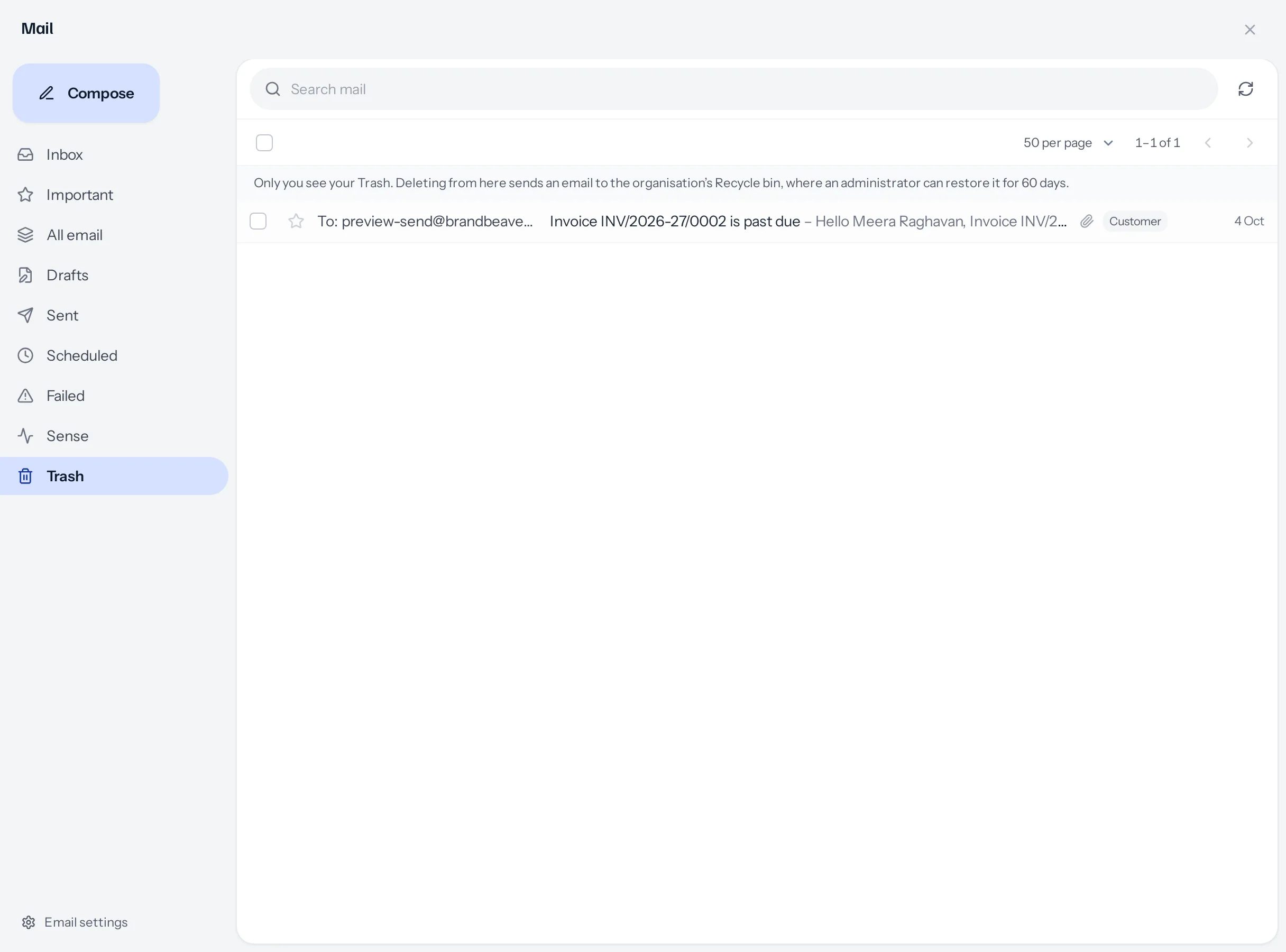
From Trash
- Tick and press Restore, or open it and press Put back, and it returns to the folders it came from.
- Tick and press Delete to send it to the recycle bin. You are asked first.
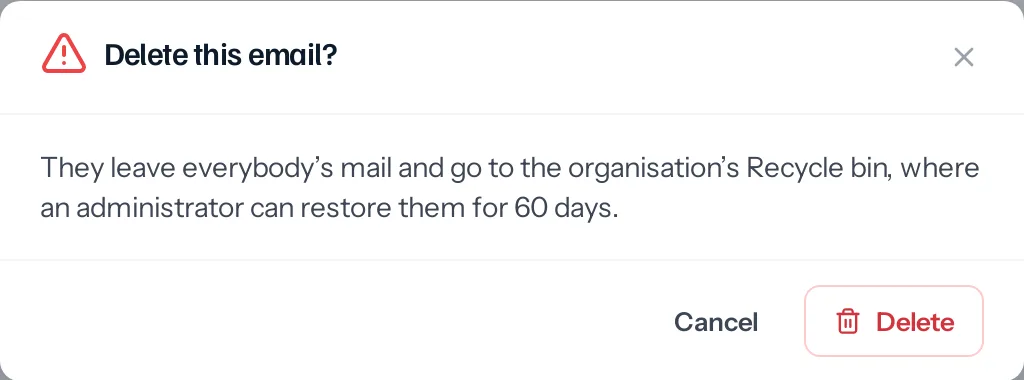
The recycle bin
Deleted emails join deleted leads, customers and other records under Settings › Recycle bin, marked Email, with who deleted them, when, and how many days are left.
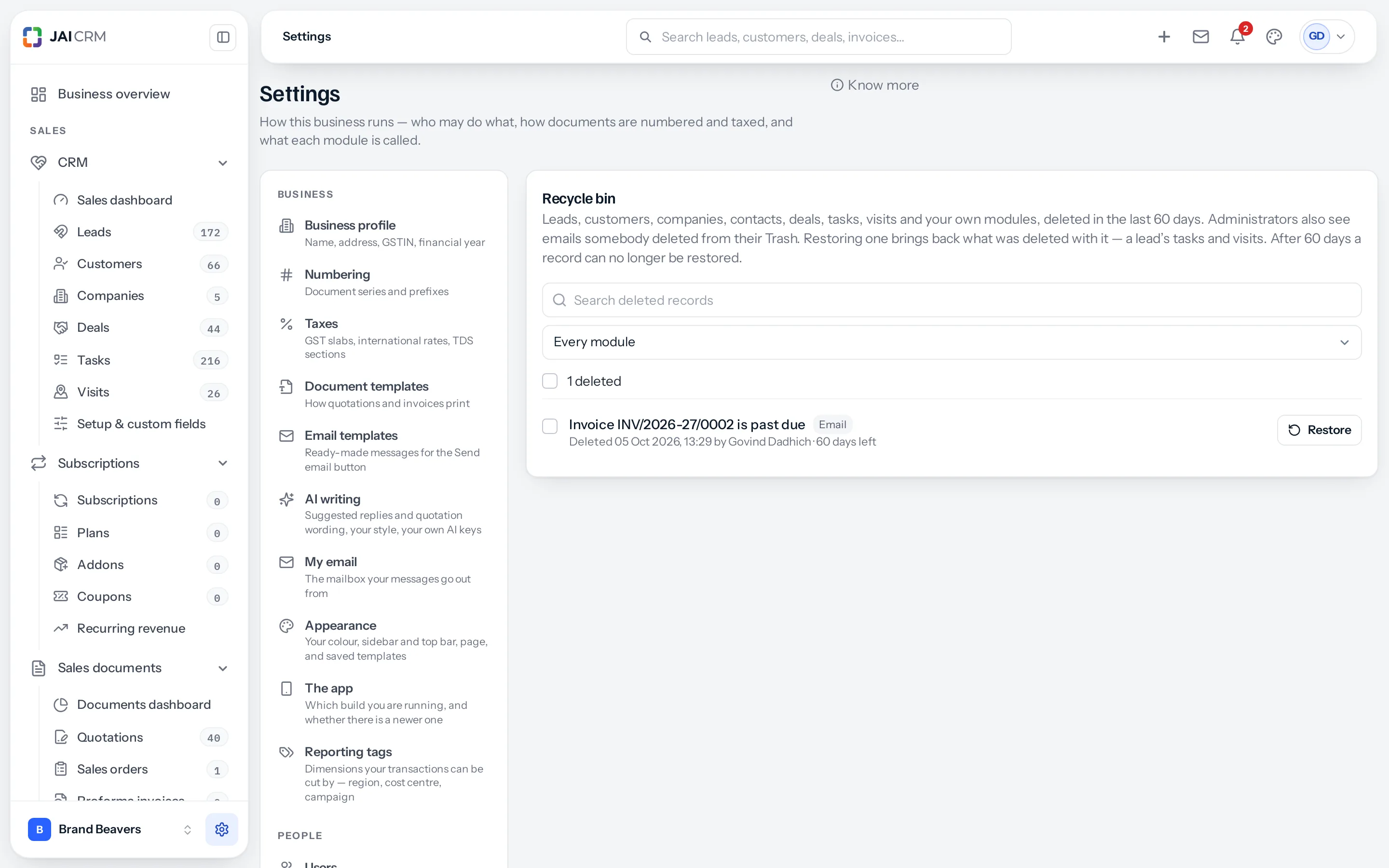
- Emails are shown to administrators: whoever may edit Business profile, the same people who decide who reads whose mail.
- The subject is shown only where mail sharing lets that administrator read the email. Otherwise the row says whose email it was, and that their mail is private.
- Restore puts the email back for everybody and takes it out of every Trash.
- After 60 days an email can no longer be restored.
A scheduled email
Deleting an email that is still waiting in Scheduled stops it going. It is kept, marked as never sent, rather than sent after you deleted it.
Switching deleting off
Some businesses keep every email. Under Settings › My email › Workspace email, Deleting email has one switch: Let people delete email. It is on unless an administrator turns it off, and changing it needs edit on Business profile.

- Off: nobody has Delete, in a folder or in a conversation, and the server refuses it as well.
- Everything else in the mail panel works as usual.
- Emails already in somebody’s Trash stay there, and the Trash folder stays while it holds anything, so they can still be put back.
A worked example
An overdue reminder went to Meera twice by mistake. Govind ticks one copy in Sent and presses Delete; it moves to his Trash. A week later he deletes it from Trash, and it goes to the recycle bin. His administrator could restore it until 60 days have passed.
Something missing or wrong here? Tell us. A question that needed asking usually means a page that needed writing.