
Three records, similar names. Here is the difference in one line each.
| Record | What it is | Example |
|---|---|---|
| Customer | Who you invoice. Carries the billing details. | Kirti Engineering Pvt Ltd, the account you bill. |
| Company | The business behind one or more customers. | The Kirti group, with three divisions you bill separately. |
| Contact | Another person at a customer or vendor. | Suresh in the yard, who is not the person you invoice. |
When you only need a customer
Most small businesses. One firm, one person you deal with, one address you invoice. Create the customer and stop there. Companies and contacts are optional.
A customer’s further numbers and emails, and More details, are on its Additional details tab, on the form and on the customer’s page, straight after Overview. They are for the same person; somebody else at the firm is a contact.
When a company earns its place
When you bill more than one account at the same organisation — a group with divisions, a chain with branches. The company holds what they share; each customer holds its own GSTIN, credit limit and address.
When contacts earn theirs
When more than one person at the customer matters. The person who orders, the person who pays, the person on site. Each gets a contact with their own phone and email, and one can be marked primary.
Adding each one
| To add | Where | Worth knowing |
|---|---|---|
| A customer | CRM → Customers and press +. Or open a company, go to its Customers tab and press New customer. | From a company, the company is filled in for you. |
| A company | CRM → Companies and press +. Or type its name in a customer’s Company box and choose Create “name” as a new company. | The new company needs only its name; fill in the rest on its own page when you need to. |
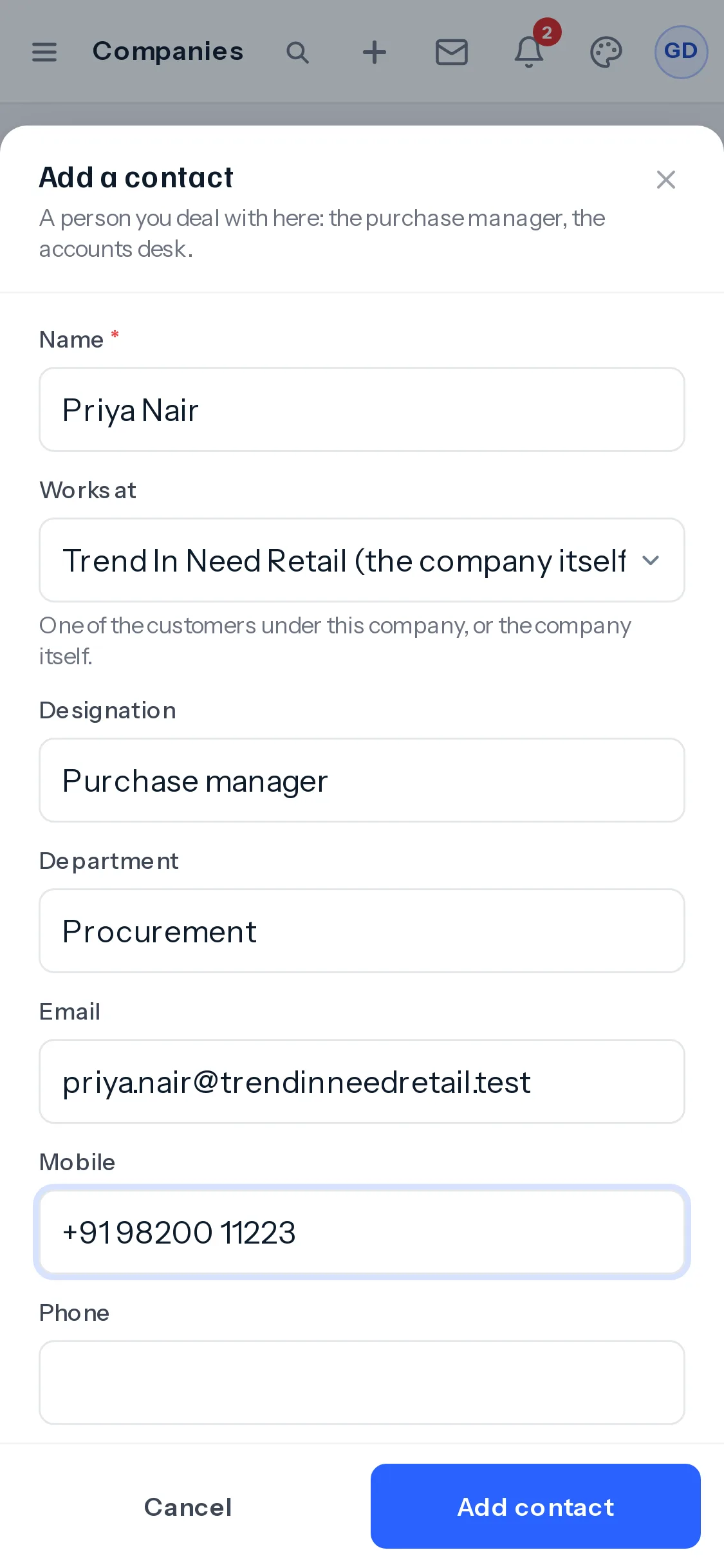
| A contact | Open the customer or the company, go to the Contacts tab and press Add contact. | From a company, Works at says which of its customers the person belongs to, or the company itself. |
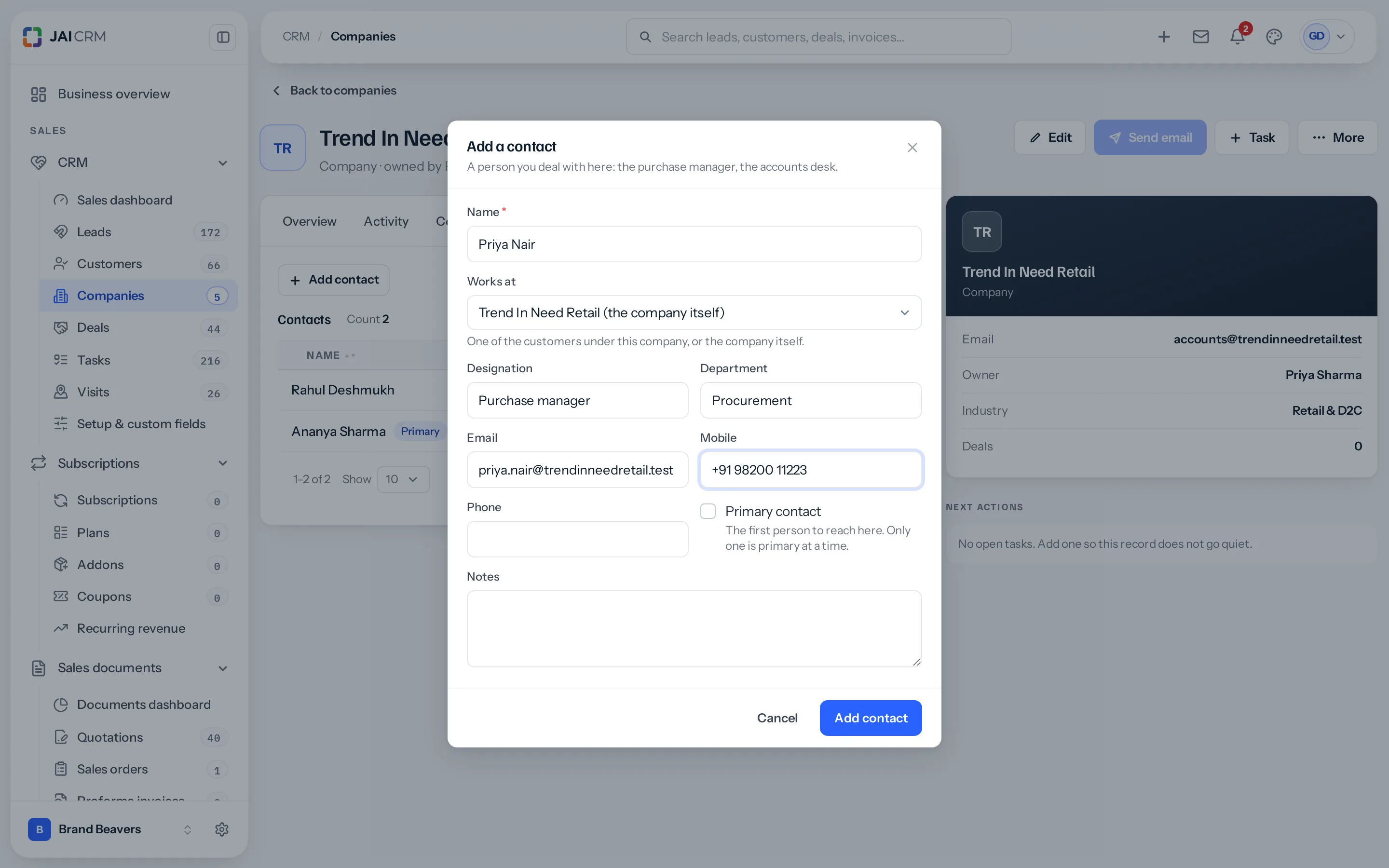
Press a contact in the list to open it: change their details, tick Primary contact, or Delete them. A contact has no page of its own; it opens over the customer or company you found it on. Only one contact is primary at a time, so ticking one unticks the last.
What a company page lists
| Tab | What is in it |
|---|---|
| Customers | Every customer whose Company is this one, with its account owner. Press one to open it. Two people at one company who are looked after by two different salespeople are two customers here, each with its own owner. |
| Contacts | People filed against the company itself, and the contacts of every customer under it. |
| Deals | Deals with this company filled in. |
What a customer carries that a lead does not
A customer is the record an invoice is raised against, so it holds the things an invoice needs.
- GSTIN and PAN, and the GST treatment — registered, unregistered, composition, overseas, SEZ and so on.
- Place of supply, which decides whether an invoice charges CGST and SGST or IGST.
- Currency, payment terms, credit limit and credit days.
- A price list of their own, so what you charge them is not assumed to be the ordinary rate.
- Billing and shipping addresses, which are often not the same.
- TDS details, if they deduct it from your invoices.
Everything hangs off the customer
Once a customer exists, their quotations, invoices, payments, projects, subscriptions, warranties and documents all attach to that one record. Open it and the whole relationship is in one place — which is the entire reason not to keep customers in four systems.
Where to go next
Something missing or wrong here? Tell us. A question that needed asking usually means a page that needed writing.