
Every list in the CRM can be read three ways. The buttons are at the top left: List, Kanban, Pivot. They are the same records — only the shape changes.
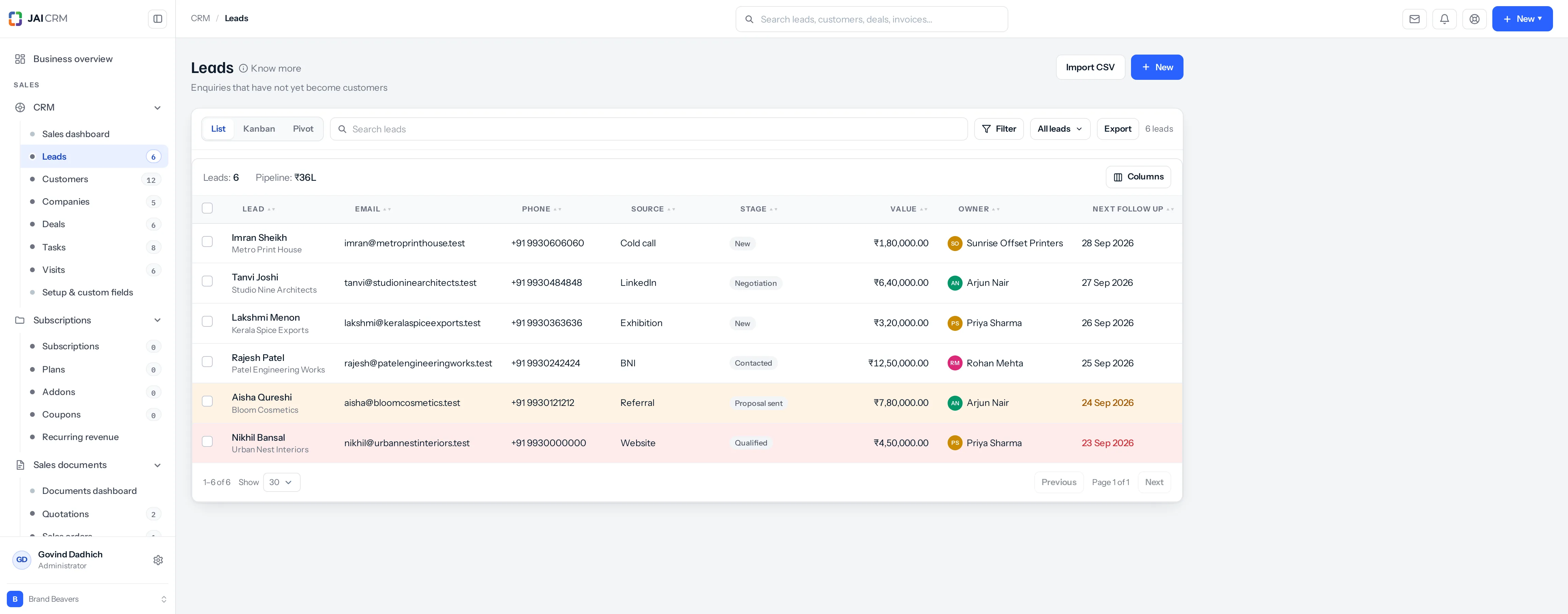
List
A table. One row per record, columns you choose, sorted how you like. This is the right view for working through things one at a time and for anything you want to export.
Kanban
A board of columns, one card per record, grouped by a field you choose. Drag a card between columns to change that field. This is the right view for a pipeline, or for anything where the question is “what stage is everything at”.
You choose what to group by. Stage is the obvious one; owner, source and rating are all useful, and so is any dropdown field you added yourself.
Pivot
A counting table. Choose what goes down the side, what goes across the top, and what to measure. It answers questions like “how many leads per source, per stage” without exporting anything.
| Setting | What it does |
|---|---|
| Rows | What goes down the left. Stage, source, owner, rating. |
| Columns | What goes across the top. Leave it at None for a simple count. |
| Measure | What to work out: a count, or a sum or average of a number field like Value. |
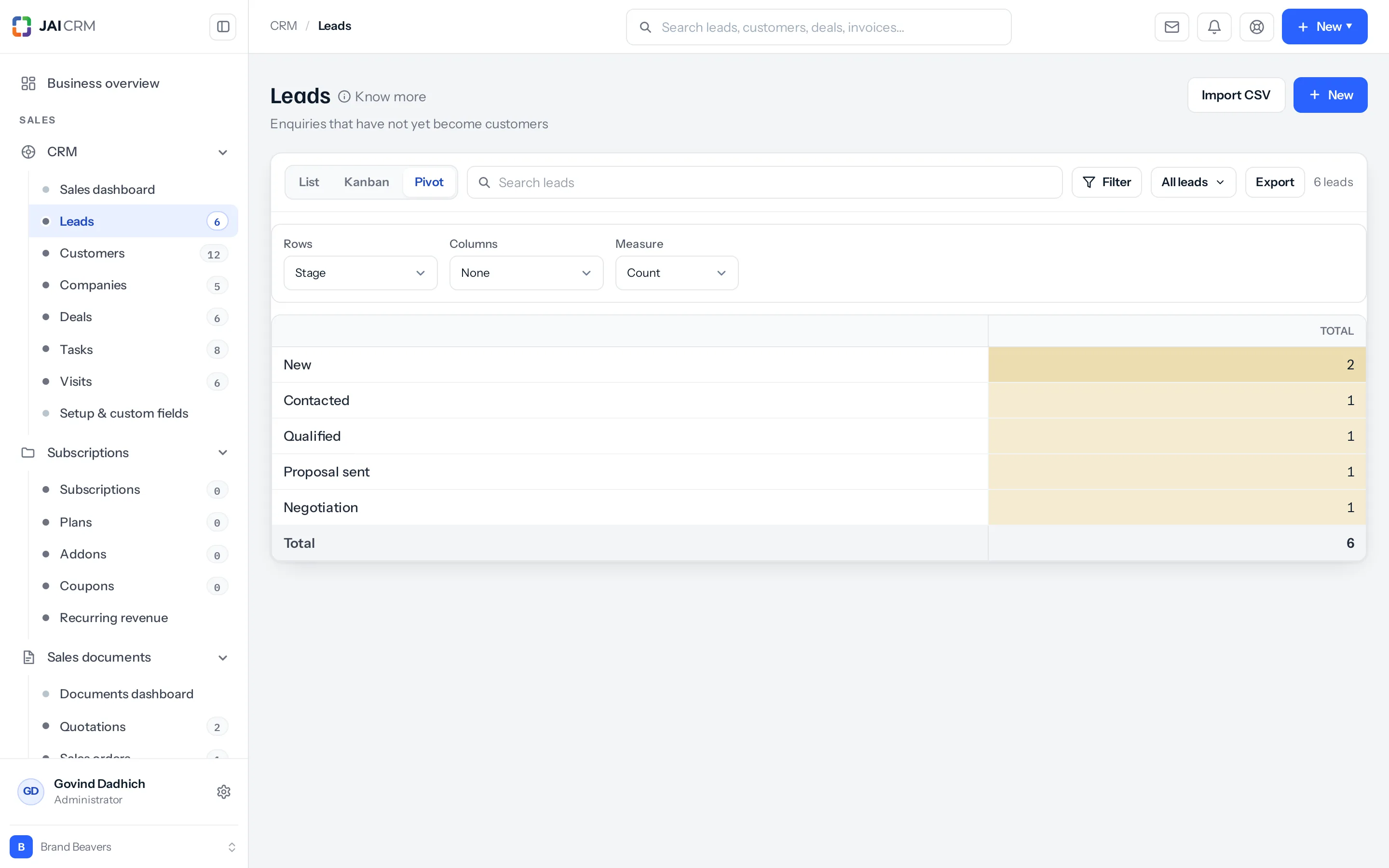
Every number in a pivot can be opened. Click a figure and the records behind it appear. A total you disagree with is something you can check rather than something you argue about.
Your choice is remembered
Which view you were last in is remembered per person, per list. It does not change what anybody else sees.
Where to go next
Something missing or wrong here? Tell us. A question that needed asking usually means a page that needed writing.