
Opening an email opens its whole conversation, oldest first. Opening it also marks all of it read.
Reading it
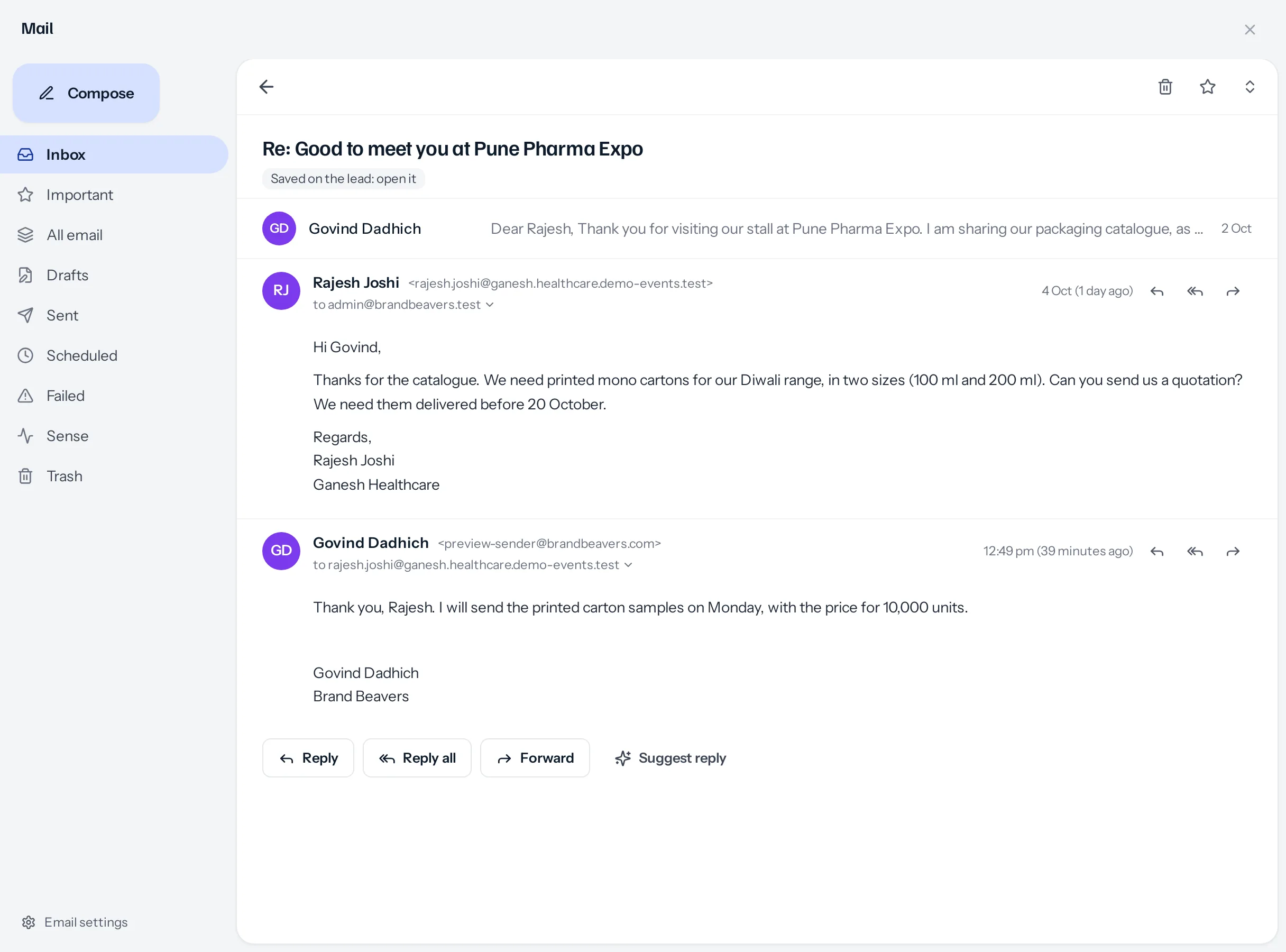
- Earlier emails fold to one line: who, their first words and the date. Press one to open it.
- With more than four, the middle ones fold into a single circle with their number. Press it to show them.
- The arrows at the top right open every email in the conversation, or fold them again.
- The arrow beside to me shows the full From, To, Cc, Bcc, date and subject.
- Each email keeps its own files, with Download, and, for mail you sent, what happened to it: opens, clicks and which links.
- The label under the subject says which record it is filed on, and opens it.
Reply, Reply all and Forward
| Button | Who it goes to |
|---|---|
| Reply | Whoever wrote that email. On an email you sent, whoever it went to. |
| Reply all | Them, and everybody else on its To and Cc, never yourself or your business’s mailbox. |
| Forward | Nobody yet: you add them. The subject starts Fwd:, and the email goes underneath with who it was from, when, its subject and who it was to. |
The buttons under the conversation answer its latest email; the arrows on each email answer that one. The reply opens under the conversation with everybody already in place as chips, which you can change, drag and add to. The picker at its top switches between Reply, Reply all and Forward.
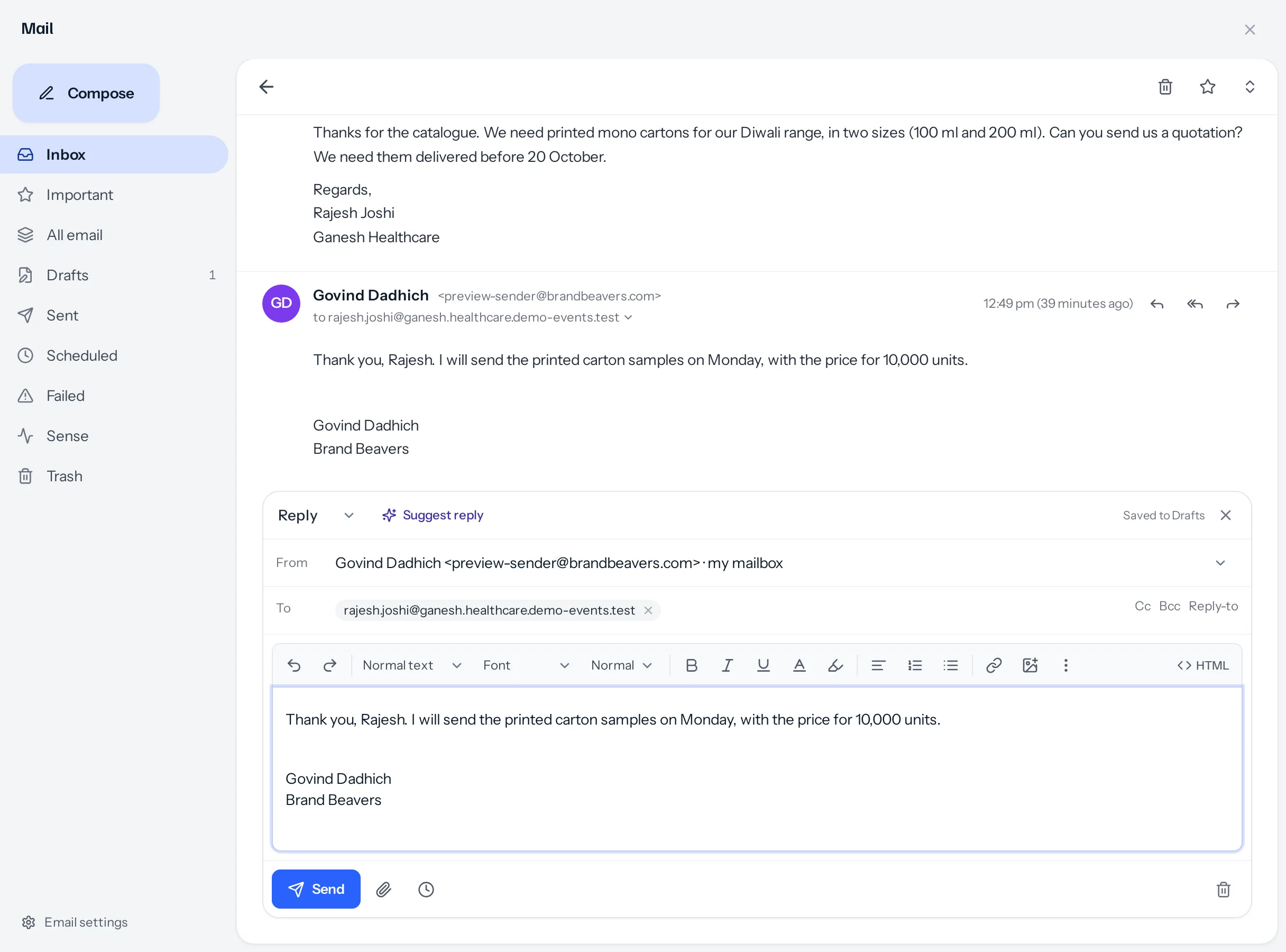
- A forward sends the original email’s files on as well, each ticked; untick any to leave it out.
- Replies keep the conversation together in the customer’s mail program as well as here, and are filed on the same record.
- A reply’s subject gets Re: once, however many times the conversation goes back and forth.
Suggest reply
Suggest reply sits under the conversation, and inside a reply you have already started. It drafts an answer to the latest email that arrived, from the email, the conversation and the record. If the sender’s address belongs to two records you can see, a customer and a lead, it asks which one first. Use this reply puts the draft into the reply box. See Suggested replies.
At the top of a conversation
- The star marks the email you opened as important, for you.
- The bin moves the whole conversation to your Trash, where your business allows deleting.
- In Trash, the top shows Put back instead.
A worked example
Rajesh Joshi of Ganesh Healthcare asks for a quotation for printed mono cartons in 100 ml and 200 ml. Govind opens the conversation and presses Reply: Rajesh’s address is already in To and the signature is in place. He writes that samples and the price for 10,000 units will follow on Monday, and sends. The reply joins the conversation, is filed on Rajesh’s lead, and shows in Sent.
Something missing or wrong here? Tell us. A question that needed asking usually means a page that needed writing.