
Apps is where you make a file inside JAI CRM: a scope of work for a customer, a quotation costing sheet, a proposal deck. You start from a template made for an Indian business, and the file is saved straight into Documents as a real Word, Excel or PowerPoint file, with every version kept.
Apps is in early access. It is switched on for a business by the JAI CRM team; ask us and we will switch it on for yours.
Where to find it
Apps sits in the sidebar under Calendar, or under Charcha when your business does not have the calendar. On a phone, open the sidebar from the menu at the top left.
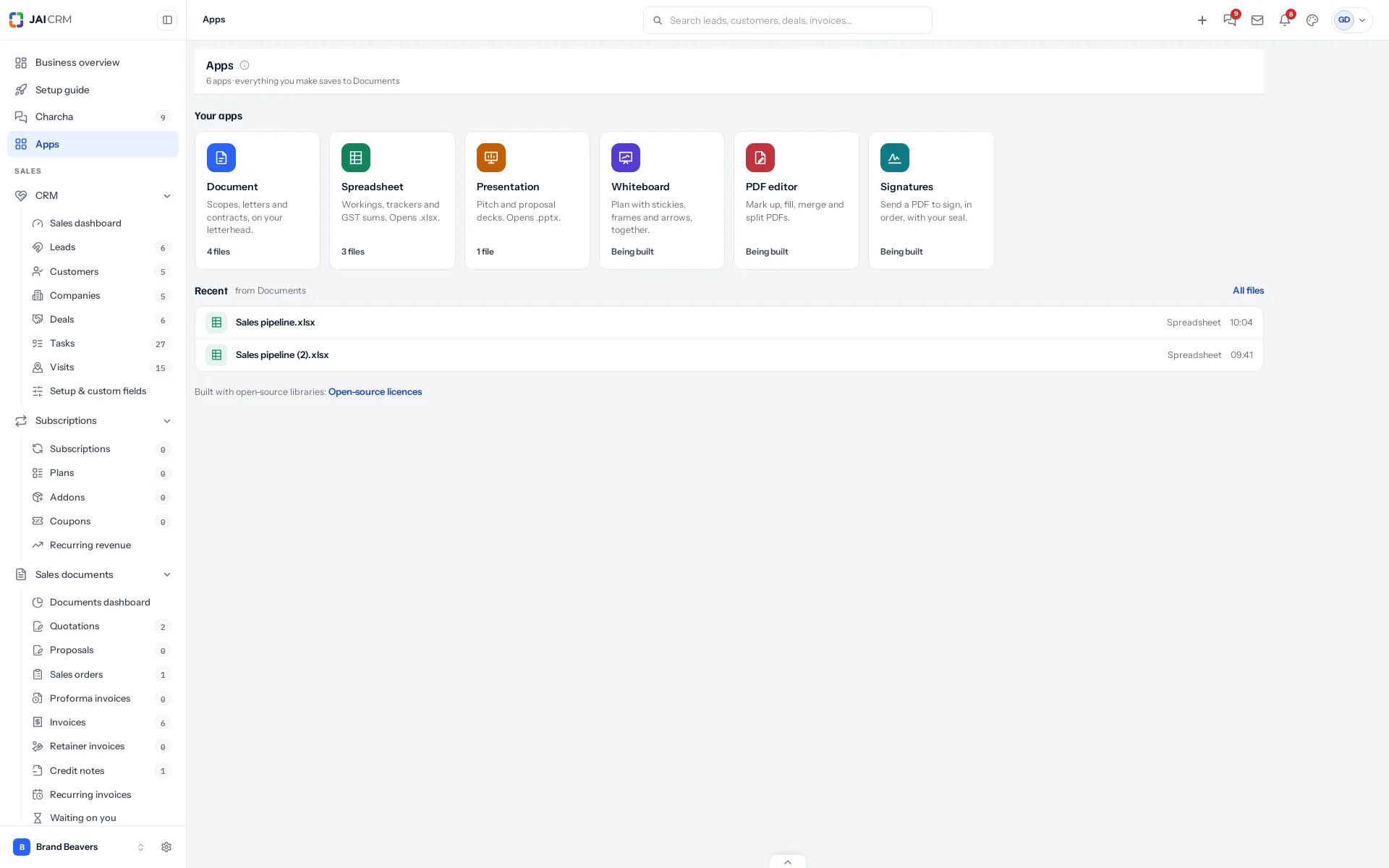
The six apps
| App | What it does today |
|---|---|
| Document | Edits Word files inside JAI CRM, several people at once, on A4 pages with a ribbon like Word’s. Makes them from templates: scope of work, quotation letter, offer letter, non-disclosure agreement, service agreement, minutes of meeting, or a blank page on your letterhead. Opens any Word file in Documents. |
| Spreadsheet | Makes Excel files with working formulas: sales pipeline, GSTR-3B working, quotation costing, expense tracker, salary sheet, stock count, or a blank sheet. Opens any Excel or CSV file in Documents. |
| Presentation | Makes PowerPoint decks: proposal, company profile, monthly sales review, exhibition pitch, or a blank deck. Opens any PowerPoint file in Documents. |
| Whiteboard | Being built. Its templates are there to look at. |
| PDF editor | Being built. It already lists your PDFs; they open in Documents. |
| Signatures | Being built. Its templates are there to look at. |
Your files stay in Documents
Every file an app makes is an ordinary Documents file. It sits in the folder you choose, is shared the way that folder is shared, counts towards your storage, and can be moved, tagged, starred, shared or deleted from Documents like any other file. Apps does not keep a second copy anywhere.
Word files are edited inside JAI CRM, with several people in the same file at once: see Editing a document together. Spreadsheet and Presentation editing comes next; until then you download a file, work on it in Excel or PowerPoint, and upload your copy as its next version. Hanu joins every app after that.
Something missing or wrong here? Tell us. A question that needed asking usually means a page that needed writing.