
Open a Word file from Apps, Document, or with Open in Document from its menu in Documents. It opens on A4 pages, with a ribbon like Word’s above them. Anybody else who opens the same file is in it with you: you see each other’s typing arrive as it happens, and each person’s cursor carries their name.
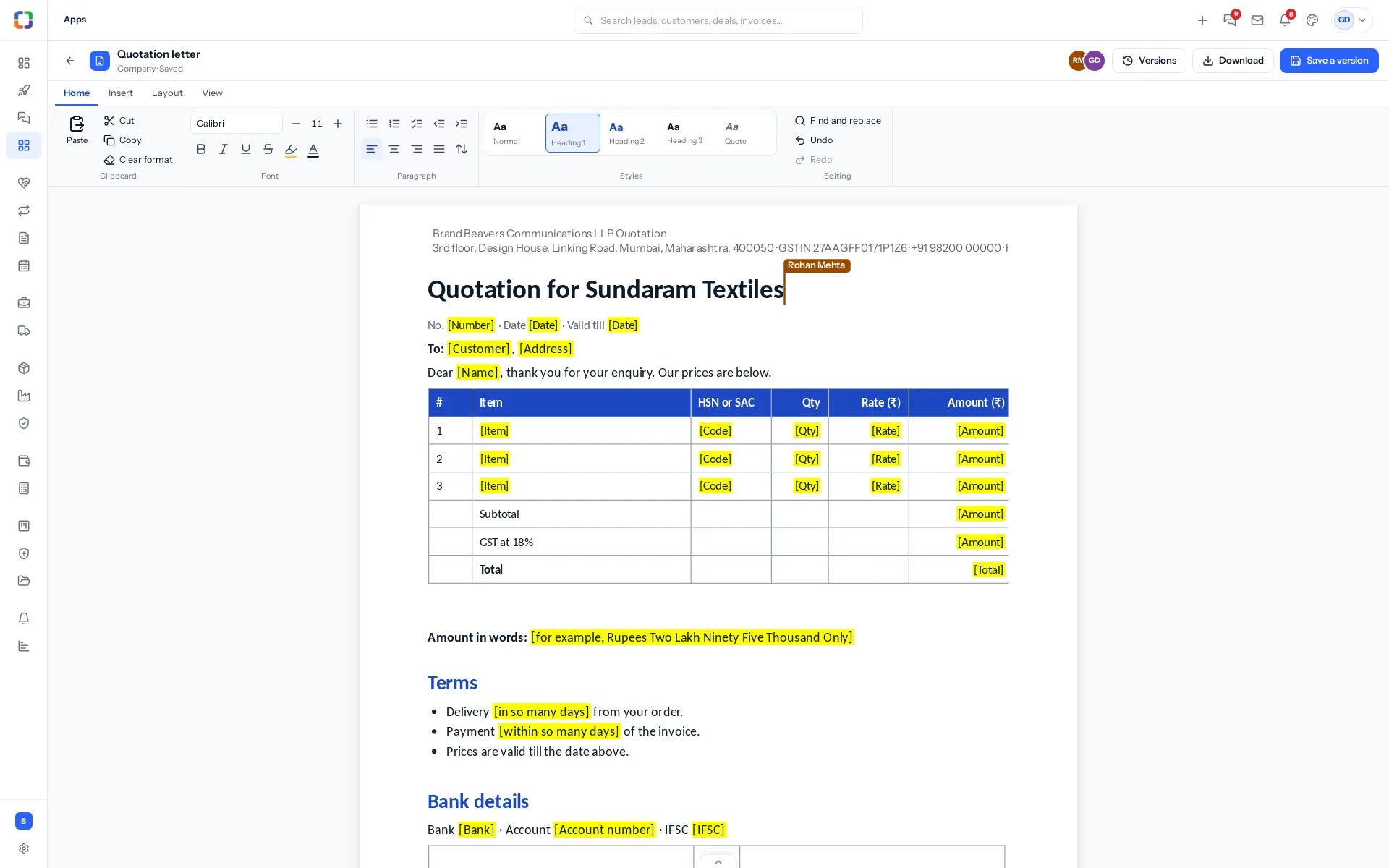
The ribbon
| Tab | What is on it |
|---|---|
| Home | Paste, cut, copy, clear formatting; the font, size, bold, italic, underline, strike, highlight and text colour; bullets, numbering, check lists, indent, alignment and line spacing; the styles (Normal, Heading 1 to 3, Quote); find and replace, undo and redo. |
| Insert | A page break, a table (choose its rows and columns), a picture, a link, the header and footer, a line across, today’s date and a quote. |
| Layout | Page breaks, indent, line spacing, and the header and footer. |
| View | Zoom: fit the width, 75, 100 or 125 per cent. |
A file opens with the sidebar collapsed, to give the pages room. Open the sidebar with its button whenever you want it: the pages fit the space beside it, and when the space is narrow the ribbon folds its styles into a menu and its smaller buttons into icons, each named when you point at it. When you close the file, the sidebar goes back to how you had it. A Spreadsheet or Presentation file opens the same way.
The header and footer
Click the top or the foot of the first page and type, up to three lines. It shows on every page and goes into the Word file as its header and footer. A template’s letterhead comes in as its lines: your business with the document’s name, then your address, GSTIN and contact.
Saving and versions
There is nothing to save. A few seconds after anybody stops typing, the file in Documents is a real Word file with everything in it; the top of the screen says Saving and then Saved. If your connection drops it says so, keeps what you type, and sends it when the connection is back.
Each sitting of editing is one version, so the version list reads like a history rather than every keystroke. Save a version saves now and lets you name it, for example Sent to the customer. Versions lists them all; Bring this back makes an old one the newest, and keeps the rest.
Who can type
Anybody who may change the file types in it; somebody who may only view it sees the changes arrive and cannot type, whatever their browser sends. See Who can see and do what.
Download
Download gives you the Word file as it is now, with its headings, fonts, colours, lists, tables, pictures, links, page breaks, header and footer.
Only .docx files are edited here. An older .doc, or an .odt or .rtf file, opens on a page to download and upload; save it as .docx in Word and upload that to edit it here.
Something missing or wrong here? Tell us. A question that needed asking usually means a page that needed writing.