
A Word file opens in the Document editor, which saves a version for each sitting by itself (see Editing a document together). Spreadsheet and Presentation files, until their editors arrive, open on a file page with three buttons:
- Download, to work on it in Word, Excel or PowerPoint.
- Upload a newer copy, which saves your edited file as the next version.
- Open in Documents, to share, move or tag it.
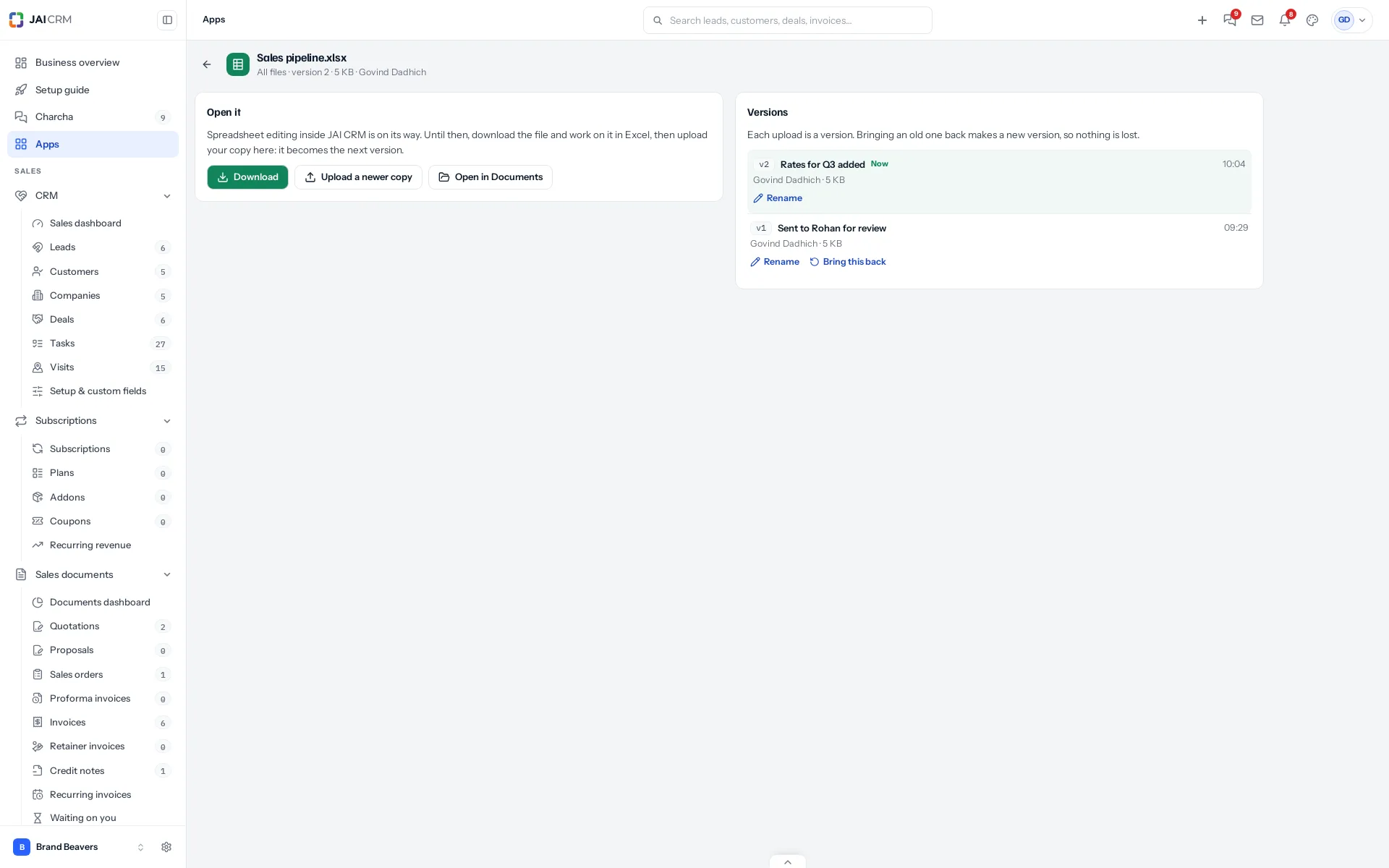
Name a version
Click Name it under a version and type a name, for example Sent to the customer. Names make the version you need easy to find later. Rename or clear a name the same way.
Bring one back
Click Bring this back under an older version and confirm. The old file becomes a new version on top; the versions in between are all kept. So bringing back version 2 of a file at version 4 makes version 5, the same as version 2.
Older versions count towards your storage, as they do everywhere in Documents.
Something missing or wrong here? Tell us. A question that needed asking usually means a page that needed writing.