
A quotation lists what you are offering and what it costs. The note to the customer is where it is introduced: who it is for, what it covers and why it suits them. Write the wording with AI drafts that note and a subject line, in a few seconds.
Steps
- Open a new or existing quotation, choose the customer, and add the items.
- Under Notes for the customer, press Write the wording with AI.
- Read the suggested subject and note. Change the style or length, or tell it what to say, exactly as for a suggested reply.
- Press Use this wording. The note goes into Notes for the customer; the subject goes into Subject only if the subject is empty, so one you wrote is never replaced.
- Save the quotation as usual. Nothing is saved until you do.
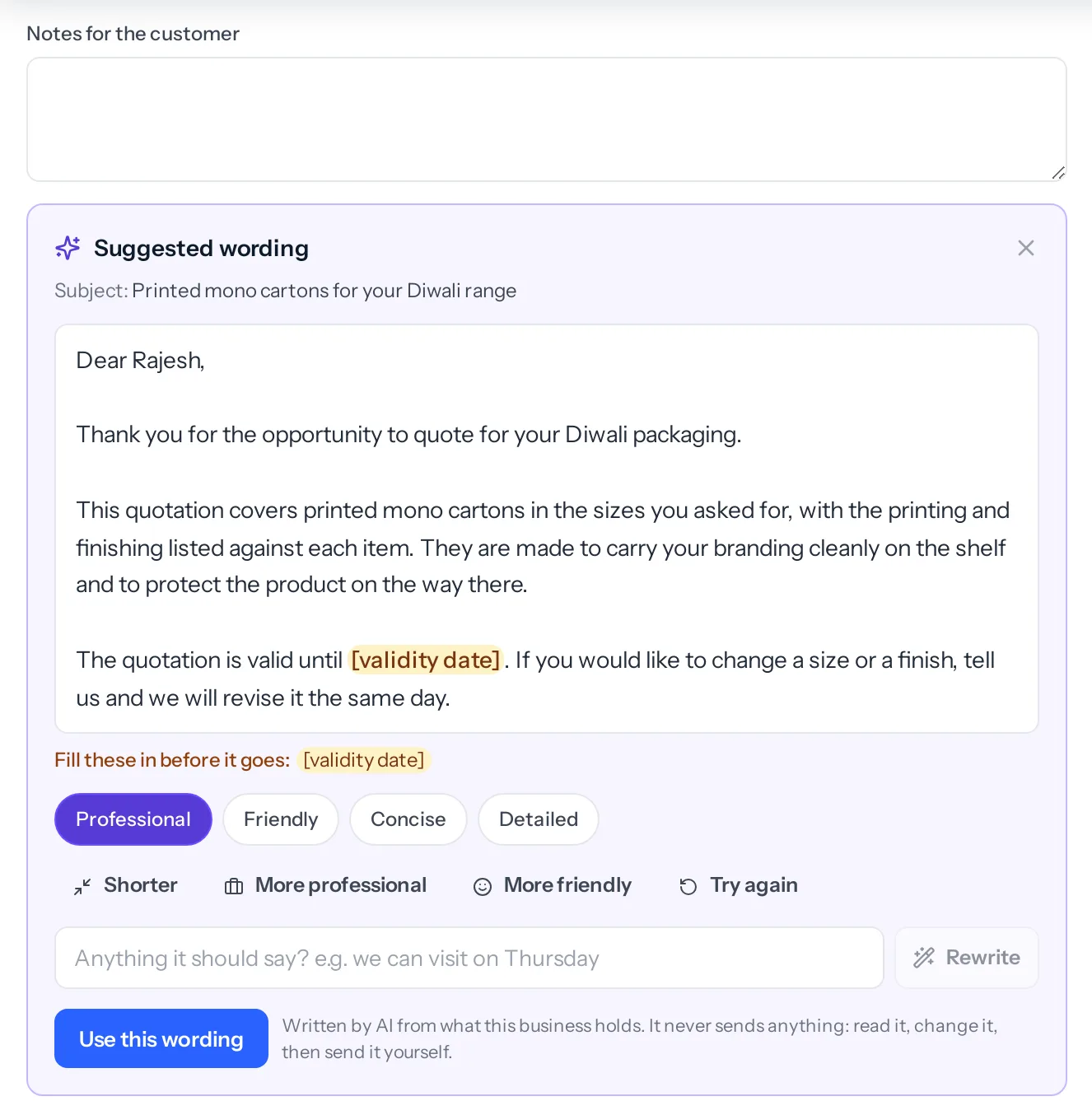
What it reads, and what it never sees
- The customer, or the lead if the quotation is raised before they become a customer: name, company, designation and industry.
- The deal, if the quotation is linked to one: its name, stage and next step.
- The names and descriptions of the items, and the section headings.
- The subject and the note as they stand, if you have written anything.
It is never given a quantity, a rate, a discount, a tax, a total or a term, so it cannot get one wrong. It is told not to invent features, certifications, brands, timelines or guarantees the item descriptions do not mention.
How long
| Style | Length of the note |
|---|---|
| Concise | 40 to 80 words |
| Professional or Friendly | 80 to 160 words |
| Detailed | 150 to 240 words |
There is no signature in the note: the quotation already prints the business’s details.
If Notes for the customer already has text in it, Use this wording asks before replacing it.
Who can use it: anyone allowed to create or edit quotations.
Something missing or wrong here? Tell us. A question that needed asking usually means a page that needed writing.