
Settings, AI writing decides how suggestions behave for everybody in the business. Changing it needs the permission to change the business profile.
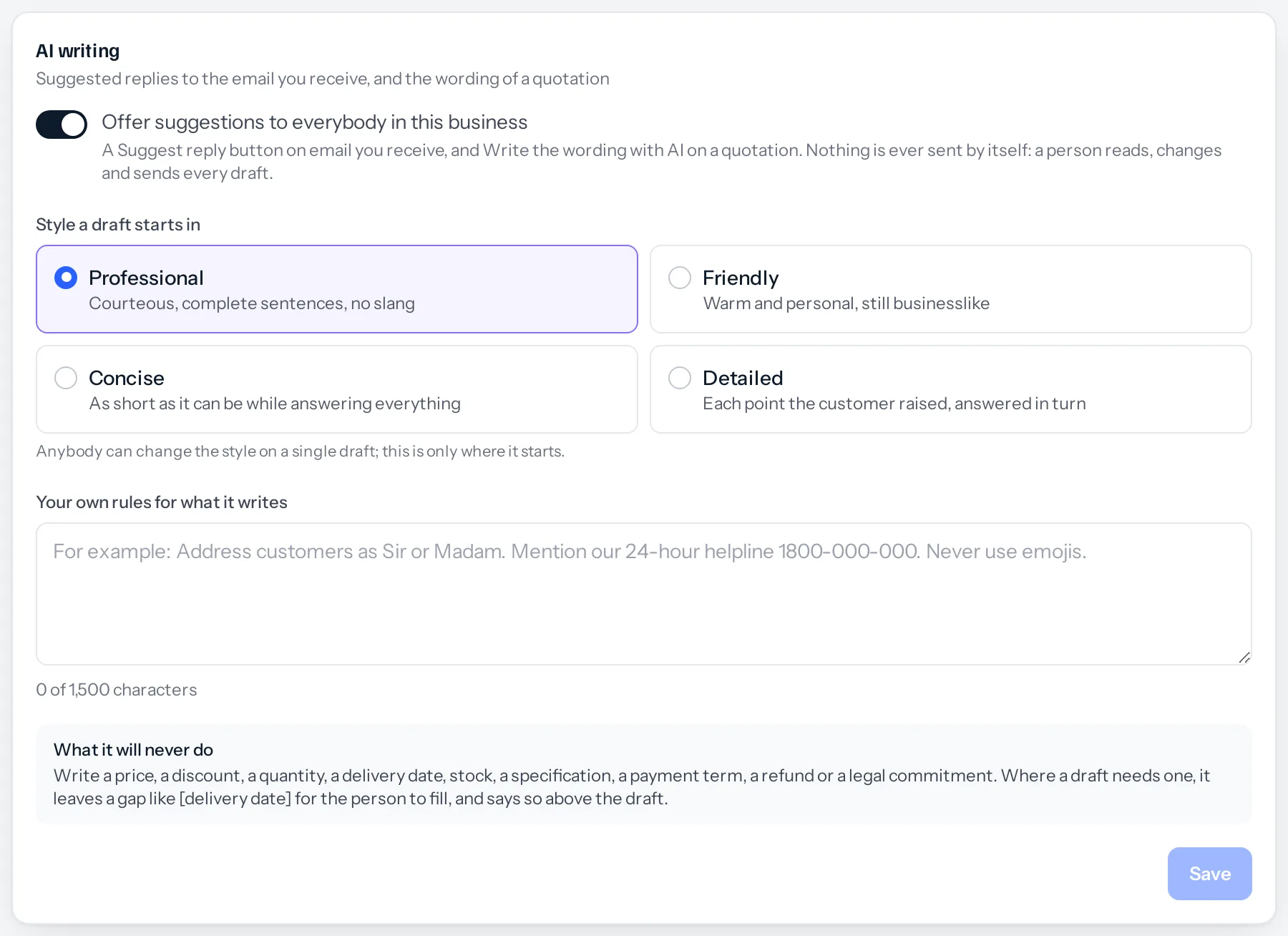
The switch
Offer suggestions to everybody in this business shows or hides Suggest reply on email and Write the wording with AI on quotations. Switched off, the buttons are gone for everybody; nothing else changes.
The style a draft starts in
| Style | What it means |
|---|---|
| Professional | Courteous, complete sentences, no slang. The default. |
| Friendly | Warm and personal, still businesslike. |
| Concise | As short as it can be while answering everything. |
| Detailed | Each point the customer raised, answered in turn. |
Anybody can change the style on a single draft; this only decides where it starts.
Your own rules
Up to 1,500 characters that every draft follows, for replies and quotation wording alike. Write them the way you would brief a new member of staff:
- Address customers as Sir or Madam.
- Mention our helpline, 1800-000-000, when a customer reports a problem.
- Never use emojis.
- Sign quotations off with “Team Brand Beavers”.
Your rules cannot switch off the ones that protect you. A rule asking for a discount to be offered, or a delivery date to be promised, is ignored: the drafts never write prices, discounts, delivery dates, stock, specifications, payment terms, refunds or legal commitments.
Press Save under the card. The next suggestion anybody asks for uses the new settings.
Something missing or wrong here? Tell us. A question that needed asking usually means a page that needed writing.