
Channel Partners is its own module, like Exhibitions or Point of sale, rather than part of CRM. It comes with the Full Suite plan and is not sold on its own. A business that takes Full Suite gets it switched on. A Full Suite business that was already with us on 14 October 2026 has it switched off, ready to switch on in Settings, Plugins whenever it wants. On any other plan, Plugins lists it as not in the plan.
What appears when it is on
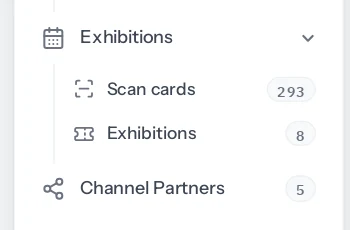
- Channel Partners in the sidebar, with the list of partners.
- A Referred by box on leads, customers, deals, quotations, orders and invoices.
- A What they brought in tab on each partner’s page.
- Two reports under Reports, Channel partners.
- Channel partners in Roles and permissions, so you decide who may see and change them. See Who can do what.
What stays the same
Nothing about your existing records changes. Leads, customers and documents made before the module was switched on are credited to nobody, and nothing goes back to guess. The lead form gains one box at the end and is otherwise as it was. A business that never switches it on sees none of this: not the menu, not the box on its forms, not the reports.
If it is switched off again
- The menu, the Referred by box and the reports disappear.
- Nothing is deleted. Partners, and who each record is credited to, are kept exactly as they were.
- While it is off, new deals and documents are not credited to anyone, even for a referred customer.
- Switch it back on and everything recorded before is there again.
Channel Partners needs CRM, because a referral arrives as a lead or a customer. Quotations, orders and invoices are credited only where Sales documents is on as well.
Switching it on
On the Full Suite plan, open Settings, Plugins and switch Channel Partners on; anybody allowed to change what the business runs can do it. It is switched on for the whole business at once, and appears for each person once their role is given access to it. Until then nobody in your team sees it, including the owner.
The first ten minutes
- Give the roles that need it access, in Settings, Roles and permissions. Owners and administrators already have it.
- Add your partners, or import them from a spreadsheet.
- Tell the people who take enquiries that Referred by is now at the end of the lead form, and that it should be filled in when the partner is known.
- Look at a partner’s page and the report a week later, when there is something to add up.
There is nothing else to set up. The window, the claim question and the crediting of deals and documents work from the first referral.
Something missing or wrong here? Tell us. A question that needed asking usually means a page that needed writing.