
Most businesses that pay commission work it out at the end of the month in a spreadsheet. Somebody exports the invoices, somebody else checks which payments came in, a credit note from the 28th gets missed, and the salesperson finds out what they earned a week after payday. Nobody knows during the month how close they are to the target, so nobody pushes when it would help.
Targets & Commission does that work from the records you already keep. You set what each person or circle should bring in each month. JAI CRM counts it as it happens, from the invoices they raise, the money their customers pay and the deals they win, always before GST. Each salesperson sees on one screen how far they have got, whether they are ahead of an even pace, and what more would move them into a better rate.
The four parts
- Sales targets: one figure per person or circle per month, for the April to March year, counted on money collected, invoiced, deals won, or the number of deals won.
- Commission plans: who is paid, on what, and at what rate. One rate on everything, steps that pay more above the target, or a fixed amount for each deal won.
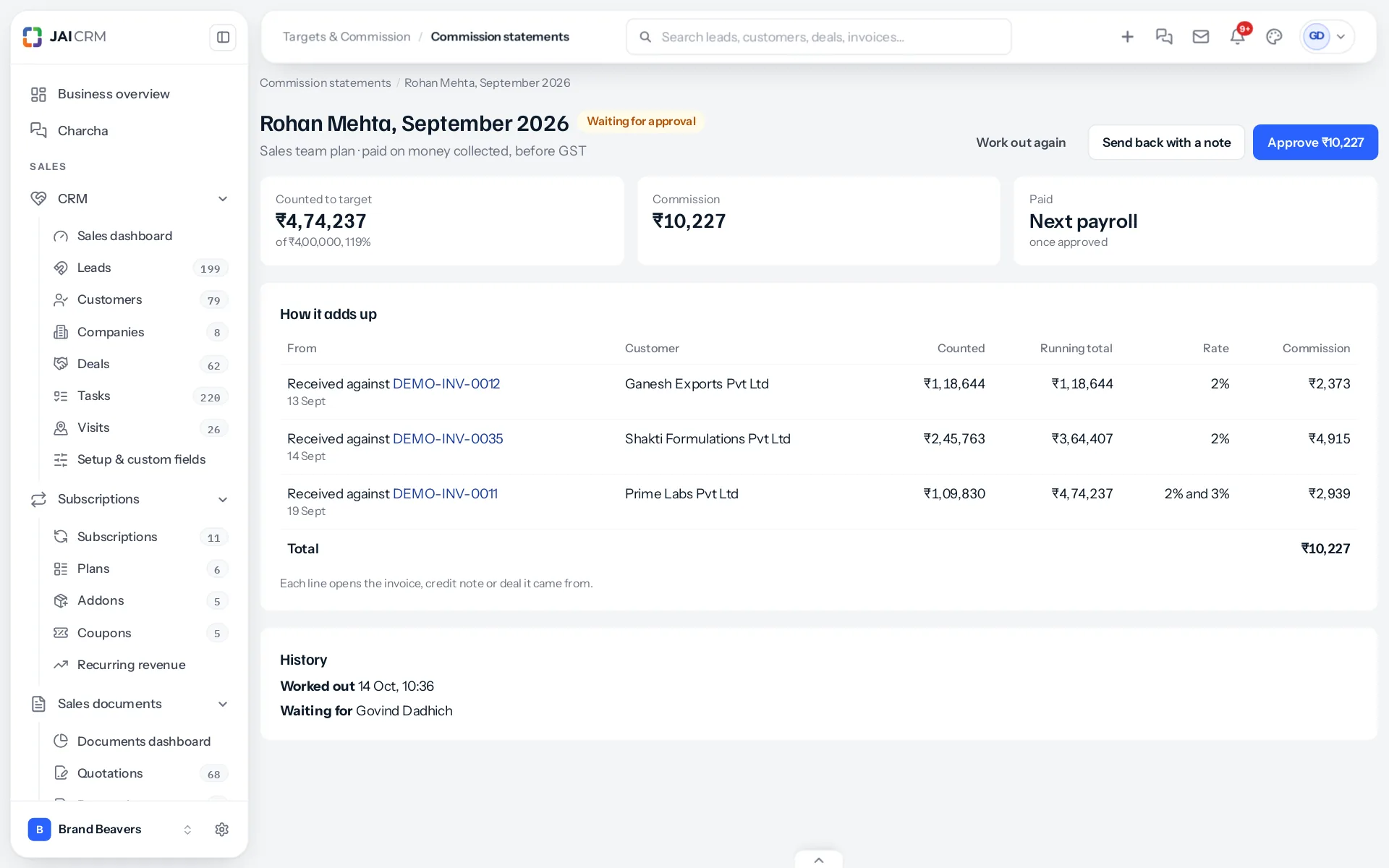
- Commission statements: worked out each month, line by line, and approved by a manager before anything is paid. Approved commission goes into the next payroll run as an earning.
- Partner payouts: what each architect, designer or builder who refers customers is owed, with GST when they are registered and TDS under section 194H, made into a draft purchase bill.
Where the figures come from
Nothing is typed in twice. A payment recorded against an invoice counts in the month of its payment date, as soon as it is recorded. A credit note takes back what its invoice earned. A cheque that bounces takes back what it counted. Each line on a statement opens the invoice, credit note or deal behind it, so a salesperson who thinks a figure is wrong can see why in one click, and a manager can answer the question without opening a spreadsheet.
What it does not do
- It does not change how invoices, payments or deals work. It only reads them.
- It does not pay anybody by itself. A statement is paid only once somebody with the right to approve has approved it.
- It does not touch payroll for a business without the module, or for anybody not on a plan.
Start with switching it on, then set targets. If you would rather see it worked through first, a worked example follows one salesperson’s September from the first invoice to the payslip.
Something missing or wrong here? Tell us. A question that needed asking usually means a page that needed writing.