
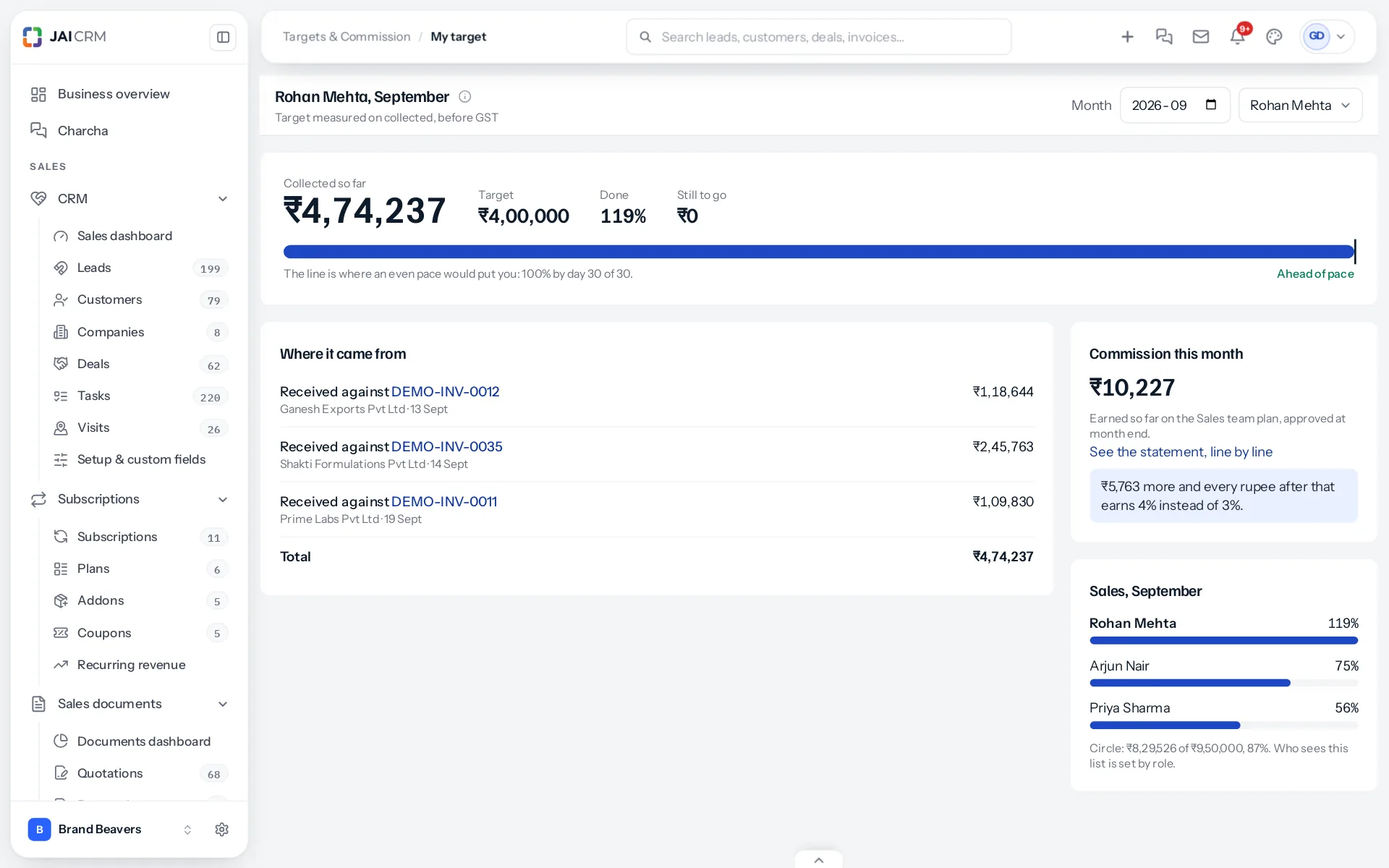
My target is the screen a salesperson opens in the morning. It answers three questions without any arithmetic: how far have I got, am I on course, and what does it earn me.
Progress
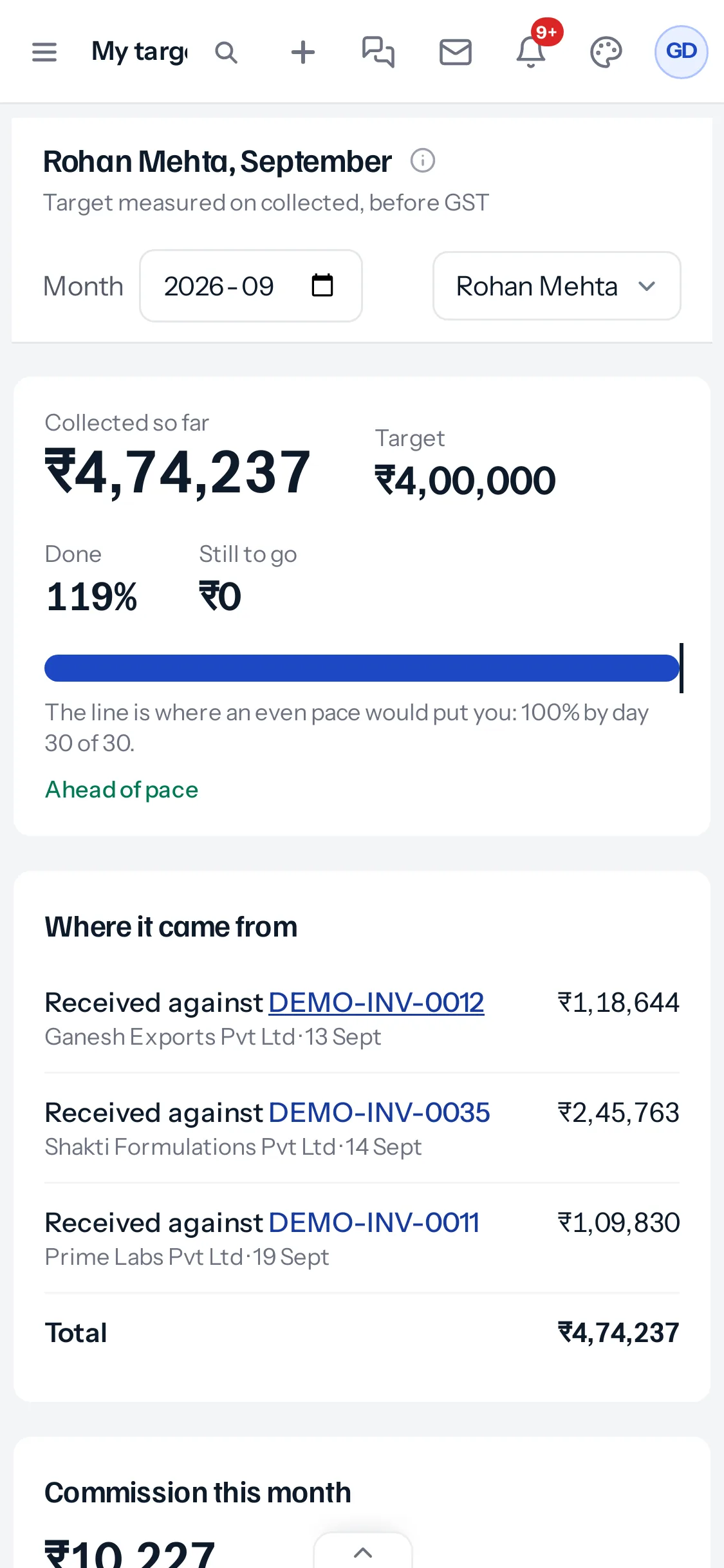
At the top are four figures: what has been counted so far, the month’s target, the share done, and what is still to go, with about how much that is per day left. The bar fills as the month goes. The thin line across it is where an even pace would put you today: on the 15th of a 30-day month it sits at 50%. Beside it, Ahead of pace or Behind pace says which side of it you are.
With no target set for the month, the figures still count, and the screen says so instead of showing a bar.
Where it came from
Every counted line is listed in date order: each payment received, invoice, credit note or deal won, with the customer and the date. Each one opens the record behind it. A credit note shows in red, as a minus. A cross-sell share shows the share counted and the whole amount it came from.
Commission this month
The card on the right shows commission earned so far on the person’s plan, worked out exactly as the statement will be. Before the month is approved it says “Earned so far”; once approved, it shows the approved figure. A link opens the statement line by line once one has been worked out.
On a plan with steps against the target, it also says what the next step needs: for example, “₹60,000 more and every rupee after that earns 3% instead of 2%.” That one sentence is often the most useful thing on the screen in the last week of the month.
The circle
People who may see others’ targets also see their circle: each member’s share of their own target, in order, and the circle’s total against its target, or against its members’ targets added up. Who sees this list is set by role, so a business that prefers not to show colleagues’ figures can keep it to managers.
Other people and other months
The month picker goes back to earlier months. A manager with View on Sales targets also has a Whose target list, to open any salesperson’s month as they see it.
Something missing or wrong here? Tell us. A question that needed asking usually means a page that needed writing.