
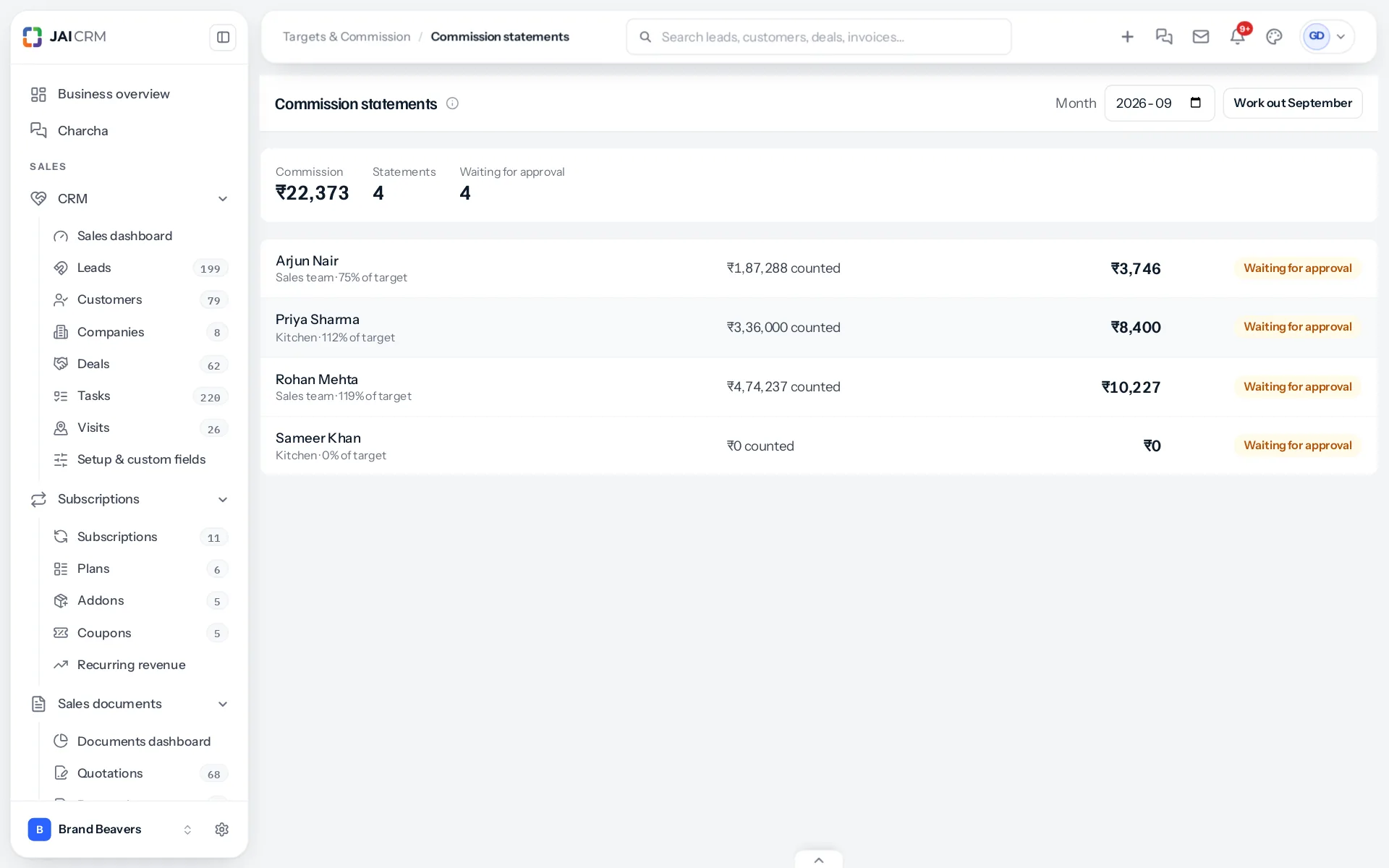
A statement is one person’s commission for one month on one plan. Open Commission statements to see a month’s statements: each person, their plan, how much of their target they reached, what was counted, the commission, and where it stands.
When they are worked out
On the 1st of each month, at a quarter past two in the morning, JAI CRM works out every statement for the month before. It works them out again each night until the 7th, so a payment recorded on the 3rd for the last day of the month is in. Somebody who can approve can also press Work out at any time to see where a month stands, including the current one.
An approved statement is never worked out again. What was approved is what is paid.
Where each stands
| Status | Means |
|---|---|
| Waiting for approval | Worked out, not yet approved. Worked out again each night of the first week. |
| Sent back | A manager returned it with a note. Worked out again, it goes back to waiting. |
| Approved | Agreed. Paid in the next payroll run, or outside payroll, as the plan says. |
One statement, line by line
Opening a statement shows three figures: what was counted against the target, the commission, and when it is paid. Under How it adds up, every line is listed in date order with the customer, what it counted, the running total, the rate it earned and its commission. Each line opens the invoice, credit note or deal it came from. Lines taken back show in red.
The running total is what makes steps readable: you can see exactly which line crossed the target and why its rate changed.
Working one out again
If an invoice’s owner was wrong and has been corrected, open the statement and press Work out again. Only that person’s statement for that month is redone.
Who sees what
Everybody’s statements need View on Commission statements. A salesperson can always open their own from My target, with View on My target alone.
The month at the top
Above the list are three figures: the month’s commission across everybody, how many statements there are, and how many are waiting for approval. A manager can tell in a glance whether the month is done.
A month still going
Working out the current month shows where everybody stands today, with the same lines and rates the final statement will have. It is not fixed until approved, so it changes as more payments come in, and approving early would lock in a figure that may still grow.
Next: approving and sending back.
Something missing or wrong here? Tell us. A question that needed asking usually means a page that needed writing.