
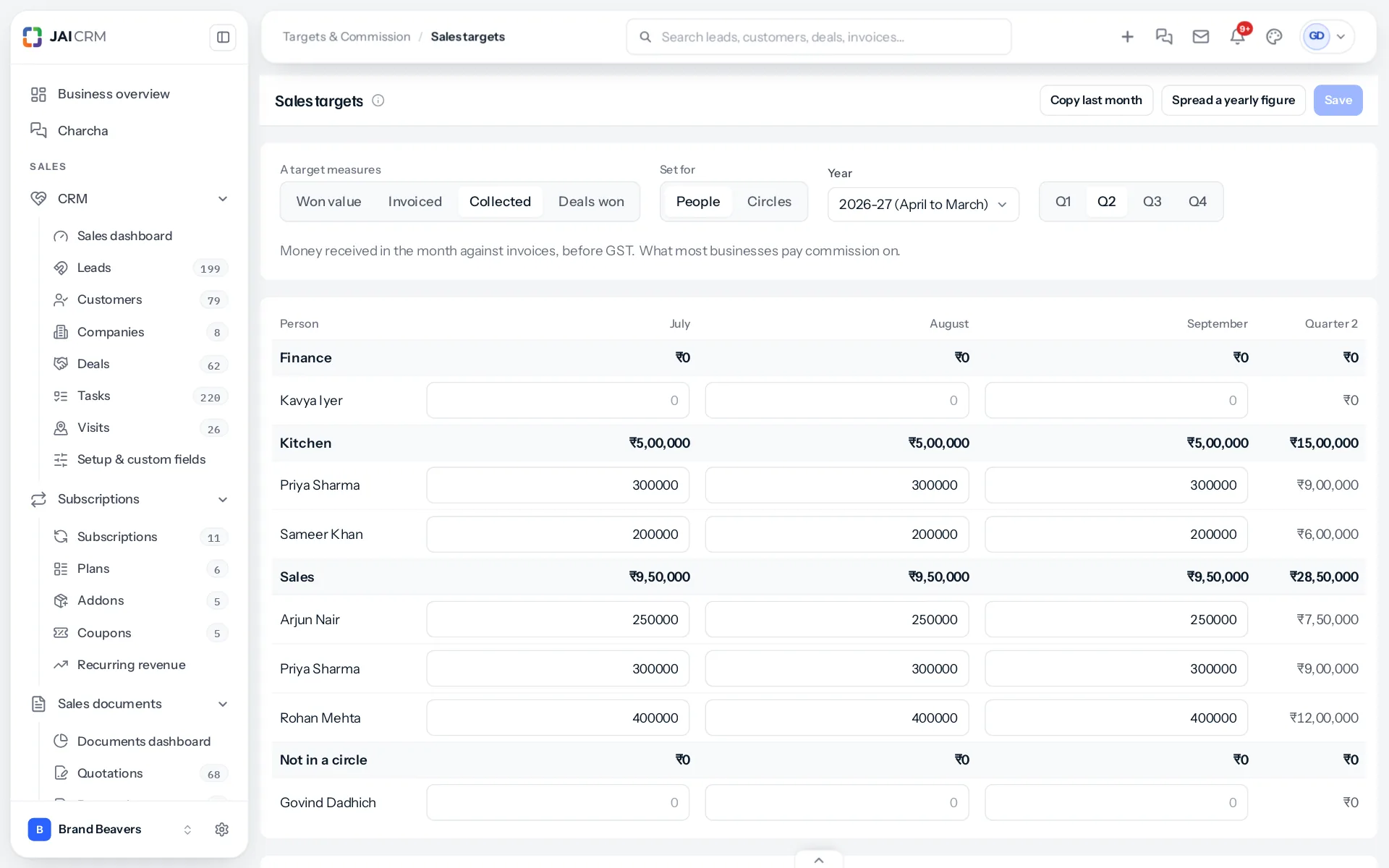
Open Sales targets from the sidebar. The screen is a grid: a row for each person, grouped by circle, and a column for each month of the quarter. Type a figure into a box, move on, and press Save once at the end. Nothing is saved as you type, so you can try figures and leave without changing anything.
Choose what a target counts
At the top, A target measures has four choices: Won value, Invoiced, Collected and Deals won. The choice is for the whole business, so every target is counted the same way and people can be compared fairly. What counts towards a target explains each one. Collected is chosen at the start, because it is the one that pays salaries.
People or circles
Set for switches between People and Circles. Under People, each person has a figure and each circle’s row adds up its people’s figures, so you can see the team’s total without typing it. Under Circles, a circle has a figure of its own. It shows on each member’s My target as the circle’s goal, and changes nobody’s own target.
Commission plans that pay more above the target always use a person’s own target. If you set targets only for circles, those plans pay their first rate on everything, because no person has a target to be above.
The year and its quarters
The year runs April to March, as the books do. Choose it under Year: last year, this year or next. Q1 is April to June, Q2 July to September, Q3 October to December and Q4 January to March. Changing the quarter keeps what you typed in the others, and Save keeps every quarter at once.
Clearing a target
Empty a box and save to remove that month’s target. A month with no target shows “Not set” on My target, and a plan with steps pays its first rate for that month.
Who can do this
Seeing the grid needs View on Sales targets; changing it needs Edit. Somebody with View only sees the figures without boxes. Who can see and do what has the full list.
Changing what a target measures
Changing A target measures and saving changes how every month is counted on My target, past months included, because the same figures are read a different way. Commission is not affected: each plan has its own Paid on, and approved statements never change. Choose the measure before the year starts, and change it at a year end if you must.
To fill many boxes at once, see copying and spreading targets.
Something missing or wrong here? Tell us. A question that needed asking usually means a page that needed writing.