
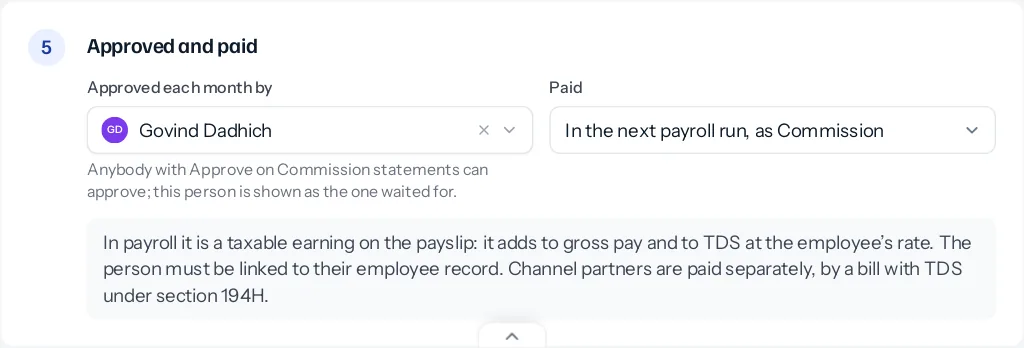
On a plan whose Paid is “In the next payroll run, as Commission”, approved commission is paid with salary. Nothing needs typing into payroll.
What the run does
When a payroll run is worked out, it looks for approved statements on plans paid through payroll that no run has paid yet, for months up to the run’s own. For each employee with any, it adds a Commission earning. The run’s table gains a Commission column, shown only when somebody in the run has commission.
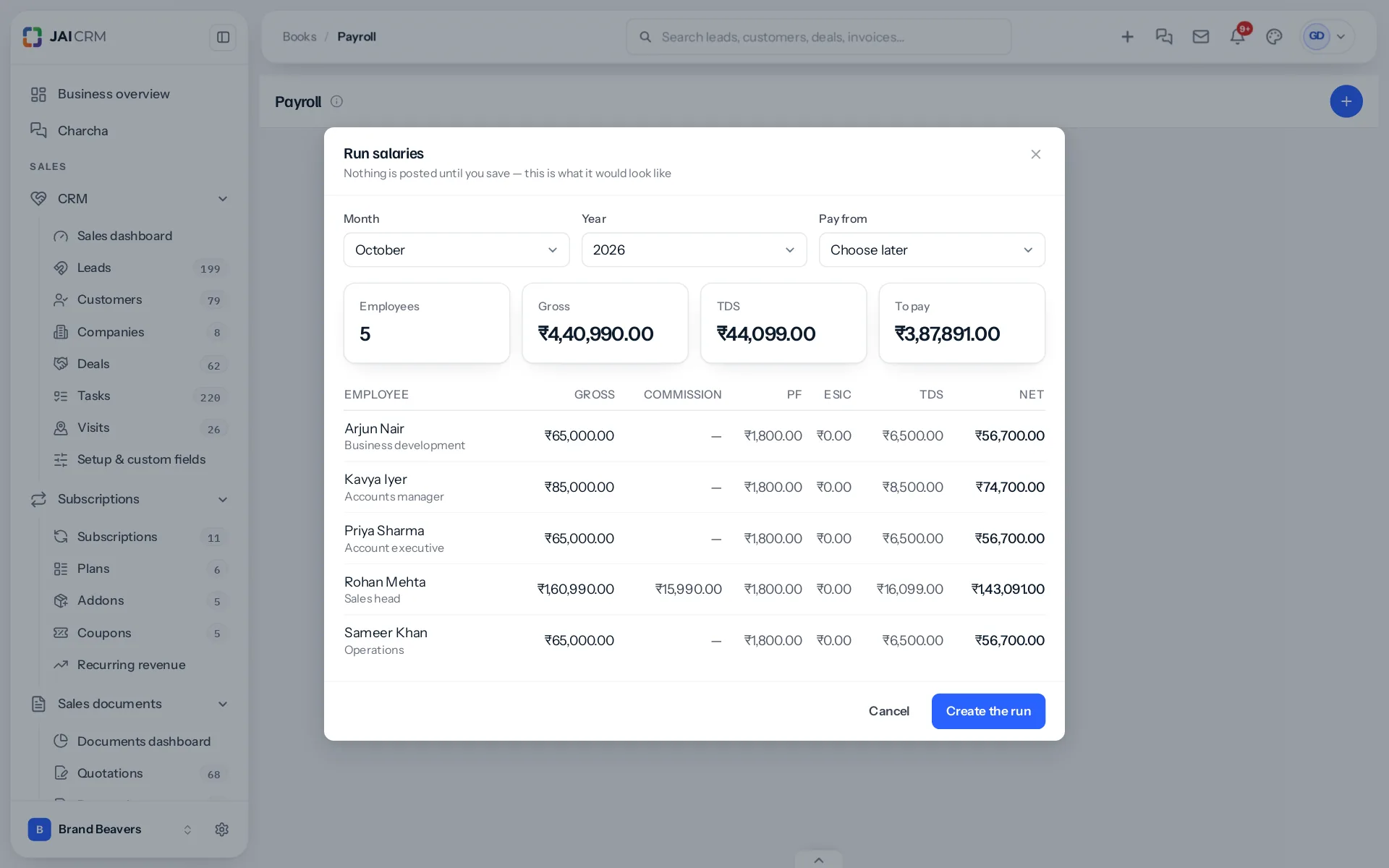
- Gross pay rises by the commission.
- TDS is worked out again on the new gross, at the rate set on the employee’s record.
- PF and ESI stay as worked out on the salary.
- Net pay is the new gross less PF, ESI, TDS and any other deduction.
Commission is a taxable earning, so it carries TDS. It is not part of basic pay, which is what PF is worked out on.
A statement below zero is deducted the same way, oldest first: gross pay falls by it, and TDS is worked out again. One the salary cannot cover waits for a later run rather than paying a negative salary; commission earned is still paid.
In your books
Approving a statement books the commission in the month it was earned: Commission against Commission payable. The payroll run that pays it takes it out of Commission payable, so it is counted as a cost once, in the right month.
An example
Rohan’s salary is ₹1,45,000 a month with TDS at 10%. His September statement of ₹27,000 is approved on 8 October. October’s run shows gross ₹1,72,000, Commission ₹27,000, and TDS ₹17,200 instead of ₹14,500. His PF is unchanged.
Paid once
Saving a run marks each statement it paid with that run, so the next run does not pay it again. The statement then shows “Paid in October 2026 payroll”. If a run is deleted before it is paid, its statements are released and the next run picks them up.
Linking people
A statement belongs to a person who signs in; payroll pays an employee record. The two must be linked on the employee’s record. An approved statement for somebody with no linked employee record stays approved and unpaid, and is picked up by the first run after they are linked.
Outside payroll
A plan whose Paid is “Outside payroll” is never added to a run. Approval records what is owed; the business pays it its own way.
Channel partners are not employees and are never paid through payroll. See partner payouts.
Checking before you save the run
The payroll preview shows the Commission column before the run is saved, so you can see who is being paid what. If a figure is wrong, close the preview, send the statement back, and work the run out again once it is approved.
Something missing or wrong here? Tell us. A question that needed asking usually means a page that needed writing.