
Salespeople spend their day away from a desk, so My target is laid out for a phone first, and so is everything a manager needs to approve on the move.
My target
On a phone the four figures sit two by two at the top, with the bar and the even-pace line under them and “Ahead of pace” or “Behind pace” in colour beneath. Below come the commission card, with the next step’s sentence, then the lines it came from. Each line opens its invoice or deal.
Approving on the move
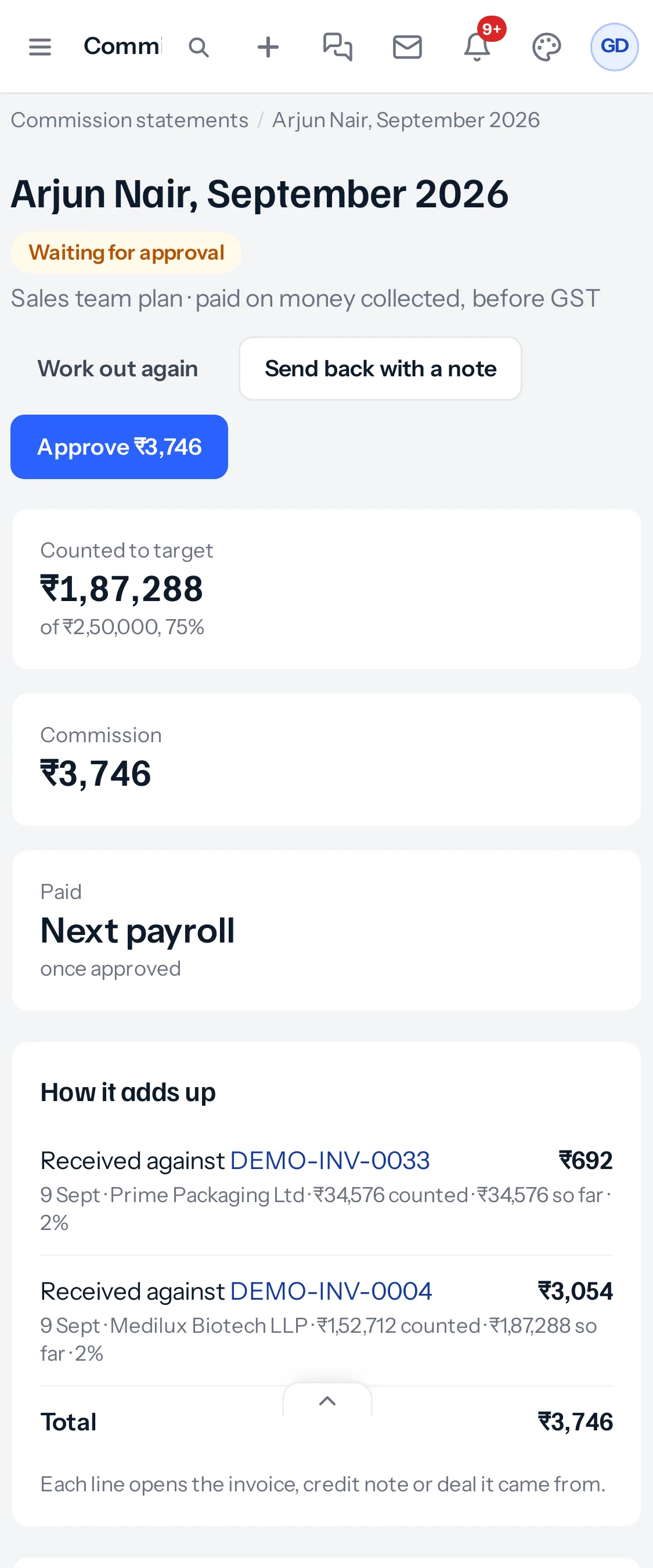
A statement on a phone shows the three figures stacked, then How it adds up with one line per row: what it was and its commission on top, and the date, customer, amount counted, total so far and rate underneath. Approve and Send back sit at the top, so a manager can approve without scrolling to the end. Send back rises from the bottom of the screen for the note.
Setting targets
The targets grid is the one table that scrolls sideways on a phone, inside its own box, while the page stays still. Typing works as on a computer. For a whole year, a computer is easier; on a phone, set a quarter at a time.
Plans
The plan page’s steps stack in order, each with its number, and the one-line summary stays at the top. Steps against the target keep their table, with each step on one line.
Light and dark
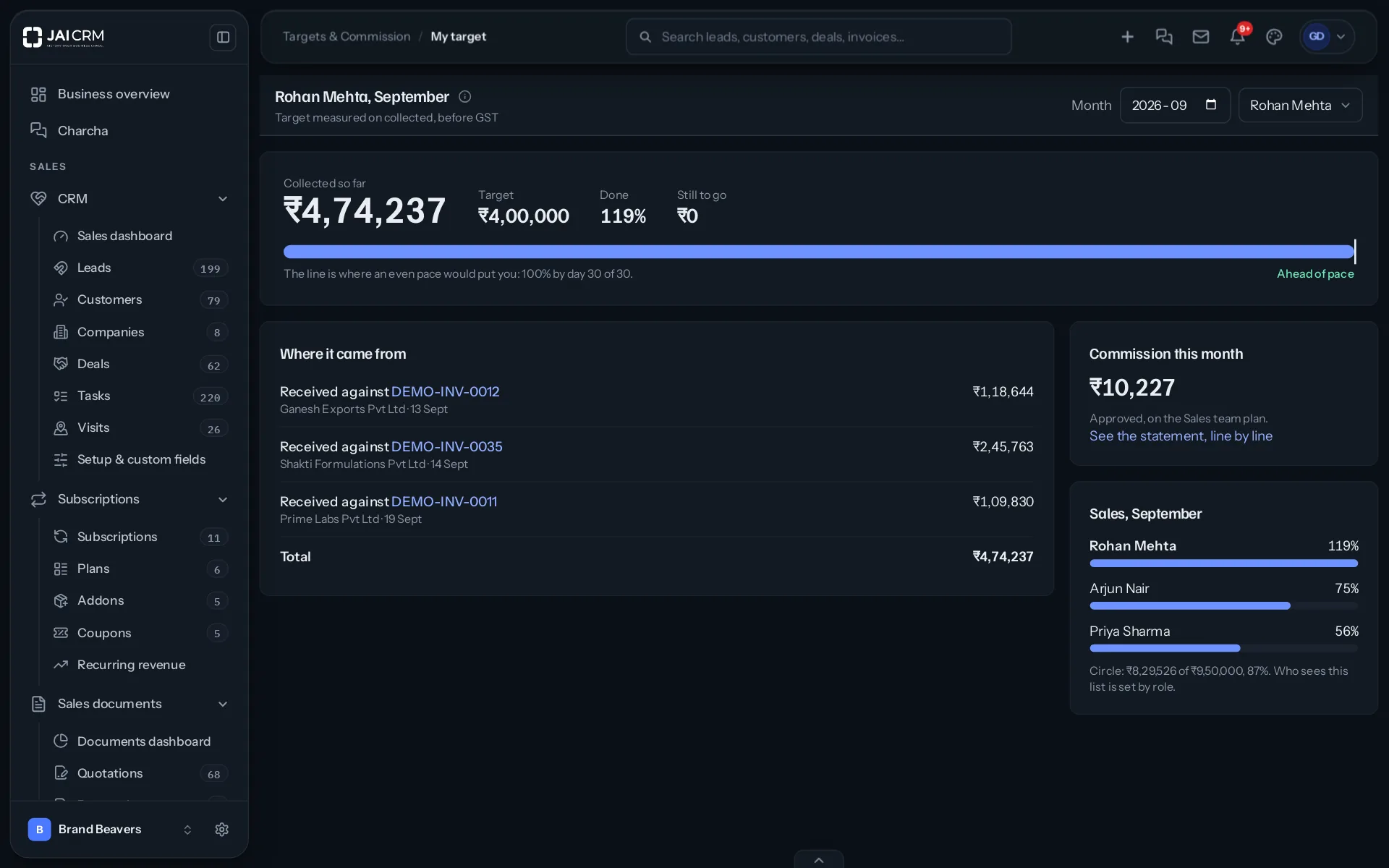
Every screen follows the light or dark appearance each person has chosen, on a phone as on a computer.
Which app version
The Android app shows Targets & Commission from version 1.3.147. An older version keeps working, without the new screens, until it is updated from Settings, App.
Partner payouts
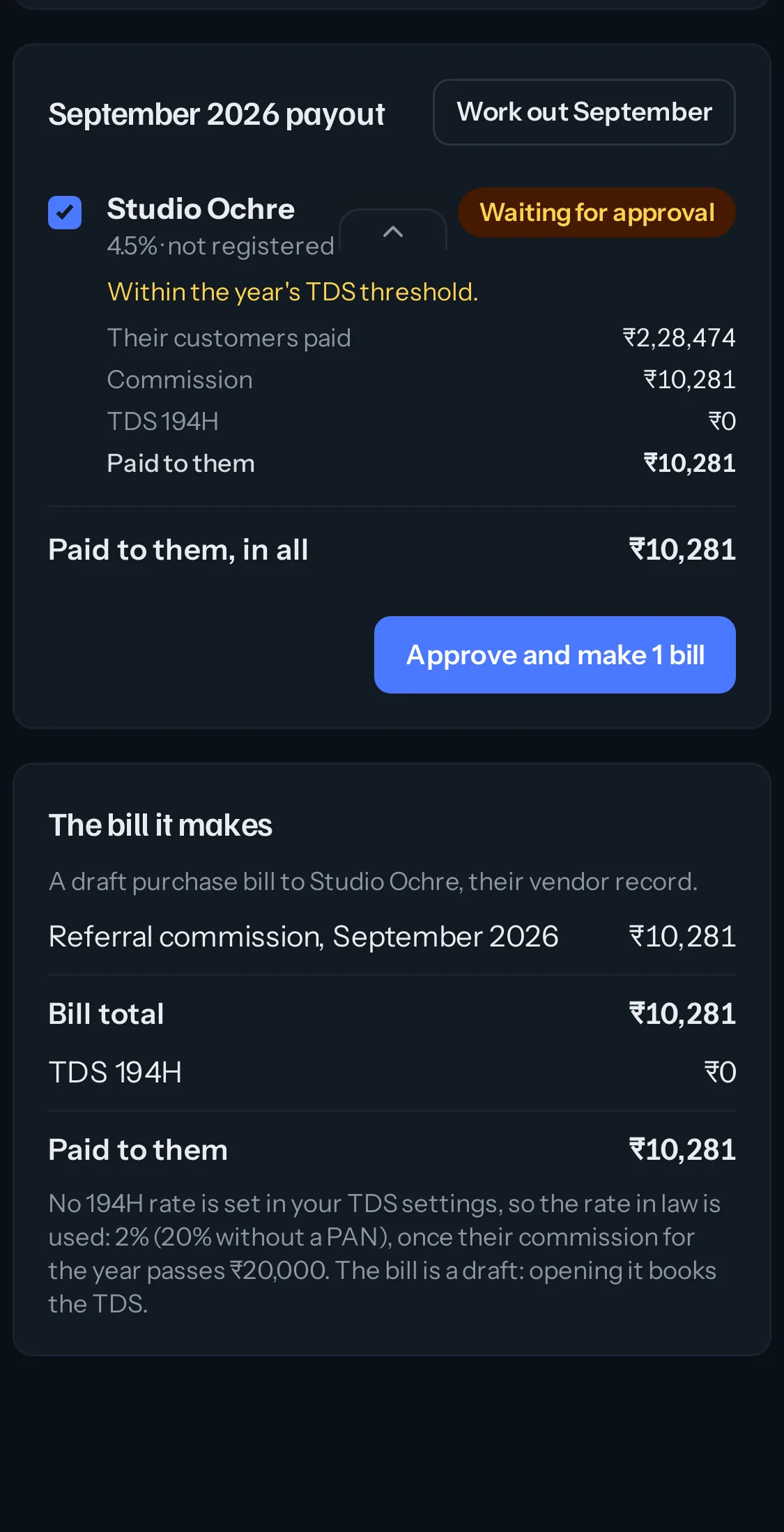
The terms table fits the screen, leaving out the count of partners of each kind. Each partner’s payout is a card with a tick box, what their customers paid, the commission, TDS and what is paid to them. The bill it makes sits under the cards, with every figure on its own line.
Notifications
Nothing about commission is sent as a notification. A salesperson opens My target when they want to know; a manager opens Commission statements after the 7th. That keeps a phone quiet about money until somebody asks.
Something missing or wrong here? Tell us. A question that needed asking usually means a page that needed writing.