
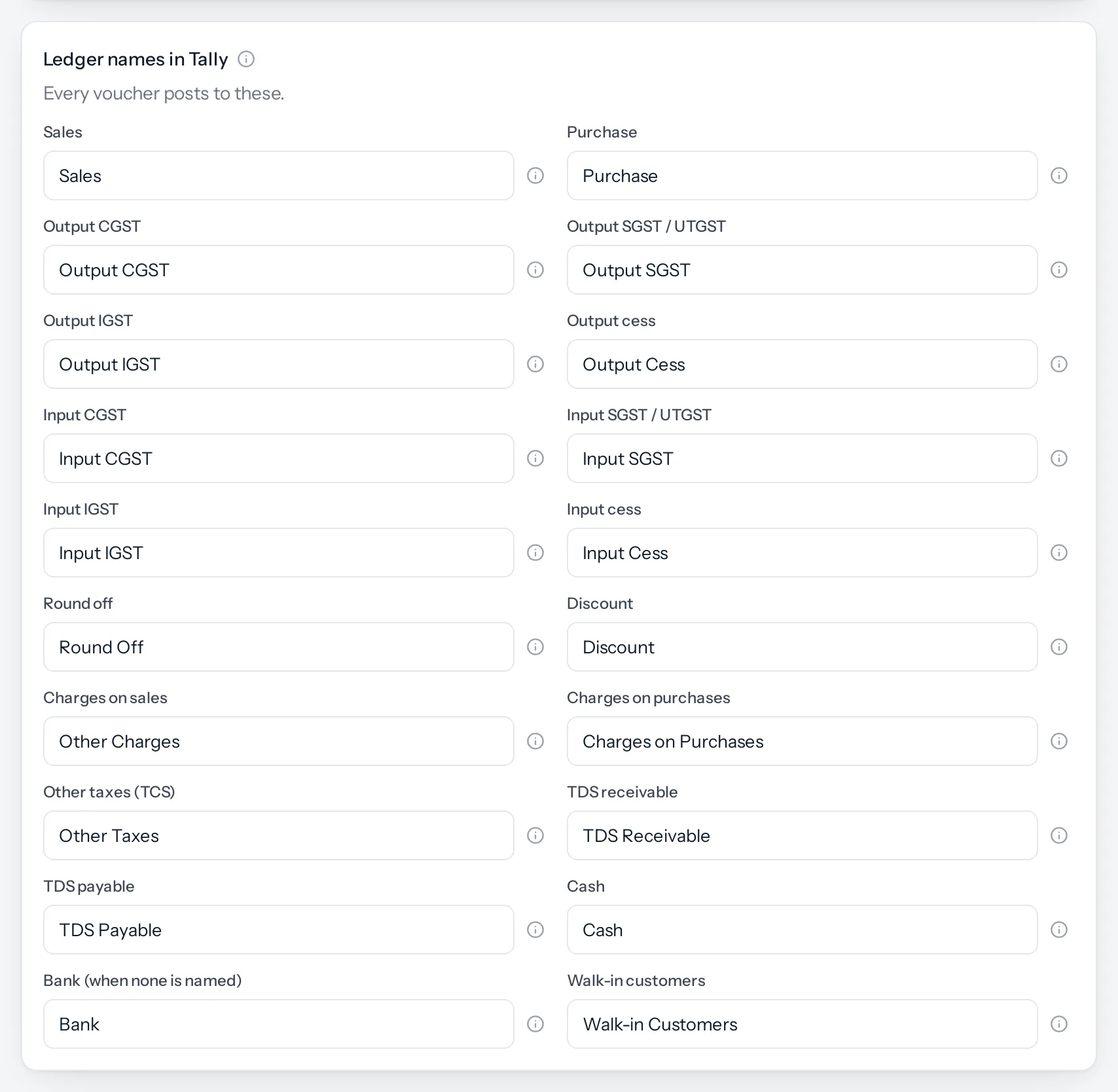
Every voucher posts to a handful of ledgers that already exist in most Tally companies: Sales, the GST ledgers, Round Off. JAI CRM needs to know what yours are called. Type each name exactly as it is in Tally. A ledger name Tally does not know means the voucher is refused on import.
The ledgers
| Ledger | Comes filled in as | What posts to it | Group, if JAI CRM creates it |
|---|---|---|---|
| Sales | Sales | The value of what you sell, before tax | Sales Accounts |
| Purchase | Purchase | The value of what you buy, before tax | Purchase Accounts |
| Output CGST | Output CGST | Central GST on sales within your state | Duties & Taxes (GST, CGST) |
| Output SGST / UTGST | Output SGST | State or union territory GST on sales within your state | Duties & Taxes (GST, SGST/UTGST) |
| Output IGST | Output IGST | GST on sales to another state | Duties & Taxes (GST, IGST) |
| Output cess | Output Cess | Compensation cess on sales | Duties & Taxes (GST, Cess) |
| Input CGST, SGST, IGST, cess | Input CGST and so on | The GST you can claim on purchases | Duties & Taxes, one each |
| Round off | Round Off | The paise added or taken off to make a round total | Indirect Expenses |
| Discount | Discount | A discount on the whole invoice, when it is not already in the line prices | Indirect Expenses |
| Charges on sales | Other Charges | Shipping, packing and other charges you add to an invoice | Indirect Incomes |
| Charges on purchases | Charges on Purchases | Shipping, packing and other charges on a vendor’s bill | Direct Expenses |
| Other taxes (TCS) | Other Taxes | Any tax added on top of GST, such as TCS | Duties & Taxes |
| TDS receivable | TDS Receivable | Tax a customer deducted when paying you | Loans & Advances (Asset) |
| TDS payable | TDS Payable | Tax you deducted when paying a vendor | Duties & Taxes |
| Cash | Cash | Money received or paid in cash | Never created: every Tally company has Cash |
| Bank (when none is named) | Bank | A payment that does not say which bank account it used | Bank Accounts |
| Walk-in customers | Walk-in Customers | Counter sales with no customer attached, and the cash taken for them | Sundry Debtors |
If your Tally is new: let JAI CRM create them
When you make the files, the switch Also create the standard ledgers adds every ledger above to the masters file, in the group shown. Use it for a new Tally company, or a test company.
If a ledger with the same name already exists in Tally, importing it again updates that ledger. For an existing company whose ledgers are already set up, leave the switch off and type your own names instead.
The switch is on by default for your very first export, and off after that.
One sales ledger, not one per rate
Many Tally companies keep one sales ledger per GST rate, such as “Sales @ 18%”. The link posts all sales to the one Sales ledger you name. The tax amounts still go to the right tax ledgers, and each invoice carries its own rates. If you need sales split by rate in Tally, tell us while you test. It is the kind of thing the Beta is for.
Counter sales with no customer
A sale at the Point of sale till with no customer attached still needs a party in Tally. It goes to Walk-in Customers, in your own state, as an unregistered buyer. The cash taken for it goes to the same ledger, so the two settle each other and the ledger stays at nothing.
Something missing or wrong here? Tell us. A question that needed asking usually means a page that needed writing.