
You send to Tally every month, but documents do not stop changing at month end. An invoice gets corrected, a bill is cancelled, a customer moves. Here is what each does.
What happens to each change
| Here | Next time you send |
|---|---|
| A new document | Goes, once |
| A document already sent, unchanged | Left out, and counted as already in Tally |
| A document edited after it was sent | Goes again, and replaces the voucher in Tally rather than adding a second one |
| A quotation or order revised, or an invoice revised before 15 October 2026 | The revision replaces the original voucher in Tally |
| A document cancelled after it was sent | Goes as a cancellation, so Tally cancels its copy too |
| A document cancelled before it was ever sent | Never goes. There is nothing in Tally to undo |
| A customer’s address or GSTIN changed | The customer goes again in the masters file, and Tally updates the ledger. Its name stays the same |
JAI CRM knows what has changed by remembering exactly what each document looked like when it was sent. If what it would send now is different in any way, it goes again.
An edit to an old month goes in the next export whose dates include it. If last month is closed and you corrected an invoice from it, choose last month’s dates again. Only the corrected invoice goes.
History
The History tab lists every export: the dates it covered, who made it and when, how many records went, and how many were left out. Press Details to see the counts by section and the reasons, and download either file again.
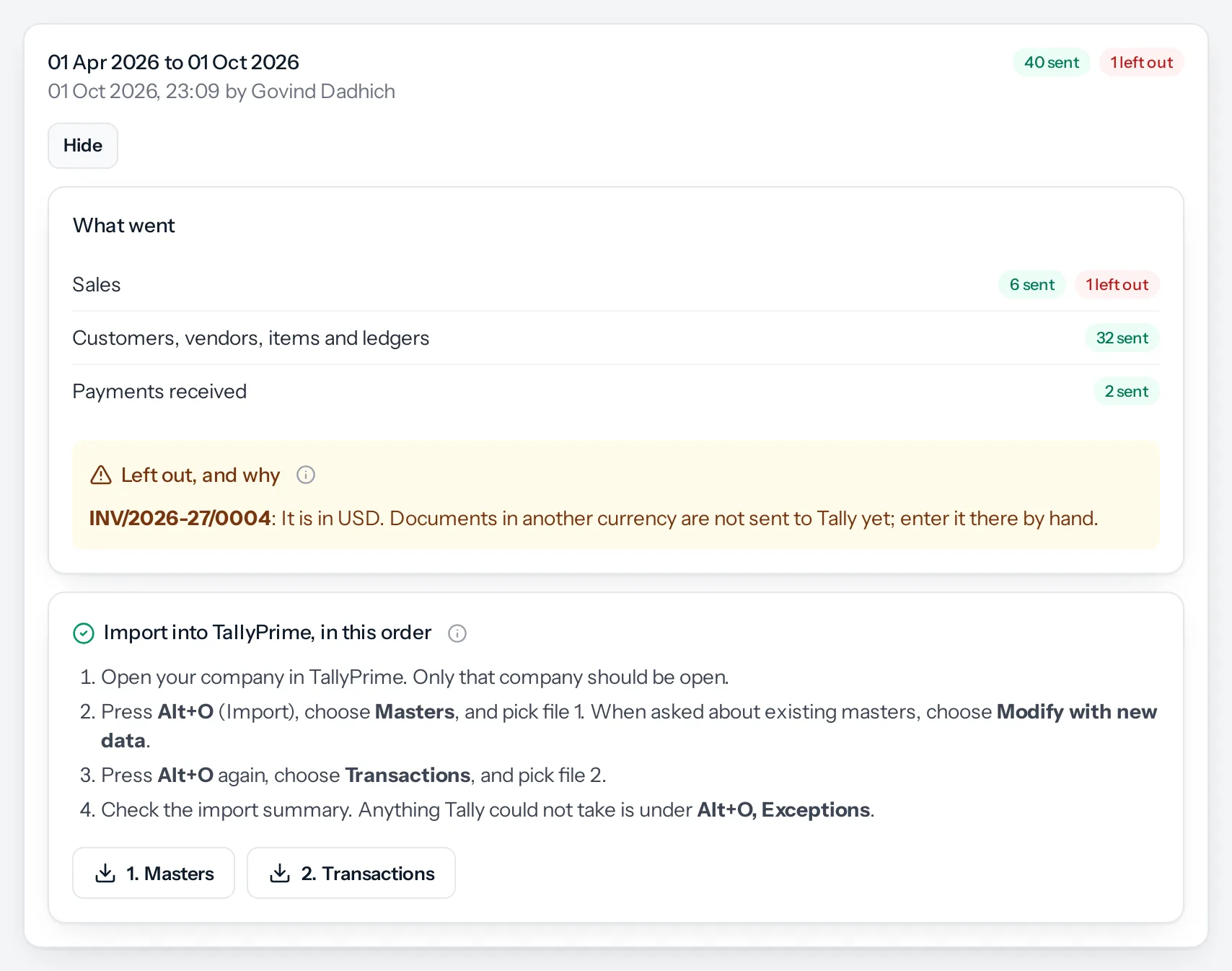
Downloading a file again gives the file as it was made, not a new one. To send what has changed since, make a new export.
Something missing or wrong here? Tell us. A question that needed asking usually means a page that needed writing.