
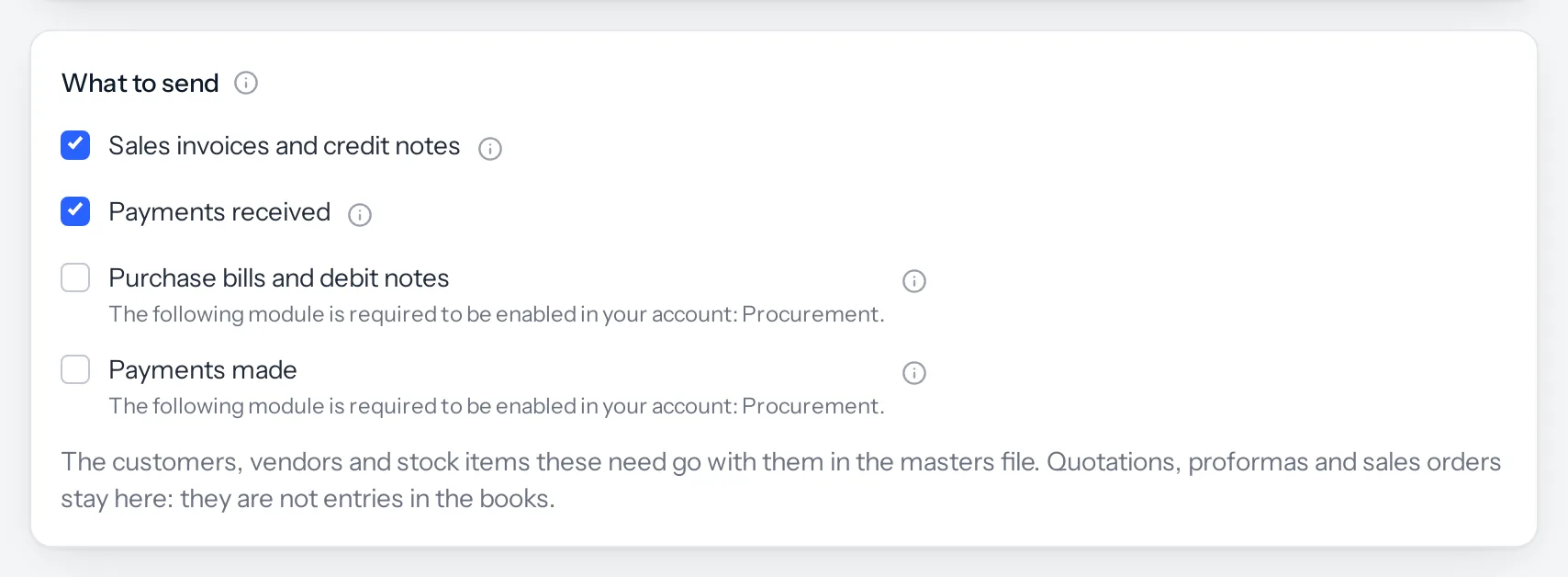
The Tally link sends what your modules hold. A business without Procurement has no purchase bills to send, so that part of the screen is switched off and says which module it needs.
By module
| Section on the Send screen | Needs these modules | Needs permission to see |
|---|---|---|
| Sales invoices and credit notes | Sales documents | Sales, Invoices and Credit notes |
| Payments received | Sales documents | Sales, Payments received |
| Purchase bills and debit notes | Procurement | Procurement, Purchase bills and Debit notes |
| Payments made | Procurement | Procurement, Payments made |
| Invoices with stock items (a Set-up choice) | Inventory | (none extra) |
Invoices raised by the Point of sale till, by Subscriptions and by recurring schedules are ordinary invoices once raised, so they go with Sales. They need no extra module beyond the one that raised them.
When a module is missing, the section stays unticked and greyed out, with the reason underneath, for example: The following module is required to be enabled in your account: Procurement. When it is a permission that is missing, it says You do not have permission to see these records, so you cannot send them.
By plan
| Plan | What can go to Tally |
|---|---|
| CRM + Sales Documents | Sales invoices, bills of supply, credit notes and payments received, as amounts (accounting invoices). No stock items, because the plan has no Inventory |
| CRM + Sales Documents + Subscriptions + Warranty | Everything above, including subscription invoices, and invoices with stock items, because the plan includes Inventory |
| Full Suite | Everything: sales, credit notes, payments received, purchase bills, debit notes, payments made, stock items and counter sales from Point of sale |
| Vendors, on its own | Not available. The Tally link needs Sales documents |
| Projects, on its own | Not available, for the same reason |
Wherever it is available, the Tally link itself costs nothing. It is an integration, free on every plan, and it is on for every business that has Sales documents.
A module bought as an add-on counts the same as one in the plan. If your plan was set up with some modules switched off, it is the modules switched on for your business that decide, not the plan’s name.
Something missing or wrong here? Tell us. A question that needed asking usually means a page that needed writing.