
Most businesses that use JAI CRM to sell also keep their books in Tally, because that is what their accountant works in. Without a link, every invoice, credit note, bill and payment is typed twice: once here, where the work happened, and again in Tally. The Tally link removes the second typing.
It works in one direction, from JAI CRM to Tally. You choose the dates and what to send, JAI CRM makes two files, and you import them into TallyPrime. Nothing is sent to Tally on its own, and nothing in Tally is changed until you import.
Beta. The Tally link is available to every business with Sales documents. It is an integration, free on every plan, and is set up from Settings, Integrations. It carries a Beta label because it has not yet been proven against a real TallyPrime import. Read Testing the Tally link first: test in a copy of your Tally company, never in the books you file returns from.
How it works, end to end
- Set it up once. Tell JAI CRM the name of your company in TallyPrime, which release of Tally you use, and what your sales, tax, round-off and bank ledgers are called there.
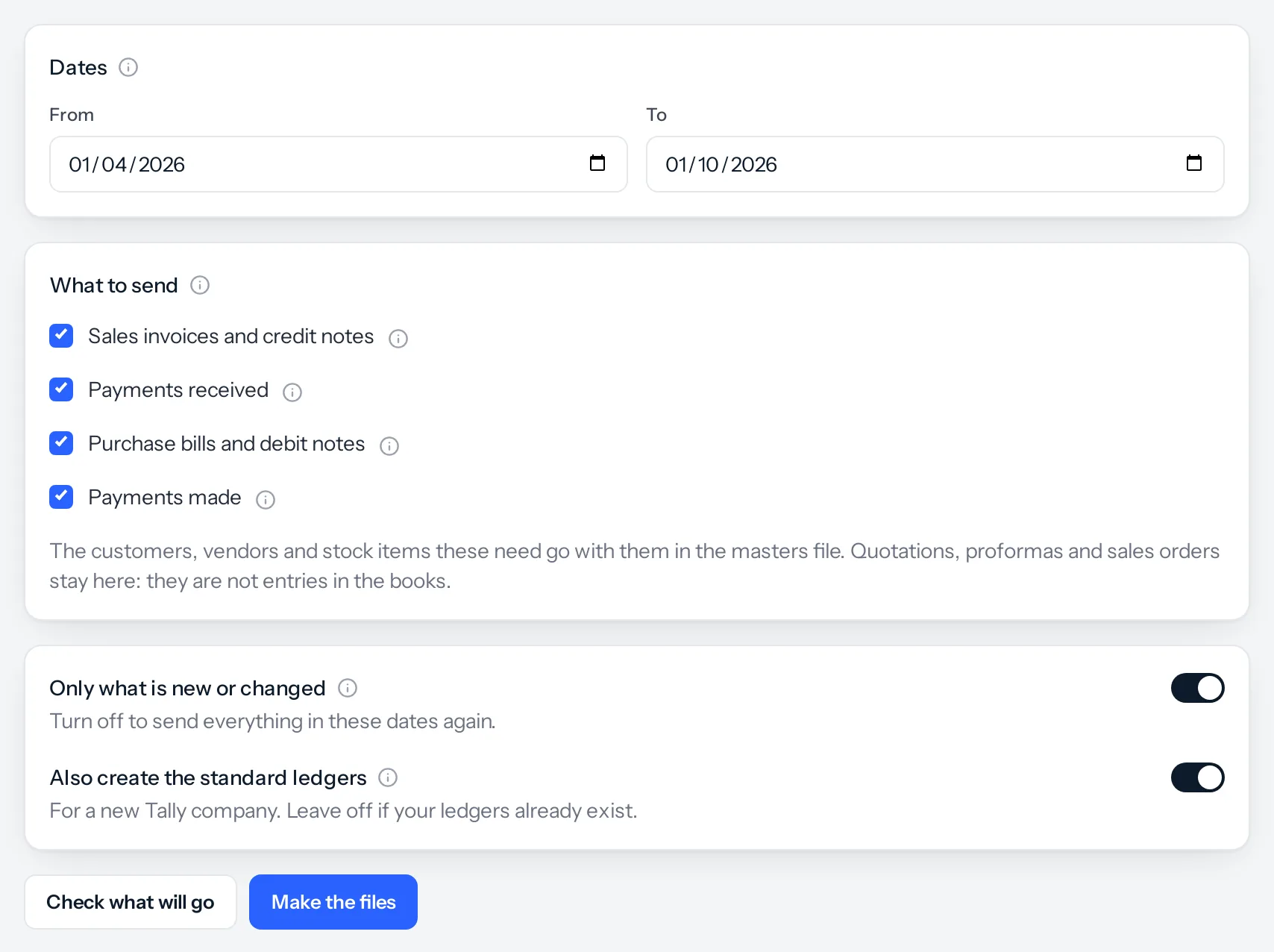
- Make the files. Choose the dates, for example last month, and what to send. Press Check what will go to see the counts and anything that will be left out, then Make the files.
- Import them. In TallyPrime, import file 1 (masters) and then file 2 (transactions) with Alt+O, Import.
- Next month, do it again. Only what is new or has changed goes the second time, so nothing reaches Tally twice.
The two files
| File | What is in it | Import it with |
|---|---|---|
| 1. Masters | The customers, vendors, stock items, units, stock groups and warehouses the transactions need, and the standard ledgers if you asked for them | Alt+O, Import, Masters |
| 2. Transactions | Sales, credit notes, purchases, debit notes, payments received and payments made, as Tally vouchers | Alt+O, Import, Transactions |
Masters go first because a voucher cannot be imported for a customer or an item Tally has never heard of.
What goes, in one look
| In JAI CRM | In Tally |
|---|---|
| Invoice, bill of supply | Sales voucher, with the customer, the GST split and any round-off |
| Credit note | Credit Note voucher, against the invoice it reverses |
| Purchase bill | Purchase voucher, with the vendor’s own bill number and any TDS |
| Debit note | Debit Note voucher, against the bill |
| Payment received | Receipt voucher, set against the invoices it paid |
| Payment made | Payment voucher, set against the bills it paid |
| Customers and vendors | Ledgers under Sundry Debtors and Sundry Creditors, with GSTIN, state and address |
| Items (with Inventory) | Stock items, with unit, HSN code and GST rate |
Quotations, proforma invoices, sales orders and delivery challans stay in JAI CRM. They are not entries in the books. The full list of what is not sent, and why, is in What it does not do yet.
Where to find it
Like the other integrations, Tally is reached from Settings, Integrations: press Set up on the Tally card. Every business with Sales documents has it, free on every plan, marked Beta. The Integrations entry appears in Settings for anybody who holds the set-up permission of at least one integration; for Tally that is Tally set-up, which is also what opens the Tally screen. The screen has three tabs: Send to Tally, History and Set-up. The first time, it opens on Set-up.
Something missing or wrong here? Tell us. A question that needed asking usually means a page that needed writing.