
Open Settings, Integrations, press Set up on the Tally card, and choose the Set-up tab. Fill in the top card, check the ledger names below it, and press Save set-up.
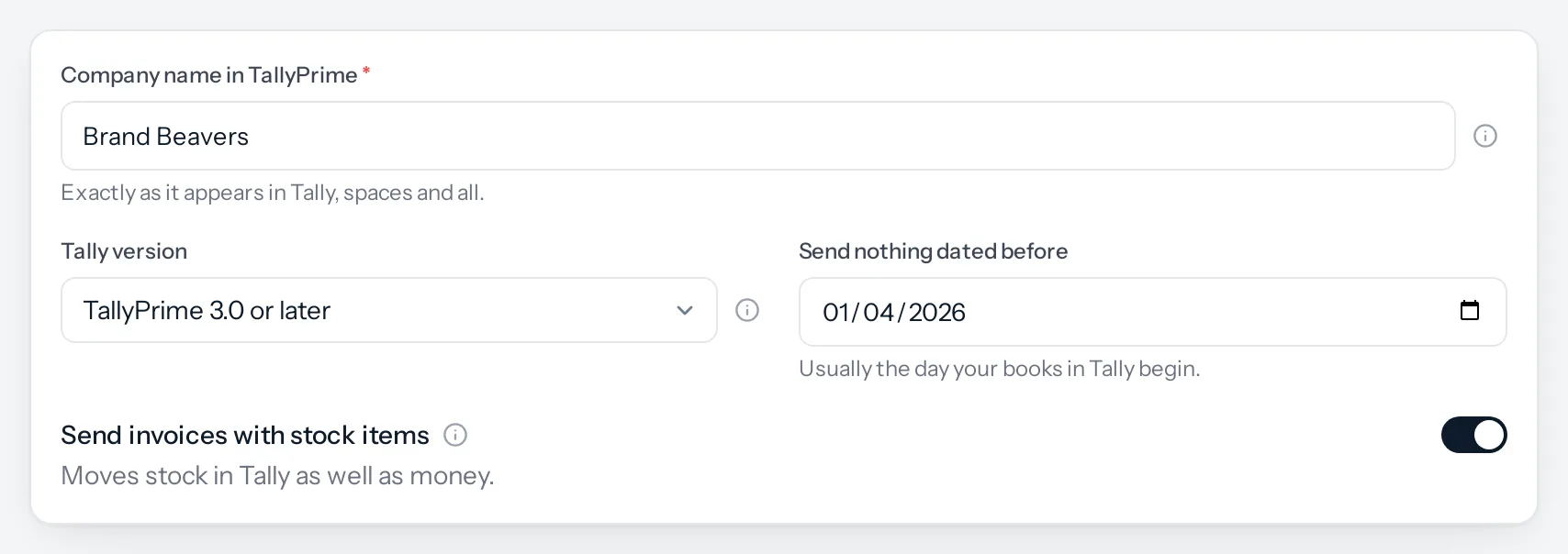
The four settings
| Setting | What to put | What it changes |
|---|---|---|
| Company name in TallyPrime | Exactly as Tally shows it, spaces, brackets and year included | Both files name this company. Keep only this company open in Tally while you import |
| Tally version | TallyPrime 3.0 or later, or TallyPrime 2.x or Tally.ERP 9 | From 3.0, Tally keeps a customer’s GSTIN and an item’s HSN code in dated lists. The files are written for the release you choose |
| Send nothing dated before | The day your books in Tally begin | Nothing dated earlier is ever sent, however wide a range is chosen later. Tally would refuse it anyway |
| Send invoices with stock items | On, if you keep stock in Tally. Off, if Tally only holds your accounts | On: goods lines go as stock items with quantity and rate, so stock moves in Tally. Off: invoices go with amounts only. Needs Inventory |
The company name matters more than it looks. Tally imports into the company you have open. If two companies are open, or the name does not match, the import can land in the wrong one. Open only the company you mean, every time.
Stock items, or amounts only
With Send invoices with stock items on, an invoice line for a stock item goes to Tally as that item, its quantity, its rate and the warehouse it left from. Tally then knows stock went out, and its stock summary matches yours.
Lines that are not stock arrive as amounts, posted to your sales or purchase ledger, even with this on. These are services, kits, lines typed without an item, and items that do not track stock. That is what Tally expects for a service.
With it off, every line goes as an amount. That suits a business whose stock lives in JAI CRM and whose Tally is only for accounts and GST.
Do not switch it on part-way through a year without telling your accountant. The months before would have no stock in Tally and the months after would.
Saving
Only somebody with Tally set-up: manage can change these. Everybody else sees them read-only. Every change is written to the audit log, with what it was before.
Something missing or wrong here? Tell us. A question that needed asking usually means a page that needed writing.