
- Open Settings, Integrations, press Set up on the Tally card, and stay on Send to Tally.
- Dates. From starts the day after your last export, so months follow each other without a gap. To is today. Change either.
- What to send. Tick the sections you want. Each has an information icon saying exactly what goes.
- Leave Only what is new or changed on.
- Leave Also create the standard ledgers off, unless the Tally company is new.
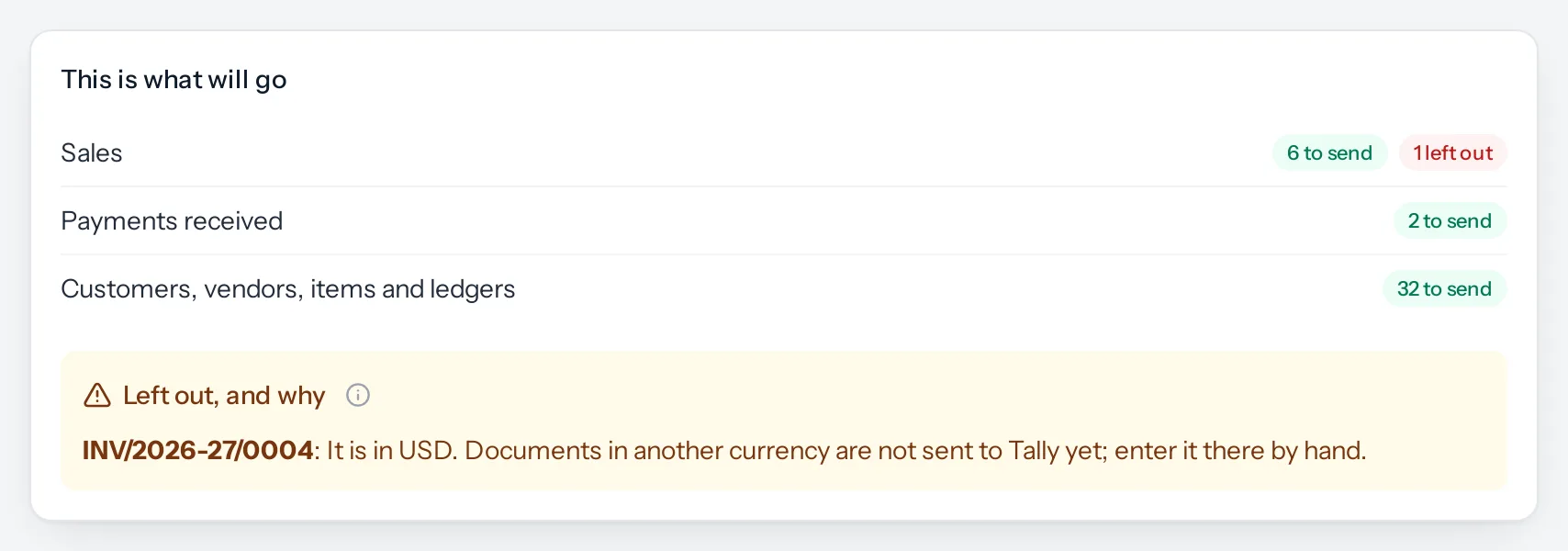
- Press Check what will go. Nothing is saved yet. You see how many of each will go, how many are already in Tally unchanged, and anything that will be left out, with the reason.
- If the counts look right, press Make the files.
- Download 1. Masters and 2. Transactions, and import them in that order. See Importing into TallyPrime.
How documents are chosen
| Kind | Chosen by | Which ones |
|---|---|---|
| Invoices, bills of supply, credit notes | Invoice date | Every one that is not a draft. A cancelled one only if it was sent before, so Tally can cancel it too |
| Purchase bills, debit notes | Bill date | The same |
| Payments received and made | The date paid | Completed payments, not failed or deleted ones |
A document revised after it was issued goes as its latest revision. The earlier one is replaced, not sent alongside it. Invoices are no longer revised: a sent invoice is withdrawn by a credit note, which goes to Tally as its own voucher.
The two switches
| Switch | On | Off |
|---|---|---|
| Only what is new or changed | Leaves out anything already sent and unchanged since. An edited document goes again and replaces its copy in Tally | Sends everything in the dates again. Tally updates what it has rather than doubling it, but the file is bigger and takes longer |
| Also create the standard ledgers | Adds the sales, purchase, GST, round-off, discount, charges, TDS and bank ledgers to the masters file | Assumes they already exist in Tally under the names in Set-up |
When it is done
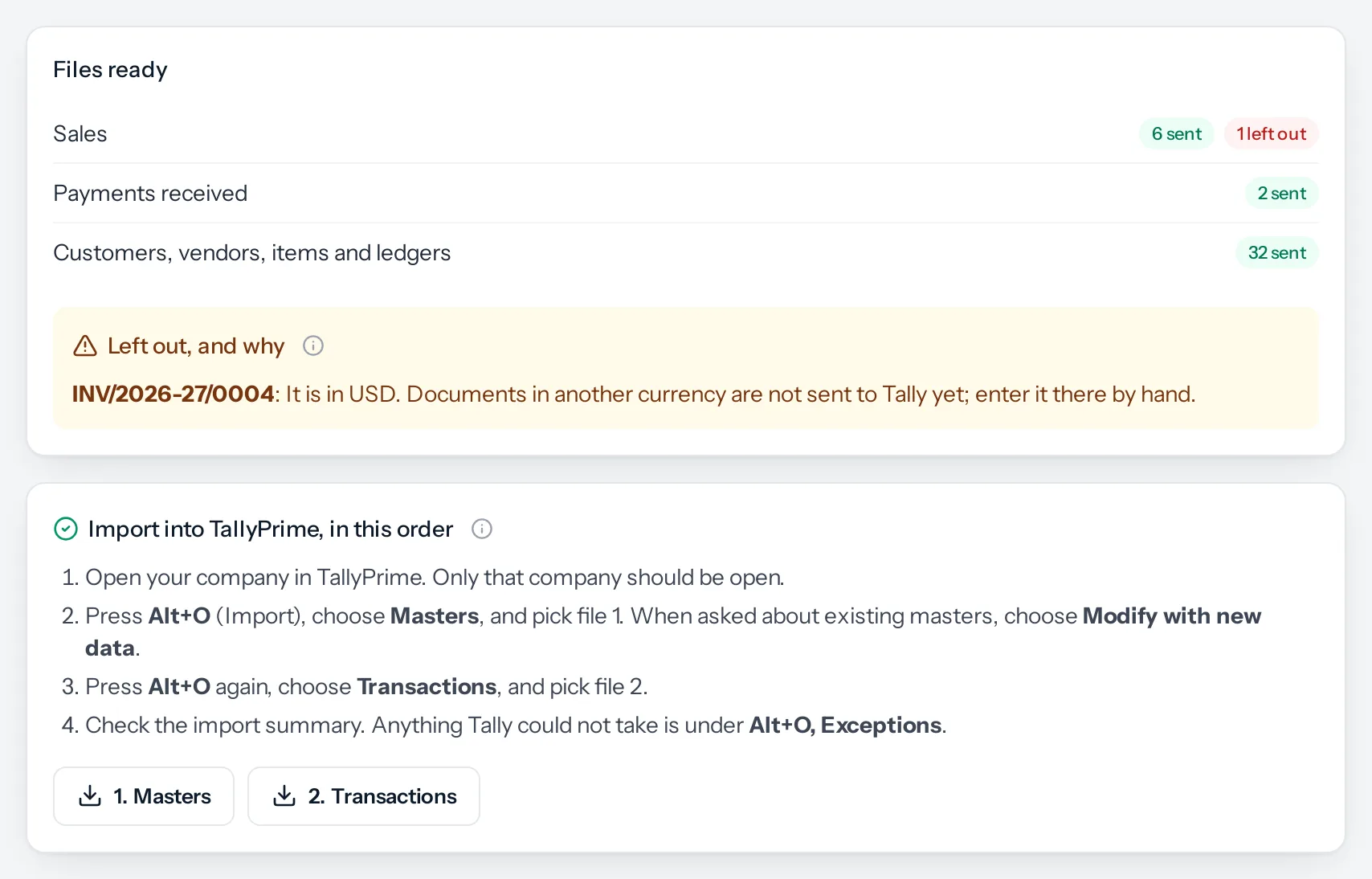
The files are kept. You can download them again from History at any time. Nothing that was left out is in them, so the rest is safe to import while you put the left-out ones right.
If nothing has changed since the last export, Make the files says so instead of making two empty files: Nothing new to send: everything in these dates has already gone to Tally unchanged.
Something missing or wrong here? Tell us. A question that needed asking usually means a page that needed writing.