
A checklist is a message everybody in the chat can see move. Some items are ticked by hand. Some tick themselves when the record they follow does what they wait for. Some are targets for the day, counted from the person’s own work.
Post a checklist
- Press the checklist button in the message box, next to the poll.
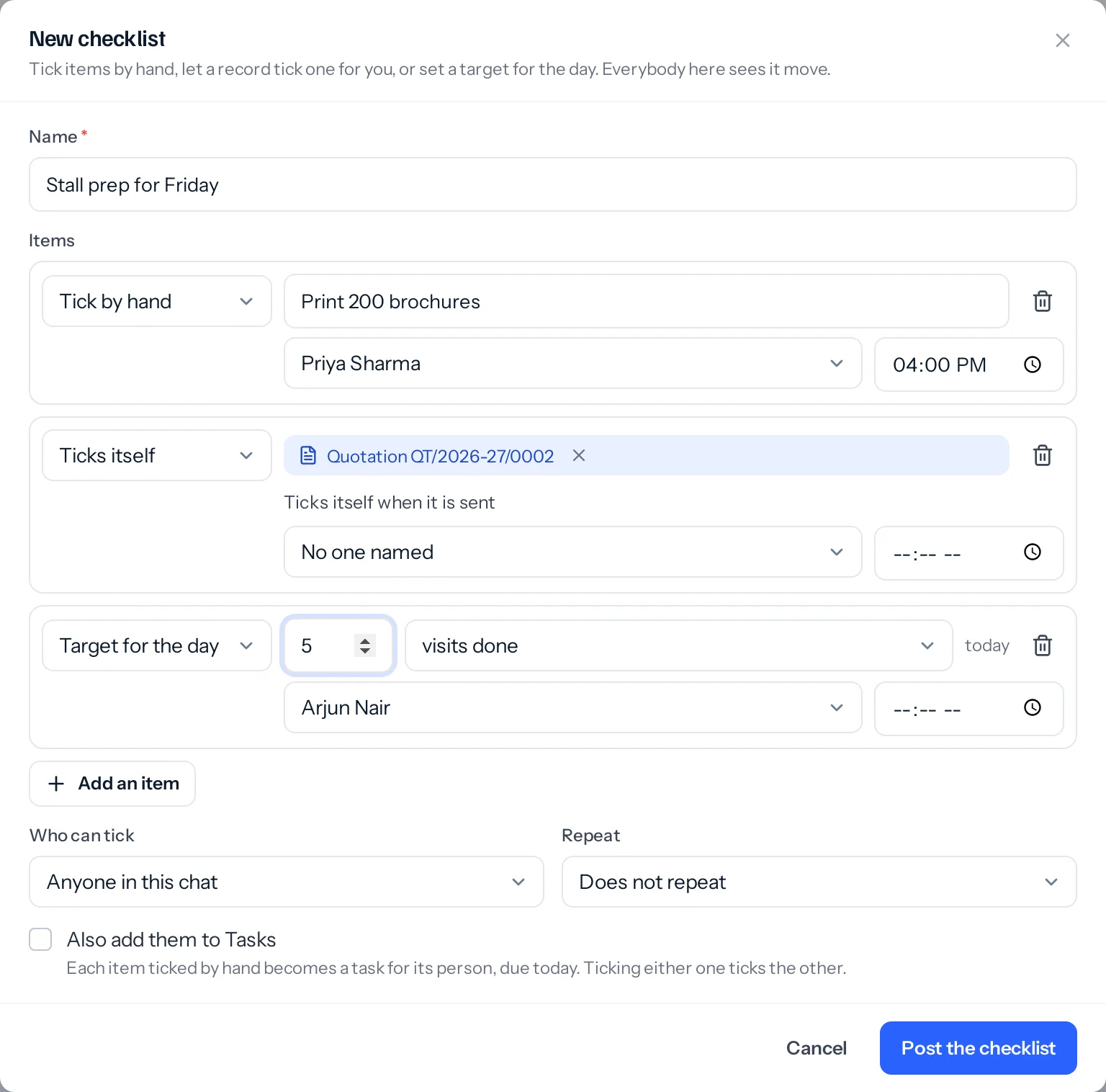
- Give it a name, and add its items. For each one choose Tick by hand, Ticks itself or Target for the day.
- Choose who each item is for and, if it has one, the hour it is due.
- Choose who can tick, whether it repeats, and whether to add the items to Tasks.
- Press Post the checklist.
Three kinds of item
| Kind | How it is ticked | For example |
|---|---|---|
| Tick by hand | By anyone in the chat, or only by the person it is for, as you chose | Book the car for Wednesday |
| Ticks itself | When its record does: a quotation or proposal is sent, a visit or a task is done, a deal reaches the stage you chose, an invoice is paid | Quotation QT/2026-27/0002 |
| Target for the day | Counted from the person’s own work that day: visits done, calls logged, quotations sent, tasks done or leads added | 3 visits done today: 1 of 3 |
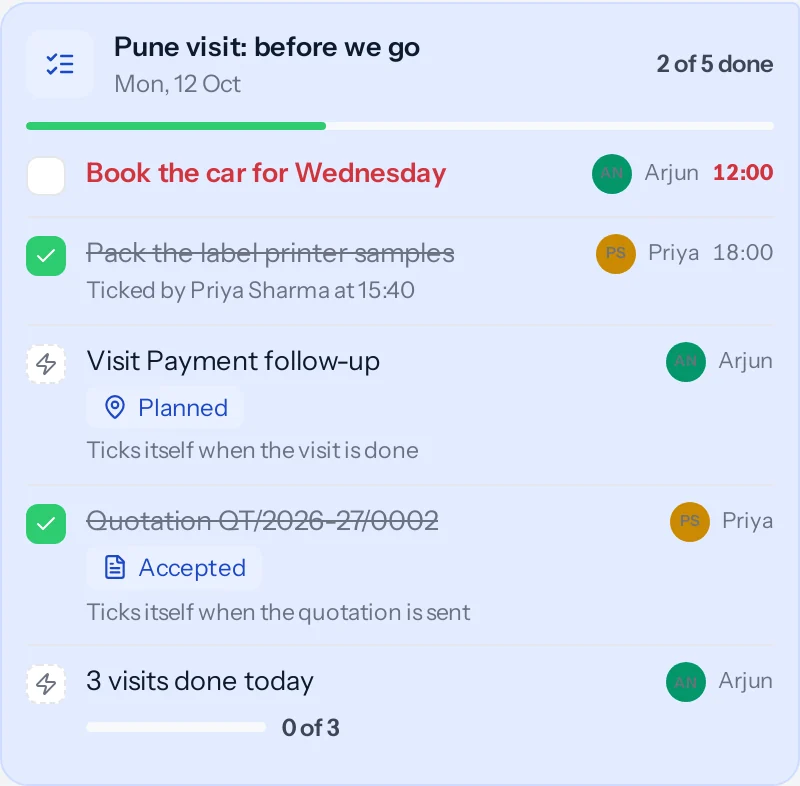
- Always current. “2 of 5 done” moves for everyone as items are ticked, without refreshing. An item that ticks itself is read from its record or the day’s work, so it cannot drift from the truth.
- Who ticked it. A hand tick says who ticked it and when. It can be taken back.
- Late. Once an item’s hour has passed and it is not done, it turns red, and its person (or whoever made the list, when it is for nobody in particular) gets a reminder: a ring in an open tab, a line in the bell, and a browser notification if they turned those on.
- Who can always tick. Whoever made the checklist, and the admins of a group or channel, can tick any item ticked by hand.
Also add them to Tasks
Tick this when you post a checklist and each item ticked by hand becomes a task for its person (for you, if it is for nobody in particular), due that day at its hour. The two stay in step: tick the item and the task is completed (where your role lets you complete that task); complete the task in Tasks and the item ticks itself in the chat.
Repeat it
Choose every day, every weekday, Monday to Saturday or the days you pick, and the hour. A fresh copy is posted in the same chat at that hour each time, with nothing ticked, so a team stand-up or a shop’s opening list runs itself.
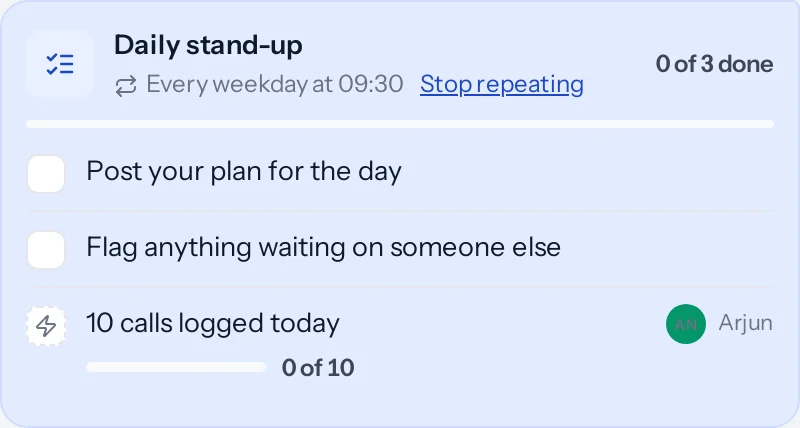
- Stop repeating is on the card, for whoever made it and the chat’s admins. The copies already posted stay.
- It stops by itself if the person who made it leaves the chat, or the channel is archived.
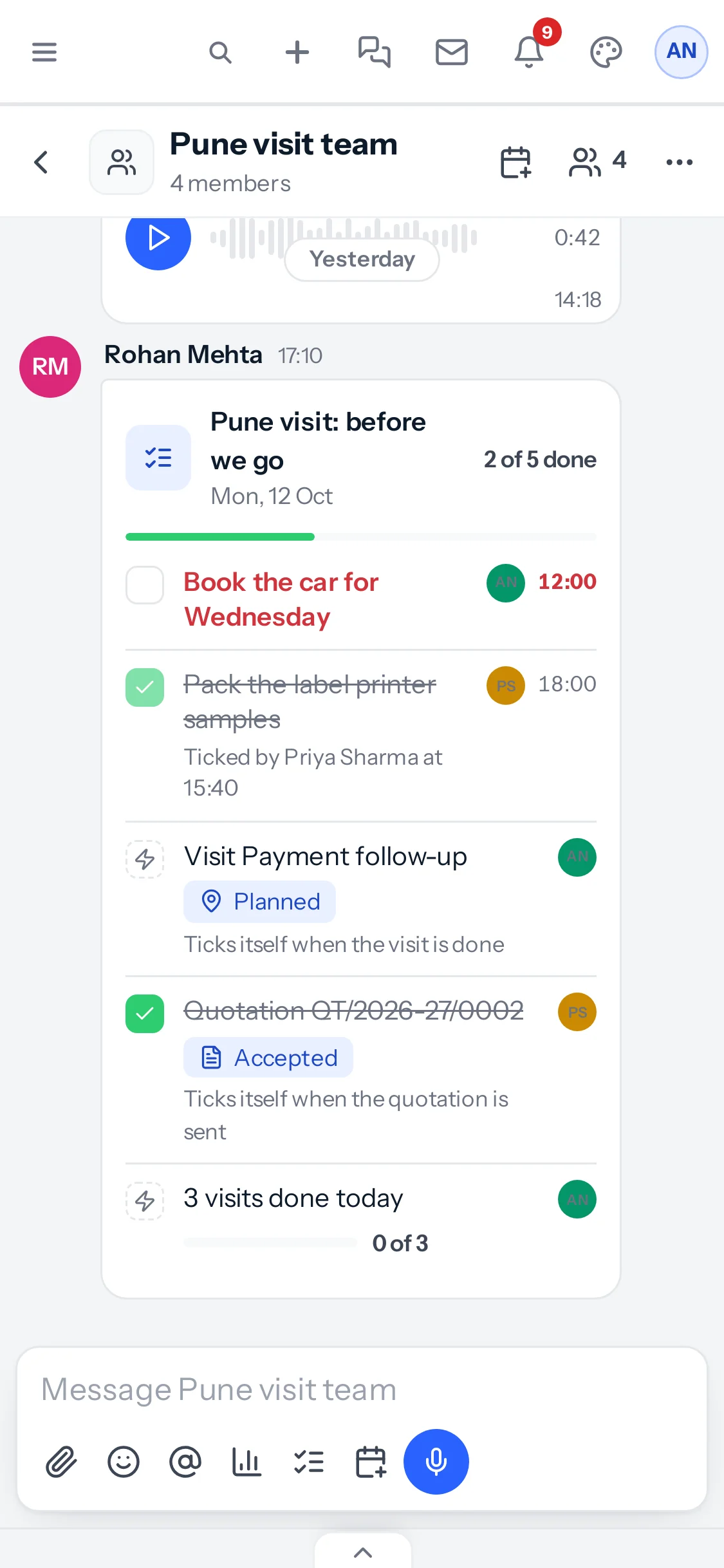
Days and hours follow the time zone in Settings, Organisation, as tasks do. An item can follow only a record you can open yourself; what its card shows is visible to everyone in the chat.
Something missing or wrong here? Tell us. A question that needed asking usually means a page that needed writing.