
A ring before every visit
Thirty minutes before a visit you are down for, Charcha rings: the time, the customer or lead, who you are meeting, why, and the address. Choose 15 minutes, an hour, two hours, or no reminder in Charcha settings, under Before a visit you are down for.
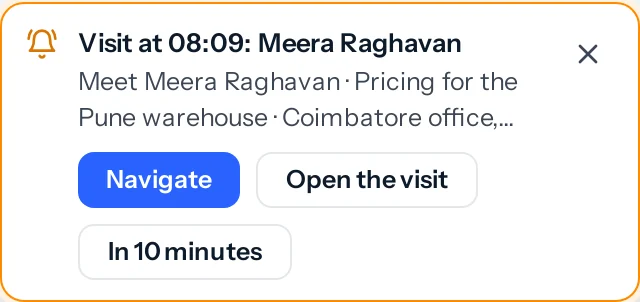
- Navigate opens Google Maps directions to the customer’s billing address or the lead’s address (or the spot a visit was captured at). It is a plain link, so it works on any phone and costs nothing.
- Open the visit takes you to it, and In 10 minutes rings again later.
- Move the visit to another hour and it rings again for the new one.
- With JAI CRM closed, the browser shows it as a notification if you turned on Push to this browser; the bell has it either way.
Speak the notes
- Mark the visit done. In How did the visit go?, press Speak the notes.
- Say what happened, up to three minutes, and press Done.
- The words appear in What was discussed, marked as written out from your voice note. Correct anything it misheard, then save.
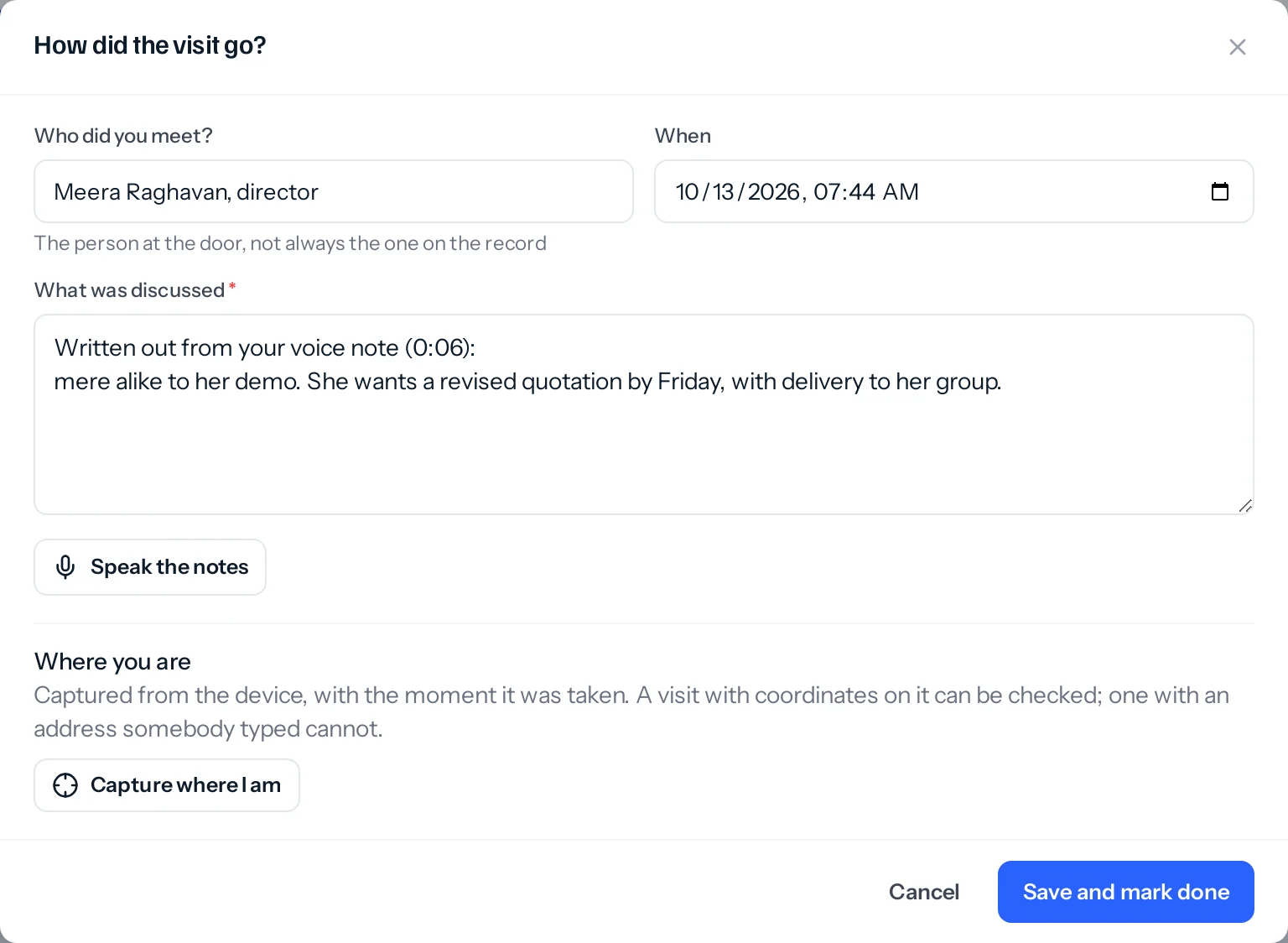
- The recording is kept on the visit, among its attachments, so the exact words can always be heard again.
- It is written out the way an exhibition stall note is: by your business’s AI model where Settings, AI writing allows voice notes to be written out with AI, otherwise by the transcriber on our own server.
- Save, or close the window, before the words arrive, and they are added to the visit’s notes anyway once the visit is done.
- You need the right to change the visit, as for typing its notes.
Something missing or wrong here? Tell us. A question that needed asking usually means a page that needed writing.