
Delete a message
- Choose Delete… from the message’s menu.
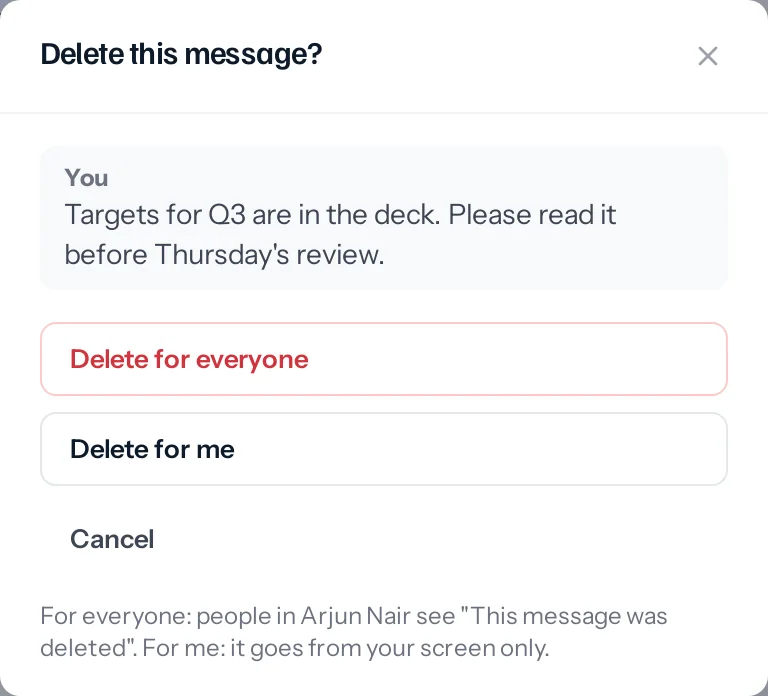
- Choose Delete for everyone or Delete for me.
- For everyone, the people in the conversation see This message was deleted where it was, and any files in it are removed. For you, it goes from your screen only.
When "for everyone" is not offered
- It is your own message only. An admin of a group or channel can delete anybody’s message there, at any time.
- It is allowed within a window: two days unless your business chooses otherwise, and each group or channel can set its own (15 minutes, 1 hour, 1 day, 2 days, a week, or any time).
- A group or channel may keep deleting for everyone to its admins.
- Deleting for yourself is always allowed.
Pin a message
Choose Pin to the top. The message shows in a bar under the conversation’s name; click the bar to jump to it. Anyone can pin in a direct chat or a group; in a channel, only its admins.
Forward
Choose Forward, tick up to 20 chats, groups or channels, and send. The copy is marked Forwarded and carries its own copy of any files, so it stays even if the original is deleted.
Ticks, and who has read it
| On your message | What it means |
|---|---|
| One grey tick | Sent. |
| Two grey ticks | It has reached everyone’s screen. |
| Two blue ticks | Everyone has read it. |
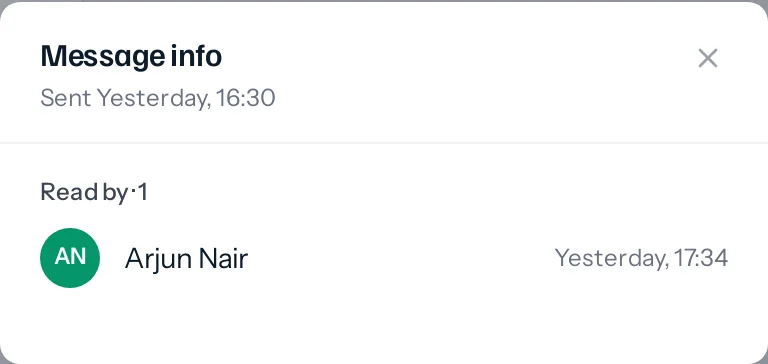
For the detail, choose Message info on your own message: who has read it and when, who has it but has not read it, and who has not had it yet. It updates while it is open.
Something missing or wrong here? Tell us. A question that needed asking usually means a page that needed writing.