
Open Charcha settings with the sliders icon at the top of the Charcha list.
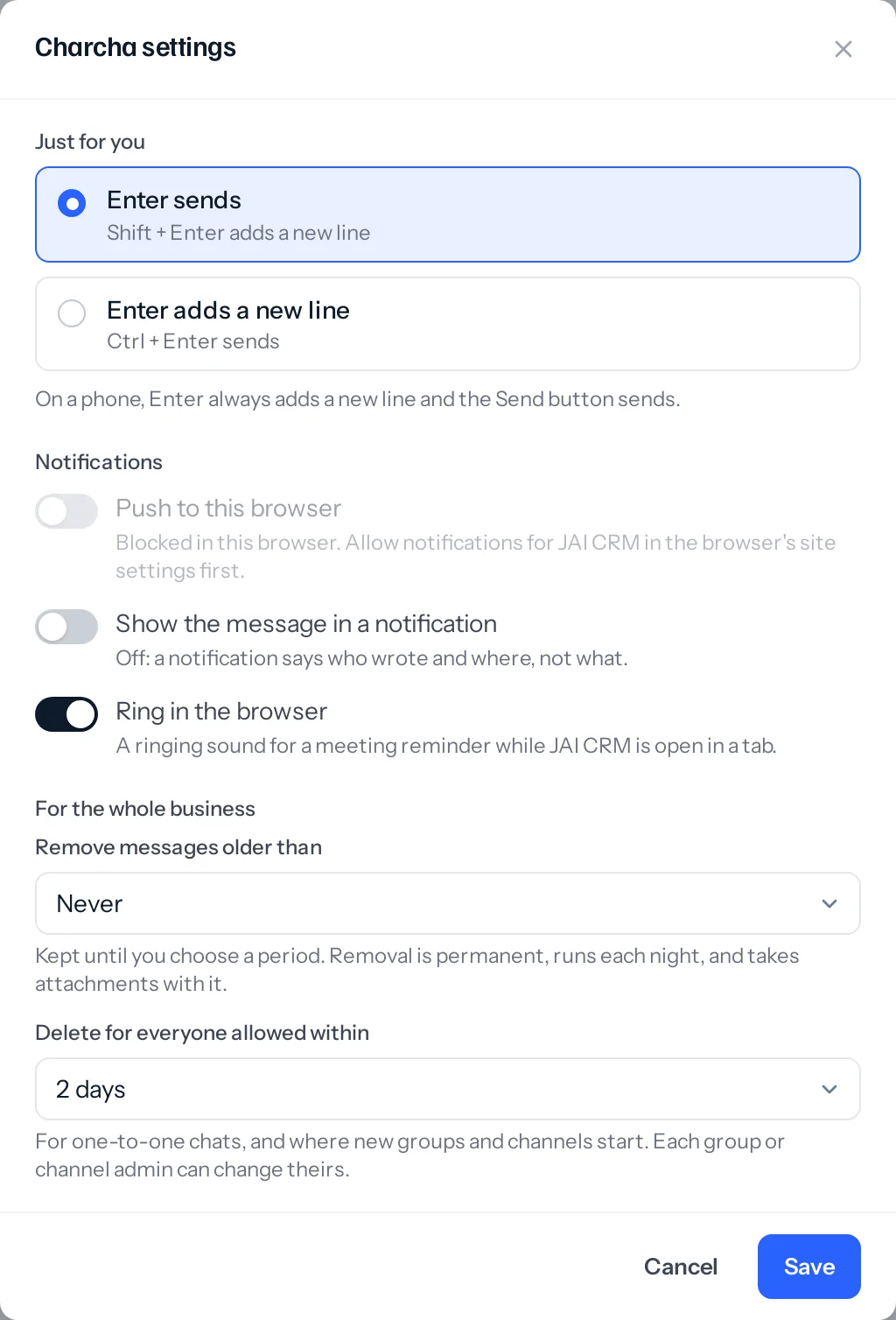
- Just for you: whether Enter sends or adds a new line, and your notifications (see Notifications).
- Remove messages older than (administrators): Never unless you choose 30 days, 90 days, 6 months, 1 year or 2 years. Removal is permanent, runs each night, and takes attachments with it. A thread goes whole, once its newest reply is older than the period, so a conversation still going is never cut in half.
- Delete for everyone allowed within (administrators): how long after sending a message can be deleted for everyone in a one-to-one chat, and where new groups and channels start. Two days unless you change it.
Choosing a period shows what will go tonight and waits for a tick before it saves. Nothing removed can be brought back.
The rights on a role
Settings, Roles has a Charcha row for each of these. Every role on your team has the first. Customer and supplier portal roles have none of them.
| Right | What it lets someone do | Ticked on |
|---|---|---|
| Use Charcha | Chats, groups and the channels they are added to | Every staff role |
| Make groups and channels | And become the admin of what they make | Administrator, Manager, Accounts |
| Broadcast to the people under you | Down the reporting line; the owner, to everyone | Administrator, Manager |
| Post in announcement-only channels | Without being that channel’s admin | Administrator |
| Schedule meetings for others | Invite people who are not in the chat | Administrator, Manager, Accounts |
| Run every group and channel | Rename, add or remove people, delete any message | Administrator |
No right lets anybody read a conversation they are not in, the owner included. Running every group and channel lets someone manage a conversation, not read it.
What Charcha does not do yet
- Notifications on the Android app while it is closed. A message reaches the app while it is open, and a browser even when JAI CRM is closed.
- Video or voice calls of its own. Meetings use a Google Meet, Zoom or Teams link.
Something missing or wrong here? Tell us. A question that needed asking usually means a page that needed writing.