
Nobody should type up what the suite already knows. Send my day puts together what you did in JAI CRM today, what is still open and what is coming up; you add a note, and it goes where it should.
- Press the blue + at the top of the Charcha list and choose Send my day.
- Check what it put together. Add a note, and anything you need help with, if you like.
- Choose who it goes to: your manager, any one colleague, a group or a channel. It remembers next time.
- Press Send now, or choose On a schedule to have it go by itself.
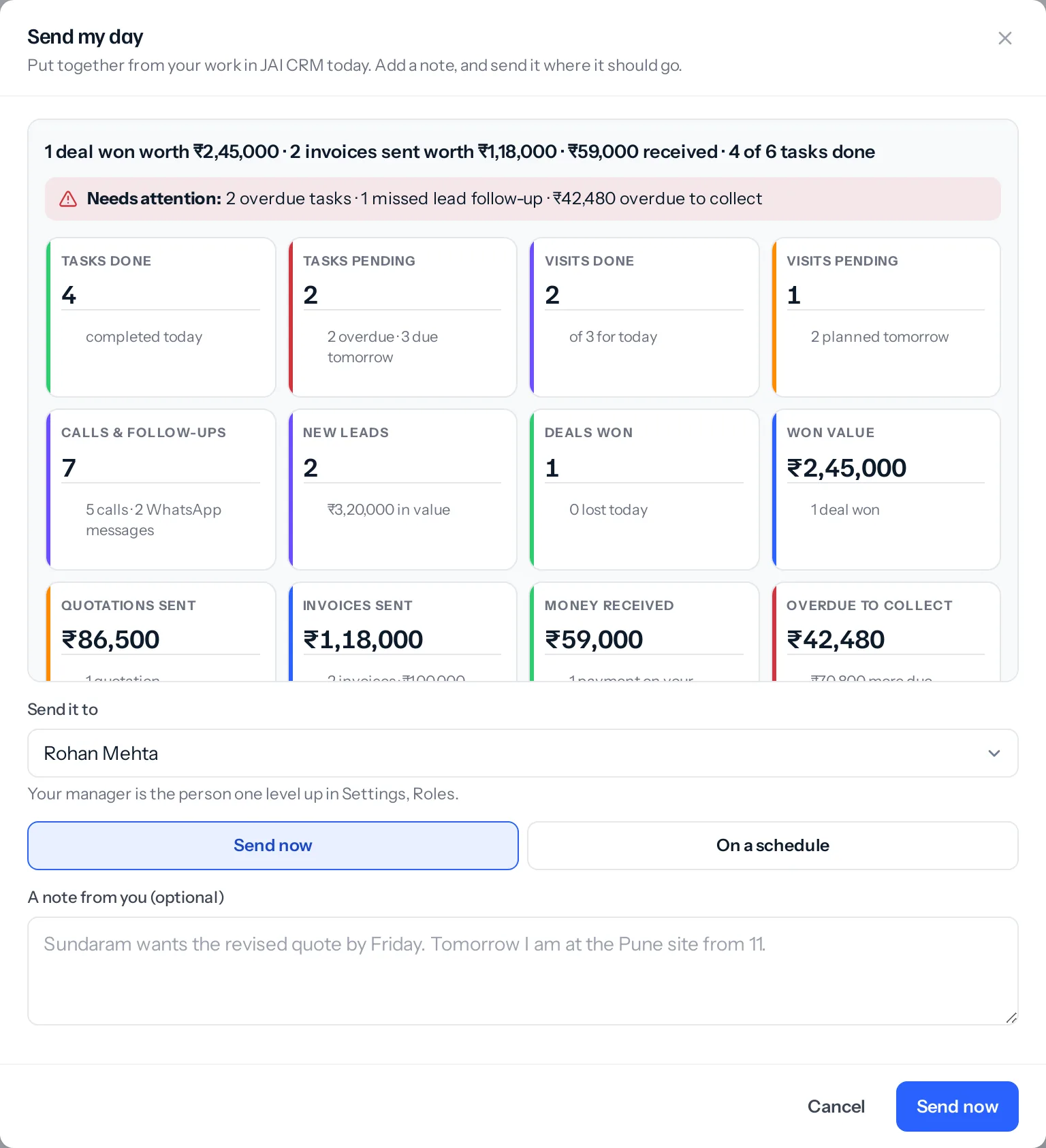
What a report shows
At the top is the day in one line, and a red Needs attention line for what should not wait: overdue tasks, missed calls and follow-ups, open leads with no next follow-up date, deals past their close date or going cold, and money overdue to collect. What you need help with sits under it, so it is not missed.
Then the figures, in the same blocks as your dashboard:
| Block | What it counts |
|---|---|
| Tasks done and Tasks pending | Tasks you finished today, and your open tasks due today or earlier, with how many are overdue |
| Visits done and Visits pending | Today’s visits done, and those still planned for today |
| Calls & follow-ups | Calls, meetings, WhatsApp messages, emails and texts you logged today |
| New leads | Leads you added today, and their value |
| Deals won and Won value | Deals you won today and what they were worth |
| Quotations sent and Invoices sent | What you sent today, in total; invoices also before tax |
| Money received | Payments received today on your invoices |
| Overdue to collect | What your customers owe you past the due date, and what falls due this week |
Under the figures, how the month is going so far: won, invoiced and collected. Every amount is exact, in your business’s currency.
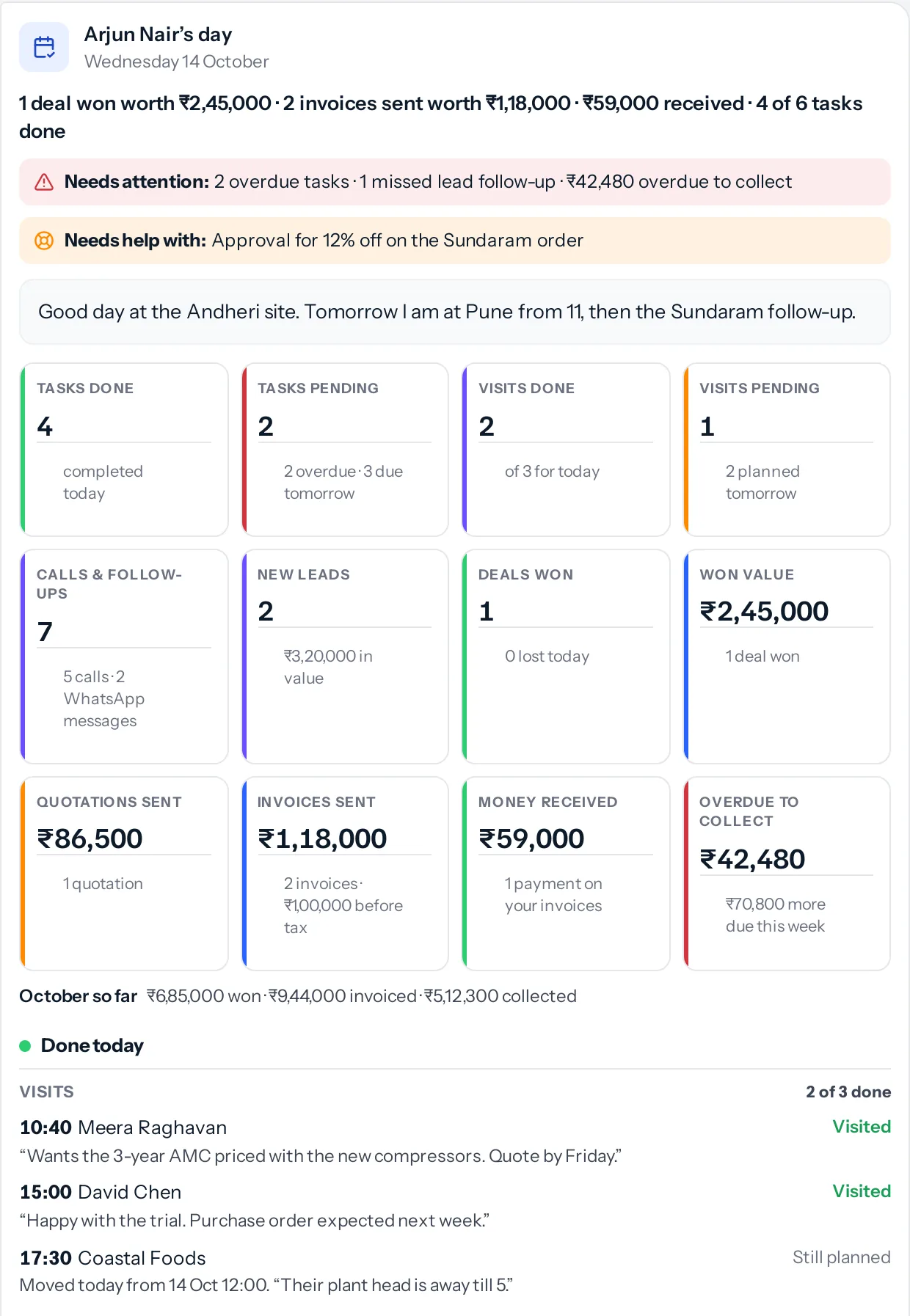
| Part | What is in it |
|---|---|
| Done today | Tasks, visits with how each went, follow-ups, leads, new deals, deals moved, won and lost (with why it was lost), deals Cross-sell handed to you, meetings, quotations, proposals, sales orders, invoices, bills of supply, retainer invoices, recurring invoices raised, payments received, purchase bills, new subscriptions, cards scanned, checklists, and the notes and outcomes you wrote |
| For tomorrow | Quotations, proposals and invoices a customer opened today, open tasks, project tasks, tomorrow’s visits and meetings, lead follow-ups, planned calls, deals due to close with their next step, and your reminders |
| Coming up | Money to collect, bills to pay, orders to deliver, quotations and proposals running out, recurring invoices about to run, subscriptions renewing, warranties ending this month, and deals with no change in 14 days |
Anything still open for tomorrow says why: if its date was moved today it says from when, and it shows the last note, call or comment written on it, which is where people put the reason.
Who sees what
A report holds only the parts your role can open, and only for modules your business has switched on: someone without visits gets no visit blocks. Each person reading it sees only the parts their own role can open, so a report sent to a group shows a storekeeper none of the invoice figures. Your note and what you need help with are for everyone in the chat.
Your manager is the person one level up the reporting line in Settings, Roles (the owner, if nobody is above you). The report arrives in your direct chat with them, so they can reply there.
Send it on a schedule
Choose On a schedule, tick the days and set the hour, then press Save the schedule. It goes by itself to the place chosen above. Fifteen minutes before, a reminder asks whether you want to add a note. On a day you sent it yourself, it does not go again. Press Stop the schedule to stop it.
Days and hours follow the time zone in Settings, Organisation. In an announcement-only channel only its admins can post, so only they can send their report there.
Something missing or wrong here? Tell us. A question that needed asking usually means a page that needed writing.