
A quotation is a price you are offering. It is not a bill, it does not move stock, and it does not appear in your books as money owed. It is the start of the chain.
Why it is a document and not an email
Most small businesses quote by writing an email or attaching a spreadsheet. It works until one of three things happens:
- The customer accepts, and somebody retypes the figures into an invoice. A rate moves by fifty rupees and now you are arguing with your best customer about a piece of paper.
- Somebody asks how much you quoted last quarter, and how much of it turned into money. Nobody can answer without opening sixty emails.
- The person who sent it is on leave, and nobody else can find what was offered.
A quotation here is a record. It converts without retyping, it can be counted, and anybody with permission can read it.
Who raises one
Anybody with create on quotations. That is usually the whole sales team. Sending it out is a separate permission — see Who can do what.
Raising one
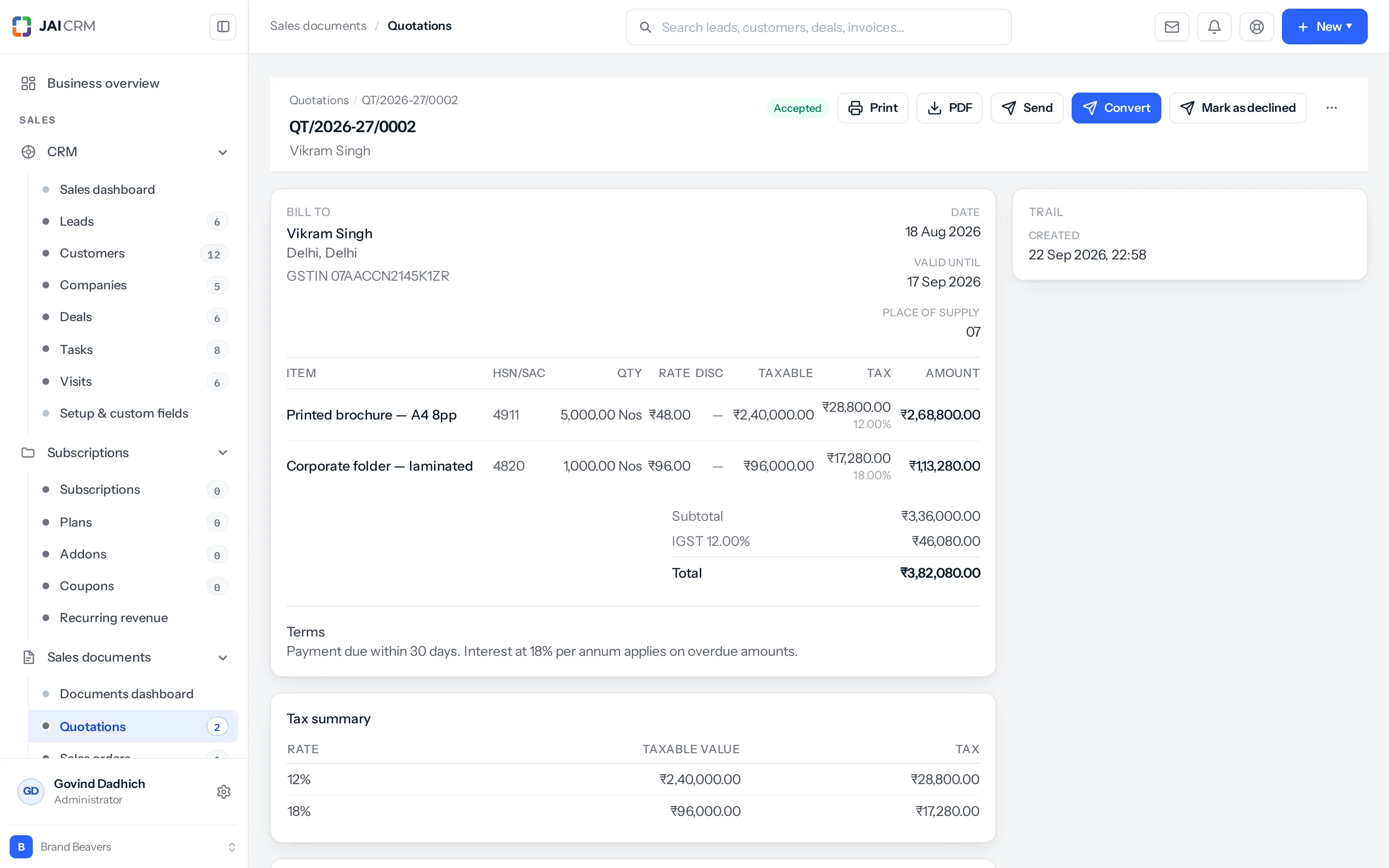
- Go to Sales documents → Quotations and click New.
- Pick the customer. If they are not there yet, create them — or better, convert the lead so the history follows.
- Check the date and set valid until. A quotation with no expiry is one you can be held to next year.
- Add the lines. See Lines, discounts and charges.
- Check the tax at the bottom. It is worked out for you; look at it anyway the first few times.
- Add terms and any notes.
- Save as draft, or issue it.
Draft or issued
This distinction runs through every document in the product, so it is worth learning once.
| State | What it means | What you can do |
|---|---|---|
| Draft | Still being written. Nobody has seen it. | Change anything. Delete it, if it is the newest. |
| Issued | It has gone out. Somebody is holding it. | Revise it, or cancel it. It cannot be deleted. |
The number is taken when the document is created, not when it is sent — which is what stops two people raising the same number at once.
Sending it
Three ways, and they are not equivalent.
| Way | Good for | Note |
|---|---|---|
| Email from the system | Most of the time. | Press Send: a window opens with the PDF attached, your template written and the customer’s address filled in. It goes from your own address if you have connected your mailbox, so the reply comes to you. See Send a document. |
| A share link | WhatsApp, or a customer who will not open attachments. | A web page they can open on a phone, with a button to accept. See Share a document. |
| Download a PDF | When they want a file. | Prints using your template. |
A worked example
A fabrication shop is asked for a price on forty tonnes of square sections.
- The enquiry came in as a lead. It is converted, so the customer now exists with the history attached.
- A quotation is raised against that customer. Three lines: the sections, cutting, and freight as a charge.
- Valid until is set to thirty days, because steel rates move.
- It is emailed from the estimator’s own address. The customer replies to him, not to a robot.
- Nine days later it is accepted. It becomes a sales order in one click — no figure retyped.
What you get from doing it this way
- The figure you quoted is the figure you bill. Nobody retypes it, so it cannot drift.
- Conversion becomes measurable. Quoted against won, by month, by salesperson, by source.
- Cover is possible. Anybody with permission can read what was offered and why.
- The customer gets something that looks like a business. Your letterhead, your terms, your numbering.
Things that catch people out
Get the customer’s state right before you issue. Place of supply decides whether the quotation shows CGST and SGST or IGST. Correcting the customer afterwards does not rewrite a document that has already gone out.
- An expired quotation cannot be converted. Expired is one of five statuses after which nothing may be raised from a document. Revise it instead.
- Valid until is not automatic. Nothing expires on its own; you set the date and the status.
Where to go next
Something missing or wrong here? Tell us. A question that needed asking usually means a page that needed writing.